
BurnCDCC 2.02 for Windows
Writes an ISO image to a CD or DVD, with burn speed and verification
Screenshots
Description
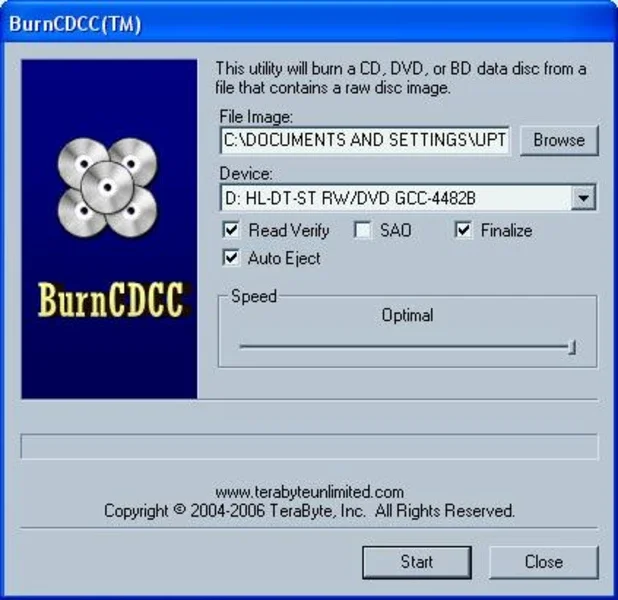
BurnCDCC writes an ISO file system image to a CD or DVD. You pick the ISO file on the hard drive and the target recorder, and the whole operation stays in a single window. The burners installed on the computer are detected automatically, so the recorder list is there without any scanning on your part.
Burn settings
Burning speed can be set manually or left on automatic, which picks the optimal value. Session at once keeps the laser on for the entire burn and adds no gaps to the disc. Write verification then checks the resulting disc against the source file to confirm no corrupted data landed on it.
Disc finalization closes the CD or DVD, and once it is closed nothing more can be written to it.
Download files
fdcf34f1b1ccc6c61946517b01f599f9175c571906771c842b0813daf700425c
1b3387bb3d41d80d00312d671844f0221e7adf85021a08f244b0bc716e25305f
1b3387bb3d41d80d00312d671844f0221e7adf85021a08f244b0bc716e25305f
System requirements
Available on:
Minimum OS:
Windows Windows XP or later
Additional information
Developer
Latest release
Size
File type
SHA-256
fdcf34f1b1ccc6c61946517b01f599f9175c571906771c842b0813daf700425c