
CapsLock Indicator 3.16.1.2 for Windows
Shows a floating widget whenever a lock key changes state on Windows
Screenshots
Description
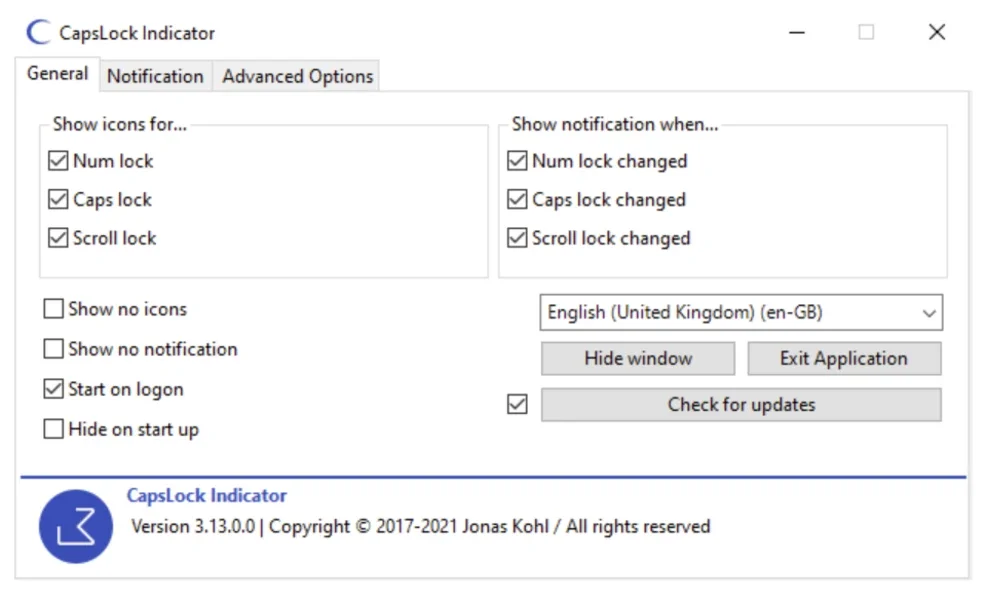
CapsLock Indicator shows a small floating window each time you press a lock key, so you can see whether it is on or off. It checks the state of Caps Lock, Num Lock and Scroll Lock, which is often easier than reading the tiny lights on many keyboards. The widget appears both when a key is locked and when it is unlocked. Notifications for the numeric and scroll locks are included as well.
The main screen lets you turn the monitored lock keys on or off. A default widget is included, and you can change its look by downloading theme files in ICO format and placing them in the directory where the program was installed. Each alert can be customized separately through advanced options. It has little or no impact on computer performance.
The program is open source and free. It runs on Windows. Version 3.16.1.2 is the latest. Jonas Kohl develops it under the Apache 2.0 license.
Download files
04c36a520cea729650ebda59cbf1f5353999d478ff706914c3fccf5558fa2495
No digital signature057d1b445ee36e48ca27beca0156d1e910f48305f692edd8380c26b8baa898ed
No digital signatureSystem requirements
Available on:
Minimum OS:
Windows XP or later
Additional information
Developer
Latest release
Size
Category
File type
SHA-256
04c36a520cea729650ebda59cbf1f5353999d478ff706914c3fccf5558fa2495





