
Citrix Workspace 26.10.0.31 for Windows
Client app that opens your company's virtual apps and desktops
You are on macOS — this is the Windows version. See the macOS version
Screenshots
Description
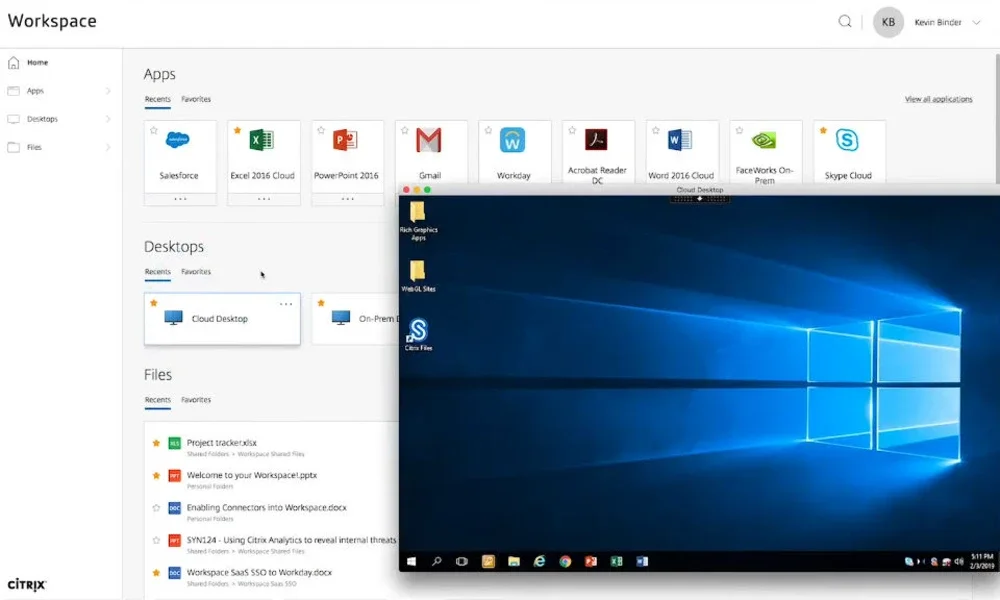
Citrix Workspace gives you access to Citrix Virtual Apps and Desktops that your company's IT department has put in your account. You log in with a business account, and tapping an app or desktop icon opens it securely. Multiple apps and monitors can run at once. The service is tied to a company account, and each business gets a setup tailored to it. It works for businesses of any size, and there is a personal login for every user.
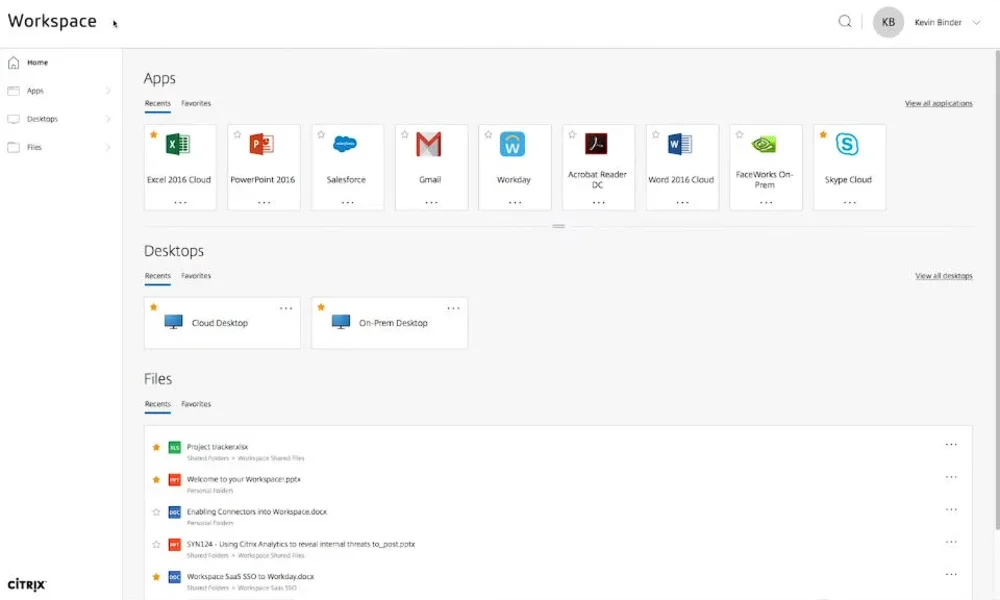
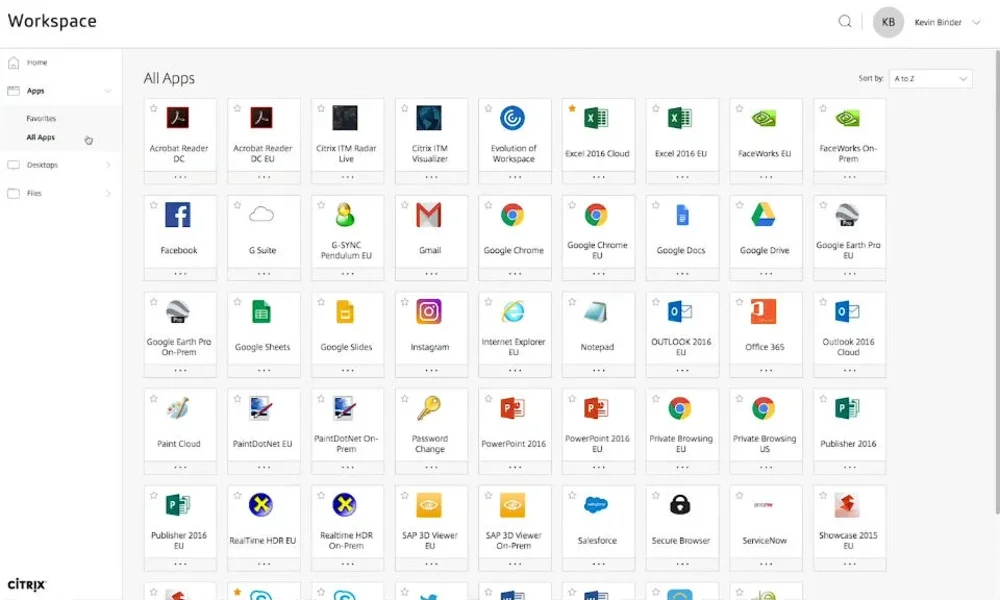
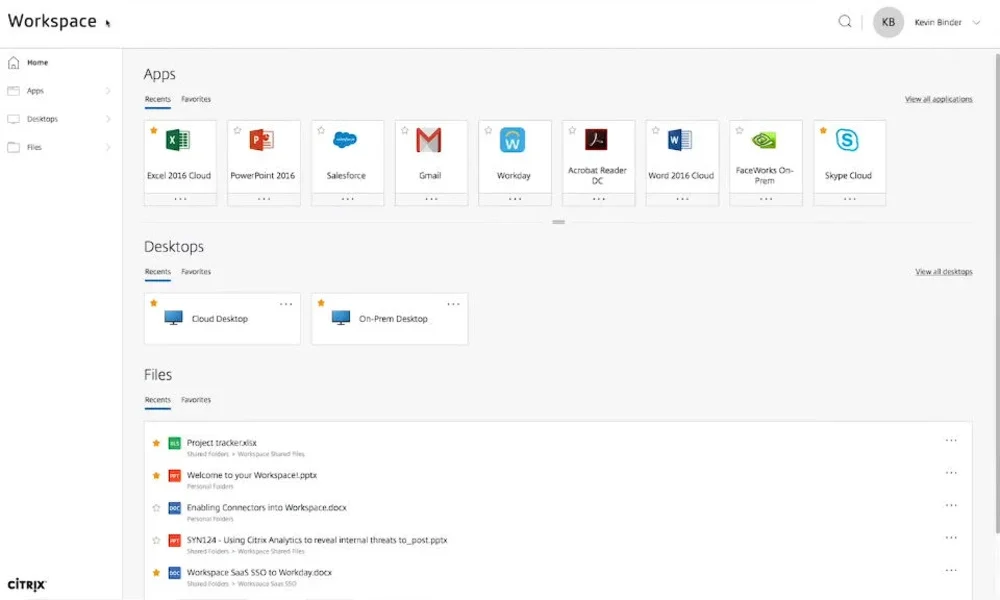
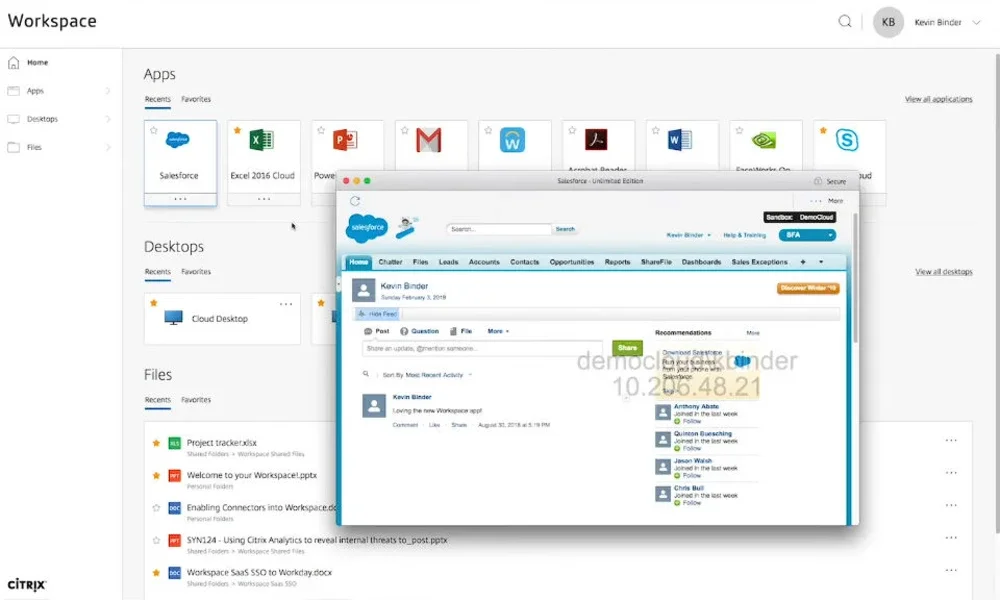
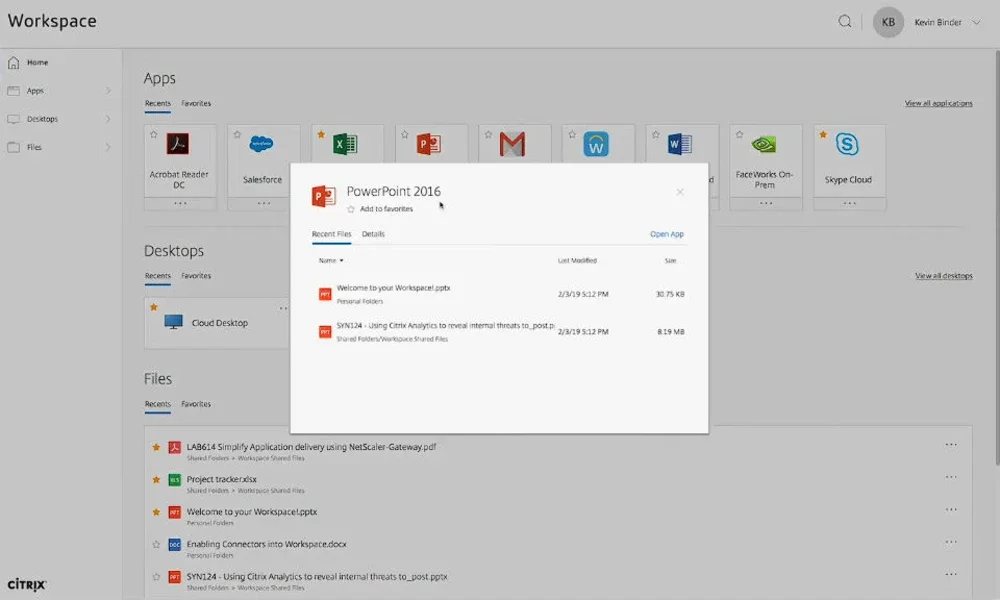
The left panel has tabs for Home, Actions, Apps, Desktops and Files, and the main screen changes with the tab you pick. The home section holds favorite and recently used applications plus your desktops, with a 'View all applications' button that lists the virtual apps. A star in each app's top left corner adds it to favorites, and favorite apps and desktops have separate sections reachable from the left column or the home screen. You can arrange favorites and desktop screens yourself. The Apps tab expands in the left column, a search bar at the top finds items quickly, the three dots beneath an app title show more about it, and your initials sit in the upper right. Clicking the profile icon opens Account settings, where password changes live under Security & Sign In.
The app installs on Linux, Mac and Windows PCs, including Windows 11, and on phones and tablets. You can also reach it in a browser, switch devices inside the interface and sync between two. A Tools tab lets you download the app for multiple operating systems. Admins can run separate subdomains under the main URL, up to 10, each with its own branding, applications, desktops and authentication, and a multiple workspace URLs feature gives them more control. IT staff can assess network security with Citrix analytics, and the workspace app is continuously monitored for threats. Citrix Gateway, a VPN service, can run alongside it. The app is free client software.
Download files
65a7e2d4f5a39b8a432bc4a2095eca5740153d804032275cb79cc35398ee0f75
Signed by Citrix Systems, Inc. · valid until May 13, 2027cb37e55c3fb6c1a0e457e381ddfd0a4b2f75487997e55995c4d128171246a641
Signed by Citrix Systems, Inc. · valid until May 13, 20276773b8601cac93c6d38341c8c43bda05ebec0814c5b9ba2ca2825c689211c3e6
Signed by Citrix Systems, Inc. · valid until May 13, 202703e0c86b2f6b1fc27377fba59755d246c7e74b8b7802d302e8fdf7ad0fd466d1
Signed by Citrix Systems, Inc. · valid until Jul 1, 2026b62a442959f4920a0905d8ae32ac7708ab87b2a02123b1bc436e04f43f96ffc5
Signed by Citrix Systems, Inc. · valid until Jul 1, 2026System requirements
Available on:
Architecture:
64-bit
Additional information
Developer
Latest release
Size
Category
File type
SHA-256
65a7e2d4f5a39b8a432bc4a2095eca5740153d804032275cb79cc35398ee0f75