
CleanMem 2.5.0 for Windows
SHA-256 listed
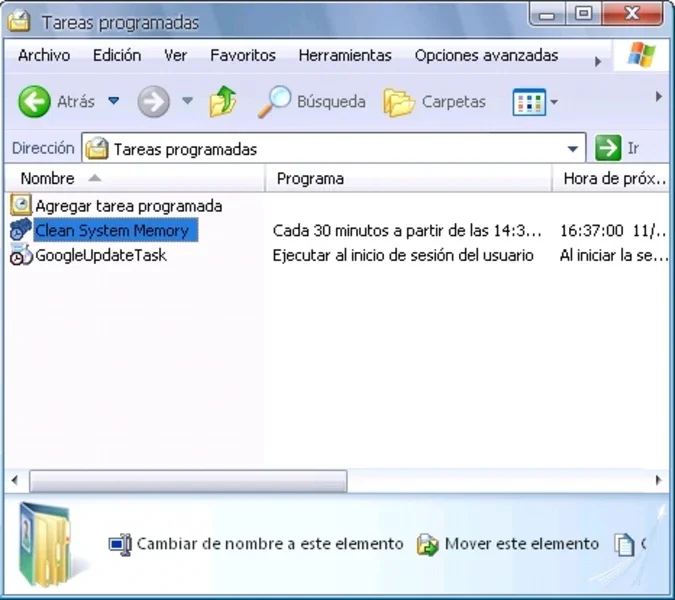
Frees up RAM every 30 minutes from a scheduled task
All ages
Age rating
Screenshots
Description
CleanMem frees up RAM every 30 minutes on Windows. It runs as a scheduled task, and each run takes about 5 seconds.
The program has no user interface. Nothing sits in the tray or opens a window, so the only sign of it is the memory it releases on schedule. Installing it means adding the task; after that it works on its own, waking every half hour, doing its pass in a few seconds and going quiet again. The brief run time keeps each pass from turning into an interruption, and the fixed interval means the cleanup happens without anyone starting it.
It is a Windows application from PcWintech.Com, and it is free.
Download files
File2.5.0EXE
Version2.5.0
ReleasedMar 19, 2020
Size3.2 MB
SHA-256
Get
f555e76d65813b2553fc3a863f78605e1a60d219f8aa38b33f701166925cdeea
No digital signatureFilecleanmem-2.4.0.exeEXE
Version2.4.0
ReleasedApr 3, 2012
Size3.1 MB
SHA-256
Get
65aeaf53f8d812b80be525ac6459af8058a975be8b991ba87dcc5e48fc2313a0
Filecleanmem-2.3.0.exeEXE
Version2.3.0
ReleasedOct 4, 2011
Size2.6 MB
SHA-256
Get
6e0db117d4c9a0e8d0dcae0aa296338599f1f7c516bfa5f19a3ab9b598535ddd
Filecleanmem-2.1.0.exeEXE
Version2.1.0
ReleasedApr 11, 2011
Size2.6 MB
SHA-256
Get
f47627bd0f817c9c4596adf370abecad5482189cbf7c2eb34564ed6a3e2f80b1
Filecleanmem-2.0.1.exeEXE
Version2.0.1
ReleasedMar 15, 2011
Size2.1 MB
SHA-256
Get
a9fab8f621ec192adfd386d3b942998cf0451a6a70e20a8b89cd45d4788099cc
System requirements
Available on:
Additional information
Developer
Latest release
2.5.0 · Mar 19, 2020
Size
3.2 MB
Category
File type
EXE
SHA-256
f555e76d65813b2553fc3a863f78605e1a60d219f8aa38b33f701166925cdeea
Digital signature
No digital signature





