ControlMyMonitor 1.42 for Windows
Adjust monitor settings from Windows without the buttons
Screenshots
Description
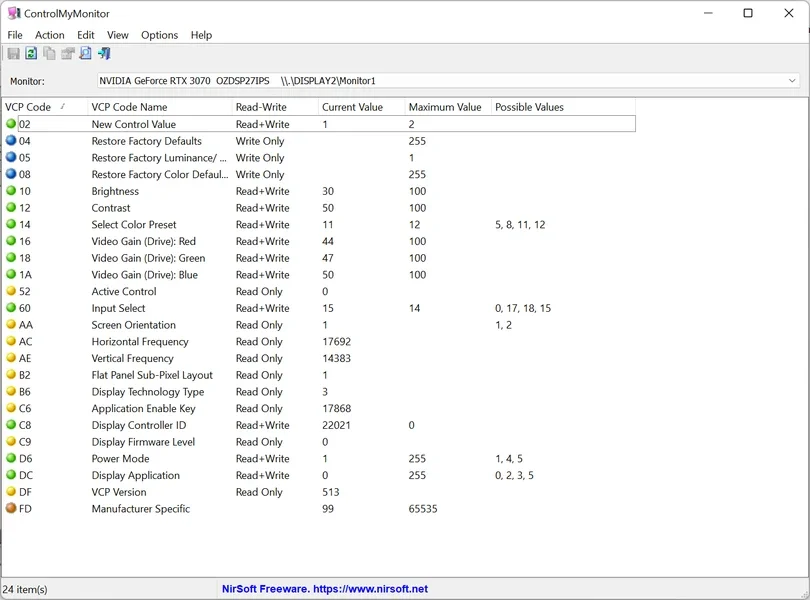
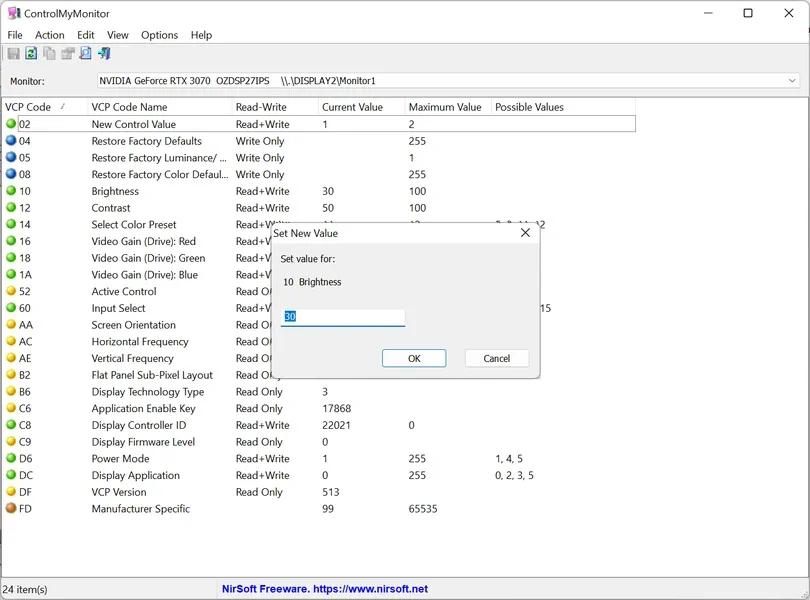
ControlMyMonitor adjusts monitor settings from Windows, so you don't have to reach for the buttons on the monitor itself. It works through the I2C protocol, which lets the computer talk to the monitor over cables such as HDMI or DisplayPort. Nearly all monitors with those connections support the protocol. On startup it detects connected monitors that are powered on.
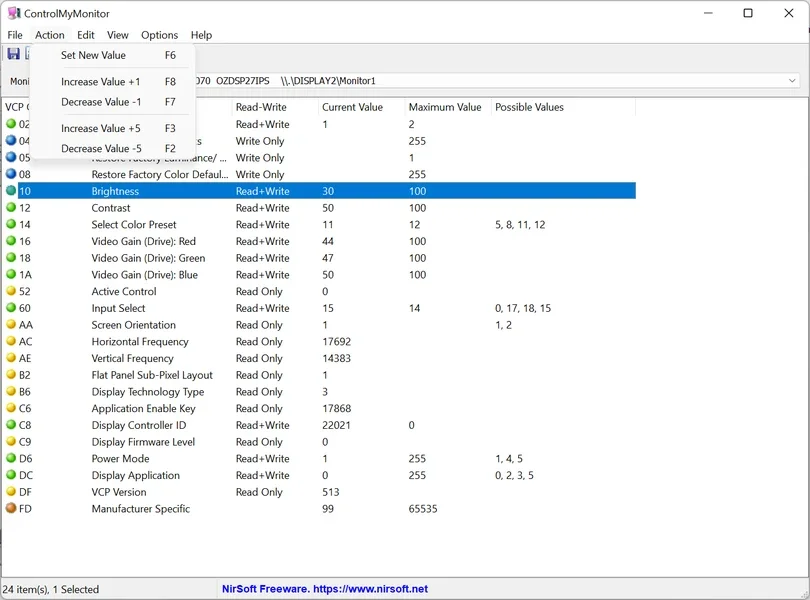
It lists adjustable settings including brightness, contrast, sharpness, language, refresh rate, and color temperature. To change a setting, double-click it and enter the desired value; pressing OK applies it automatically. The F2 and F3 keys raise or lower values in steps of 5, while F7 and F8 raise or lower values in steps of 1. Holding Ctrl while scrolling the mouse wheel also adjusts the value. On laptops, native brightness control adjusts the built-in screen but not external monitors.
A configuration can be saved to a file, and double-clicking that file applies the configuration automatically.
Download files
da90da11e6acaaeb85df42ad9a15d15422418a8d6900fa1069004aae505c8628
ea2713ff51f494c6a8f16b3dd8315ab73761f619a811c87a520d067e2c13528e
e0752096ee7dfd17e6ae91eefaaecff900055ba1462f9c845ce237f18a1d5386
dccc8bb6db48e59dac7359d7e27f2c2601216945d5e574f6c8e5f349a58286bc
b81509b058acbe221e0e189565d050354f7a82a4f719872496fd7adf575675dd
System requirements
Available on:
Minimum OS:
Windows Windows 8 or later
Additional information
Developer
Latest release
Size
Category
File type
SHA-256
da90da11e6acaaeb85df42ad9a15d15422418a8d6900fa1069004aae505c8628