
CrapFixer 2.01.41.0 for Windows
Removes Windows 11 extras and bloatware in one go
Screenshots
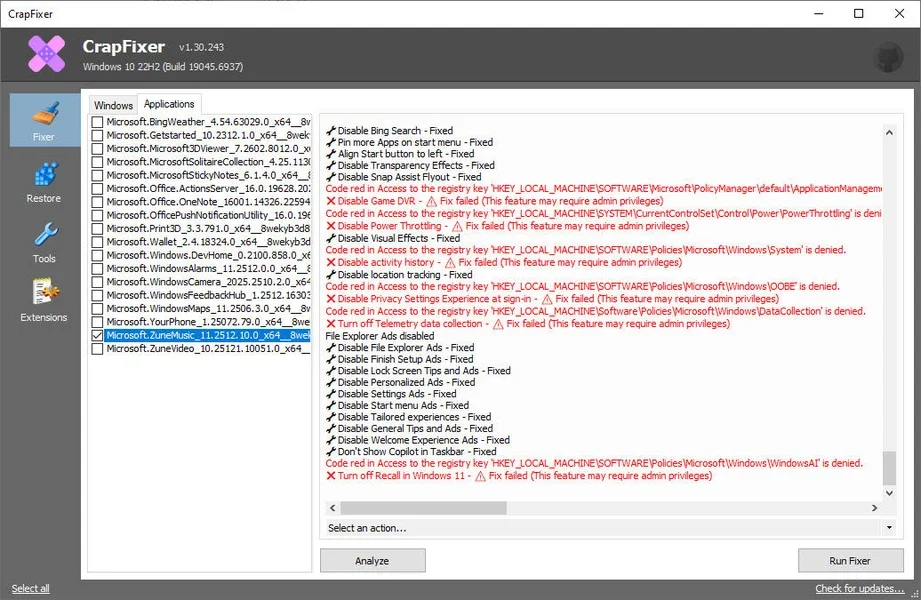
Description
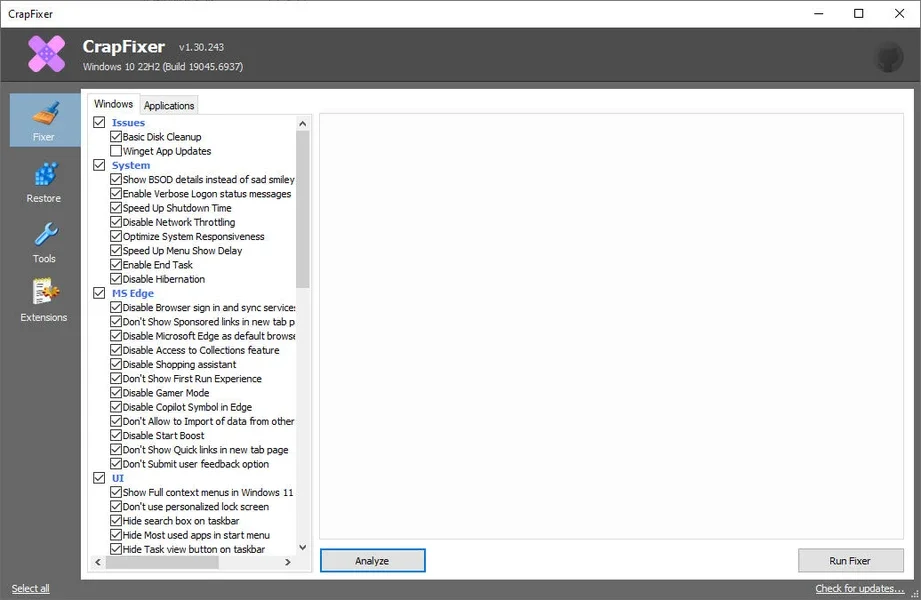
CrapFixer is started by double-clicking the executable after you unzip the compressed file it comes in into a folder. Its main goal is to remove controversial features from Windows 11 in one go, and it is intended to remove unwanted elements that Windows has added over time. It also works on Windows 10. The layout resembles CCleaner, with the main window showing all checkboxes checked by default.
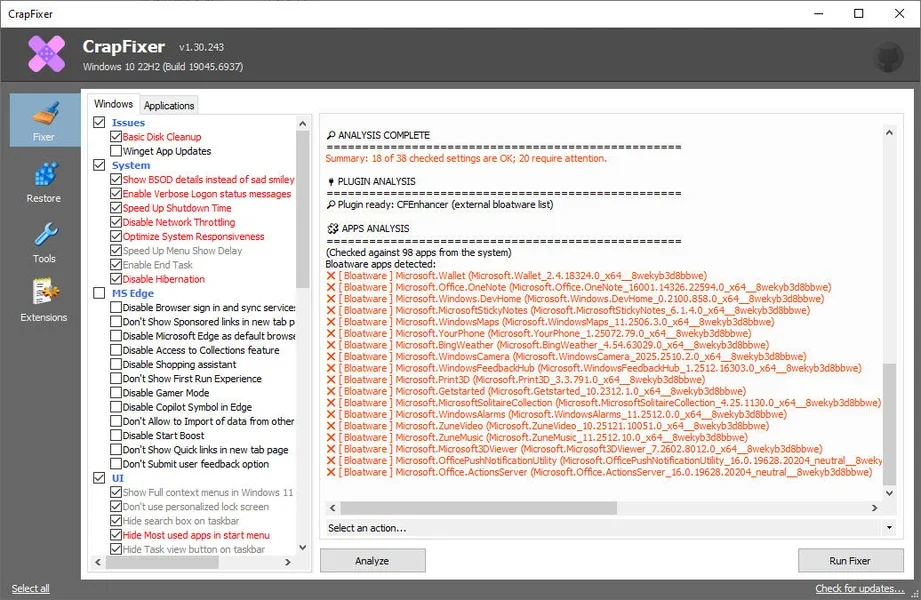
An Analyze button shows what can be improved. Analysis takes a few seconds and then lists possible fixes, and most items are usually shown in red. Most red items are labeled as bloatware, which means programs and tools installed by default with Windows that are rarely used. A Run Fixer button disables those items and slightly improves performance.
A Restore button undoes any changes or fixes made. CrapFixer is free software.
Download files
6dd208a7d5759636c68b67a8eb6a10ffc82017e1da5439e181930d08b159bfcb
718040cbd4a1e6d2b40e7efc5b467d2f404bedea772170ecd14542f8ef231482
8f6d1746891fa86354a324460bea38d9bf75fbc6911515db4154c9981d7649b2
74092840e220680e9c9fe8b076d99236ae992df680a421bf0d43c4e60d43b54f
System requirements
Available on:
Minimum OS:
Windows XP or later
Additional information
Developer
Latest release
Size
Category
File type
SHA-256
6dd208a7d5759636c68b67a8eb6a10ffc82017e1da5439e181930d08b159bfcb





