
Custom Resolution Utility (CRU) 1.5.3 for Windows
Adds unscaled monitor resolutions and writes EDID overrides to the registry
Screenshots
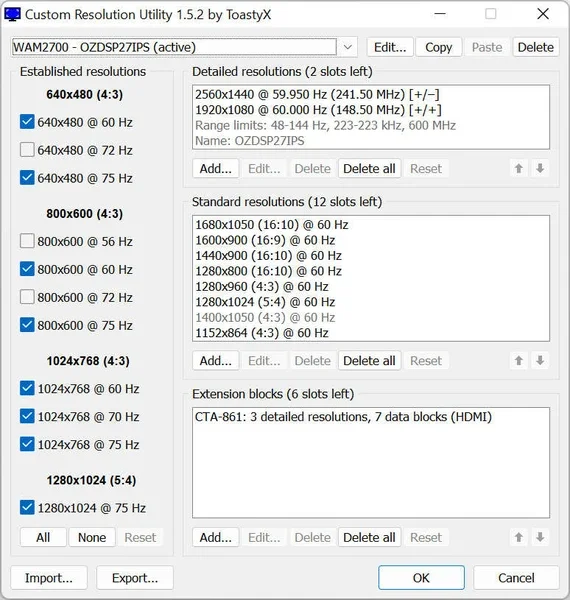
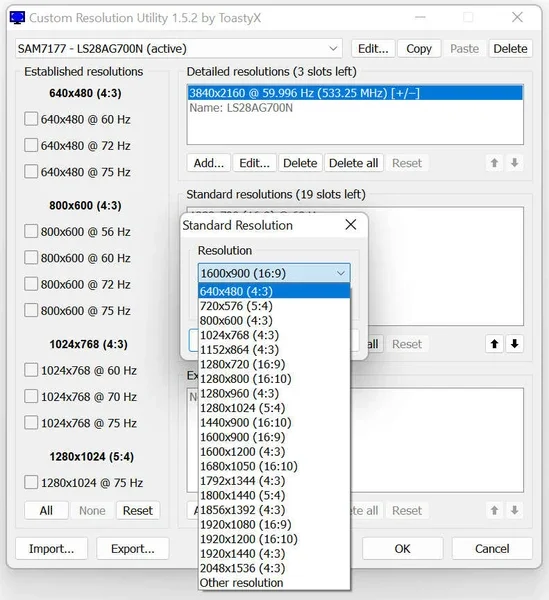
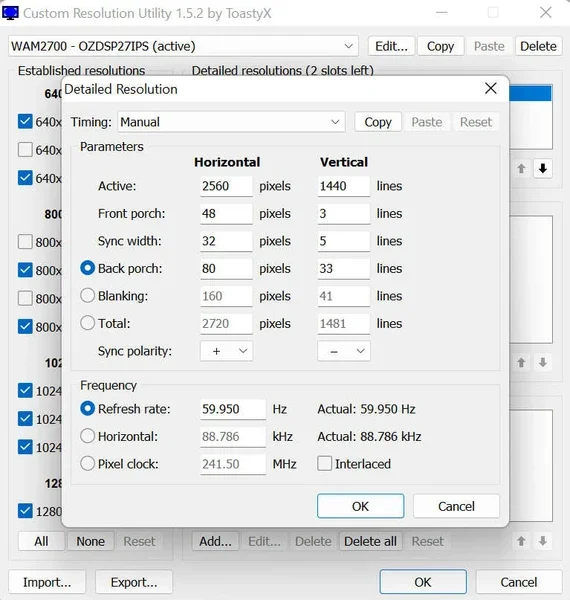
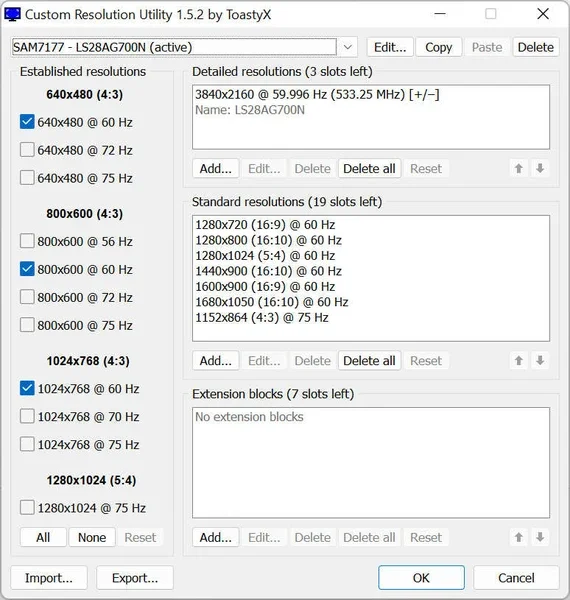
Description
Custom Resolution Utility (CRU) lets you define new resolutions on your monitors. It adds resolutions that are not scaled. Lower resolutions get scaled up by the graphics driver automatically, whatever the GPU, but higher ones are not scaled down, so a higher resolution only works if the monitor can handle it.
What you can set
Resolution entries are limited to six, and the first entry is the primary resolution. You can pick from predefined options for LCD and CRT monitors, define standard resolutions intended for CRT monitors, or set parameters by hand: horizontal and vertical active resolution, sync width, blanking options, sync polarity and refresh rate. EDID files can be imported to override existing resolution configurations. Overrides are created directly in the registry without .inf files.
Which features are available depends on the GPU. It works only with AMD/ATI or NVIDIA GPUs, because Intel GPUs do not allow EDID overrides, and it does not work on laptops with switchable graphics. The settings are broader than the average user can understand.
Download files
9201e9770b4d3d2512ee7f7f979127e4a73e8f6bf77865a8570d662ba72f88c8
c92e4255a897d6d97295724e5934a5315238a63bb8e0b8b320c5f9b21eb0f531
3fc06d8bc64fd8c0ad8ef8ec627cea18a8dae7c6e87d880ff7acb13d248c0f95
System requirements
Available on:
Additional information
Developer
Latest release
Size
Category
File type
SHA-256
9201e9770b4d3d2512ee7f7f979127e4a73e8f6bf77865a8570d662ba72f88c8





