Desk Drive 2.1.2 for Windows
SHA-256 listed
Puts a shortcut for each newly connected disk on your Desktop
All ages
Age rating
Screenshots
Description
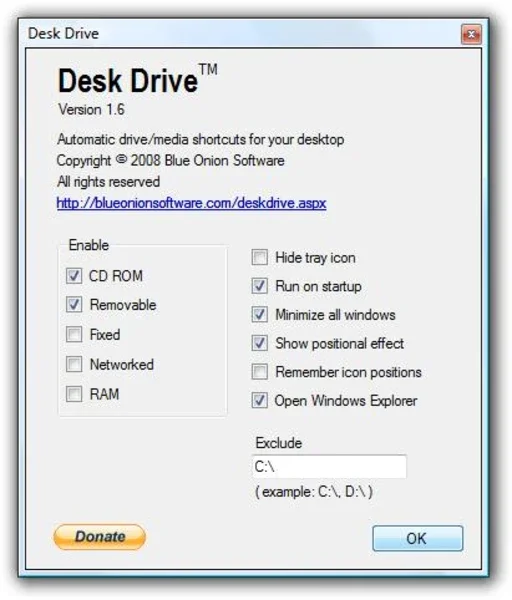
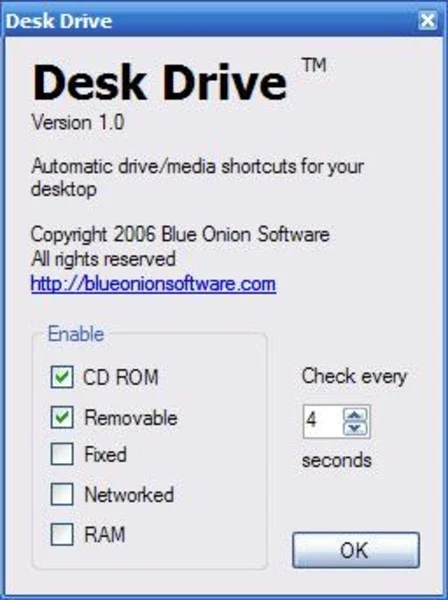
Desk Drive creates a temporary shortcut on the Windows Desktop whenever a device or disk is connected. It is meant for USB pen drives, external disks, and CD/DVDs that have no auto run. Each time one of these is plugged in, the matching shortcut is activated.
Desk Drive runs in the background, sitting in the system tray. When the pen drive or USB memory stick is pulled out, the shortcut disappears and nothing is left behind.
Download files
FileDeskDriveSetup.exeEXE
Version2.1.2
ReleasedOct 21, 2025
Size448.5 KB
SHA-256
Get
4b69225d8b55c21a15810f6192f77b1be17675388a38cd2500c32f31d7628e5f
No digital signatureFile2.1EXE
Version2.1
ReleasedDec 10, 2013
Size536.8 KB
SHA-256
Get
ee241e98dffa0c2025823f0f706fc213514d99141969e61b7bebc6da8452d33e
No digital signatureFiledesk-drive-2.0.exeEXE
Version2.0
ReleasedNov 11, 2013
Size536.2 KB
SHA-256
Get
c6f25b26366d73d79113ec90842246e37cf5326e0d6f690310e2979c98a1553f
Filedesk-drive-1.8.5.exeEXE
Version1.8.5
ReleasedApr 16, 2013
Size508.0 KB
SHA-256
Get
57e2de5ac00baf8987b6da499c5a818d7720c4ea21a91d12af694ba13094cd30
Filedesk-drive-1.8.2.msiMSI
Version1.8.2
ReleasedJun 21, 2011
Size688.0 KB
SHA-256
Get
e5f98ecf7870f9357978468f75b3549ab3eb56e4a02a7fab4d67daa13f7709c2
System requirements
Available on:
Minimum OS:
Windows Windows 7 or later
Additional information
Developer
Latest release
2.1.2 · Oct 21, 2025
Size
448.5 KB
Category
File type
EXE
SHA-256
4b69225d8b55c21a15810f6192f77b1be17675388a38cd2500c32f31d7628e5f
Digital signature
No digital signature





