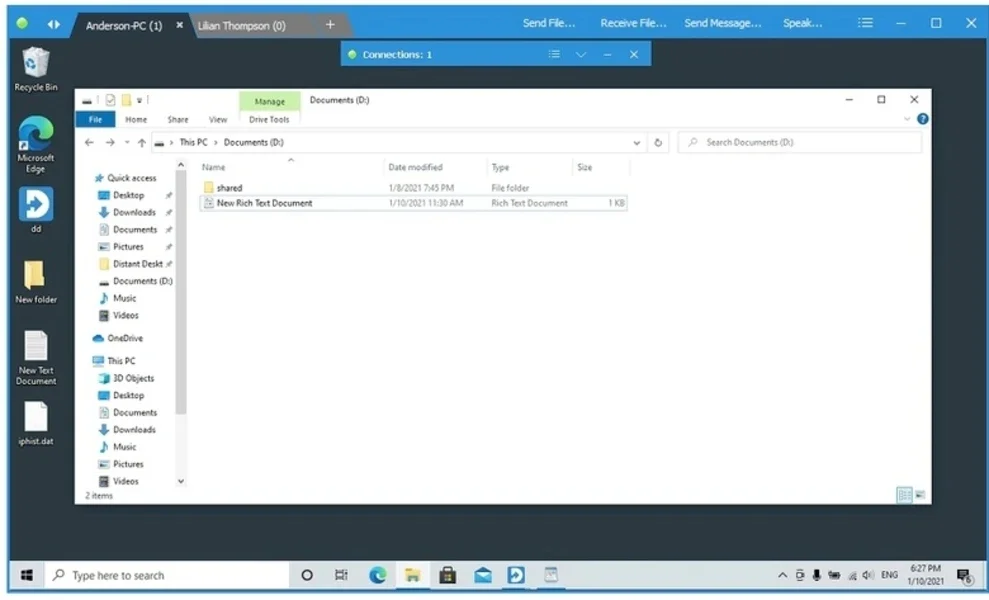

Distant Desktop 4.3.0.0 for Windows
Free portable remote access with file transfer
Screenshots
Description
Distant Desktop shows an ID and password as soon as it opens. Those two credentials are what the other machine uses to connect to this one. The program has to be running on both PCs for a session to start.
It is a free remote PC program from Distant Software for connecting two machines so each can be accessed and controlled from any location. No installation is needed and no third-party software has to be added; it works right after launch, and the executable can sit on a USB stick rather than in Program Files. File transfer goes both ways, so you can send and download files between the devices while connected. Multiple simultaneous connections are supported, which suits system administrators working across several machines at once. Typical uses are managing a home computer from somewhere else and troubleshooting client issues on their PC. It is built for personal or productivity work.
It is cross-platform, so the two ends do not have to run the same operating system.
Mobile platforms are not supported yet.
Download files
9d5047042686fb8d10f1075e90dc1ce2b55ebf760fa52e017acd9e1ad9d11603
Signed by German Gorodokuplya · valid until May 24, 2027f395cf29fe7b3ac8b845f2e99a10673303d755d1f4363ea38a63855925f2a775
78a182ccf51b1e751452c736c4d1da60e46fa7551e05d1f30580cdad0729cf01
19c7d54c2ae89796a1d1cbff75b41ae3fffaeca572c7939bf6d23649d60847ea
37fe81245d213c4b139e0f45c36d384c4b89640dc5b461a981a3e4a99b5dd742
System requirements
Available on:
Minimum OS:
Windows XP or later
Additional information
Developer
Latest release
Size
Category
File type
SHA-256
9d5047042686fb8d10f1075e90dc1ce2b55ebf760fa52e017acd9e1ad9d11603