DreamLight Photo Editor 5.5 for Windows
SHA-256 listed
Adds visual effects to photos, one click per effect
All ages
Age rating
Screenshots
Description
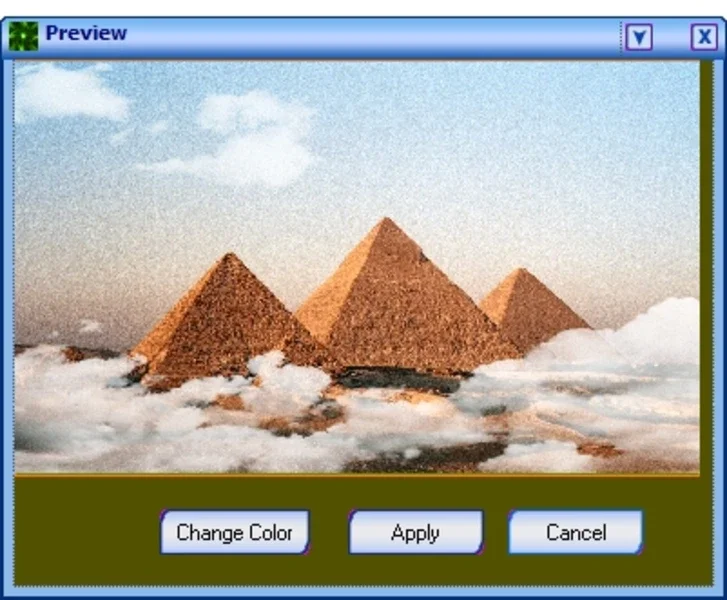
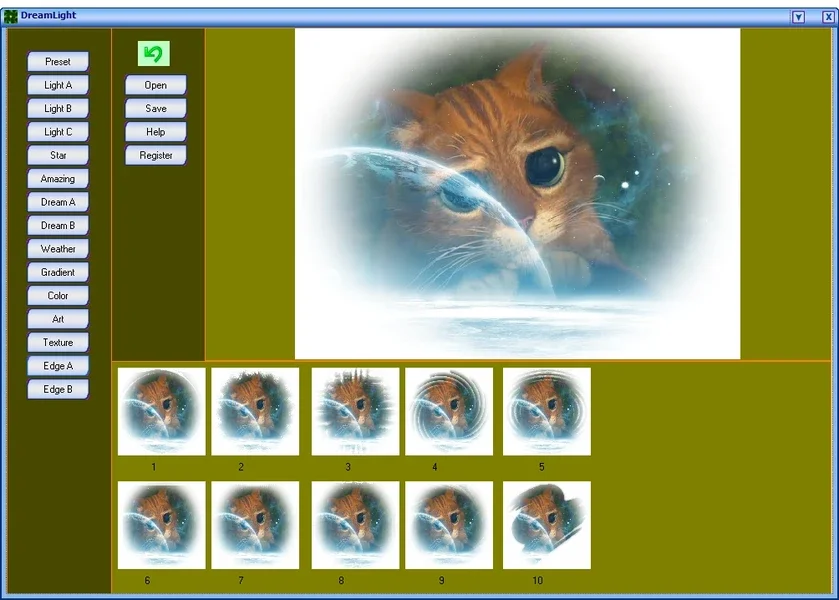
Load a photo, pick an effect from a list of 15, and DreamLight Photo Editor applies it to the picture automatically. The preview window shows how the photo changes before you commit. You can combine several effects at the same time: press the buttons of the selected effects one after another and they stack on the same photo. It is a lite application, and it lets you add visual effects easily.
It runs on Windows. The trial version is available from Picget Software.
Download files
Filedreamlight.exeEXE
Version5.5
ReleasedJul 22, 2024
Size6.7 MB
SHA-256
Get
1560e294f933cc344b9bf58431cb07a0cde6e4a289980f917c6b8b313094ea84
No digital signatureFile4.0EXE
Version4.0
ReleasedOct 15, 2010
Size6.7 MB
SHA-256
Get
9b771fa7106bf557be31f2a7ee6694e2142b6da5779784a9fea696dc1824e87a
No digital signatureFiledreamlight-photo-editor-4.2.exeEXE
Version4.2
ReleasedUnknown
Size6.7 MB
SHA-256
Get
0c4afa61f0a16eb2e76ffaf0b729ef4a20334d5ffcca9e86eaa475427b945f1a
No digital signatureSystem requirements
Available on:
Minimum OS:
Windows Windows Vista or later
Additional information
Developer
Latest release
5.5 · Jul 22, 2024
Size
6.7 MB
Category
File type
EXE
SHA-256
1560e294f933cc344b9bf58431cb07a0cde6e4a289980f917c6b8b313094ea84
Digital signature
No digital signature