
DriverView 1.51 for Windows
Lists the drivers loaded right now, with details you can copy or save
Screenshots
Description
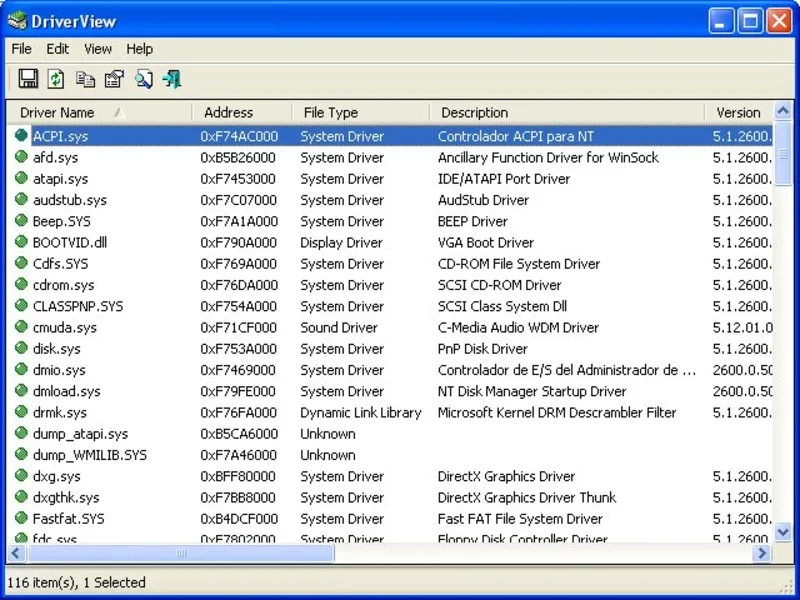
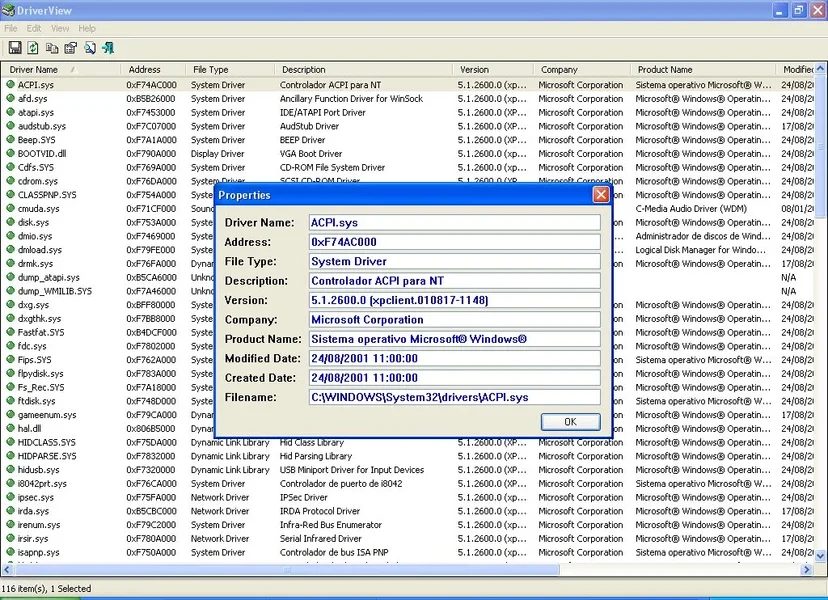
DriverView shows the device drivers currently loaded on the system. Click any entry and you get its load address, description, version, product name and the company that made it.
The list can be copied to the clipboard, saved as a text file or an HTML file, or opened as an HTML report in a browser. That saved copy travels well. If you are planning to format a hard drive, the list is a record of what needs reinstalling afterward, taken before anything is wiped. The same details help when a driver's version or maker is in question and you want the answer in front of you, not buried in a folder tree.
The program is free and runs on Windows.
Download files
f8d671d2ec8eb85d74cd7e4fa5c6664f555b3be4a872092a672e5af3b3245855
8998e99e733bf112decf3a9c6954d86787d5a76f8347ffa50caf55cd7df9b4fe
3b54948ede7ab5e14761d4036fa78364e6c46d8ec4fa0ea7572855b1701359a8
c216bd9cfa5655adfab51a622c36bf736a55b594bc6670fd6bd3903ee1dab186
a51b2d9a5d94d3b2f107f82461caee977fa0ca85295b0b12520f7414fa5c41f0
System requirements
Available on:
Minimum OS:
Windows Windows Vista or later
Additional information
Developer
Latest release
Size
Category
File type
SHA-256
f8d671d2ec8eb85d74cd7e4fa5c6664f555b3be4a872092a672e5af3b3245855