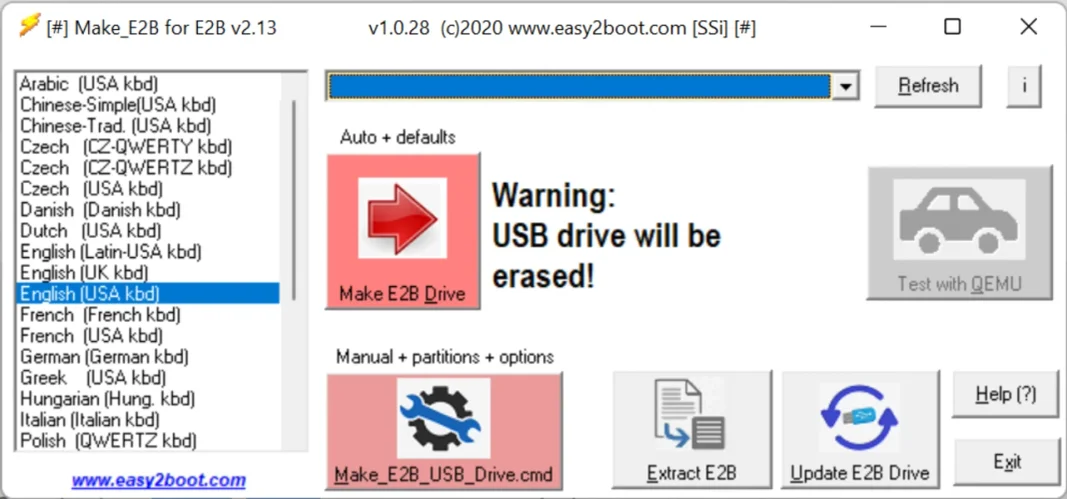
Screenshots
Description
Easy2Boot turns a single USB drive into a boot menu. Plug the drive into a computer and the menu appears; pick an entry and the selected system starts. The menu updates itself every time you add an ISO, so there is no separate step to rebuild it.
The drive holds different Linux distros or versions alongside Windows. You drag the ISO you want onto the appropriate part of the drive. Operating systems do not have to be installed on the computer to run them, and an installation with pre-installed programs can be run directly. It is described as faster than running a Live USB, and as better than swapping the storage drive to boot a desired version.
Drives are formatted in NTFS. That avoids the 4 GB file limit of FAT32 and lets the drive be used as a system drive in Windows. The tool creates multiple bootable USB drives with UEFI support. It installs on a USB drive and is free.
Download files
7144e4b95a3a0754779a7d220fef6a2aa74f2b2d05c37961a032e8ce9753a117
No digital signaturebdd5ed526e0e9ae8550b331398c3e9dcd7c41cdc42616c07160f19ac3dd0966a
No digital signature16236aa5bdfc6a7e130240bcdd28c35fa63a75828298874a90cf246f7580757f
da7fb2965a95190582d5561df3e291df5ccce797f391fc526f9ee2fa1b33d50d
c9fb143877927ef3f19e23e7476cd68f8cacf1e0b69e66b5b030fb574930b66f
System requirements
Available on:
Minimum OS:
Windows Windows 10 or later
Additional information
Developer
Latest release
Size
File type
SHA-256
7144e4b95a3a0754779a7d220fef6a2aa74f2b2d05c37961a032e8ce9753a117