Folder Colorizer 4.1.6 for Windows
SHA-256 listed
Right-click a folder, pick a color, done
You are on macOS — this is the Windows version. See the macOS version
All ages
Age rating
Screenshots
Description
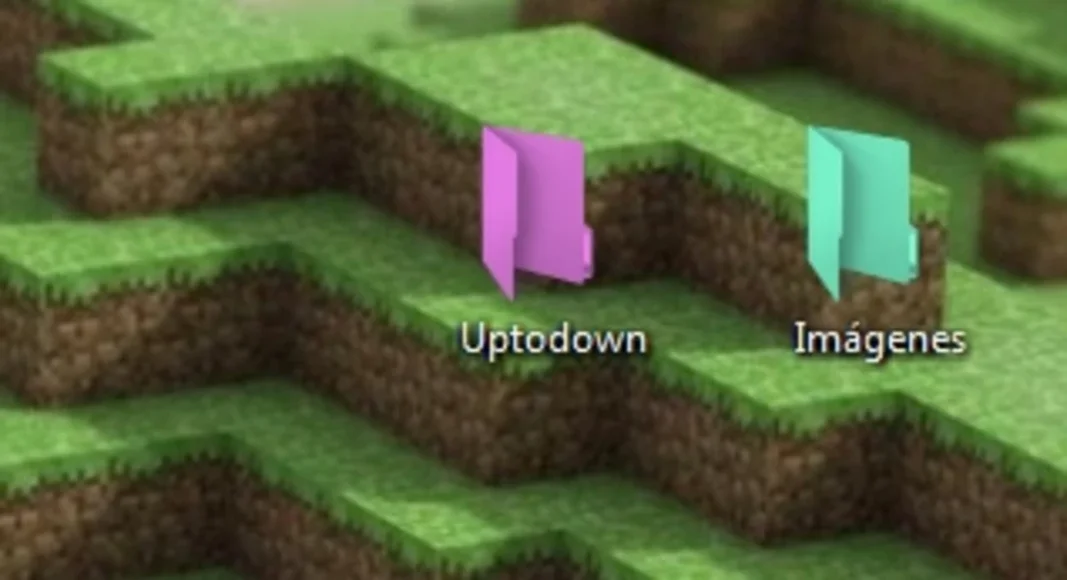
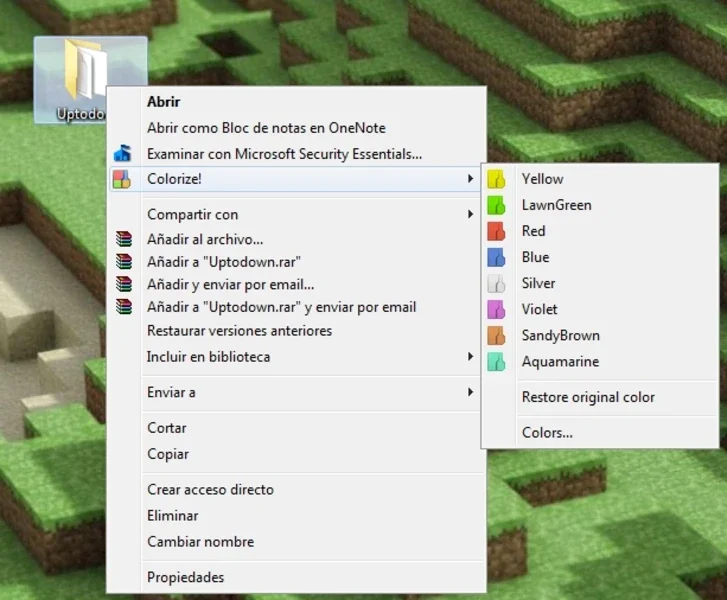
Folder Colorizer lets you change the color of folders on a computer. To colorize one, right-click it, choose 'colorize', and pick a color. It takes a moment, and the folder stays where it was.
The application is small and simple. It does one thing: give folders different colors, quickly. Nothing else gets moved or renamed in the process.
One drawback: images inside a colorized folder are not shown as previews as they normally would be. That is worth knowing before you color a folder full of pictures.
Download files
Filefolder-colorizer-4-1-6.exeEXE
Version4.1.6
ReleasedMar 4, 2026
Size2.4 MB
SHA-256
Get
fdf4c996f8672ed07da9b9d236e1b03583d50c1060c3b2301ba86240c78607b6
Signed by Softorino Inc. · valid until Nov 6, 2026Filefolder-colorizer-4.1.5.exeEXE
Version4.1.5
ReleasedJun 18, 2025
Size2.2 MB
SHA-256
Get
9254375168642272ae8733f6fd1ee176d307b1b521adde99b197d1fb504b1d54
Filefolder-colorizer-4.1.4.exeEXE
Version4.1.4
ReleasedMay 14, 2024
Size3.2 MB
SHA-256
Get
c320f4ace536da827aa542e64ea08a8520a181a7a83683b633b5eeb899e8e525
Filefolder-colorizer-4.1.3.exeEXE
Version4.1.3
ReleasedOct 2, 2023
Size3.2 MB
SHA-256
Get
25a7b84796f7abf59fee13396155324ccf6eec37c4c6345ef2d799fb7522327d
Filefolder-colorizer-4.1.2.exeEXE
Version4.1.2
ReleasedSep 1, 2023
Size3.2 MB
SHA-256
Get
4168876a823635f8e735a5230e5ca02a062c83792346971df0a490ebd7c4b01d
System requirements
Available on:
Minimum OS:
Windows XP or later
Additional information
Developer
Latest release
4.1.6 · Mar 4, 2026
Size
2.4 MB
Category
File type
EXE
SHA-256
fdf4c996f8672ed07da9b9d236e1b03583d50c1060c3b2301ba86240c78607b6
Digital signature
Signed by Softorino Inc. · valid until Nov 6, 2026





