Klavaro Touch Typing Tutor 3.13 for Windows
Free typing tutor with speed and fluidity drills
Screenshots
Description
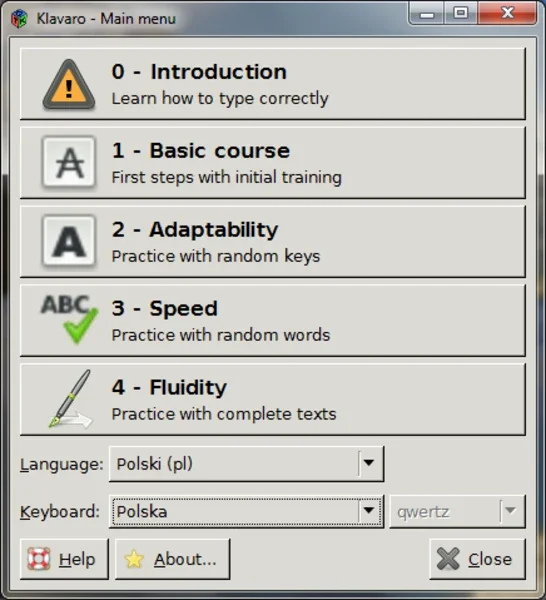
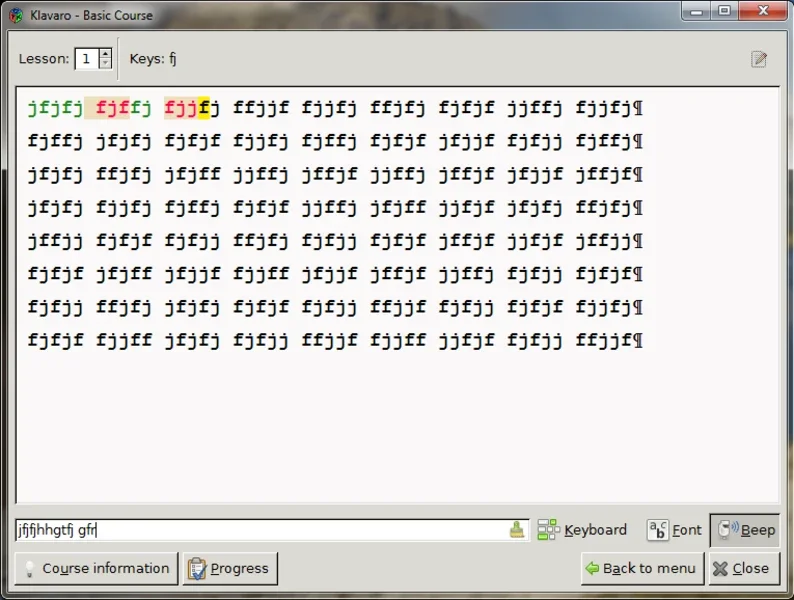
Klavaro Touch Typing Tutor starts by asking which keyboard you have and which language you type in; for English, pick Qwerty_en. It then shows where to put your fingers, and which keys belong to each one. The drills can be set to work on speed, fluidity, adaptability or word completion. It runs whatever language or keyboard layout you use. After a run of tests, the graphics view shows how you have progressed. It is free, and its aim is faster, more accurate typing.
Getting set up
The first run asks for two choices before any exercise begins: the layout on your desk and the language you work in. English users select Qwerty_en from the list. Nothing else is required to start practising.
Download files
6d65d5671b03b4500b14edecf8eb37dd6ad6744b290385a3980172abb3b4ade1
No digital signaturef8ea89c05e276b52b0f7d53636c14e21ff4389970b7340a1a9c4c845a105595e
fb0a683ca5ab96e4391b41aa21c11cd6cef92057bb190d43155619b5d35c249a
51f013bb83f770ffc06f86c9df2a9e5092237354f395e94447ad03a245e65cbc
66f16d4a0db2c6b467c1a9ec631b16b6f224bace7da57314488feb5e4d52aed8
System requirements
Available on:
Minimum OS:
Windows XP or later
Additional information
Developer
Latest release
Size
File type
SHA-256
6d65d5671b03b4500b14edecf8eb37dd6ad6744b290385a3980172abb3b4ade1