
Photopus 1.6 for Windows
SHA-256 listed
Batch image converter and editor for Windows
All ages
Age rating
Screenshots
Description
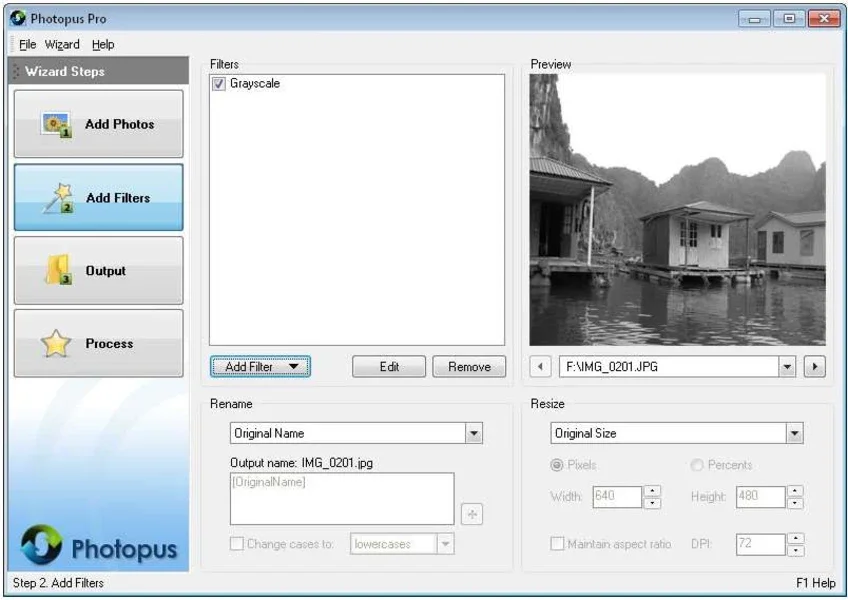
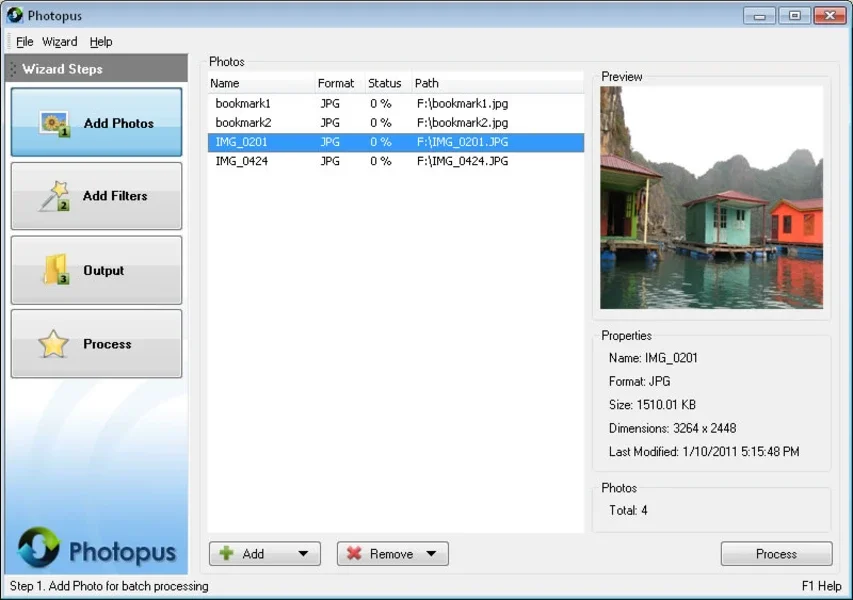
Photopus is an image conversion and editing tool, and the batch work is what it does best. Select dozens of photos, click once, and they convert.
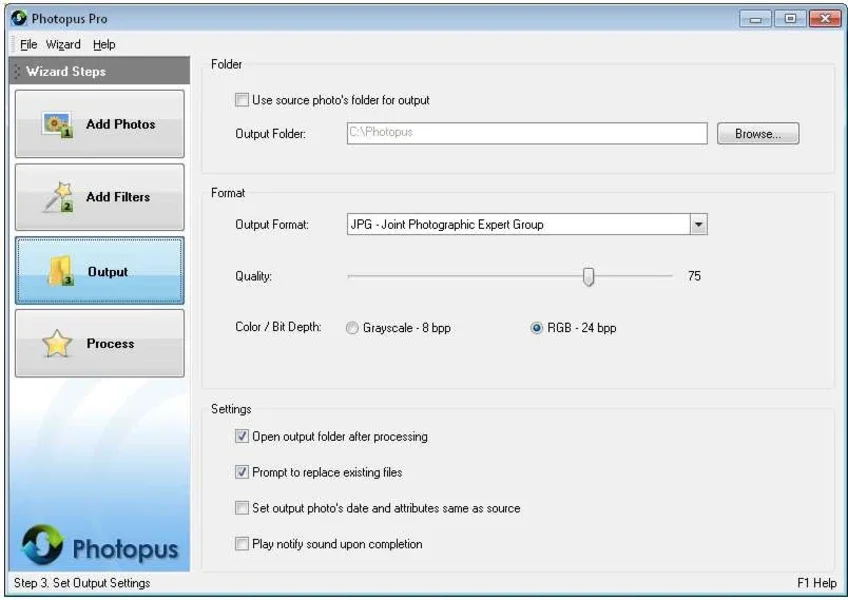
- Change the format of selected files; JPG, PNG, BMP, GIF, PDF and TIFF all work.
- Resize many photos at once.
- Rotate a series of vertical photographs to horizontal.
- Rename every file in a folder to share the same text string.
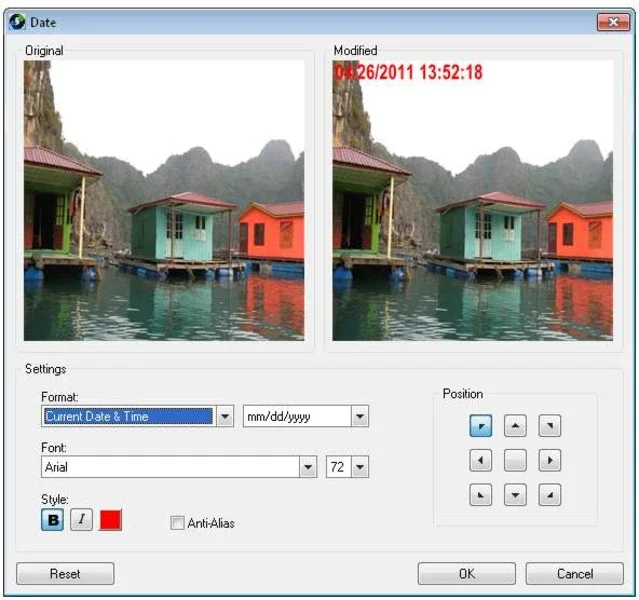
- Crop images and apply effects such as gray scale, blur and red-eye correction.
The format list goes well past the common ones, covering PDF/A, PSD, WMF, EMF, JPEG 2000, EXR, HDR and others in the same vein. The interface is designed for comfortable use. Shortcomings show up when working with only one or two photos; large batches of images are where it works.
Download files
File1.6EXE
Version1.6
ReleasedAug 29, 2021
Size8.3 MB
SHA-256
Get
c28147f9d9dc4acac78dc1bbd3f2b6225ef8ea9add5ed3ac1a2315ff4158b452
Signed by Softdiv Software Sdn Bhd · valid until May 31, 2022Filephotopus-1.5.exeEXE
Version1.5
ReleasedOct 24, 2018
Size8.3 MB
SHA-256
Get
77b71ed84a7cb62fbcfed9d36c1ef536d7442a53408a6fe9267c73da73c9e4f7
Filephotopus-1.4.exeEXE
Version1.4
ReleasedJan 26, 2017
Size8.4 MB
SHA-256
Get
4c5f6c721c86a4c6c547ae280147b94f9eac134333593e329ce6a3e480acdfad
Filephotopus-1.3.0.5.exeEXE
Version1.3.0.5
ReleasedApr 25, 2014
Size8.5 MB
SHA-256
Get
0a70e09282a5e5dad67970eec8bfae7d9bc00160d1b3abfe97dc64c45aba1715
Filephotopus-1.3.0.4.exeEXE
Version1.3.0.4
ReleasedMar 25, 2014
Size8.5 MB
SHA-256
Get
cc428538ca265de23753b6b84acc12c3eaa5cd9a3931a12af62cd14d4322a05e
System requirements
Available on:
Additional information
Developer
Latest release
1.6 · Aug 29, 2021
Size
8.3 MB
Category
File type
EXE
SHA-256
c28147f9d9dc4acac78dc1bbd3f2b6225ef8ea9add5ed3ac1a2315ff4158b452
Digital signature
Signed by Softdiv Software Sdn Bhd · valid until May 31, 2022