Quick Assist 2026.219.226.0 for Windows
Connects two Windows PCs with a 6-digit code for screen sharing and help
Screenshots
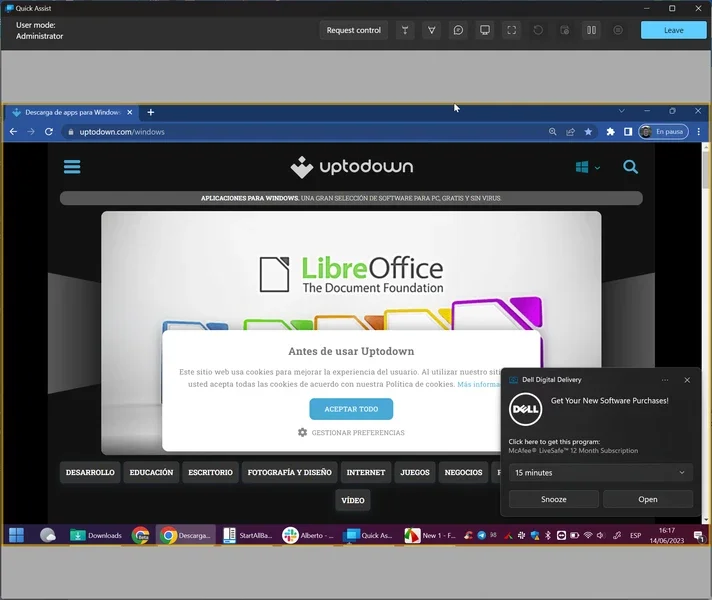
Description
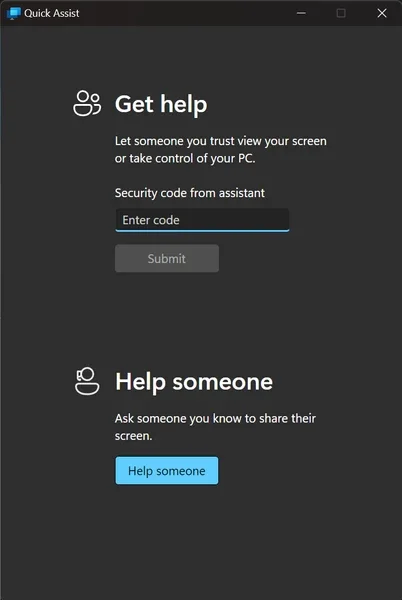
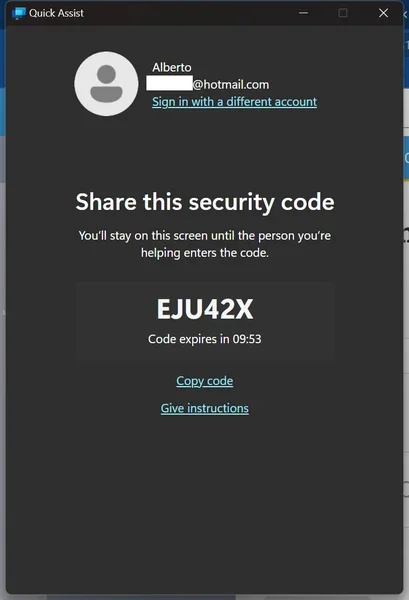
Quick Assist connects two Windows PCs so one person can see and work on the other's desktop. It is a free remote control application from Microsoft Corporation. A helper generates a secure, time-limited 6-digit code and passes it to the person who needs help, who enters it to start the session.
The helper sees the other user's desktop through screen sharing and can request full control with permission. Anything that needs administrator access waits on the person sharing the screen, who has to give the go-ahead before it proceeds. Annotation tools, including a laser pointer, let the helper mark areas on the screen, and a chat feature carries the conversation during the session. A view-only mode is available too. Sessions can span multiple screens on the target machine, and the same connection can be used to ask for help with your own desktop.
A stable internet connection is required for smooth performance. Some users have seen sessions drop now and then, and in some cases the app takes time to load or connect. It tracks a small amount of session data: start and end times, connection errors, and which in-app features were used, such as view-only mode, annotations and session pauses. Quick Assist runs only on Windows devices.
Download files
1000948bacd99c9cbe7e5ea137644873353ad49ce4b5b30ba1d457c9a715aac1
Signed by Microsoft Corporation · valid until Feb 23, 2026e40455f702f046a10e3ee2c9fe21596b07574cb29a65631d7fe3eb3d1ff67dc5
2acd4628a8ad29c0c6c81d4afc57bd6bd727d65d3a6d0d860be481667aba2c53
228f0b2ea85f5898e21bf034d8322d05c0aeef4db745497dab97c2b8ac40031d
70fd6e4fba37c0512f3c345ff8bcd6db76fbe9b575a2e63d8d49bda0e8d9e0d8
System requirements
Available on:
Minimum OS:
Windows XP or later
Additional information
Developer
Latest release
Size
Category
File type
SHA-256
1000948bacd99c9cbe7e5ea137644873353ad49ce4b5b30ba1d457c9a715aac1