
S3 Browser 13.6.9 for Windows
Uploads files to S3 the way an FTP client does, and manages buckets
You are on macOS — this is the Windows version. See the macOS version
Screenshots
Description
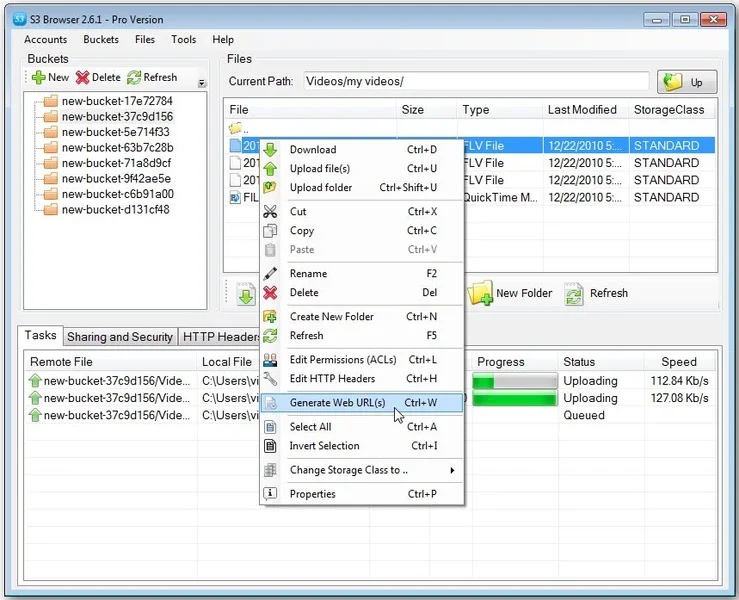
S3 Browser lets you upload files to S3 the way you would with an FTP client. You add your account in the app's interface, select files, load them and watch the upload progress. The point of it is to make moving large amounts of data to S3 sites easier, and it works together with Amazon's Simple Storage Service.
Buckets are what it manages: you can create a new one and work with the files inside. An Amazon S3 account is required, and Amazon charges for S3 itself. The app costs nothing to download and use, and installation goes smoothly.
It also acts as a BitTorrent client for pulling files down from remote locations. Version 13.6.5 is the current release.
Download files
7a94e062dfa89baeae9b67dcce85bddbe5caf60aa686409cc1ec104939c5bf8b
Signed by Netsdk Software FZE · valid until Oct 2, 20280979f21a0dabad3b9271dc2e771c49e89f267e0b67675c19187f995a28ee1241
Signed by Netsdk Software FZE · valid until Oct 2, 202828f18304846cc7ca6fcec657dc71be572509834306c88a15a143c0acc8e5f2b2
Signed by Netsdk Software FZE · valid until Oct 2, 2028be2ebf6f43619075392be16baf1971b3721521797facde93d790cc27c062a05b
Signed by Netsdk Software FZE · valid until Oct 2, 2028a67930d6e7c73d6f7ec50a65a848a96b7024331421af7ded33a83fc6a5f5f197
Signed by Netsdk Software FZE · valid until Oct 2, 2028System requirements
Available on:
Additional information
Developer
Latest release
Size
File type
SHA-256
7a94e062dfa89baeae9b67dcce85bddbe5caf60aa686409cc1ec104939c5bf8b