
Samsung Odin 3.14.4 for Windows
Official Samsung tool for flashing firmware to phones and tablets
Screenshots
Description
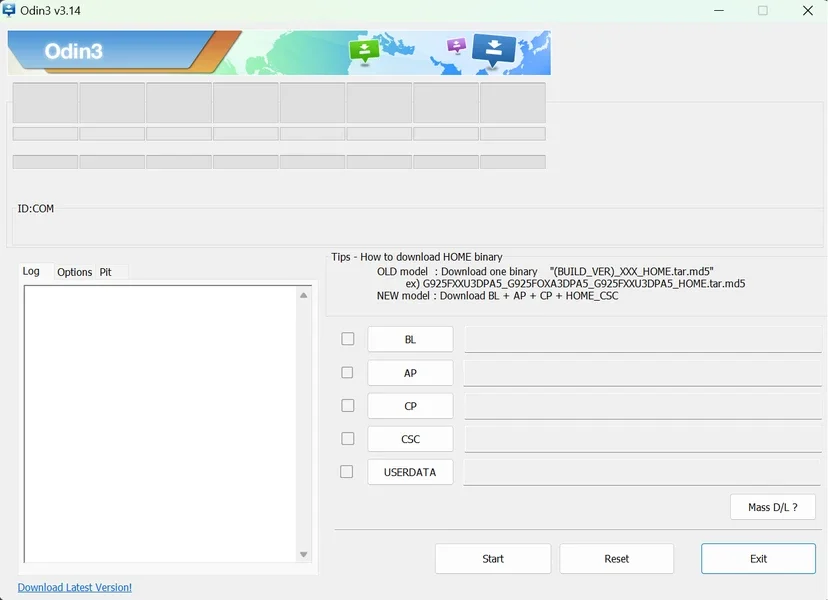
Samsung Odin flashes official ROMs or images onto Samsung smartphones and tablets. It is Samsung's own application, and the first thing you see when it opens is whether the connected device has been detected.
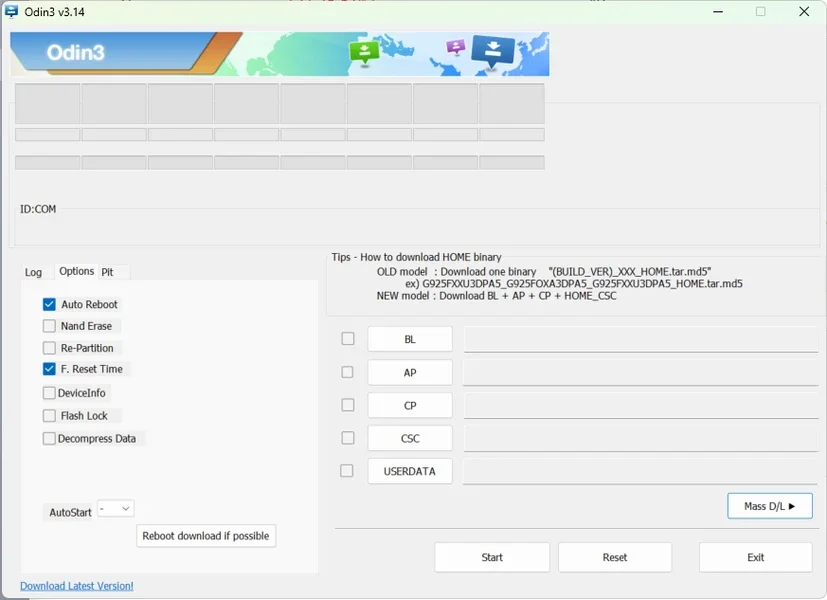
Flashing goes through five separate routes. AP (Android Processor) takes the firmware in .tar format and writes it to the /system partition. BL is the bootloader, and flashing only that can recover a bricked device after a failed flash. CP holds the network modem images, since CP stands for Core Processor. CSC means Consumer Software Customization and carries region information. USERDATA is reserved for rare cases like an empty .vbmeta file on some devices, and it needs an unlocked bootloader. The unmodified firmware you load here can serve a factory reset, give you a version not yet released in your region, or bring a device back after tinkering went wrong.
After flashing, you can set the device to reboot automatically when it finishes, clear all internal memory, reset the internal clock, or force the bootloader to lock.
Download files
System requirements
Available on:
Additional information
Developer
Latest release
Size
Category
File type
SHA-256
bafdbf3948f8e1d8752716ada84485c1a42fcf3fd5dc0b119cecb024e0813505





