
ScrollNavigator 5.16.0 for Windows
Mouse-wheel scrolling control for Windows programs
Screenshots
Description
ScrollNavigator is a Windows utility for changing how the mouse wheel scrolls. It lets you scroll faster and more precisely in system programs, and it applies separate wheel settings to each program instead of the single setting Windows normally uses for everything.
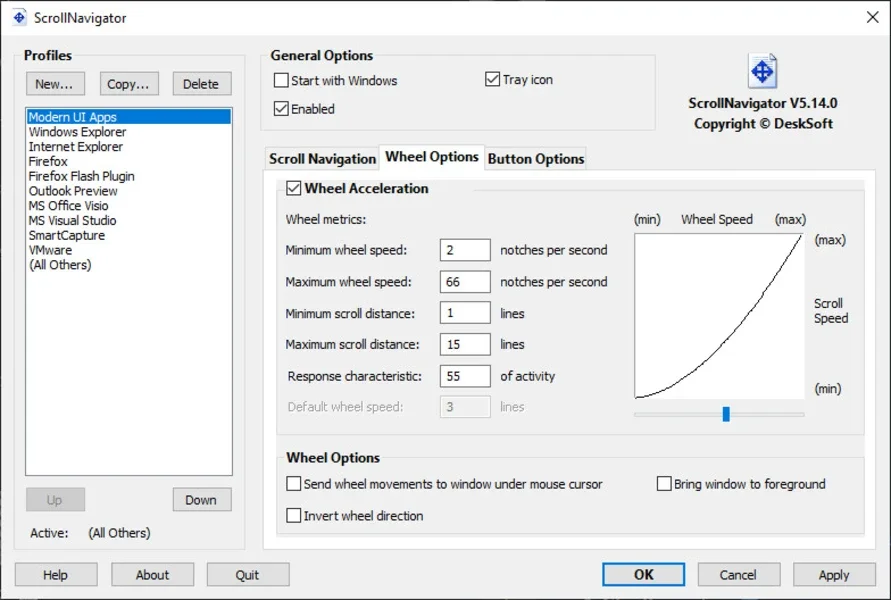
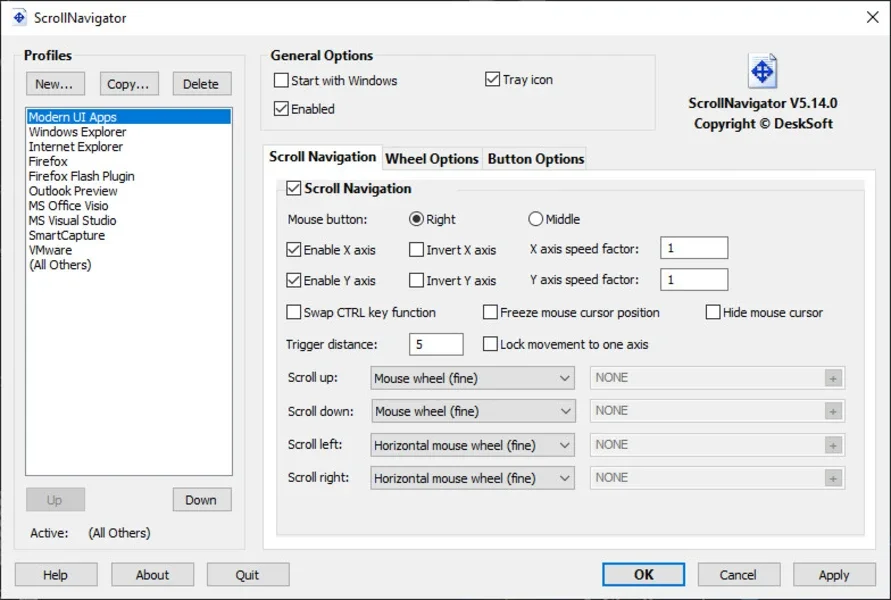
You can enable ScrollNavigator for a program, then work through three settings tabs. The first covers wheel parameters, including vertical and horizontal scrolling, and lets you set how many jumps occur per wheel movement. Slow scrolling gives 2 jumps with acceleration on. The default is 5. Fast scrolling with acceleration on gives up to 66 jumps. Holding Ctrl while scrolling accelerates movement. Several modes are available to choose from.
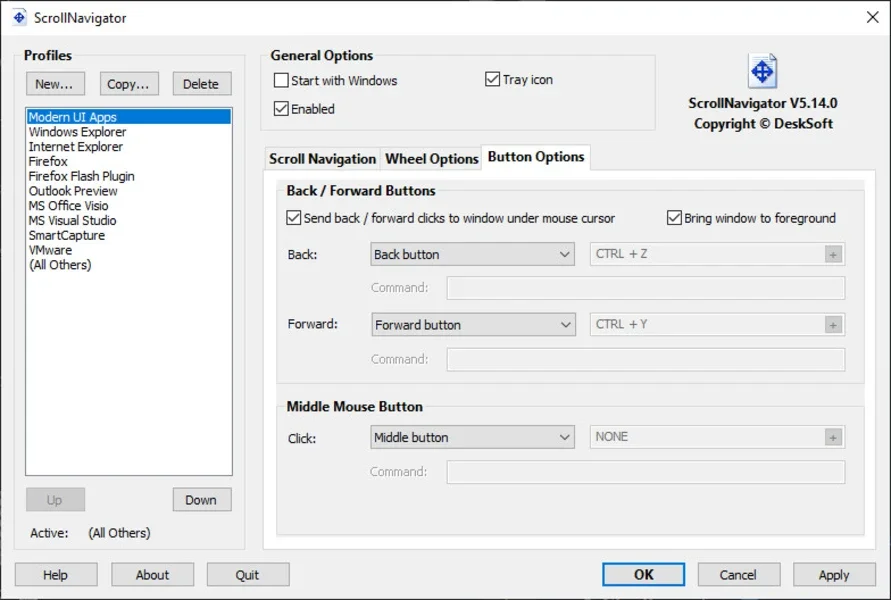
The second tab sets the movement curve for that program. The third tab also customizes the central wheel click and the mouse forward and backward buttons.
Download files
32f8e9e6d13417e2b346e6e3f9c2474b8cc30878151fd33c15875a0103f0315e
No digital signature9b84188e2d6f43bdebbc848f2709ec24c85df05dd08f0f7d21a8a56cbc8dd170
System requirements
Available on:
Minimum OS:
Windows XP or later
Additional information
Developer
Latest release
Size
Category
File type
SHA-256
32f8e9e6d13417e2b346e6e3f9c2474b8cc30878151fd33c15875a0103f0315e





