
Startup Booster 2.0 for Windows
SHA-256 listed
Lists startup apps, lets you reorder or block them, and cleans the registry
All ages
Age rating
Screenshots
Description
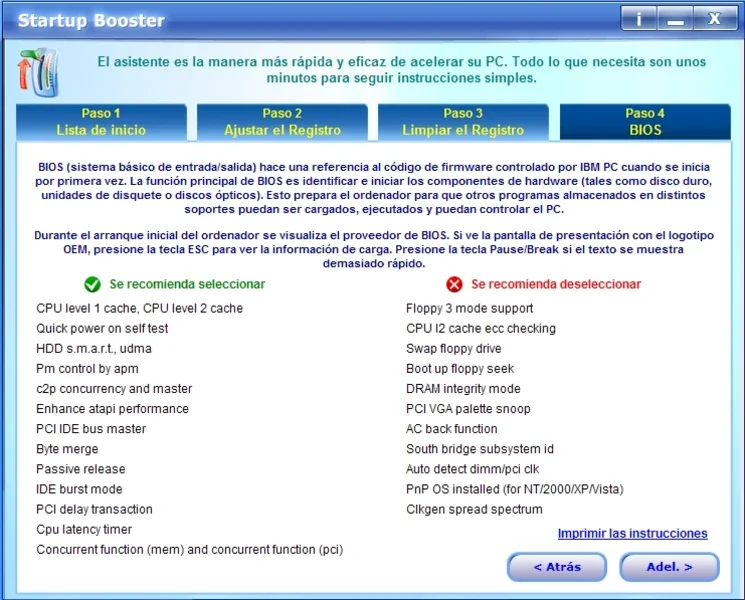
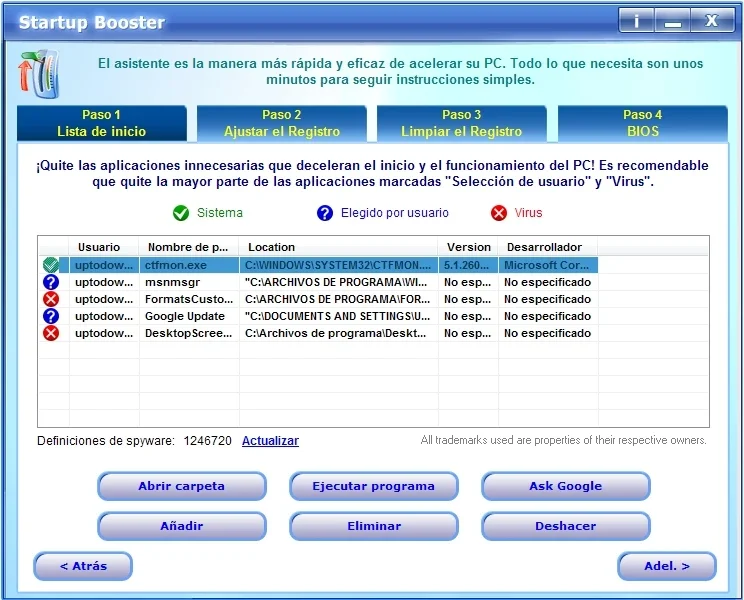
Running Startup Booster shows a detailed list of the applications that start with Windows. From that window you manage those startup applications: choose which ones should not run, and change the order they load in. Preferences can be assigned per entry, and there are options to modify settings so startup is more effective. The point of all this is to make the system start faster.
- Detailed list of applications that run at Windows startup
- Choose which applications should not run
- Change the order of applications
- Assign preferences
- Options to modify settings for a more effective startup
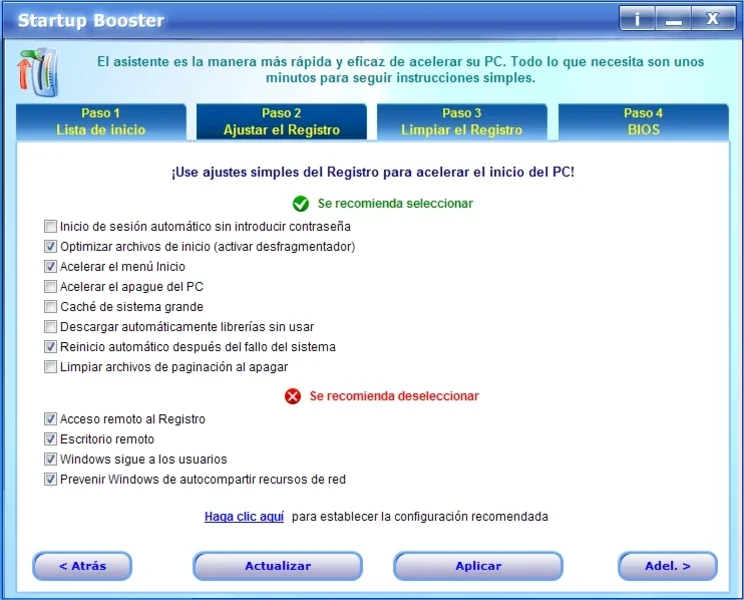
Startup Booster also cleans the Windows registry, deleting invalid entries; the cleaner is said to make the registry work better. It is a Windows optimization tool.
Download files
File2.0EXE
Version2.0
ReleasedApr 21, 2010
Size19.8 MB
SHA-256
Get
22913a639b236d418562c45657e7909a17140fc489b4bfc28f6658ff7d6b163e
Signed by Smart PC Solutions, Inc. · valid until May 30, 2011System requirements
Available on:
Additional information
Developer
Latest release
2.0 · Apr 21, 2010
Size
19.8 MB
Category
File type
EXE
SHA-256
22913a639b236d418562c45657e7909a17140fc489b4bfc28f6658ff7d6b163e
Digital signature
Signed by Smart PC Solutions, Inc. · valid until May 30, 2011





