
Textify 1.10.4 for Windows
SHA-256 listed
Copies text shown on screen, including text you can't normally select
All ages
Age rating
Screenshots
Description
Textify is a Windows desktop utility for copying text that appears on the screen. Some websites and PDF files block selecting text for copying; Textify can select text that is not clickable.
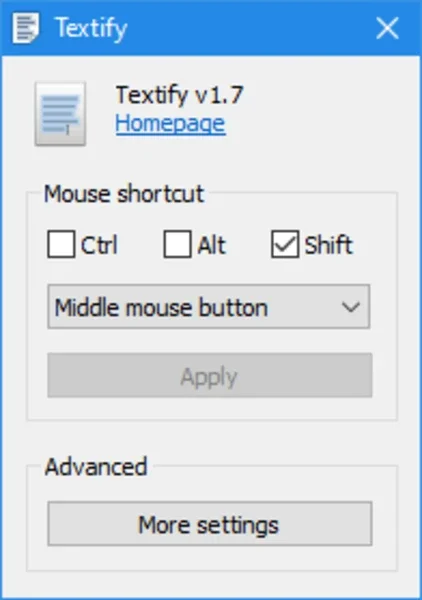
Choosing a key to activate it
You assign which key activates the tool, and the activation parameters can be changed to use different selection keys. Choosing the right mouse button lets you copy characters instantly, and text selection can be done with any mouse button. The program can be adapted to the PC in use, and the interface is simple.
Download files
File1.10.4EXE
Version1.10.4
ReleasedSep 4, 2023
Size593.2 KB
SHA-256
Get
68d09e1a39da33a3ba80a2eec437d764bbe79026ab323f710f88e5f71bcddd0d
Signed by Michael Maltsev · valid until Jul 25, 2024Filetextify-1.10.3.exeEXE
Version1.10.3
ReleasedJul 27, 2022
Size592.8 KB
SHA-256
Get
82e0d1bb7a8b81a0b35b8c031bb732a7776c6c8833b2a1637af4fa4b9ea6ad21
Filetextify-1.10.2.exeEXE
Version1.10.2
ReleasedJun 6, 2022
Size590.6 KB
SHA-256
Get
f09bec26682166976afb1b5bc160d4e461d72f6d97a29cfe54688dd9ec5f2669
Filetextify-1.10.1.exeEXE
Version1.10.1
ReleasedMay 30, 2022
Size590.2 KB
SHA-256
Get
615002ea5a68d34b49cec2a7ab6cfb60fd5b36395e64a5e35960f36c7a0f8d64
Filetextify-1.9.exeEXE
Version1.9
ReleasedMay 23, 2022
Size588.7 KB
SHA-256
Get
97951da47cbbbe513703b70a53307e6e692f4be161086f7ae5b8f31c415b13c9
System requirements
Available on:
Additional information
Developer
Latest release
1.10.4 · Sep 4, 2023
Size
593.2 KB
Category
File type
EXE
SHA-256
68d09e1a39da33a3ba80a2eec437d764bbe79026ab323f710f88e5f71bcddd0d
Digital signature
Signed by Michael Maltsev · valid until Jul 25, 2024