
TinyPic 3.19 for Windows
SHA-256 listed
Drag photos in, pick a size, and they shrink fast
All ages
Age rating
Screenshots
Description
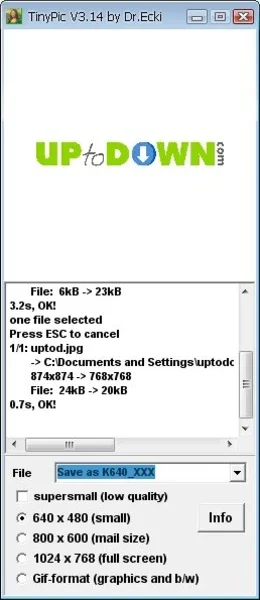
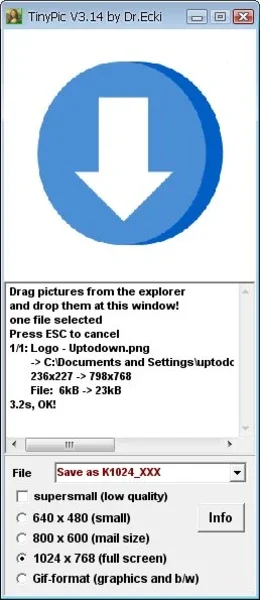
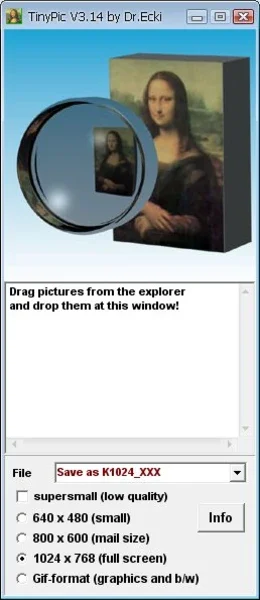
TinyPic is used by picking the output size first, then dragging and dropping the pictures you want to reduce. You enter the size you want in the box.
The program handles the rest of the processing on its own. It selects the photos you dragged in, reduces their file size, and leaves the quality alone. Processing finishes in no more than 2 seconds, so you aren't waiting around. This makes it a way to make photos lighter before sending them. The whole thing is a lightweight application.
TinyPic runs on Windows.
Download files
FileTinyPicSetup.exeEXE
Version3.19
ReleasedNov 11, 2026
Size1.5 MB
SHA-256
Get
78e60dc93a82ebbcf45249747511363f20697e699c86de937a93bbc28dd4628f
No digital signatureFile3.18EXE
Version3.18
ReleasedNov 16, 2011
Size1.5 MB
SHA-256
Get
d9b65553edf1c0d3a42ebafc188e06a06a8a6fcf77197ee6bb49ec078431649d
No digital signatureFiletinypic-3.16b.exeEXE
Version3.16b
ReleasedJan 12, 2011
Size1.1 MB
SHA-256
Get
d89c25cdfb65df721610dd529f447059d8db97817da8dedde3f01656e622632e
Filetinypic-3.14.exeEXE
Version3.14
ReleasedSep 20, 2010
Size857.4 KB
SHA-256
Get
d5bce9fda8d429d3dc4e4640351fec5cb700360928403baa0cec19ae87086afe
File3.18EXE
Version3.18
ReleasedUnknown
Size1.1 MB
SHA-256
Get
d89c25cdfb65df721610dd529f447059d8db97817da8dedde3f01656e622632e
No digital signatureSystem requirements
Available on:
Minimum OS:
Windows Windows XP or later
Additional information
Developer
Latest release
3.19 · Nov 11, 2026
Size
1.5 MB
Category
File type
EXE
SHA-256
78e60dc93a82ebbcf45249747511363f20697e699c86de937a93bbc28dd4628f
Digital signature
No digital signature