
UkeySoft CD DVD Encryption 7.2.0 for Windows
SHA-256 listed
Burns password-protected discs and encrypted ISO images
All ages
Age rating
Screenshots
Description
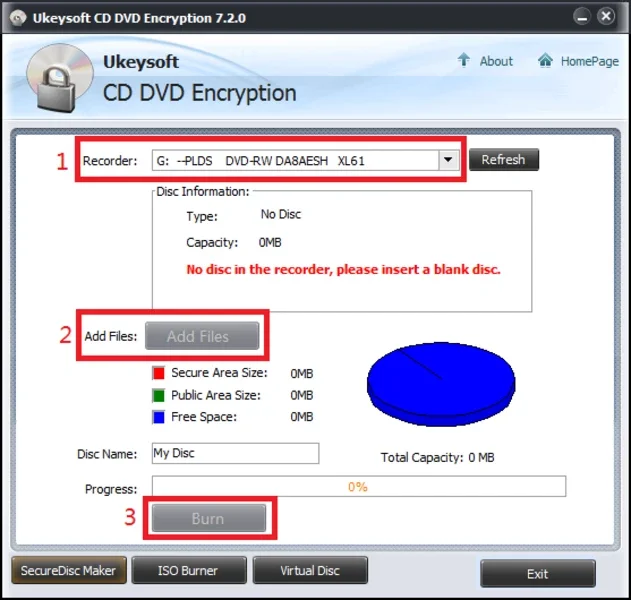
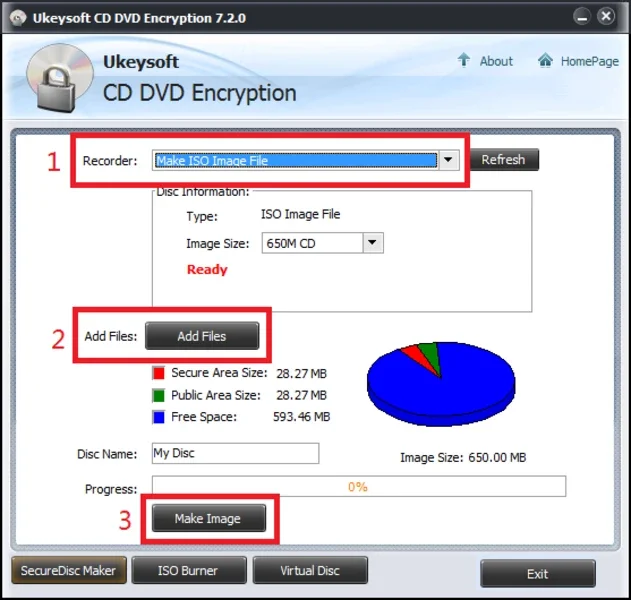
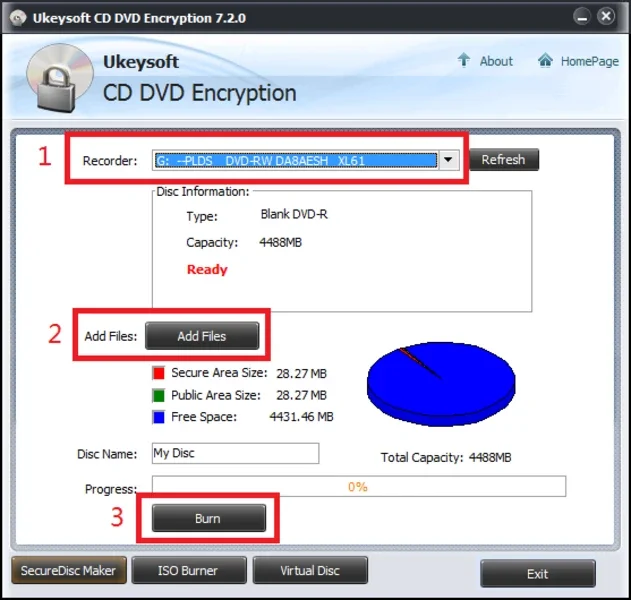
UkeySoft CD DVD Encryption burns discs with password protection. You start by picking a recorder from the device list, then click Add Files to open an Add file dialogue and choose what goes on the disc. Added files can go into a secure area or a public area. Clicking Burn lets you set a password and start burning.
Opening an encrypted disc
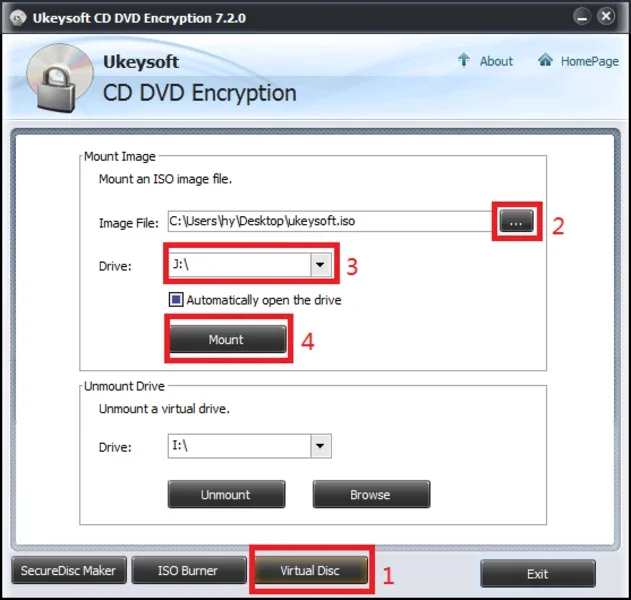
To open encrypted files, click Agent.exe on the disc and enter the secure area password. The program can also create an encrypted ISO image file and burn an ISO image file to CD/DVDs. It can create a virtual disc, hide files and folders on CD/DVDs, and offers two methods for hiding CD/DVD drives. It runs under Windows 10, 8, 7, Vista, and XP.
Download files
File7.2.0EXE
Version7.2.0
ReleasedApr 13, 2021
Size5.6 MB
SHA-256
Get
b8cf51be5510da25d92d165a94ba4558ba2e0fc2b61d105e6866c4899135bc90
Signed by SiChuan HengYiDa XinXiJiShu YouXianGongSi · valid until Jun 4, 2019System requirements
Available on:
Additional information
Developer
Latest release
7.2.0 · Apr 13, 2021
Size
5.6 MB
File type
EXE
SHA-256
b8cf51be5510da25d92d165a94ba4558ba2e0fc2b61d105e6866c4899135bc90
Digital signature
Signed by SiChuan HengYiDa XinXiJiShu YouXianGongSi · valid until Jun 4, 2019