
UNetbootin 702 for Windows
SHA-256 listed
Installs Linux distributions to USB drives and sets up dual boot
You are on macOS — this is the Windows version. See the macOS version
All ages
Age rating
Screenshots
Description
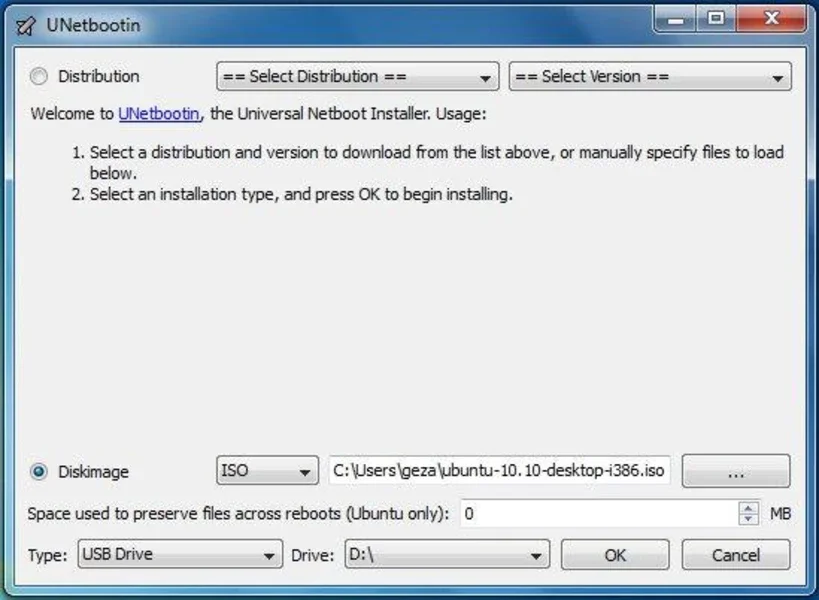
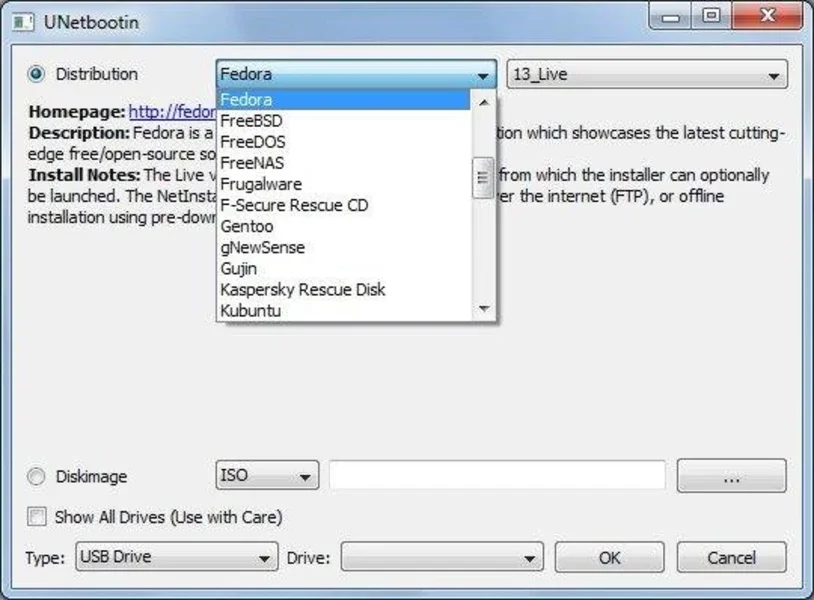
UNetbootin puts almost any Linux distribution on a USB drive or other removable device. For distributions it can reach online, it downloads them and installs to the location you pick. If a distribution isn't available that way, it installs from a disk image or from a version stored in the Kernel or Initrids disk. The download-and-install step works like Wubi does with Ubuntu.
After installing the chosen distribution, UNetbootin sets up a dual boot. That setup is independent of the Windows operating system installed.
It is available for Windows and Linux.
Download files
File702EXE
Version702
ReleasedJun 20, 2023
Size4.6 MB
SHA-256
Get
65ba5ff090be1cc96dec40509c9002582f4663634cb63b311941321907701483
No digital signatureFileunetbootin-677.exeEXE
Version677
ReleasedJan 21, 2020
Size4.6 MB
SHA-256
Get
7821b86a10b955561f101088b88b51cf0e63721e5e61d3504fb41445e09a1a86
Fileunetbootin-675.exeEXE
Version675
ReleasedNov 22, 2019
Size4.6 MB
SHA-256
Get
7f91fabb2bde521355342b6c9f3408203a9e1dfe9494cededdac9135a7bdb7c4
Fileunetbootin-657.exeEXE
Version657
ReleasedOct 25, 2017
Size4.6 MB
SHA-256
Get
5ccdb95071502bcda431e02ce70c19c4f948d20a5d5fd2bb38af8612c58cc776
Fileunetbootin-654.exeEXE
Version654
ReleasedJul 18, 2017
Size4.6 MB
SHA-256
Get
35294cbeb6e8ebe94e0664e5c1602482885dacdb8e256f1f2ba1674fe26fa9c5
System requirements
Available on:
Minimum OS:
Windows XP or later
Additional information
Developer
Latest release
702 · Jun 20, 2023
Size
4.6 MB
Category
File type
EXE
SHA-256
65ba5ff090be1cc96dec40509c9002582f4663634cb63b311941321907701483
Digital signature
No digital signature





