
Screenshots
Description
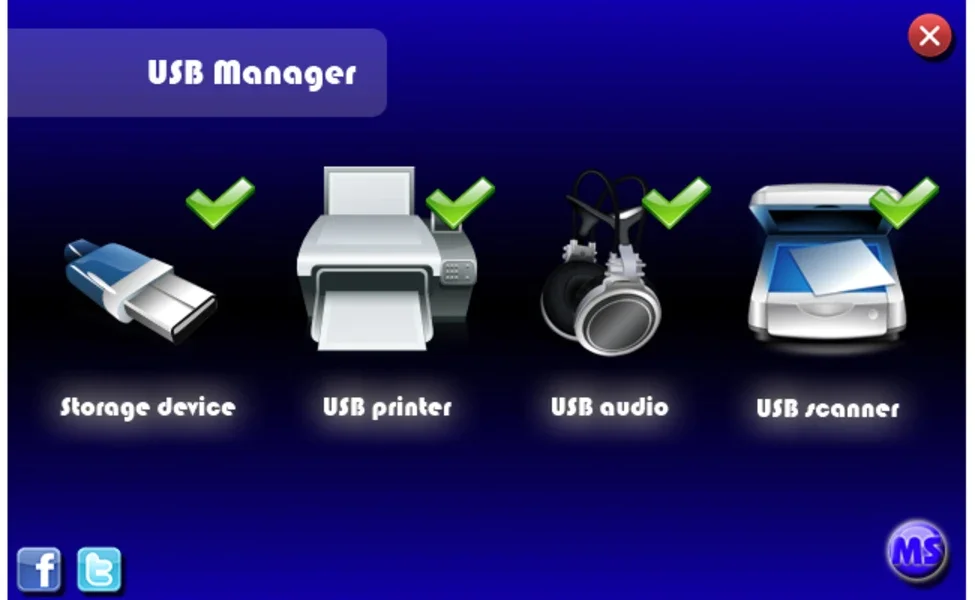
USB Manager manages devices connected to a PC's USB ports. It is a Windows program. The main screen groups the kinds of devices you might plug in, and most peripherals are found automatically: printers and scanners, external storage hardware, audio systems.
A connection can be protected with a password. Devices can also be blocked. Connected peripherals can be enabled or disabled with one click.
Download files
File2.0.5EXE
Version2.0.5
ReleasedMay 24, 2023
Size2.5 MB
SHA-256
Get
1d7b3d19593b545fb3f0b2610de7bf12aead90ec7a6f96f14b6d6d8a42e6098e
No digital signatureFile2.06EXE
Version2.06
ReleasedAug 20, 2021
Size2.1 MB
SHA-256
Get
bee0ad456424b0b5b502b728f048186449d2cdc33220f34702bab0424aa01b24
No digital signatureFileusb-manager-2.05.exeEXE
Version2.05
ReleasedOct 30, 2018
Size2.5 MB
SHA-256
Get
1d7b3d19593b545fb3f0b2610de7bf12aead90ec7a6f96f14b6d6d8a42e6098e
Fileusb-manager-2.04.exeEXE
Version2.04
ReleasedSep 7, 2018
Size2.5 MB
SHA-256
Get
06dfb8f1650a33ed68194cadbe8196a14360c403b8f75c30dceb269aec70a587
Fileusb-manager-2.03.exeEXE
Version2.03
ReleasedMar 21, 2018
Size1.5 MB
SHA-256
Get
a9e75999af33fb90719b62b7fd40bf2e8a332278fca9cc79aac174040ca61c9d
System requirements
Available on:
Minimum OS:
Windows Windows Vista or later
Additional information
Developer
Latest release
2.0.5 · May 24, 2023
Size
2.5 MB
File type
EXE
SHA-256
1d7b3d19593b545fb3f0b2610de7bf12aead90ec7a6f96f14b6d6d8a42e6098e
Digital signature
No digital signature