

VanceAI 1.0.0.0 for Windows
Upscales and sharpens photos with AI models on Windows
You are on macOS — this is the Windows version. See the macOS version
Screenshots
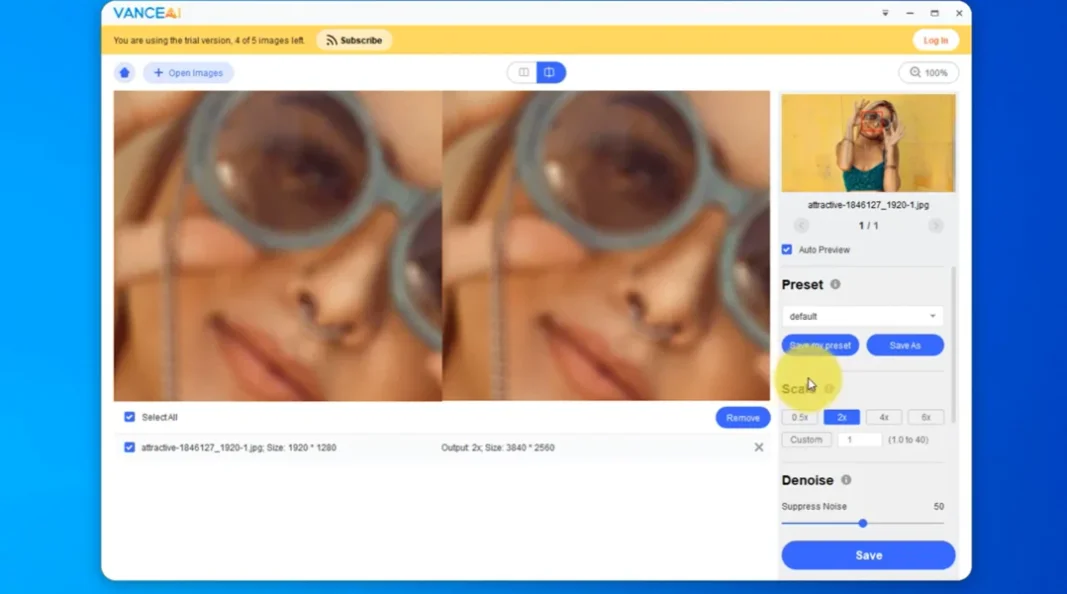

Description
VanceAI upscales photos and brings back definition using AI models trained on the content of each shot. Import an image and three processing features are available: predictive upscaling, deblurring, and digital noise reduction. Each runs on machine learning rather than a uniform contrast mask applied across the whole canvas. The software analyzes what is in the frame and reconstructs missing information. For resizing, it strips JPEG artifacts and rebuilds pixels while keeping complex textures such as skin or hair intact. The sharpness feature sorts each problem into one of three kinds: motion blur, lens blur, or a soft lack of definition.
The noise reduction clears up the speckled look that comes with high ISO settings and low light, and background detail stays clean. Its algorithms are specialized by image content, so sensor noise is told apart from real texture and the shot stays consistent through cleanup. In portraits, detail comes back to eyes and skin without a plastic finish. The reviewer tried it on scanned old photographs and dim indoor scenes. Single images took a few seconds each.
Pushing a large batch through raised memory and GPU usage considerably. Higher-resolution output without watermarks depends on holding credits or a license, which is the main drawback. It runs on Windows and is compared to Topaz Gigapixel AI.
Download files
d986b2e619d52cba5c9547acd66dfe4b2ace1eeb5caf616888a192f741ef7385
Signed by Vance Technology · valid until Oct 8, 2028System requirements
Available on:
Minimum OS:
Windows XP or later
Additional information
Developer
Latest release
Size
Category
File type
SHA-256
d986b2e619d52cba5c9547acd66dfe4b2ace1eeb5caf616888a192f741ef7385