
Vocal Remover 1.04 for Windows
SHA-256 listed
Strips vocals out of songs inside Winamp
All ages
Age rating
Screenshots
Description
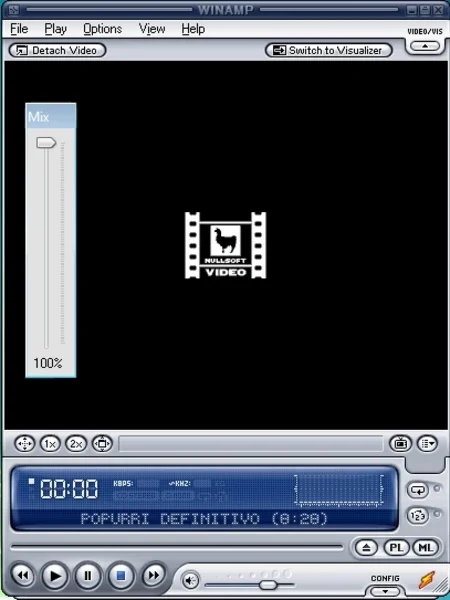
Vocal Remover takes the vocals out of a song, which is how you get a karaoke backing track from a track you already have. It is a Winamp plugin, so the install asks for the folder where Winamp plugins live. Once it is in place, open Preferences in Winamp with Ctrl+P, go to Plugins, then DSP/Effect, and enable it there.
A scrolling bar sets the intensity, which controls how much of the voice level gets removed. Slide it until the vocal sits where you want it.
Download files
Filevocal-remover-1.04.exeEXE
Version1.04
ReleasedJul 12, 2023
Size352.1 KB
SHA-256
Get
030d20ec8f7f28e4dd33e2aa6bc49db68ccab3b3b5de31f8cf4cdada98f26230
No digital signatureFile1.04EXE
Version1.04
ReleasedSep 1, 2010
Size352.1 KB
SHA-256
Get
2a37cdcdcad222521a78a6173698b30cfdb60972b480ebdb2f8e02868b9389c1
Filevocal-remover-1.03.exeEXE
Version1.03
ReleasedUnknown
Size150.9 KB
SHA-256
Get
738a469c5ce6d318ccc5f525c06c503caa03c9510eb7c1bca297ffd980b6ef28
No digital signatureSystem requirements
Available on:
Minimum OS:
Windows Windows 98 or later
Additional information
Developer
Latest release
1.04 · Jul 12, 2023
Size
352.1 KB
Category
File type
EXE
SHA-256
030d20ec8f7f28e4dd33e2aa6bc49db68ccab3b3b5de31f8cf4cdada98f26230
Digital signature
No digital signature