
Windows Subsystem for Linux (WSL) 2.7.13 for Windows
Runs a GNU/Linux distribution natively on Windows
Screenshots
Description
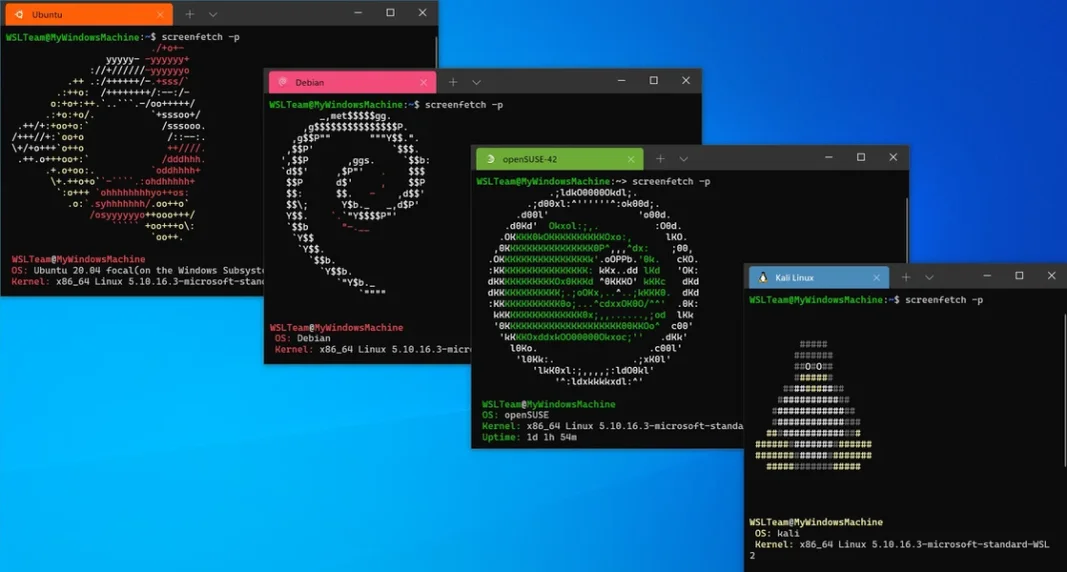
Windows Subsystem for Linux lets you run a GNU/Linux distribution such as Ubuntu or Debian on Windows. Microsoft's official app for this runs natively in the Windows kernel without heavy emulation, so performance is nearly the same as running the OS directly. It is what you need before any such distribution will start. In the beginning WSL was switched on as an optional module in Windows Features; that changed in November 2022, when it became a standalone app you can download and update on its own. It requires Windows 10 version 2004 or later.
The first release gave you the Linux Terminal on Windows and nothing more in the way of a friendlier interface. Graphical apps have been able to run since WSL 2.
Developers and other users test code from Windows without rebooting into another operating system.
Download files
a3505a50f4cc585551d11d9de824ba4375448d7a68f2e71d3fb315fa986fc754
Signed by Microsoft Corporation · valid until Apr 15, 20271d30938463c19388bd357ef176fca71cd52acac078c206f91af60e40e9e44be4
Signed by Microsoft Corporation · valid until Sep 11, 20268e203f1933a5b600a87d1cdb14bf1f190208816cceb4980f759726d1ba6a7364
Signed by Microsoft Corporation · valid until Aug 25, 2026f0b45ddbdd9384ca385cbcf7b88e323c0d3d13278664279ca5e43bb996431f44
Signed by Microsoft Corporation · valid until Jun 29, 2026102d1c9193d5bd097b7645d6580f1c9b4b01dcf4329206c0b8e09686026e384a
Signed by Microsoft Corporation · valid until Jun 28, 2026System requirements
Available on:
Additional information
Developer
Latest release
Size
Category
File type
SHA-256
a3505a50f4cc585551d11d9de824ba4375448d7a68f2e71d3fb315fa986fc754





