
WinToHDD 7.2 for Windows
SHA-256 listed
Installs, reinstalls or clones Windows from an ISO, no CD or USB needed
All ages
Age rating
Screenshots
Description
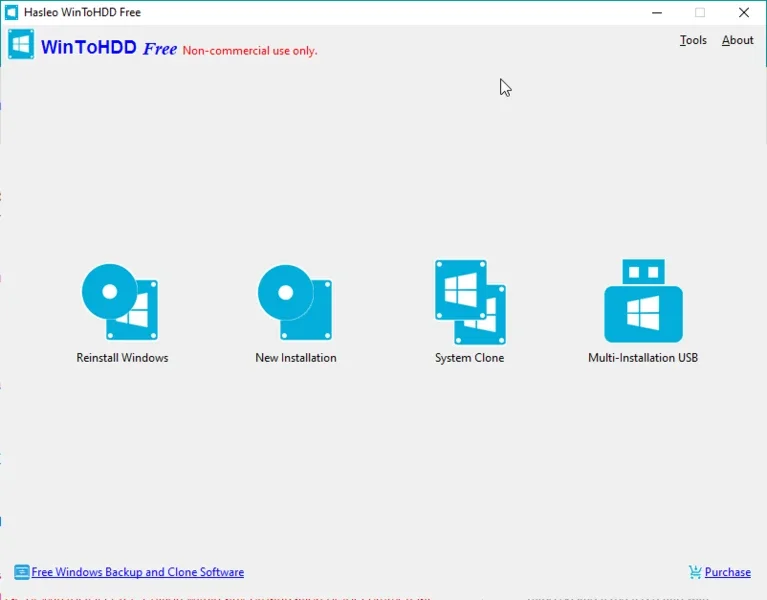
WinToHDD puts Windows on a machine from an ISO. The main window has four options: reinstall Windows, new installation, clone system, and a USB drive holding several installations.
The four options
Reinstalling puts Windows on the current PC or a second hard drive without a CD or USB stick, and works with any version from Vista onward. The new installation option is for installing a different version than the one already on the machine. The clone system option copies the current operating system. Before you start a clone, its window shows what is installed: the name, the system partition, the boot partition, and the BIOS mode.
Download files
Filewintohdd-7-2.exeEXE
Version7.2
ReleasedNov 19, 2026
Size36.5 MB
SHA-256
Get
76ee17dfa54775035e2c1d2ab515b4f9b1d9b05683f7af94c9967a4db20f93d1
Signed by Chengdu Hasile Technology Development Co., Ltd. · valid until May 13, 2027Filewintohdd-7-0-2-2.exeEXE
Version7.0.2.2
ReleasedJun 4, 2026
Size36.6 MB
SHA-256
Get
a3aa4318608fa6f6b852145eabcb9d939ad1e110fc61c07fc135d1ba0a12cf5c
Signed by Chengdu Hasile Technology Development Co., Ltd. · valid until May 13, 2027Filewintohdd-7.0.exeEXE
Version7.0
ReleasedMar 23, 2026
Size36.4 MB
SHA-256
Get
3d968be504beee2b87579f1e2a953a365c9d22995180162280b0603cf1a0086e
No digital signatureFilewintohdd-6.9.exeEXE
Version6.9
ReleasedJan 9, 2026
Size16.9 MB
SHA-256
Get
20a1a1ee2d920864631d6cc614e3cdf92337e849dd9672406d19bd114dca09e3
Filewintohdd-6.6.1.exeEXE
Version6.6.1
ReleasedFeb 10, 2025
Size10.3 MB
SHA-256
Get
401f7017a933a48a95d69cfa14cb21011df9d8cc668ed229f058e301c220be23
System requirements
Available on:
Minimum OS:
Windows XP or later
Additional information
Developer
Latest release
7.2 · Nov 19, 2026
Size
36.5 MB
Category
File type
EXE
SHA-256
76ee17dfa54775035e2c1d2ab515b4f9b1d9b05683f7af94c9967a4db20f93d1
Digital signature
Signed by Chengdu Hasile Technology Development Co., Ltd. · valid until May 13, 2027





