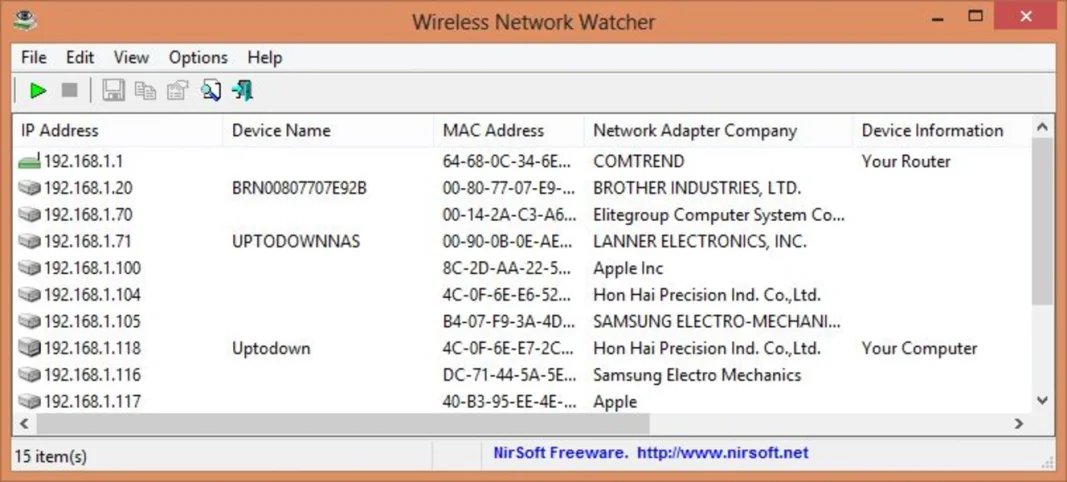
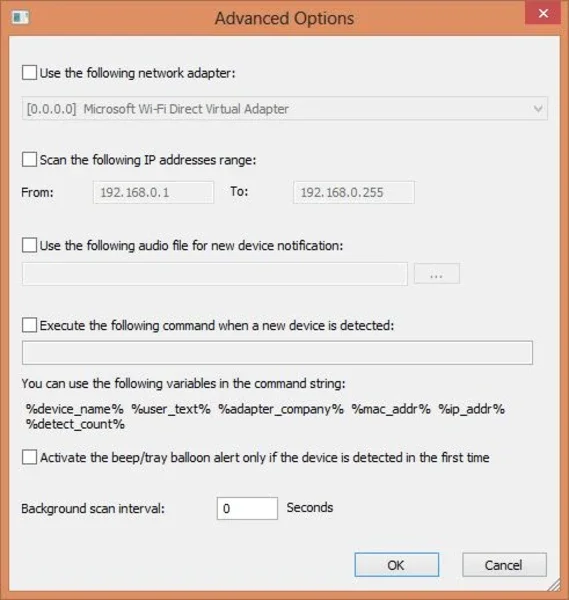
Screenshots
Description
Wireless Network Watcher scans a wireless network and lists the devices connected to it. It runs a scan on command, and the interface is minimalistic.
Each entry carries the IP address, the MAC address and the company behind the network adapter. The list also names each device and shows what kind of thing it is, plus when it was first and last detected. The program indicates whether a device is currently active. A single scan can be unreliable, so getting a full picture takes multiple scans and repeated refreshes. Press F5 or use the menu bar to refresh the view and pick up devices that have joined or left. Running several scans produces different reports, which can complicate keeping the data straight. From the edit menu you can copy the IP addresses, the MAC addresses, or only the items you selected. Results can be saved in HTML, and reports export to HTML, XML, CSV and text files. The program cannot connect or disconnect devices, so it cannot remove an intruder itself. It is used to watch for intruders or unsolicited devices, to monitor a connection when slow download speeds point to too many devices, and on small office networks where the listed IPs can be tracked.
It runs on Windows. Installation means downloading and running an installer. Version 2.45 is the latest.
Download files
2bc68f8823a76fae8ff360cbfcae2bcef7863305e0b700201ac7c0ea7c79f52f
No digital signature23429f2a7feba85dcce8ddb770f04c506d1eeaebc86855a78b66c1d1f5a050a4
343ebd7daed1a11cfa3496a947a4fa84e59420fb3695e6b648cf1e96f16bd770
971bfa54e2f7677cf64371631e7eb8af5318b3971dc11114c38551a0cfb29fd5
b893cd2fafe5011fa9f657f803984ac2c883cf71fff1547d848b7ee2ca5c12d7
System requirements
Available on:
Minimum OS:
Windows Windows 11 or later
Additional information
Developer
Latest release
Size
File type
SHA-256
2bc68f8823a76fae8ff360cbfcae2bcef7863305e0b700201ac7c0ea7c79f52f