Adobe Acrobat Sign
Adobe- EveryoneAge rating
- BusinessCategory
- May 12, 2026Updated
- FreePrice
Links to the official Google Play listing of com.adobe.echosign. Last checked on Nov 20, 2026.

Screenshots



About this app
Subscription Required. Get documents & forms signed. Easily. Securely. Anywhere.
Get e-signatures on documents and forms. Easily. Securely. Anywhere.
Adobe Acrobat Sign requires an active subscription with one of the following Adobe offerings. Learn more at https://acrobat.adobe.com/us/en/acrobat/send-for-signature.html
• Adobe Acrobat Sign Solutions
• Adobe PDF Pack
• Adobe Acrobat DC
• Adobe Creative Cloud Complete
This app is a mobile companion for the Adobe Acrobat Sign e-signature service. With it, you can e-sign documents and forms, send them to others for e-signature, track your documents and get signatures instantly with in-person signing.
Adobe Acrobat Sign is the electronic signature solution you can trust, from the global leader in secure digital documents for over 25 years. Adobe Acrobat Sign is used by businesses of all sizes — including Fortune 1000 companies, healthcare organizations and financial institutions — to accelerate critical business processes in Sales, HR, Legal and Operations.
SIGN DOCUMENTS ON THE GO
• Open and e-sign documents instantly.
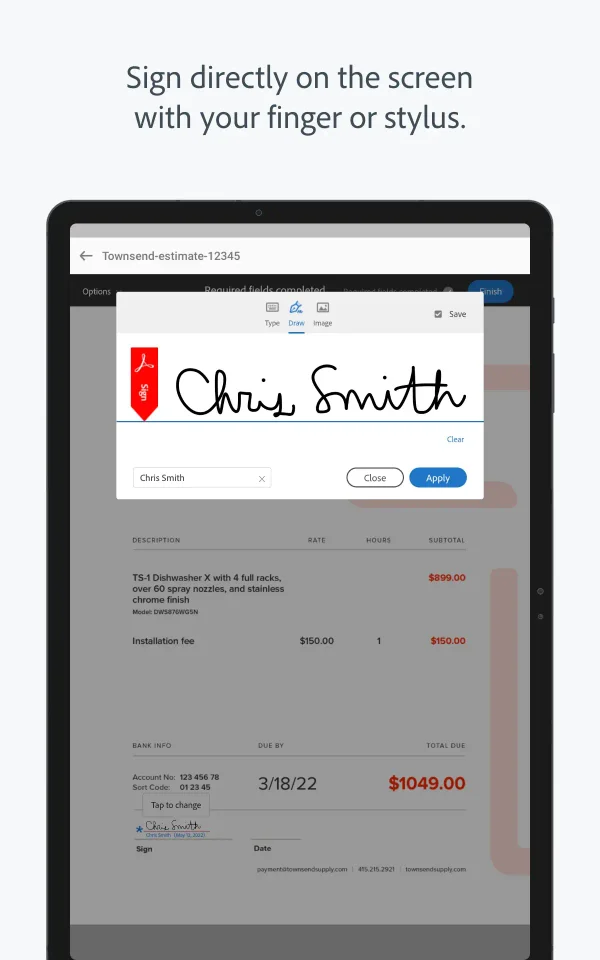
• Sign directly on the screen with your finger or stylus.
• Sign or click to approve a document sent by others.
• Delegate signing to another person or reject a signing request.
• Save partially filled forms to complete at a more convenient time.
GET E-SIGNATURES FROM OTHERS
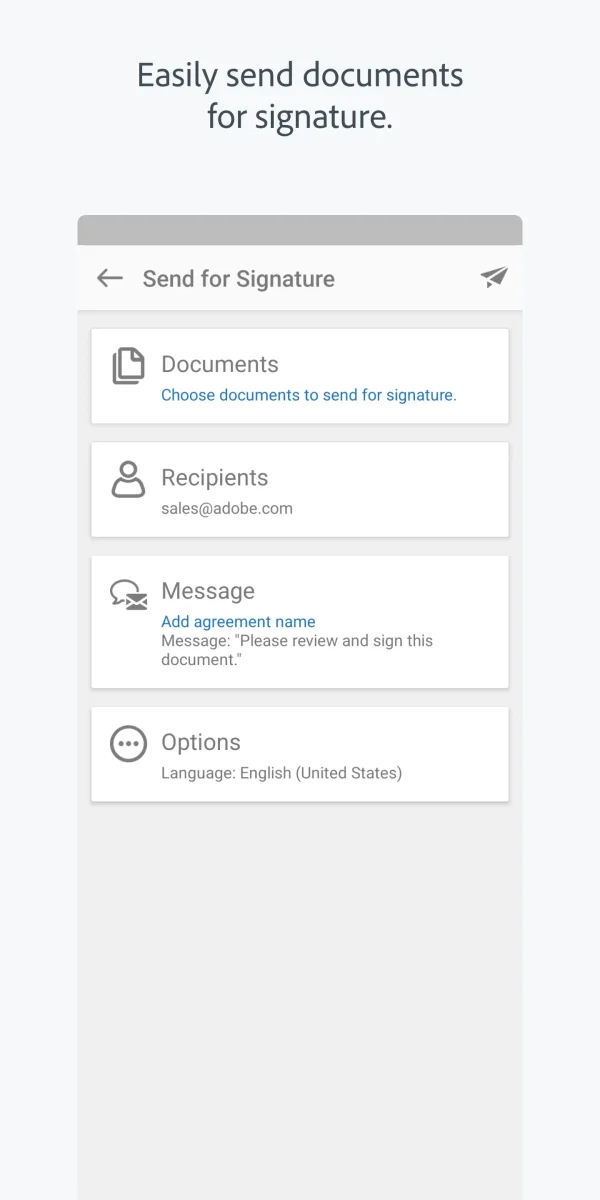
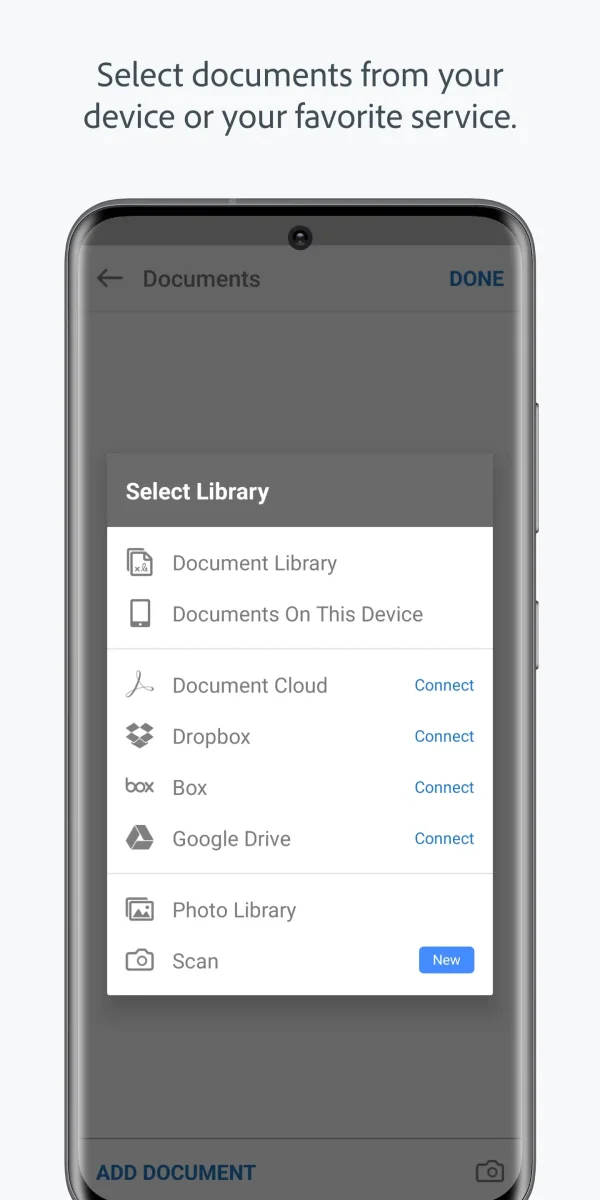
• Send documents for signature from your online document library, your device or email attachments.
• Work with documents from Google Drive, Box, Dropbox or Adobe Document Cloud.
• Use your Android to get e-signatures in person when meeting a client.
• Choose a language for the signer’s experience.
STORE AND MANAGE YOUR DOCUMENTS
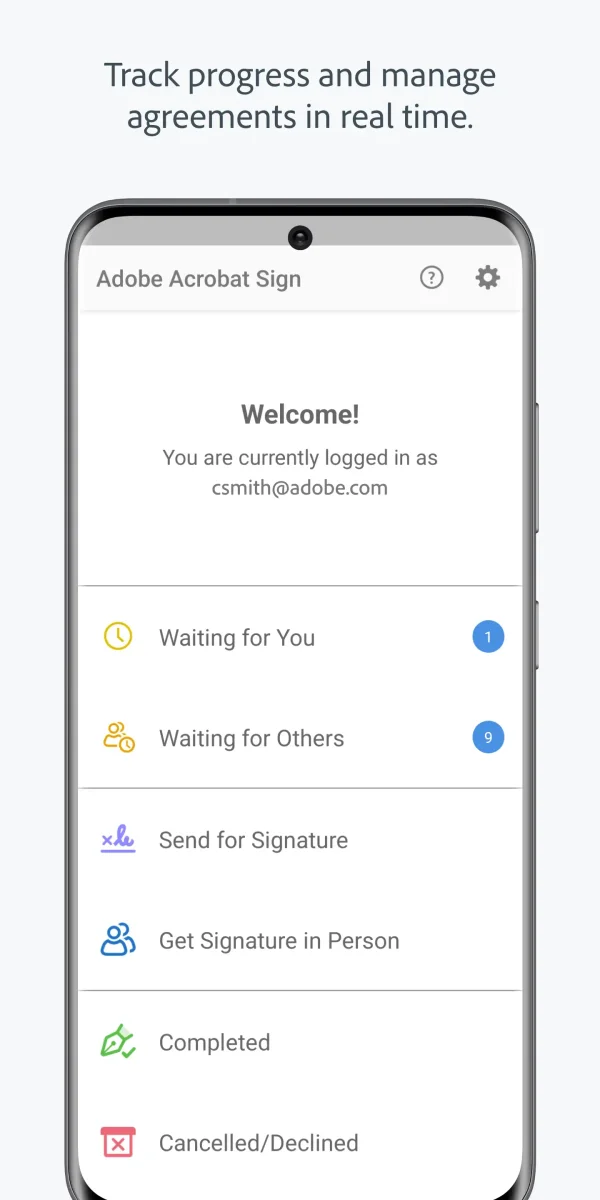
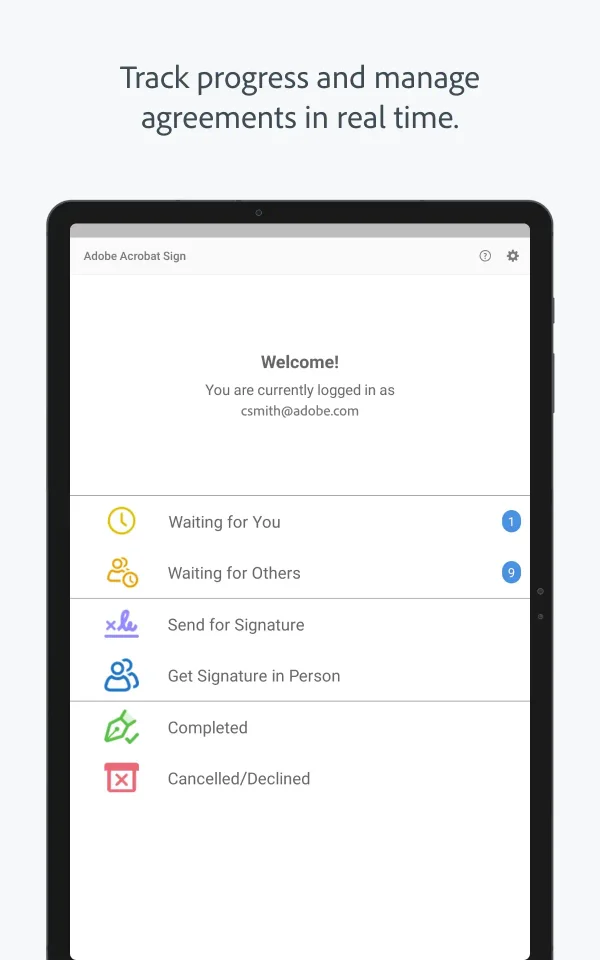
• Track progress and manage agreements with real-time status updates.
• Send reminders to recipients who haven't signed yet.
• View agreements stored in your online account.
• All parties get a certified copy of the signed document automatically by email.
LEGALLY BINDING AND SECURE
• Adobe Acrobat Sign is compliant with e-signature laws around the world, including the U.S. ESIGN Act and the European Union eIDAS Regulation.
• Signed documents are encrypted and saved as Certified PDFs. Recipients can validate document authenticity.
• Each transaction includes a complete audit trail detailing events and actions.
• Adobe Acrobat Sign meets stringent security compliance standards and is certified compliant with ISO 27001, SOC 2 Type 2, HIPAA and PCI DSS v3.0 used by the Payment Card Industry.
• Adobe Acrobat Sign provides protection for both the sender and the signer during the signing process with identity verification options, an audit trail, a tamper-evident seal and more.
SCAN DOCUMENTS
• Turn any paper document into a PDF, then send for fast e-signing.
• Scan multiple document pages into a single PDF and reorder them as desired.
• Easily attach, send, and sign scanned PDFs.
• Enhance your camera images with boundary detection, perspective correction, and text sharpness.
• Requires Android 5+.
Terms & Conditions: Your use of this application is governed by the Adobe General Terms of Use
http://www.adobe.com/go/terms_en and the Adobe Privacy Policy http://www.adobe.com/go/privacy_policy_en
Do Not Sell or Share My Personal Information: https://www.adobe.com/go/ca-rights-linkfree
Data safety
What Adobe declares on Google Play about the data this app collects and shares.
- No data shared with third partiesLearn more about how developers declare sharing
- This app may collect these data typesLocation, Personal info and 3 others
- Data is encrypted in transit
- You can request that data be deleted
What’s new
Version 5.0.15 · May 12, 2026
5.0.15
• Improved performance and stability
• Bug fixes
Developer contact
- Websitehelpx.adobe.com
- Emailsupport@echosign.com
- Privacy policyadobe.com
- Address345 Park Ave San Jose, CA 95110 United States
Information
- Offered by
- Adobe
- Category
- Business
- Version
- 5.0.15
- Updated
- May 12, 2026
- Released
- Sep 16, 2014
- Requires
- Android 10 or later
- Age rating
- Everyone
- Price
- Free
- Package name
- com.adobe.echosign
Similar apps
-
 Docusign - Upload & Sign Docs
Productivity
-
 Fill, Sign and Edit Documents
Business
-
 Signeasy | Sign and Fill Docs
Business
-
 YouCam Video: AI Video Editor
Video Players & Editors
-
 Foxit PDF Editor
Productivity
-
 PDF Editor & Reader App | Xodo
Productivity
-
 PDF Editor – Edit Everything!
Tools
-
 Tiny Scanner - PDF Scanner App
Business
-
 SignNow: Sign & Fill PDF Docs
Productivity
-
 pdfFiller Edit Sign & Fill PDF
Productivity
-
 PDF Reader(KDAN PDF): Edit PDF
Business
-
 Calculator
Tools