Bottom Quick Settings
Tom BayleyIn-app purchases
- EveryoneAge rating
- PersonalizationCategory
- Aug 24, 2026Updated
- FreePrice
Links to the official Google Play listing of com.tombayley.bottomquicksettings. Last checked on Nov 20, 2026.
Screenshots
About this app
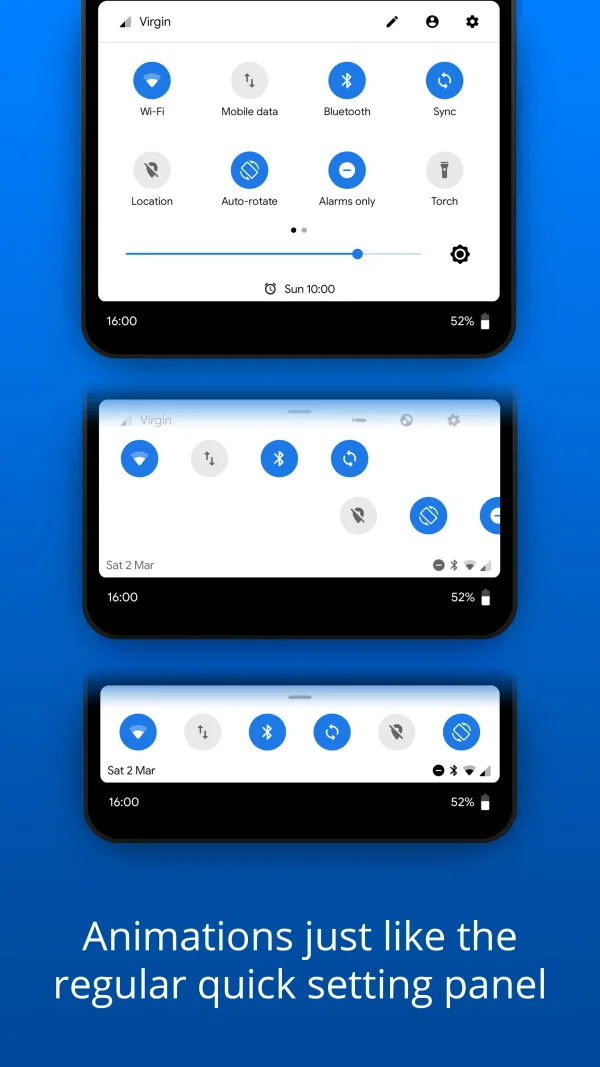
Quick settings panel & notification shade at the bottom of the screen
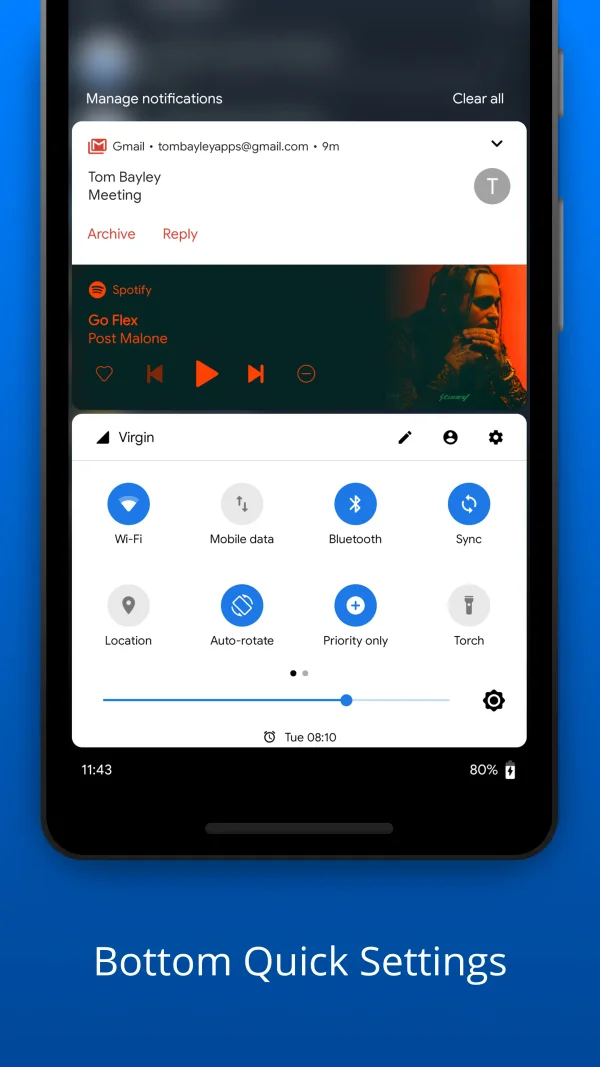
Bottom Quick Settings moves your notification shade and quick settings panel to the bottom of your Android screen — one-handed access to 40+ controls, right where your thumb reaches.
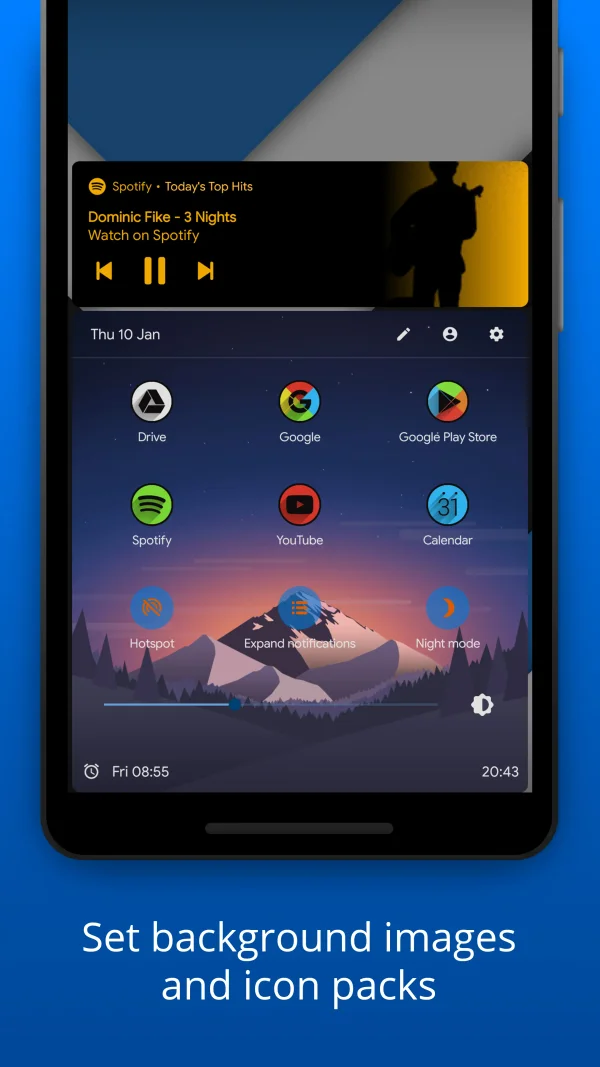
Swipe up from a customizable trigger anywhere on screen and your quick settings panel opens instantly at the bottom. Toggle WiFi, Bluetooth, brightness, volume, and dozens more with just your thumb.
NOTIFICATION SHADE
- Full notification panel relocated to the bottom of your screen
- Reply, open, dismiss, interact and manage all notifications
- Full color customization
- Dynamic colors
BOTTOM STATUS BAR
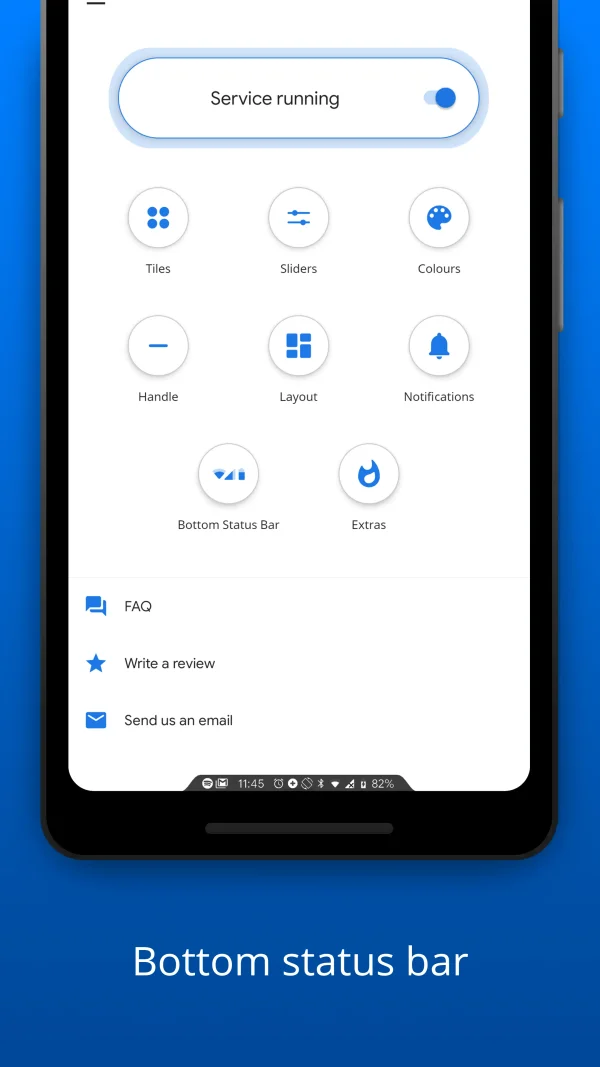
- Move your device's status bar to the bottom of the screen
- All notification and system icons — now within thumb reach
- Full color personalization
- Blacklist: auto-hide the status bar in specific apps
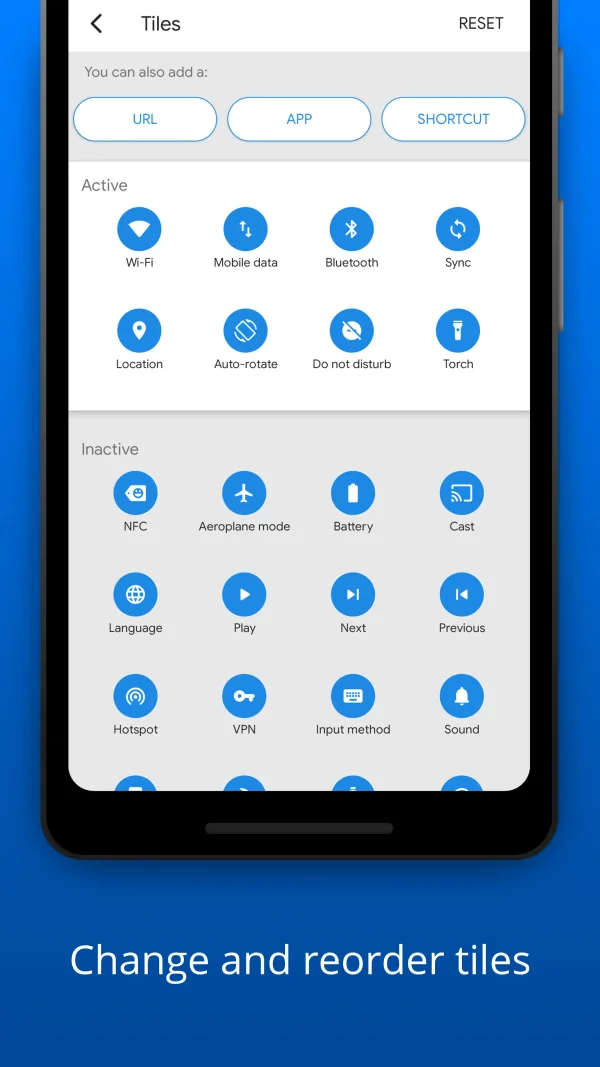
QUICK SETTING TILES — 40+ CONTROLS
- WiFi, Bluetooth, Mobile Data, Location, Torch, NFC and 35 more
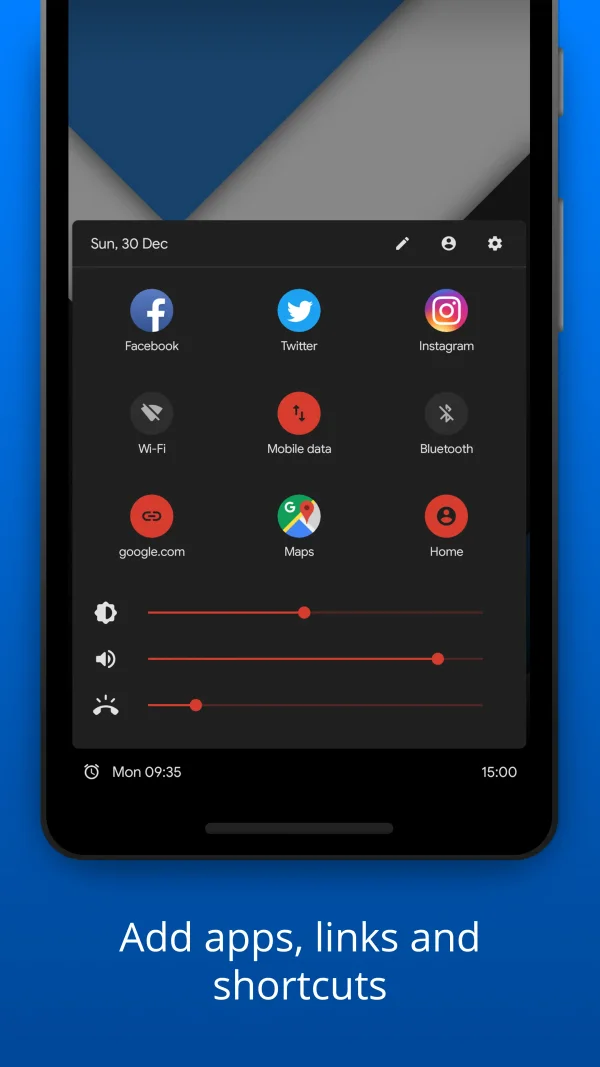
- Add any app or website as a custom shortcut tile
- Adjust the grid: change rows and columns to fit your style
- Built-in sliders: screen brightness, media, ringtone, alarm and notification volume
SWIPE TRIGGER HANDLE
- Place it anywhere along the screen edge
- Fully adjustable size — never conflicts with navigation gestures
- Auto-hide in fullscreen and landscape
- Blacklist: hide the trigger handle in specific apps
CUSTOMIZATION
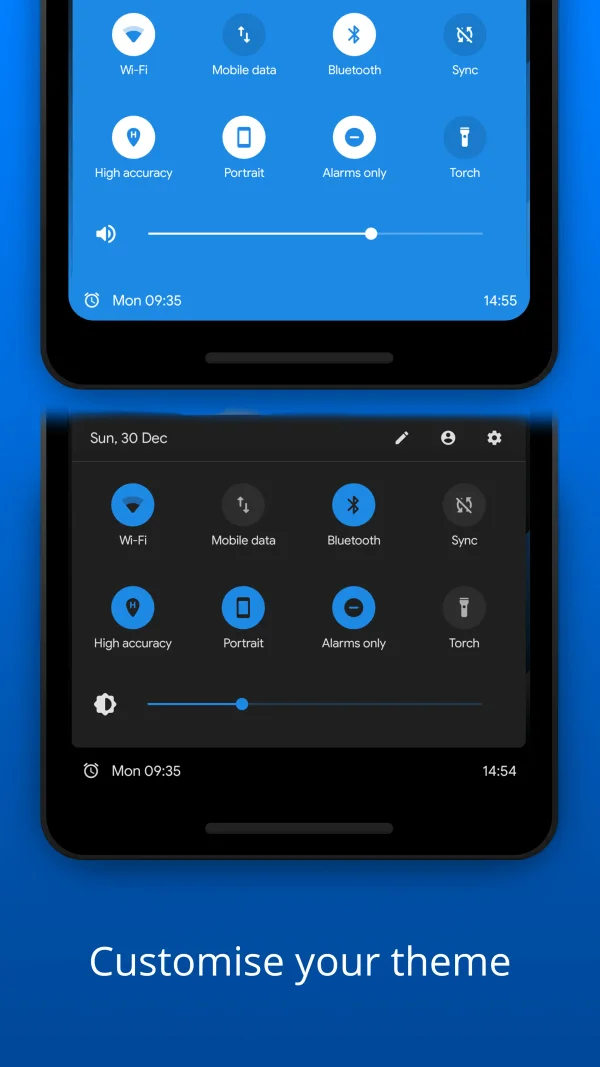
- Blur the quick settings panel background
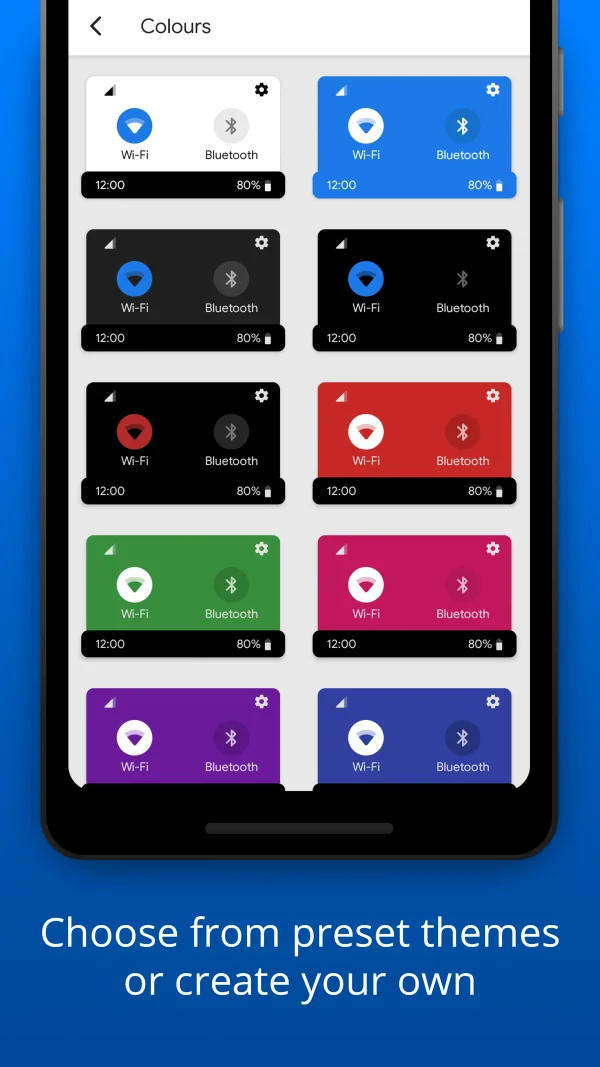
- Custom colors for the panel background and quick setting icons
- Add a background image to the panel
- App icon pack support
- Match navigation bar color to the panel footer
- Dark mode
- Tasker integration for automation
BACKUP / RESTORE
- Save and restore your full customization setup
- Share your themes with other users
ROOT / ADB POWER FEATURES
- Toggle Mobile Data, Location and other secure system settings
- One-time ADB command unlocks Android-restricted controls — no root required
Android's quick settings shouldn't be stuck at the top of a large screen. Bottom Quick Settings puts your notification shade, status bar, and quick settings panel exactly where your thumb reaches — all in one swipe.
Bottom Quick Settings uses Accessibility Services to display the custom quick settings and notification panel on your screen.
Data safety
What Tom Bayley declares on Google Play about the data this app collects and shares.
- No data shared with third partiesLearn more about how developers declare sharing
- No data collectedLearn more about how developers declare collection
- Data is encrypted in transit
- You can request that data be deleted
What’s new
Version 6.4.1 · Aug 24, 2026
Bug fixes and enhancements
Developer contact
- Websitetombayley.dev
- Emailsupport@tombayley.dev
- Privacy policytombayley.dev
- Address31 Glastonbury Drive POYNTON SK12 1EN United Kingdom
Information
- Offered by
- Google Commerce Ltd
- Category
- Personalization
- Version
- 6.4.1
- Updated
- Aug 24, 2026
- Released
- Nov 3, 2018
- Requires
- Android 6.0 or later
- Age rating
- Everyone
- Price
- Free
- In-app purchases
- $1.99 - $9.49 per item
- Package name
- com.tombayley.bottomquicksettings
Similar apps
-
 Square Home Launcher - Tile UI
Personalization
-
 PurpleLine Icon Pack : LineX
Personalization
-
 dynamicSpot - Floating Island
Tools
-
 Samsung My Files
Tools
-
 Fitdays+
Health & Fitness
-
 OnePlus Community
Communication
-
 AppDash: App Manager & Backup
Tools
-
 Cannondale
Health & Fitness
-
 Hi-tech Circuit Launcher
Personalization
-
 Kiren by F-Secure
Tools
-
 Groundwire: VoIP SIP Softphone
Communication
-
 Nuki Smart Lock
House & Home