Concentric+
DFAmaya- EveryoneAge rating
- PersonalizationCategory
- Nov 5, 2026Updated
- FreePrice
Links to the official Google Play listing of com.dfamaya.concentric. Last checked on Nov 17, 2026.

Screenshots


About this app
Rotating minute and second rings, 64 colorways and up to five complications.
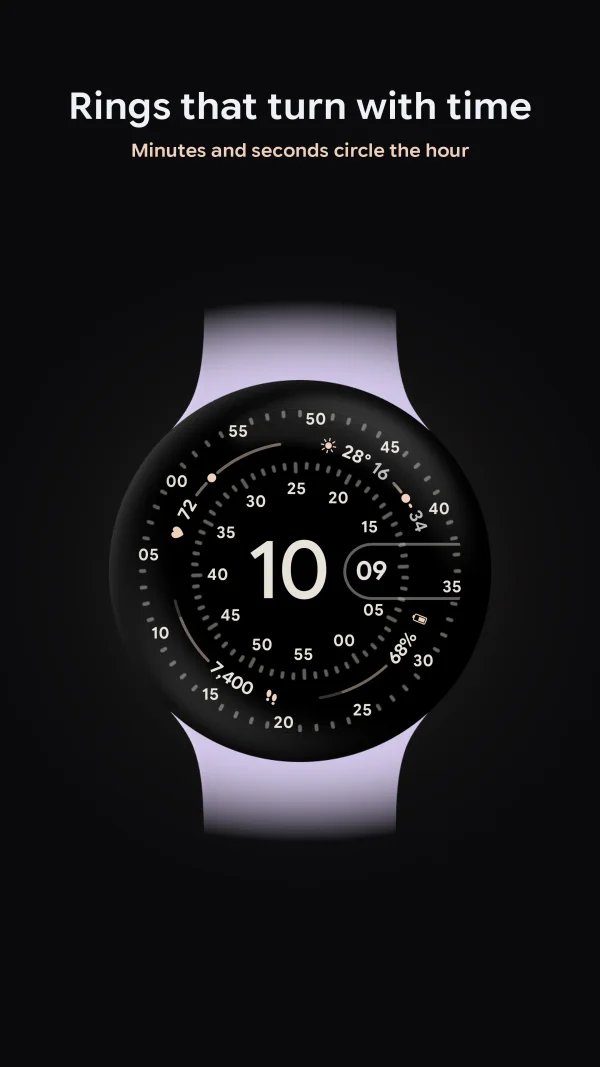
Concentric+ is a hybrid watch face built around two rotating rings. The minute ring and the second ring sweep around the hour, so the current minute and second always line up at the pill on the right.
Inspired by the Concentric face on Google's Pixel Watch, and recreated as closely as possible, with a few extras on top.
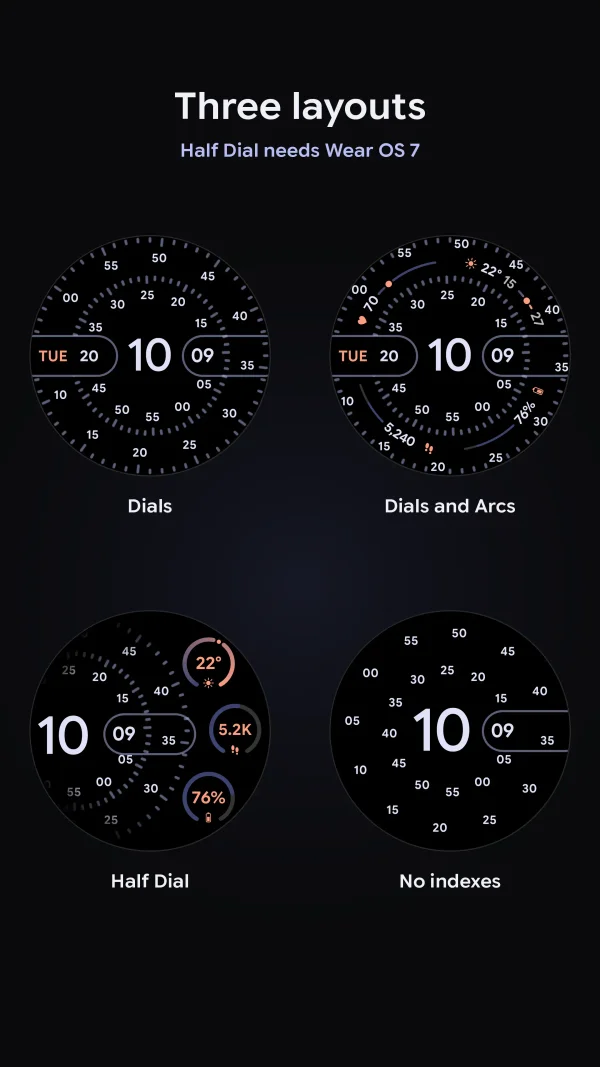
LAYOUTS
• Dials and Arcs – four corner arc complications around the rings
• Dials – a clean dial with denser second ticks
• Half Dial (Wear OS 7) – the clock moves left to make room for three round complications
COLORS
• 64 colorways, each a four-colour set for the time, the rings, the complication tracks and the icons
• Presets: Porcelain, Glacier, Pebble, Ooze, Jester, and on Wear OS 7 Campari and Unicorn
COMPLICATIONS
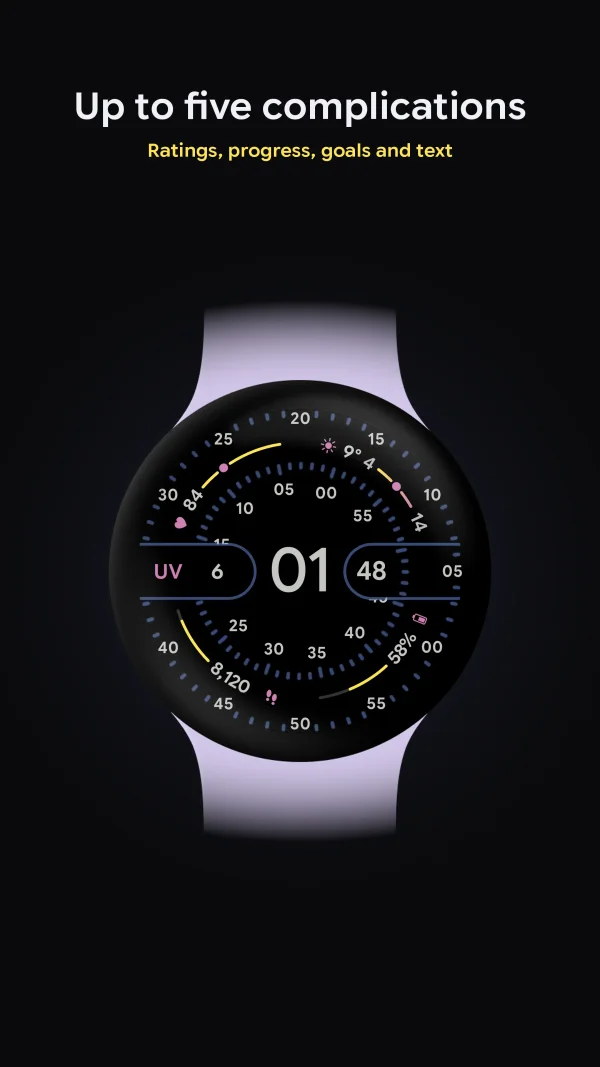
• Up to five complication slots: four corner arcs plus an optional left pill, or three round slots in Half Dial
• Ranged values, goal progress, weighted elements, short text, icons and small images
• Ratings drawn as a dot on a full track, temperatures with their min and max, progress and goals as fills
• Complication colours follow your colorway
ALWAYS-ON DISPLAY
• Light always-on rings; the pill closes into a ring around the minute
• Four always-on styles
• Optionally keep complication text and icons in always-on
OPTIONS
• Three tick styles
• Hide the second digits
• A track behind short-text complications
Requires Wear OS 5.1 or newer (Half Dial needs Wear OS 7). Built with the Watch Face Format for good battery life.
The optional phone app opens this watch face's Play Store page on your paired watch, for phones that can't install watch faces directly.
To set it: long-press your current watch face, swipe to "Add watch face", and pick Concentric+.
Not affiliated with or endorsed by Google. Pixel and Pixel Watch are trademarks of Google LLC.
Credits: based on the Concentric watch face by Luka Kilic (MIT License). Font: Google Sans Flex (SIL Open Font License 1.1).
Data safety
What DFAmaya declares on Google Play about the data this app collects and shares.
- No data shared with third partiesLearn more about how developers declare sharing
- No data collectedLearn more about how developers declare collection
What’s new
Nov 5, 2026
Initial production release
Developer contact
- Websiteenriquedfa.github.io
- Emaildeveloperdfa@gmail.com
- Privacy policyenriquedfa.github.io
- AddressPaseo Damas 239 Paseo Amberes 67130 Guadalupe, N.L. Mexico
Information
- Offered by
- DFAmaya
- Category
- Personalization
- Updated
- Nov 5, 2026
- Released
- Nov 5, 2026
- Age rating
- Everyone
- Price
- Free
- Package name
- com.dfamaya.concentric