Google Admin
Google LLCIn-app purchases
- EveryoneAge rating
- ProductivityCategory
- Nov 24, 2026Updated
- FreePrice
Links to the official Google Play listing of com.google.android.apps.enterprise.cpanel. Last checked on Nov 24, 2026.

Screenshots



About this app
Manage users and devices, update group memberships, and reset passwords.
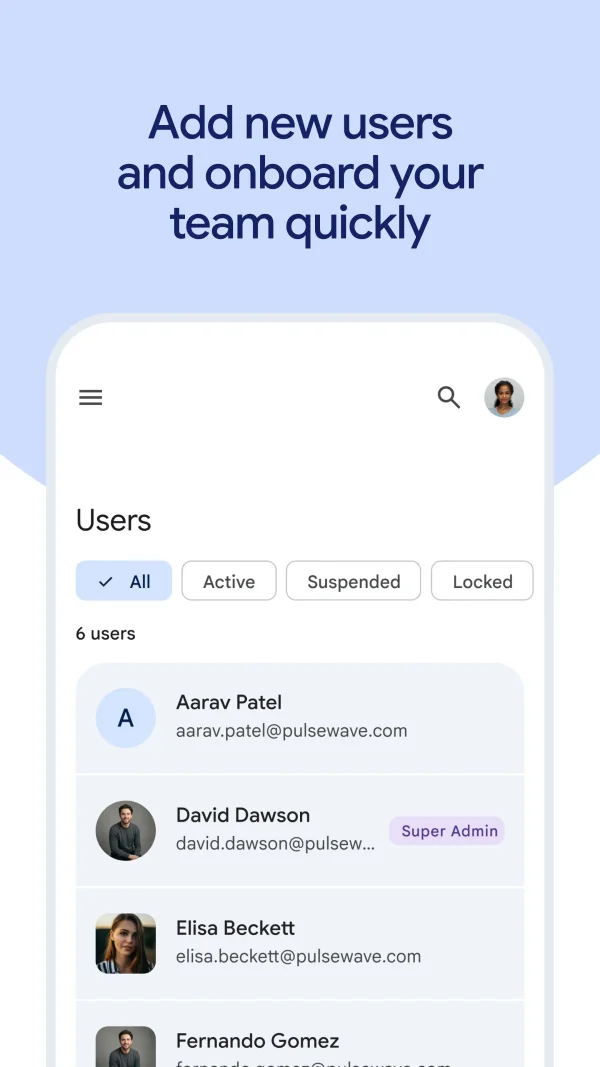
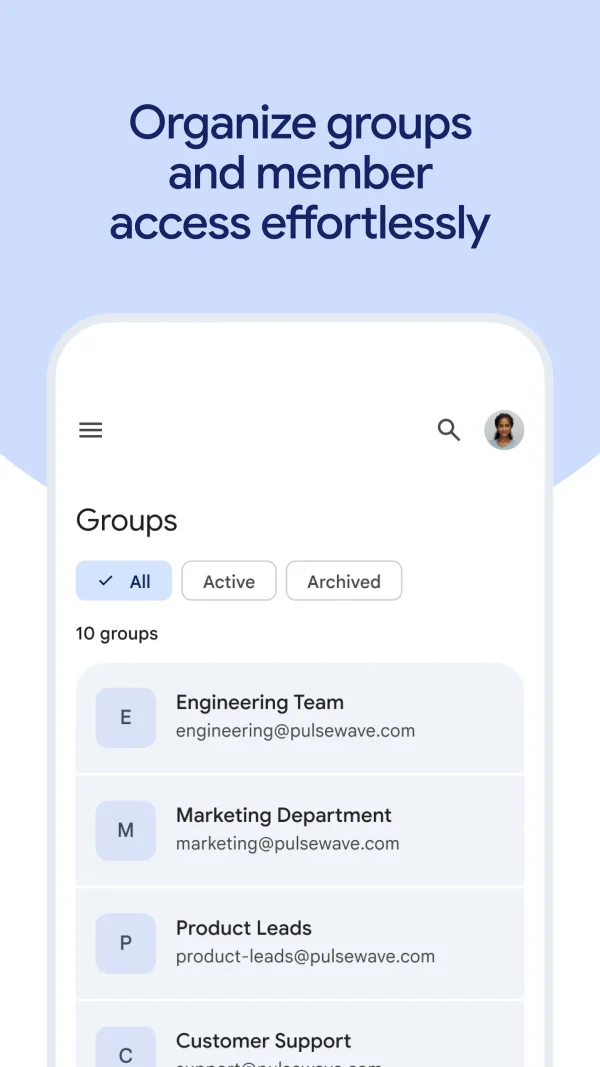
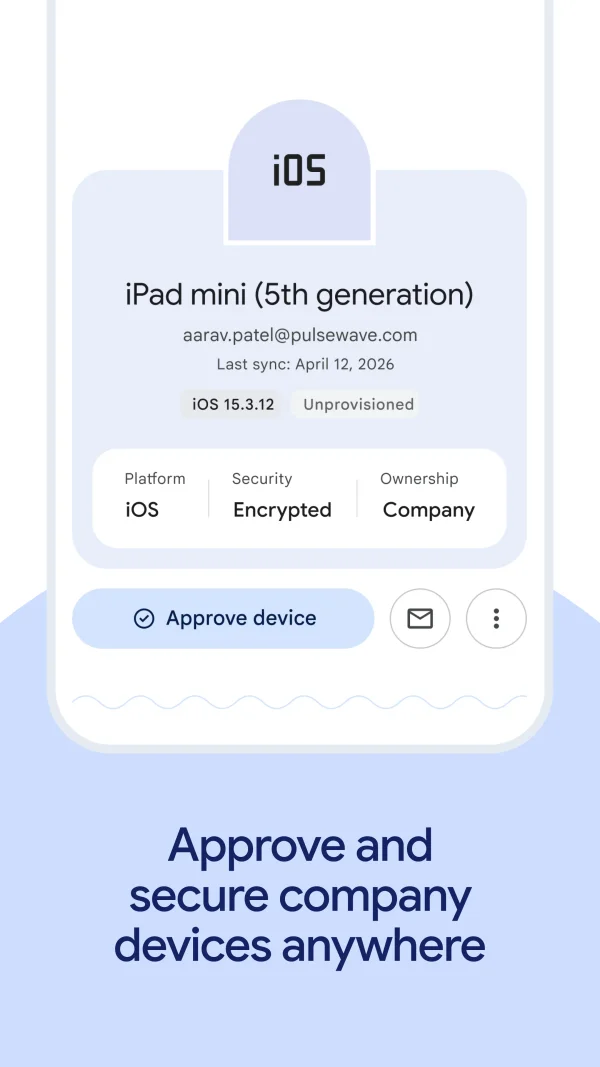
Manage your organization's Google Workspace account from anywhere. With the Google Admin app, you can add and manage users, reset passwords in seconds, organize group memberships, secure company devices, and review admin activity on the go.
Who can use this app
This app is available to administrators of Google Workspace (Business, Enterprise, Essentials, Education, Nonprofits, and Public Sector) and Cloud Identity.
Key features
• Quick actions and search: Start everyday tasks right from the Home screen and search across users, groups, and devices in one place.
• User management: Add or edit users, reset and share temporary passwords, manage email aliases, and suspend, restore, or delete accounts.
• Group management: View and edit groups, add or remove members, update member roles, and delete groups.
• Device management: Review Android and iOS devices in your domain, approve or block access, and remotely wipe account data or devices.
• Audit logs: Track recent admin actions and changes across your organization.
Permissions notice
Photos and media: Used to upload or change a user's profile photo.
Accounts: Used to sign in and switch between admin accounts on your device.
Data safety
What Google LLC declares on Google Play about the data this app collects and shares.
- No data shared with third partiesLearn more about how developers declare sharing
- This app may collect these data typesLocation, Personal info and 5 others
- Data is encrypted in transit
- You can request that data be deleted
- Independent security review
What’s new
Nov 24, 2026
• Refreshed Home & Material 3 design: A modern look with an at-a-glance snapshot of your organization right on the homepage.
• Smarter user setup: Assign Organizational Units when adding a user and easily set up email aliases.
• Faster everyday actions: Reset passwords and approve devices right from Home, plus simpler group and device controls, bug fixes, and performance improvements.
Developer contact
- Websitesupport.google.com
- Emailmobile-admin-support@google.com
- Privacy policygoogle.com
- Address1600 Amphitheatre Pkwy Mountain View, CA 94043 United States
Information
- Offered by
- Google LLC
- Category
- Productivity
- Updated
- Nov 24, 2026
- Released
- May 29, 2013
- Age rating
- Everyone
- Price
- Free
- In-app purchases
- $8.40 - $26.40 per item
- Package name
- com.google.android.apps.enterprise.cpanel