Chordana Play
CASIO COMPUTER CO., LTD.- USK ab 0 JahrenAltersfreigabe
- Musik & AudioKategorie
- 07.10.2025Aktualisiert
- KostenlosPreis
Verlinkt auf den offiziellen Google Play-Eintrag von jp.co.casio.chordanaplay. Zuletzt geprüft am 27.11.2026.

Screenshots



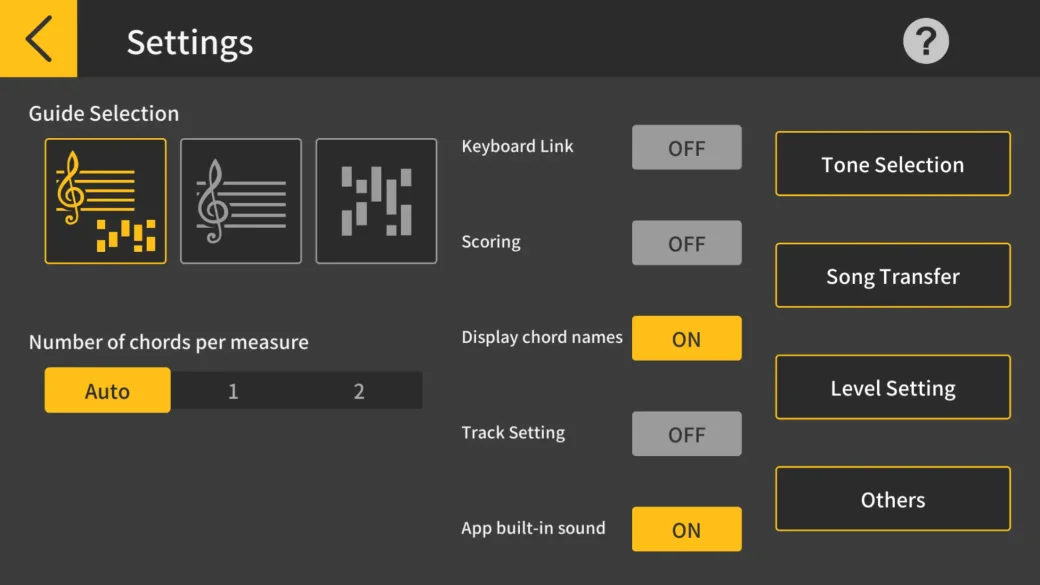
Über diese App
Automatische Übersetzung von Google. Originalsprache: Englisch (Vereinigte Staaten).
Lernen Sie Ihre Lieblings-songs.Practice jederzeit und überall auf einem Smartphone oder Tablet.
-----------------------------------------------------------------------
Kompatibilitätstests für Chordana Play auf Geräten mit Android 13 haben einen Fehler identifiziert, der die korrekte Funktion einiger Features bei Verwendung von Bluetooth MIDI beeinträchtigt.*
Dieser Fehler tritt nur unter Android 13 auf.
• Bei Google Pixel-Modellen (außer Pixel 4/4 XL) wurde das Problem mit dem monatlichen Update im März 2023 behoben.
• Der Update-Status für andere Smart-Geräte variiert je nach Hersteller oder Gerät. Bitte wenden Sie sich an Ihren Hersteller oder Mobilfunkanbieter, um Informationen zum Update-Status zu erhalten.
Bitte verwenden Sie diese App unter Android 13 nicht, bis das Problem behoben ist. Wir entschuldigen uns für die Unannehmlichkeiten.
Dieses Problem tritt nicht auf Geräten mit Android 12 oder älter sowie bei Verwendung einer USB-Kabelverbindung auf.
* Bei Verwendung des Wireless MIDI & Audio Adapters (WU-BT10).
-----------------------------------------------------------------------
*Um den Lernmodus mit dem drahtlosen MIDI- und Audio-Adapter (WU-BT10) zu nutzen,
benötigt Ihr Smartphone oder Tablet Android OS 8.0 oder höher und Bluetooth® Low Energy-fähiges Gerät.
Lerne deine Lieblingssongs.
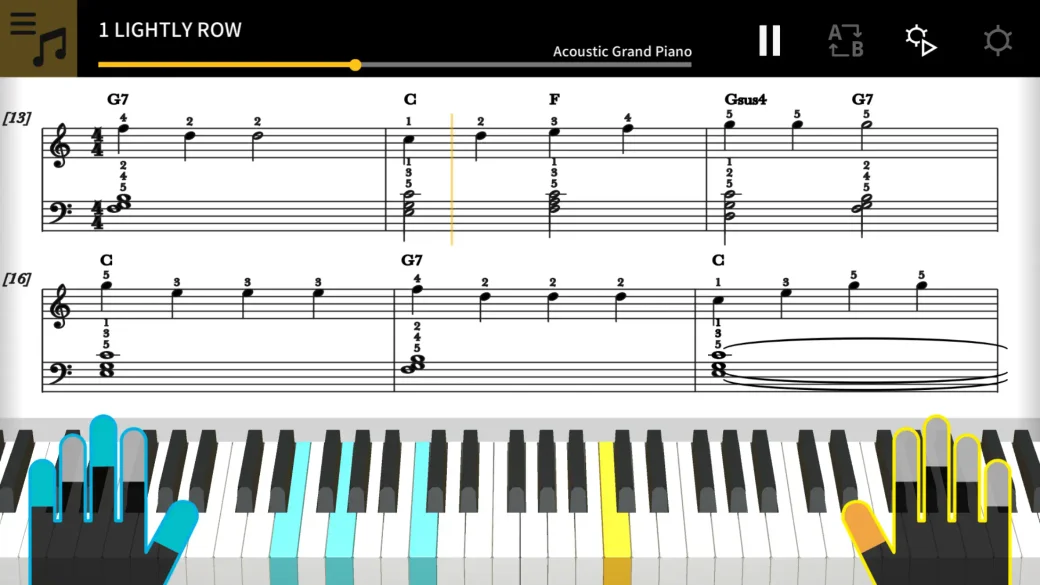
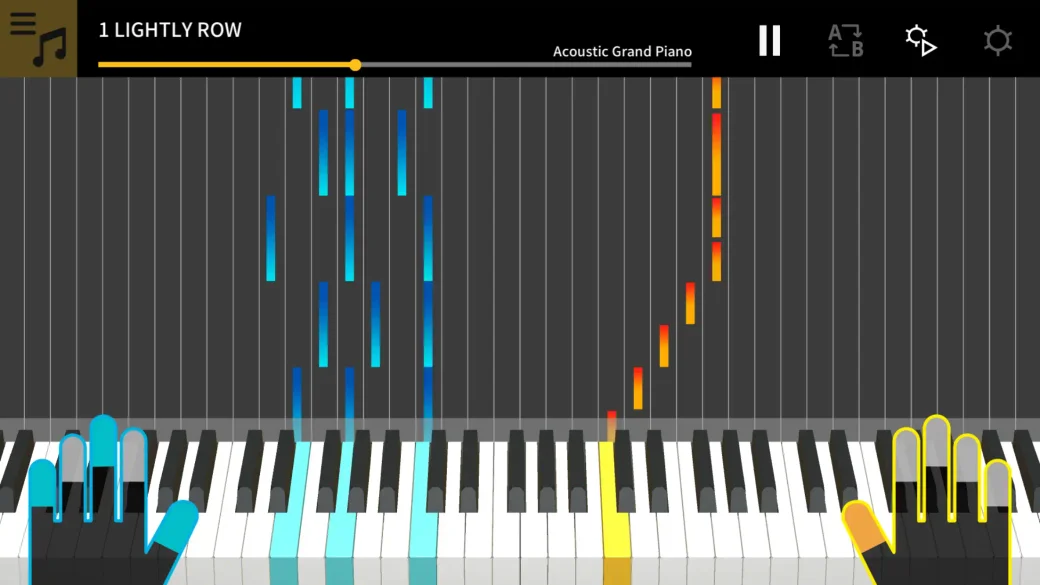
1. Noten und Piano-Roll-Notation machen das Lernen einfach und unterhaltsam! Chordana Play zeigt Noten und Piano-Roll-Notation für integrierte Songs und MIDI-Dateien an.
2. Nutze die 50 integrierten Songs oder importiere Standard-MIDI-Dateien. Spiele einen der 50 in Chordana Play enthaltenen Songs oder füge MIDI-Dateien hinzu.
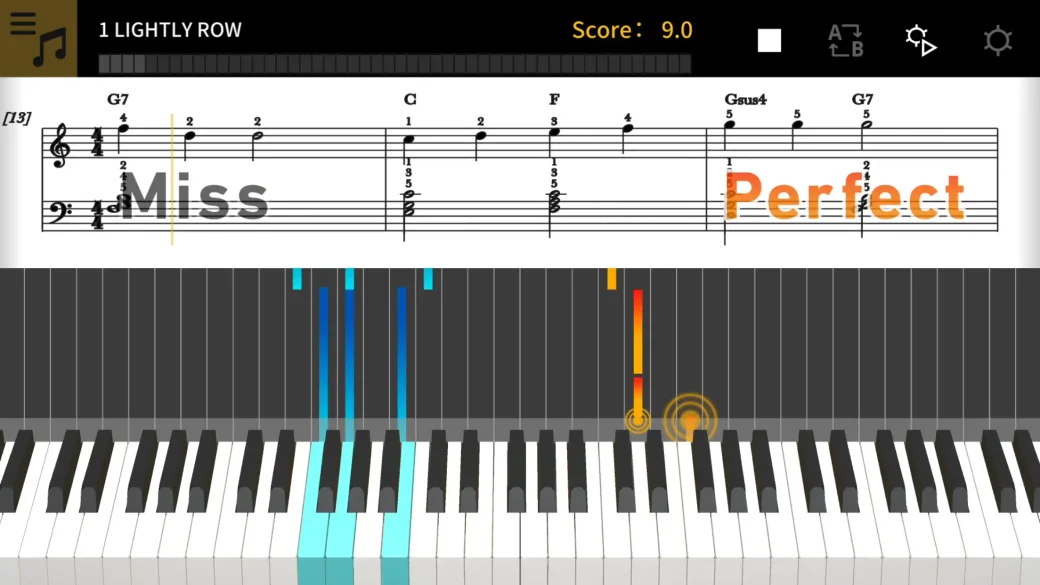
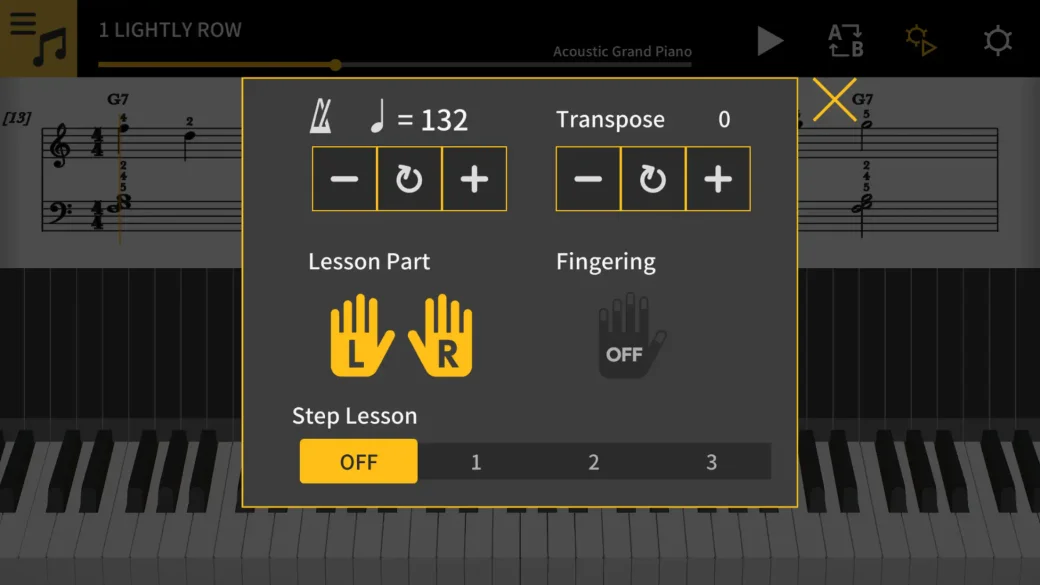
3. Lernmodus. Mit der Tastatur der App oder einem per USB angeschlossenen Keyboard kannst du in drei Schritten lernen und dabei Noten und Piano-Roll folgen.
4. Audiomodus. Spiele Audio auf deinem Gerät ab und nutze Funktionen wie Tonartwechsel, Tempoänderung, Looping und Melodie-Ausblenden.
5. Verbinden Ihres Mobilgeräts mit einem Musikinstrument über einen drahtlosen Adapter
● Unterstützte CASIO Keyboard-Modelle: CT-S1, CT-S400, CT-S410, LK-S450
● Was wird zum Verbinden benötigt und wie wird die Verbindung hergestellt?
Weitere Informationen zu Verbindungen finden Sie hier:
https://web.casio.com/app/en/play/support/connect.html
6. Verbinden Ihres Mobilgeräts mit einem Musikinstrument über ein USB-Kabel
● Unterstützte CASIO Keyboard-Modelle: CT-S1, CT-S195, CT-S200, CT-S300, CT-S400, CT-S410, LK-S250, LK-S450
● Was wird zum Verbinden benötigt und wie wird die Verbindung hergestellt?
Weitere Informationen zu Verbindungen finden Sie hier.
https://web.casio.com/app/en/play/support/connect.html
7. Keyboard Link
● Unterstützte CASIO Keyboard-Modelle: LK-265, LK-266, CTK-2500, CTK-2550 und CTK-3500
● Stereo-Miniklinkenkabel erforderlich.
Mit der Keyboard-Link-Funktion können Sie Melodie- und Akkorddaten über ein Audiokabel zusammen mit der Audiowiedergabe übertragen. Nutzen Sie die Beleuchtungsfunktion des Keyboards und üben Sie direkt auf dem Keyboard. Die Funktion bietet zwei Modi.
----------
★Systemvoraussetzungen (Stand: April 2021)
Android 4.4 oder höher erforderlich.
Empfohlener Arbeitsspeicher: 2 GB oder mehr
*Für die Nutzung mit einem unterstützten CASIO Keyboard ist ein OTG-fähiges Smartphone/Tablet mit Android 6.0 oder höher erforderlich. (Einige Smartphones/Tablets werden möglicherweise nicht unterstützt.)
*Der Lernmodus kann auf Android-Geräten der Versionen 6.x und 7.x nicht über Bluetooth® verwendet werden.
Empfohlen für die unten aufgeführten Smartphones/Tablets.
Die Funktion kann auf Smartphones/Tablets, die nicht in der Liste enthalten sind, nicht garantiert werden. Smartphones/Tablets, deren Funktion bestätigt wurde, werden der Liste schrittweise hinzugefügt.
Bitte beachten Sie, dass Smartphones/Tablets, deren Funktion bestätigt wurde, nach Updates der Smartphone-/Tablet-Software oder der Android-Version möglicherweise nicht korrekt angezeigt oder bedient werden.
Nicht kompatibel mit Geräten, die eine x86-CPU verwenden.
[Unterstützte Smartphones/Tablets]
https://support.casio.com/en/support/osdevicePage.php?cid=008003001
Originaltext anzeigen
-----------------------------------------------------------------------
Compatibility testing for Chordana Play on devices running Android 13 has identified a bug that prevents some functions from working properly when using Bluetooth MIDI.*
This bug occurs only with Android 13.
• On Google Pixel series models (excluding Pixel 4/4 XL), we have confirmed that this issue was resolved by the monthly update in March 2023.
• The update status for other smart devices varies according to manufacturer or device. Contact your manufacturer or communications service provider for information on the response status.
Please refrain from using this app on Android 13 until the issue is resolved. We apologize for any inconvenience.
This problem does not arise on devices running Android 12 or earlier or when a USB cable connection is used.
* When Wireless MIDI & Audio Adaptor (WU-BT10) is used.
-----------------------------------------------------------------------
*To use the lesson mode with the Wireless MIDI & audio adaptor (WU-BT10),
the system requirement of the smart device must be Android OS 8.0 or higher and a Bluetooth® Low Energy compatible device.
Learn your favorite songs.
1. Music score and piano roll notation make it fun and easy to learn!
Chordana Play displays the music score and piano roll notation for built-in songs and MIDI files.
2. Use the 50 built-in songs or import standard MIDI files
Play one of the 50 songs included in Chordana Play, or add MIDI files.
3. Lesson Mode
Using either the app's keyboard or a USB-connected musical instrument keyboard, you can take a three-step lesson while following the music score and piano roll.
4. Audio Mode
Play back audio on your device with musical tools such as key shift and tempo change, looping, and melody cancel.
5. Connecting your smart device to a musical instrument via a wireless adapter
● Supported CASIO Keyboard models
CT-S1, CT-S400, CT-S410, LK-S450
● What is needed for connecting and the connection method used
See here for more details on connections.
https://web.casio.com/app/en/play/support/connect.html
6. Connecting your smart device to a musical instrument via a USB cable
● Supported CASIO Keyboard models
CT-S1, CT-S195, CT-S200, CT-S300, CT-S400, CT-S410, LK-S250, LK-S450
● What is needed for connecting and the connection method used
See here for more details on connections.
https://web.casio.com/app/en/play/support/connect.html
7. Keyboard Link
● Supported CASIO Keyboard models
LK-265, LK-266, CTK-2500, CTK-2550, and CTK-3500
● Stereo mini to stereo mini cable required.
The keyboard link function enables you to use an audio cable to send melody and chord data along with the audio playback. Use the keyboard's light-up function and practice step-up lessons directly on the keyboard itself. The function has two modes.
----------
★System Requirements (Information current as of April 2021)
Android 4.4 or later required.
Recommended RAM: 2 GB or more
*To use while connected to a supported CASIO keyboard, an OTG-compatible smartphone/tablet running Android 6.0 or later is required. (Some smartphones/tablets may not be supported.)
*Lesson Mode cannot be used via a Bluetooth® connection on Android 6.x or 7.x devices.
Recommended for use on the smartphones/tablets listed below.
Operation is not guaranteed on smartphones/tablets not included in the list.
Smartphones/tablets for which operation has been confirmed will be progressively added to the list.
Note that smartphones/tablets for which operation is confirmed may still fail to display or operate correctly following updates to the smartphone/tablet software or Android OS version.
Not compatible with devices that use an x86 CPU.
[Supported smartphones/tablets]
https://support.casio.com/en/support/osdevicePage.php?cid=008003001
Datensicherheit
Was CASIO COMPUTER CO., LTD. bei Google Play zu den Daten angibt, die diese App erfasst und weitergibt.
- Diese App kann die folgenden Datentypen an Dritte weitergebenApp-Aktivitäten, App-Informationen und -Leistung und Geräte- oder andere IDs
- Diese App kann die folgenden Datentypen erhebenApp-Aktivitäten, App-Informationen und -Leistung und Geräte- oder andere IDs
- Daten werden bei der Übertragung verschlüsselt
- Daten können nicht gelöscht werden
Neue Funktionen
Version 2.0.5 · 07.10.2025
・Fixed bugs.
Kontakt zum Entwickler
- Websiteweb.casio.com
- E-Mailemi-app-support@casio.co.jp
- Datenschutzerklärungcasio.com
- Adresse1-6-2, HONMACHI SHIBUYA-KU, 東京都 151-8543 Japan
Informationen
- Angeboten von
- Google Commerce Ltd
- Kategorie
- Musik & Audio
- Version
- 2.0.5
- Aktualisiert
- 07.10.2025
- Veröffentlicht
- 09.03.2017
- Erfordert
- Android 4.4 oder höher
- Altersfreigabe
- USK ab 0 Jahren
- Preis
- Kostenlos
- Paketname
- jp.co.casio.chordanaplay
Ähnliche Apps
-
 Baby Piano, Drums, Xylo & more
Lernen
-
 Klavier-App
Musik & Audio
-
 FM Synthesizer [SynprezFM II]
Musik & Audio
-
 Piano-Akademie – Piano lernen
Lernen
-
 The Original Piano
Musik & Audio
-
 Lerne Blockflöte: Flute Master
Lernen
-
 Music Theory Companion
Musik & Audio
-
 DJ-Mixer-Studio Pro - DJ-Musik
Musik & Audio
-
 InstaDrum: Schlagzeug lernen
Lernen
-
 Skrynia: bilingual stories
Lernen
-
 Drum Pad - Musik & Beats Maker
Musik & Audio
-
 Spiele Für Kinder Ab 2–5 Jahre
Lernen