Chordana Play
CASIO COMPUTER CO., LTD.- PEGI 3Yaş sınırı
- Müzik ve SesKategori
- 07.10.2025Güncellendi
- ÜcretsizFiyat
jp.co.casio.chordanaplay için resmi Google Play sayfasına bağlanır. Son kontrol: 27.11.2026.

Ekran görüntüleri



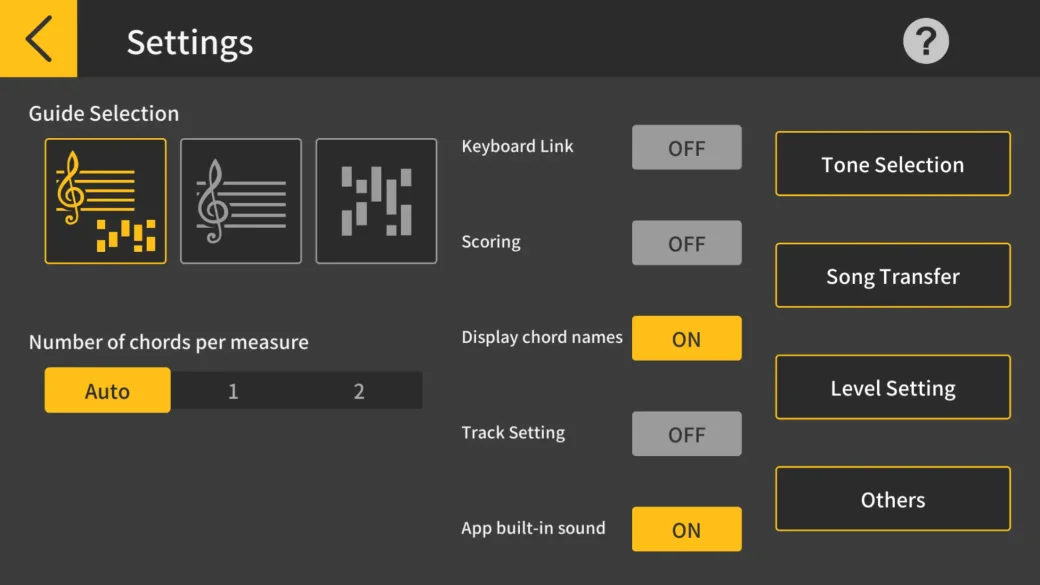
Bu uygulama hakkında
Google tarafından otomatik çeviri. Orijinal dil: İngilizce (Amerika Birleşik Devletleri).
her yerde bir akıllı telefon veya tablet, her zaman favori songs.Practice öğrenin.
-----------------------------------------------------------------------
Android 13 çalıştıran cihazlarda Chordana Play için yapılan uyumluluk testlerinde, Bluetooth MIDI kullanılırken bazı işlevlerin düzgün çalışmasını engelleyen bir hata tespit edilmiştir.*
Bu hata yalnızca Android 13'te ortaya çıkar.
• Google Pixel serisi modellerinde (Pixel 4/4 XL hariç), bu sorunun Mart 2023'teki aylık güncelleme ile çözüldüğünü doğruladık.
• Diğer akıllı cihazlar için güncelleme durumu üreticiye veya cihaza göre değişir. Yanıt durumu hakkında bilgi için üreticinize veya iletişim servis sağlayıcınıza başvurun.
Sorun çözülene kadar lütfen Android 13'te bu uygulamayı kullanmaktan kaçının. Verdiğimiz rahatsızlıktan dolayı özür dileriz.
Bu sorun, Android 12 veya daha önceki sürümleri çalıştıran cihazlarda veya USB kablo bağlantısı kullanıldığında ortaya çıkmaz.
* Kablosuz MIDI ve Ses Adaptörü (WU-BT10) kullanıldığında.
----------------------------------------------------------------------
* Kablosuz MIDI ve ses adaptörü (WU-BT10) ile ders modunu kullanmak için,
akıllı cihazın sistem gereksinimi Android OS 8.0 veya üzeri ve Bluetooth® Düşük Enerji uyumlu bir cihaz olmalıdır.
En sevdiğiniz şarkıları öğrenin.
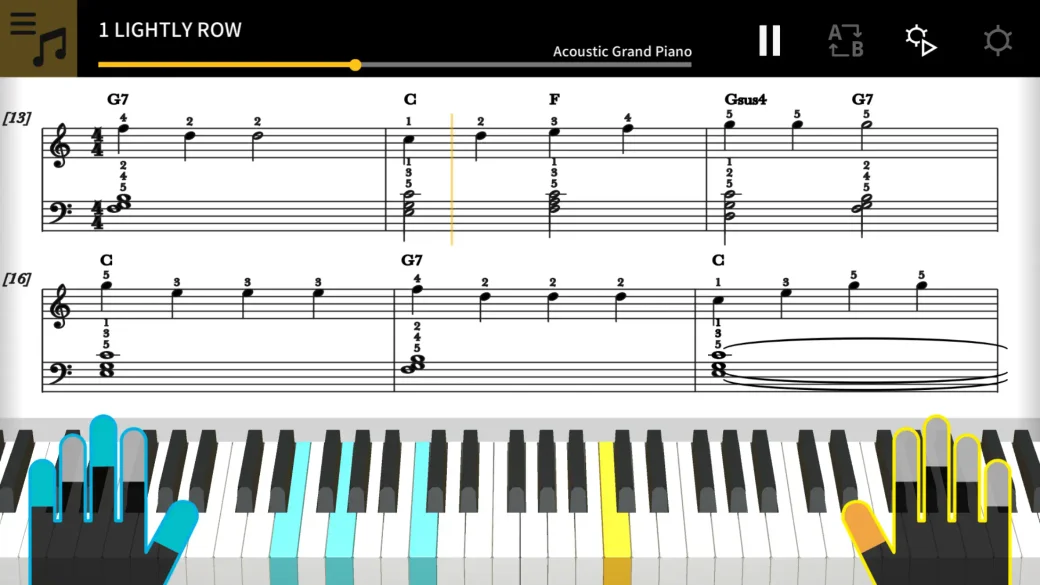
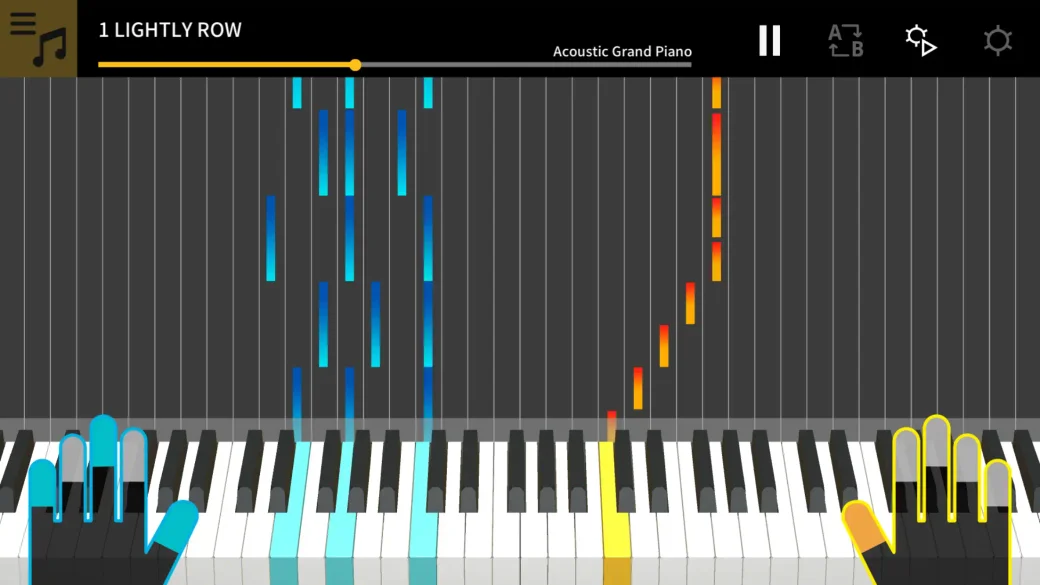
1. Müzik notası ve piyano rulo notasyonu öğrenmeyi eğlenceli ve kolay hale getiriyor!
Chordana Play, yerleşik şarkılar ve MIDI dosyaları için müzik notasını ve piyano rulo notasyonunu görüntüler.
2. 50 yerleşik şarkıyı kullanın veya standart MIDI dosyalarını içe aktarın
Chordana Play'de bulunan 50 şarkıdan birini çalın veya MIDI dosyaları ekleyin.
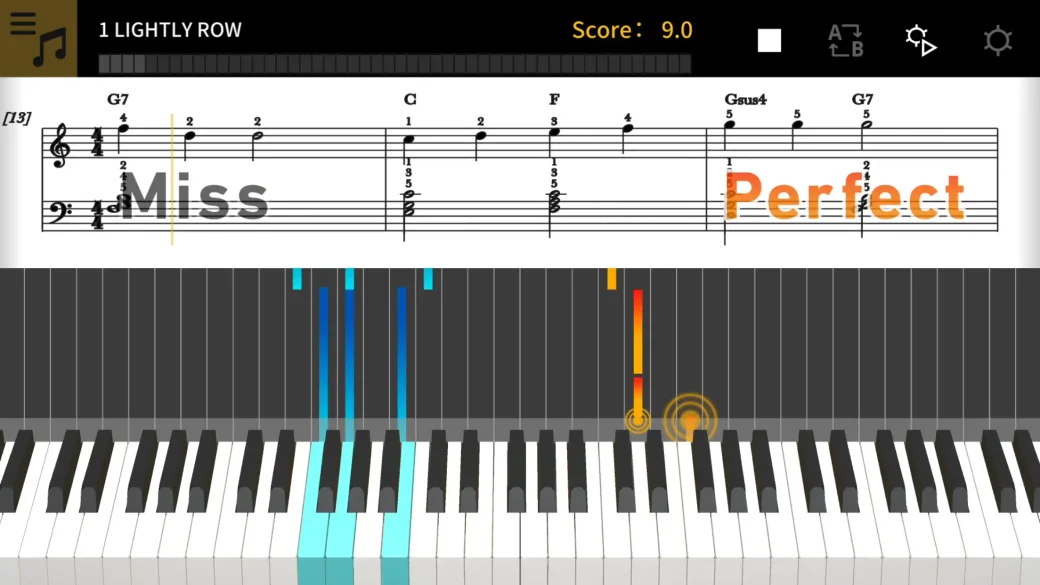
3. Ders Modu
Uygulamanın klavyesini veya USB bağlantılı bir müzik aleti klavyesini kullanarak, müzik notalarını ve piyano rulosunu takip ederken üç adımlı bir ders alabilirsiniz.
4. Ses Modu
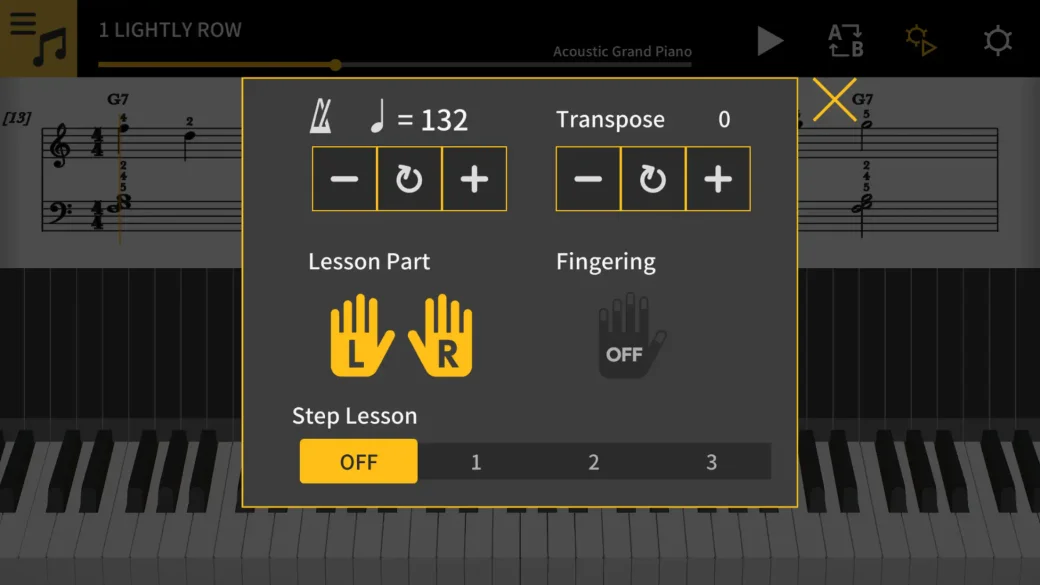
Tuş kaydırma ve tempo değiştirme, döngü ve melodi iptali gibi müzik araçlarıyla cihazınızda ses oynatabilirsiniz.
5. Akıllı cihazınızı kablosuz adaptör aracılığıyla bir müzik aletine bağlama
● Desteklenen CASIO Klavye modelleri
CT-S1, CT-S400, CT-S410, LK-S450
● Bağlantı için gerekenler ve kullanılan bağlantı yöntemi
Bağlantılar hakkında daha fazla bilgi için buraya bakın.
https://web.casio.com/app/en/play/support/connect.html
6. Akıllı cihazınızı bir USB kablosuyla müzik aletine bağlama
● Desteklenen CASIO Klavye modelleri
CT-S1, CT-S195, CT-S200, CT-S300, CT-S400, CT-S410, LK-S250, LK-S450
● Bağlantı için gerekenler ve kullanılan bağlantı yöntemi
Bağlantılar hakkında daha fazla bilgi için buraya bakın.
https://web.casio.com/app/en/play/support/connect.html
7. Klavye Bağlantısı
● Desteklenen CASIO Klavye modelleri
LK-265, LK-266, CTK-2500, CTK-2550 ve CTK-3500
● Stereo mini - stereo mini kablo gereklidir.
Klavye bağlantısı işlevi, ses çalma ile birlikte melodi ve akor verilerini göndermek için bir ses kablosu kullanmanızı sağlar. Klavyenin ışıklandırma özelliğini kullanarak, adım adım ilerleyen dersleri doğrudan klavye üzerinde uygulayın. Bu özelliğin iki modu vardır.
----------
★Sistem Gereksinimleri (Bilgiler Nisan 2021 itibarıyla günceldir)
Android 4.4 veya üzeri gereklidir.
Önerilen RAM: 2 GB veya üzeri
*Desteklenen bir CASIO klavyeye bağlıyken kullanmak için, Android 6.0 veya üzeri bir sürüm çalıştıran OTG uyumlu bir akıllı telefon/tablet gereklidir. (Bazı akıllı telefonlar/tabletler desteklenmeyebilir.)
*Ders Modu, Android 6.x veya 7.x cihazlarda Bluetooth® bağlantısı üzerinden kullanılamaz.
Aşağıda listelenen akıllı telefonlar/tabletlerde kullanılması önerilir.
Listede yer almayan akıllı telefonlar/tabletlerde çalışması garanti edilmez.
Çalışması onaylanan akıllı telefonlar/tabletler listeye kademeli olarak eklenecektir.
Lütfen, çalışması onaylanmış akıllı telefon/tabletlerin, akıllı telefon/tablet yazılımı veya Android işletim sistemi sürümündeki güncellemelerden sonra bile doğru şekilde görüntülenmeyebileceğini veya çalışmayabileceğini unutmayın.
x86 işlemci kullanan cihazlarla uyumlu değildir.
[Desteklenen akıllı telefonlar/tabletler]
https://support.casio.com/en/support/osdevicePage.php?cid=008003001
Orijinal metni göster
-----------------------------------------------------------------------
Compatibility testing for Chordana Play on devices running Android 13 has identified a bug that prevents some functions from working properly when using Bluetooth MIDI.*
This bug occurs only with Android 13.
• On Google Pixel series models (excluding Pixel 4/4 XL), we have confirmed that this issue was resolved by the monthly update in March 2023.
• The update status for other smart devices varies according to manufacturer or device. Contact your manufacturer or communications service provider for information on the response status.
Please refrain from using this app on Android 13 until the issue is resolved. We apologize for any inconvenience.
This problem does not arise on devices running Android 12 or earlier or when a USB cable connection is used.
* When Wireless MIDI & Audio Adaptor (WU-BT10) is used.
-----------------------------------------------------------------------
*To use the lesson mode with the Wireless MIDI & audio adaptor (WU-BT10),
the system requirement of the smart device must be Android OS 8.0 or higher and a Bluetooth® Low Energy compatible device.
Learn your favorite songs.
1. Music score and piano roll notation make it fun and easy to learn!
Chordana Play displays the music score and piano roll notation for built-in songs and MIDI files.
2. Use the 50 built-in songs or import standard MIDI files
Play one of the 50 songs included in Chordana Play, or add MIDI files.
3. Lesson Mode
Using either the app's keyboard or a USB-connected musical instrument keyboard, you can take a three-step lesson while following the music score and piano roll.
4. Audio Mode
Play back audio on your device with musical tools such as key shift and tempo change, looping, and melody cancel.
5. Connecting your smart device to a musical instrument via a wireless adapter
● Supported CASIO Keyboard models
CT-S1, CT-S400, CT-S410, LK-S450
● What is needed for connecting and the connection method used
See here for more details on connections.
https://web.casio.com/app/en/play/support/connect.html
6. Connecting your smart device to a musical instrument via a USB cable
● Supported CASIO Keyboard models
CT-S1, CT-S195, CT-S200, CT-S300, CT-S400, CT-S410, LK-S250, LK-S450
● What is needed for connecting and the connection method used
See here for more details on connections.
https://web.casio.com/app/en/play/support/connect.html
7. Keyboard Link
● Supported CASIO Keyboard models
LK-265, LK-266, CTK-2500, CTK-2550, and CTK-3500
● Stereo mini to stereo mini cable required.
The keyboard link function enables you to use an audio cable to send melody and chord data along with the audio playback. Use the keyboard's light-up function and practice step-up lessons directly on the keyboard itself. The function has two modes.
----------
★System Requirements (Information current as of April 2021)
Android 4.4 or later required.
Recommended RAM: 2 GB or more
*To use while connected to a supported CASIO keyboard, an OTG-compatible smartphone/tablet running Android 6.0 or later is required. (Some smartphones/tablets may not be supported.)
*Lesson Mode cannot be used via a Bluetooth® connection on Android 6.x or 7.x devices.
Recommended for use on the smartphones/tablets listed below.
Operation is not guaranteed on smartphones/tablets not included in the list.
Smartphones/tablets for which operation has been confirmed will be progressively added to the list.
Note that smartphones/tablets for which operation is confirmed may still fail to display or operate correctly following updates to the smartphone/tablet software or Android OS version.
Not compatible with devices that use an x86 CPU.
[Supported smartphones/tablets]
https://support.casio.com/en/support/osdevicePage.php?cid=008003001
Veri güvenliği
Bu uygulamanın topladığı ve paylaştığı veriler hakkında CASIO COMPUTER CO., LTD. tarafından Google Play üzerinde yapılan beyan.
- Bu uygulamanın üçüncü taraflarla paylaşabileceği veri türleri:Uygulama etkinliği, Uygulama bilgileri ve performansı ve Cihaz veya diğer kimlikler
- Bu uygulamanın toplayabileceği veri türleriUygulama etkinliği, Uygulama bilgileri ve performansı ve Cihaz veya diğer kimlikler
- Veriler, aktarım sırasında şifreleniyor
- Veriler silinemiyor
Yenilikler
Sürüm 2.0.5 · 07.10.2025
・Fixed bugs.
Geliştirici iletişim bilgileri
- Web sitesiweb.casio.com
- E-postaemi-app-support@casio.co.jp
- Gizlilik politikasıcasio.com
- Adres1-6-2, HONMACHI SHIBUYA-KU, 東京都 151-8543 Japan
Bilgiler
- Sunan
- Google Commerce Ltd
- Kategori
- Müzik ve Ses
- Sürüm
- 2.0.5
- Güncellendi
- 07.10.2025
- Yayın tarihi
- 09.03.2017
- Gereksinim
- Android 4.4 veya sonrası
- Yaş sınırı
- PEGI 3
- Fiyat
- Ücretsiz
- Paket adı
- jp.co.casio.chordanaplay
Benzer uygulamalar
-
 Baby Piano, Drums, Xylo & more
Eğitim
-
 Piyano dersleri
Müzik ve Ses
-
 FM Synthesizer [SynprezFM II]
Müzik ve Ses
-
 Piyano Akademisi, Piyano Öğren
Eğitim
-
 The Original Piano
Müzik ve Ses
-
 Learn recorder: Flute Master
Eğitim
-
 Music Theory Companion
Müzik ve Ses
-
 DJ Mikser Stüdyo Pro
Müzik ve Ses
-
 InstaDrum: Play to Learn Drums
Eğitim
-
 Skrynia: bilingual stories
Eğitim
-
 Drum Pad - Music & Beat Maker
Müzik ve Ses
-
 Çocuk Bebek Eğitici Oyunları 3
Eğitim