Gold Mandala
StarWatchfaces- USK ab 0 JahrenAltersfreigabe
- PersonalisierungKategorie
- 23.08.2026Aktualisiert
- 1,99 €Preis
Verlinkt auf den offiziellen Google Play-Eintrag von com.starwatchfaces.goldmandala. Zuletzt geprüft am 24.11.2026.
Screenshots

Über diese App
Automatische Übersetzung von Google. Originalsprache: Englisch (Vereinigte Staaten).
Das ultimative luxuriöse und elegante Zifferblatt für Sie mit einzigartigem Design
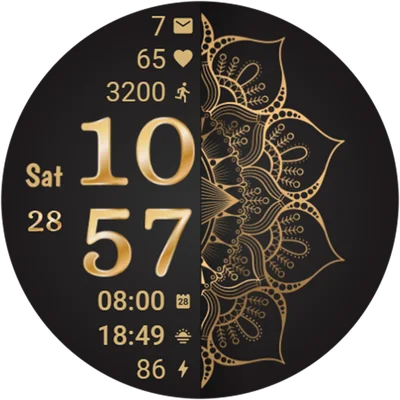
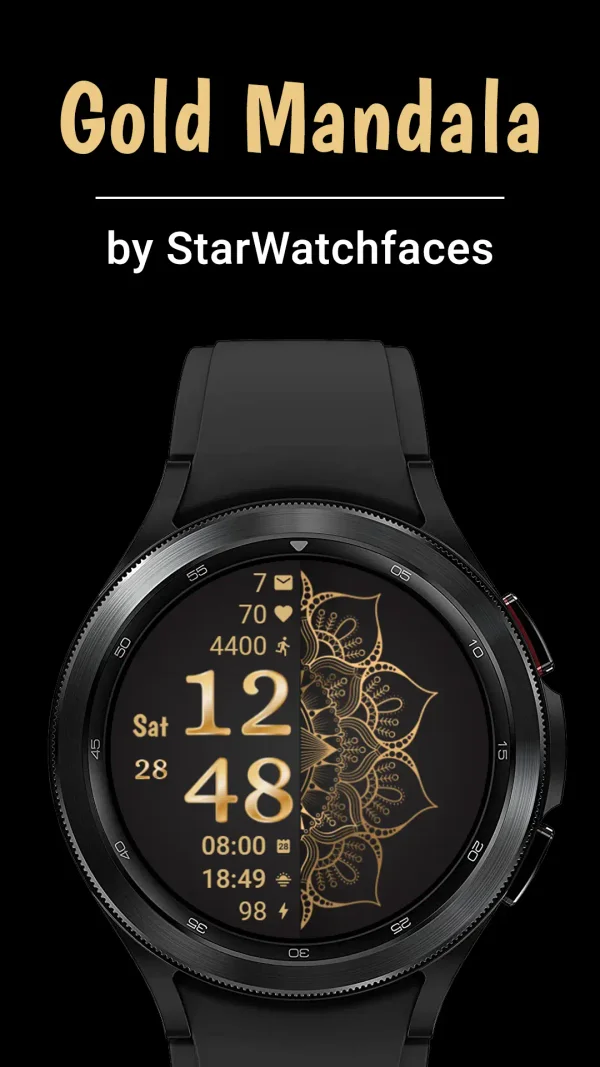
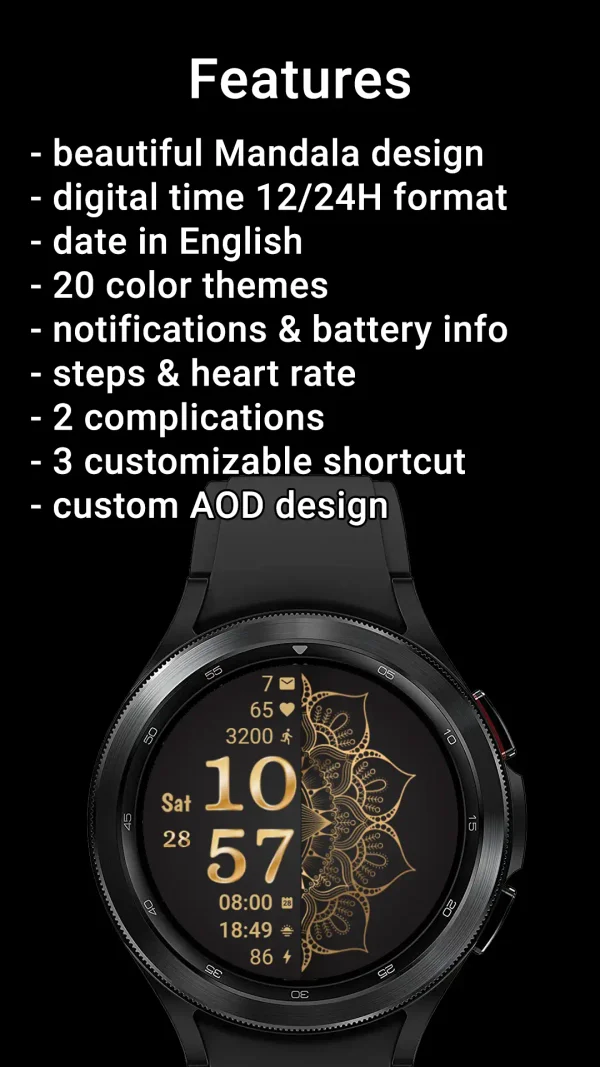
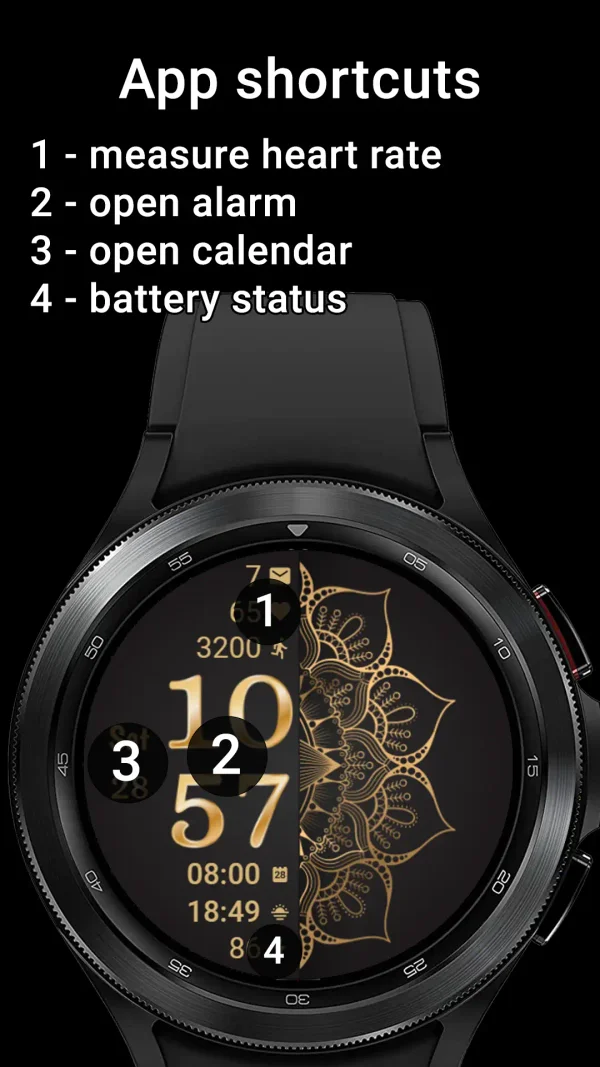
Wir stellen Ihnen Gold Mandala für Wear OS vor – das ultimative luxuriöse und elegante Zifferblatt für Sie. Dieses atemberaubende Zifferblatt verfügt über ein wunderschönes goldenes Mandala-Design, gepaart mit digitaler Zeitanzeige in eleganten goldenen Zahlen. Aber es ist nicht nur ein hübsches Gesicht – Gold Mandala bietet auch nützliche Statistiken wie Schritte, Benachrichtigungen, Herzfrequenz und Batterieinformationen sowie zwei Komplikationen, die beliebige Daten anzeigen können, und drei anpassbare Verknüpfungen, die Ihnen das Leben erleichtern und Ihnen helfen Starten Sie schnell Ihre Lieblings-Apps. Egal, ob Sie sich für einen Abend schick machen oder Ihrem Alltag einfach einen Hauch von Glamour verleihen möchten, Gold Mandala ist die perfekte Wahl. Warum also warten? Gönnen Sie sich noch heute den Luxus und die Raffinesse von Gold Mandala!
So passen Sie das Zifferblatt an:
1. Drücken und halten Sie auf dem Display
2. Tippen Sie auf die Schaltfläche „Anpassen“, um Farbe, Daten für Komplikationen und die Apps auszuwählen, die mit den benutzerdefinierten Verknüpfungen gestartet werden sollen.
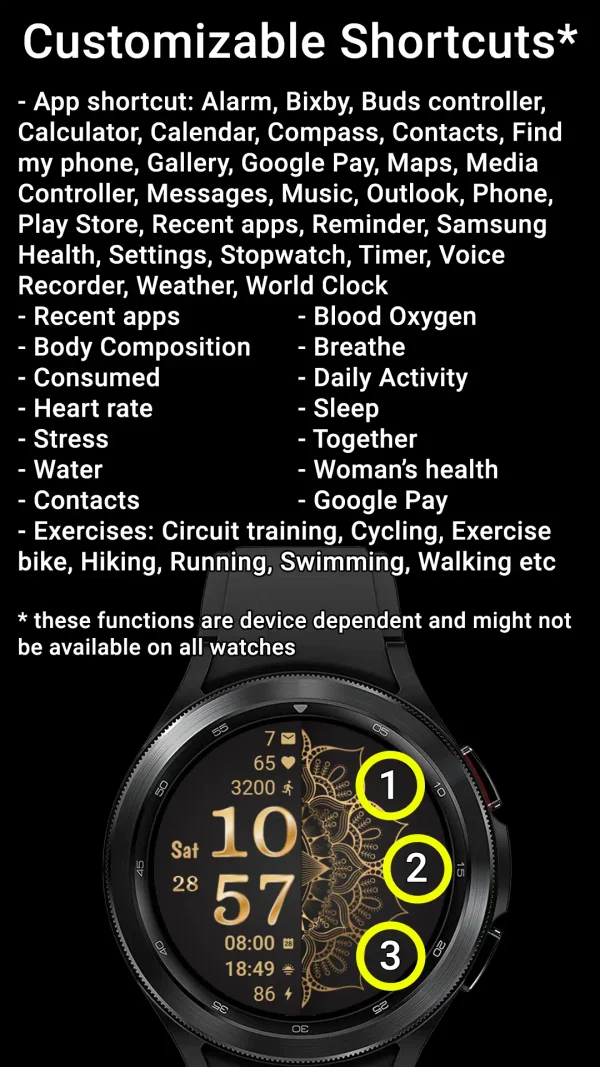
Passen Sie das Zifferblatt nach Ihren Wünschen an: Wählen Sie die am besten aussehende Farbe für Statistiken, wählen Sie die gewünschten Daten für die beiden Komplikationen aus, wählen Sie mithilfe der drei anpassbaren Verknüpfungen die gewünschten Apps zum Starten aus und genießen Sie die Verwendung des Zifferblatts! Sehen Sie sich die Screenshots aus dem Store-Eintrag an, um besser zu verstehen, wo die Verknüpfungen platziert sind.
Vergessen Sie nicht: Nutzen Sie die Begleit-App auf Ihrem Telefon, um weitere tolle Zifferblätter von uns zu entdecken!
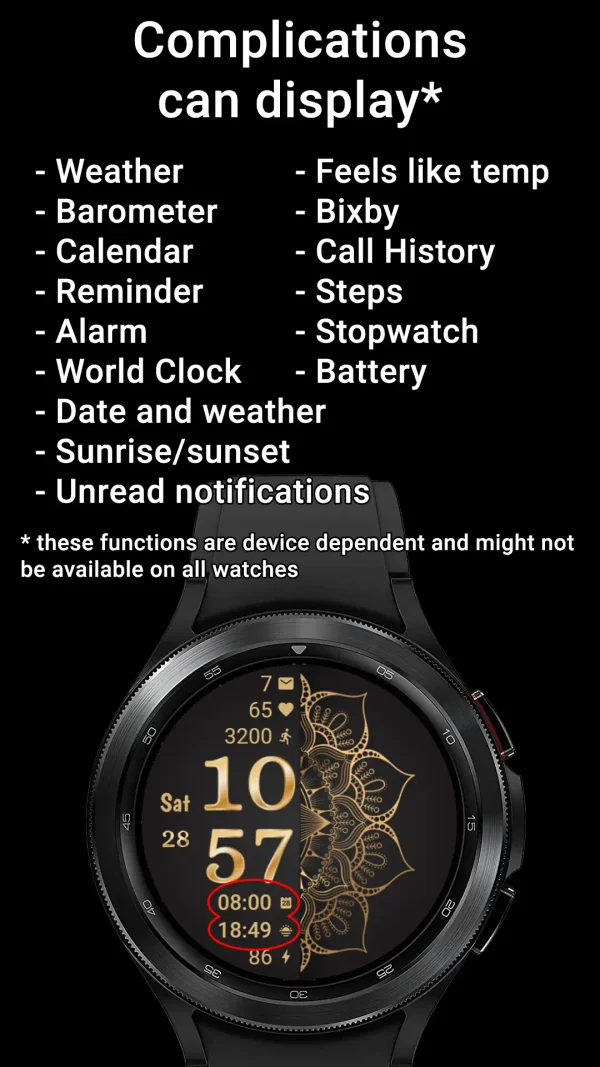
Die Komplikationen können Folgendes anzeigen*:
- Wetter
- Fühlt sich an wie Temperatur
- Barometer
- Bixby
- Kalender
- Anrufsverlauf
- Erinnerung
- Schritte
- Datum und Wetter
- Sonnenaufgang Sonnenuntergang
- Alarm
- Stoppuhr
- Weltuhr
- Batterie
- Ungelesene Benachrichtigungen
Um die gewünschten Daten anzuzeigen, tippen und halten Sie auf dem Display, drücken Sie dann die Schaltfläche „Anpassen“ und wählen Sie die gewünschten Daten für die beiden Komplikationen aus.
* Diese Funktionen sind geräteabhängig und möglicherweise nicht auf allen Uhren verfügbar
Für die anpassbare Verknüpfung haben Sie folgende Optionen*:
- App-Verknüpfung: Alarm, Bixby, Buds-Controller, Rechner, Kalender, Kompass, Kontakte, Mein Telefon suchen, Galerie, Google Pay, Karten, Media Controller, Nachrichten, Musik, Outlook, Telefon, Play Store, Aktuelle Apps, Erinnerung, Samsung Gesundheit, Einstellungen, Stoppuhr, Timer, Stimme
Rekorder, Wetter, Weltzeituhr
- Aktuelle Apps
- Blutsauerstoff
- Körperzusammensetzung
- Atmen
- Verbraucht
- Tägliche Aktivitäten
- Pulsschlag
- Schlafen
- Stress
- Zusammen
- Wasser
- Gesundheit der Frau
- Kontakte
- Google Pay
- Übungen: Zirkeltraining, Radfahren, Heimtrainer, Wandern, Laufen, Schwimmen, Walken usw
Um die gewünschte Verknüpfung anzuzeigen, tippen und halten Sie auf dem Display, drücken Sie dann die Schaltfläche „Anpassen“ und wählen Sie die gewünschte Verknüpfung für die drei anpassbaren Verknüpfungsplätze aus.
* Diese Funktionen sind geräteabhängig und möglicherweise nicht auf allen Uhren verfügbar
Weitere Zifferblätter finden Sie auf unserer Website.
Genießen!
Originaltext anzeigen
Introducing Gold Mandala for Wear OS - the ultimate luxurious and elegant watchface for you. This stunning watchface features a beautiful golden mandala design, paired with digital time displayed in elegant golden numbers. But it's not just a pretty face - Gold Mandala also provides useful stats like steps, notifications, heart rate, and battery information, as well as two complications that can display any data you wish and three customizable shortcuts to make your life easier and help you quickly launch your favorite apps. Whether you're dressing up for a night out or just want to add a touch of glamour to your daily routine, Gold Mandala is the perfect choice. So why wait? Treat yourself to the luxury and sophistication of Gold Mandala today!
To customize the watchface:
1. Press and hold on the display
2. Tap the Customize button to select color, data for complications and the apps to launch with the custom shortcuts.
Customize the watchface as you wish: choose the best looking color for stats, select the data you want for the 2 complications, select your desired apps to launch using the 3 customizable shortcuts and enjoy using the watchface! Check the screenshots from the store listing to better understand where the shortcuts are placed.
Don't forget: use the companion app on your phone to discover other amazing watchfaces made by us!
The complications can display*:
- Weather
- Feels like temp
- Barometer
- Bixby
- Calendar
- Call History
- Reminder
- Steps
- Date and weather
- Sunrise/sunset
- Alarm
- Stopwatch
- World Clock
- Battery
- Unread notifications
To display the data you want, tap and hold on the display, then press the Customize button and choose the data you want for the 2 complications.
* these functions are device dependent and might not be available on all watches
For the customizable shortcut you have these options*:
- App shortcut: Alarm, Bixby, Buds controller, Calculator, Calendar, Compass, Contacts, Find my phone, Gallery, Google Pay, Maps, Media Controller, Messages, Music, Outlook, Phone, Play Store, Recent apps, Reminder, Samsung Health, Settings, Stopwatch, Timer, Voice
Recorder, Weather, World Clock
- Recent apps
- Blood Oxygen
- Body Composition
- Breathe
- Consumed
- Daily Activity
- Heart rate
- Sleep
- Stress
- Together
- Water
- Woman’s health
- Contacts
- Google Pay
- Exercises: Circuit training, Cycling, Exercise bike, Hiking, Running, Swimming, Walking etc
To display the shortcut you want, tap and hold on the display, then press the Customize button and choose the shortcut you want for the 3 customizable shortcut slots.
* these functions are device dependent and might not be available on all watches
For more watchfaces, visit our website.
Enjoy!
Datensicherheit
Was StarWatchfaces bei Google Play zu den Daten angibt, die diese App erfasst und weitergibt.
- Keine Daten werden mit Drittunternehmen oder -organisationen geteiltWeitere Informationen dazu, wie Entwickler Angaben zur Weitergabe von Daten machen
- Keine Daten erhobenWeitere Informationen dazu, wie Entwickler Angaben zur Datenerhebung machen
Kontakt zum Entwickler
- Websitestarwatchfaces.com
- E-MailWearOS@starwatchfaces.com
- Datenschutzerklärungstarwatchfaces.com
- AdresseStrada Carol Davila 8 bloc 118A sc A et 1 ap 5 100462 Ploiești Romania
Informationen
- Angeboten von
- StarWatchfaces
- Kategorie
- Personalisierung
- Version
- 1.0.0
- Aktualisiert
- 23.08.2026
- Veröffentlicht
- 06.01.2023
- Altersfreigabe
- USK ab 0 Jahren
- Preis
- 1,99 €
- Paketname
- com.starwatchfaces.goldmandala
Ähnliche Apps
-
 Digital Gold Flower Watch Face
Personalisierung
-
 WaTchG007: Digital watch face
Personalisierung
-
 RMDN2 Watch Face for Wear OS
Personalisierung
-
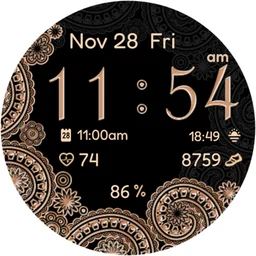 Golden Oriental Watch Face
Personalisierung
-
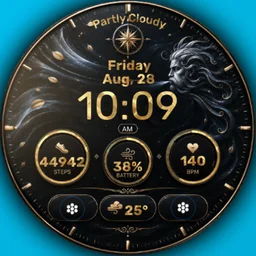 A150 Wind Watch Face
Personalisierung
-
 Auric Silk Nebula
Personalisierung
-
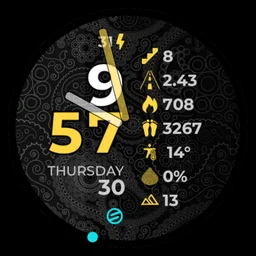 B.efore midnight tonight
Personalisierung
-
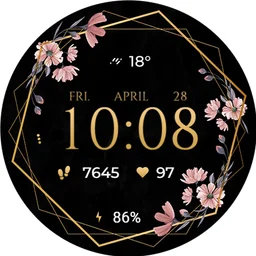 TVV Luxury Flowers Watch Face
Personalisierung
-
 Butterfly Blossom
Personalisierung
-
 Jasmine Digital Watch Face
Personalisierung
-
 FLW079 Golden Leaves
Personalisierung
-
 PW98 Valentine's Luxury Gold
Personalisierung