Gold Mandala
StarWatchfaces- Rating 3+Batasan usia
- PersonalisasiKategori
- 23/8/2026Diperbarui
- Rp 33.000Harga
Tertaut ke halaman resmi com.starwatchfaces.goldmandala di Google Play. Terakhir diperiksa pada 24/11/2026.
Tangkapan layar

Tentang aplikasi ini
Terjemahan otomatis oleh Google. Bahasa asli: Inggris (Amerika Serikat).
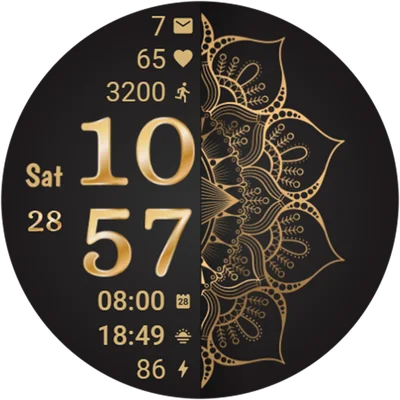
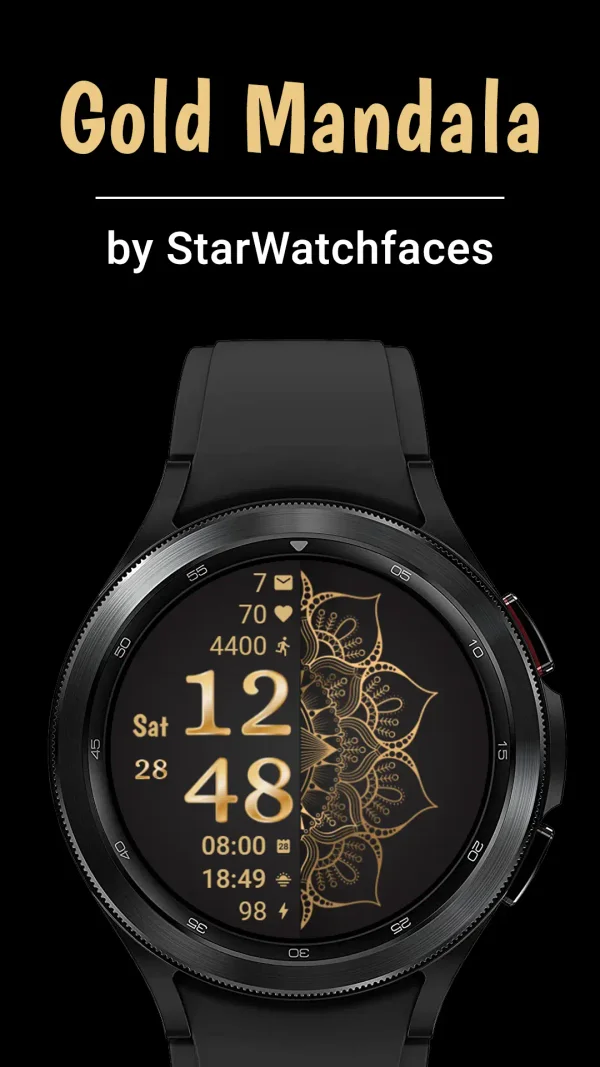
Tampilan jam paling mewah dan elegan untuk Anda dengan desain unik
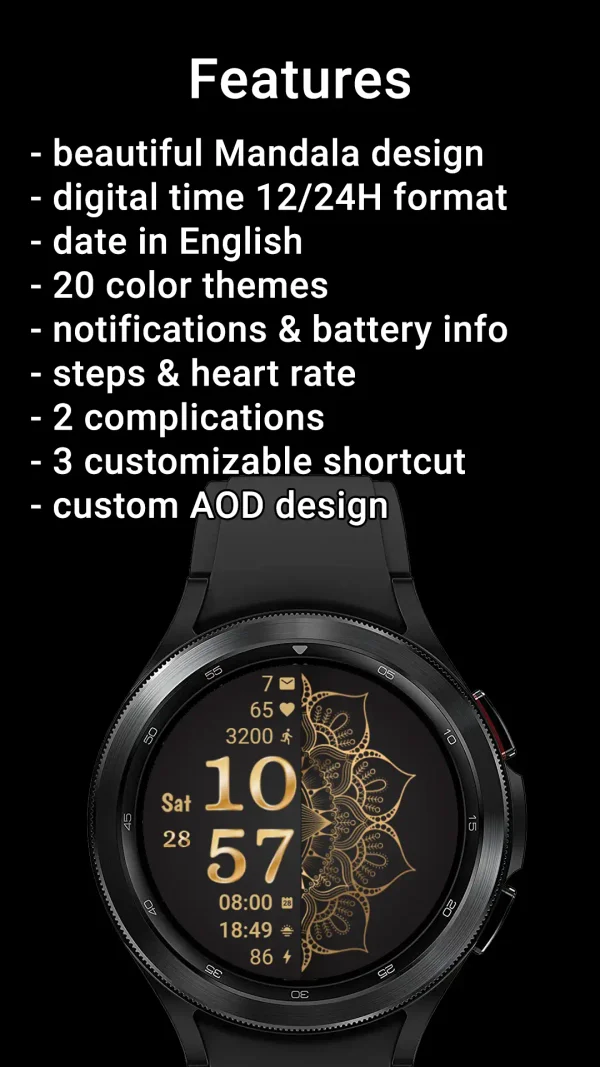
Memperkenalkan Gold Mandala untuk Wear OS - tampilan jam paling mewah dan elegan untuk Anda. Tampilan jam yang menakjubkan ini menampilkan desain mandala emas yang indah, dipadukan dengan waktu digital yang ditampilkan dalam angka emas yang elegan. Namun bukan hanya wajahnya yang cantik - Gold Mandala juga menyediakan statistik berguna seperti langkah, notifikasi, detak jantung, dan informasi baterai, serta dua komplikasi yang dapat menampilkan data apa pun yang Anda inginkan dan tiga pintasan yang dapat disesuaikan untuk membuat hidup Anda lebih mudah dan membantu Anda luncurkan aplikasi favorit Anda dengan cepat. Apakah Anda sedang berdandan untuk keluar malam atau hanya ingin menambahkan sentuhan glamor pada rutinitas harian Anda, Gold Mandala adalah pilihan yang tepat. Jadi mengapa menunggu? Manjakan diri Anda dengan kemewahan dan kecanggihan Mandala Emas hari ini!
Untuk menyesuaikan tampilan jam:
1. Tekan dan tahan pada tampilan
2. Ketuk tombol Kustomisasi untuk memilih warna, data untuk komplikasi, dan aplikasi yang akan diluncurkan dengan pintasan khusus.
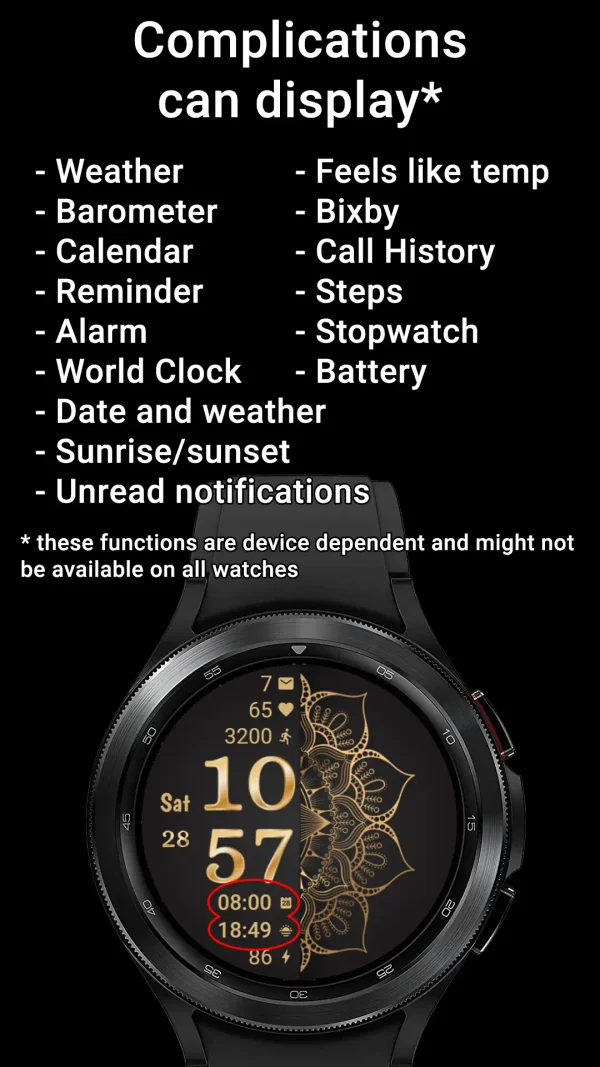
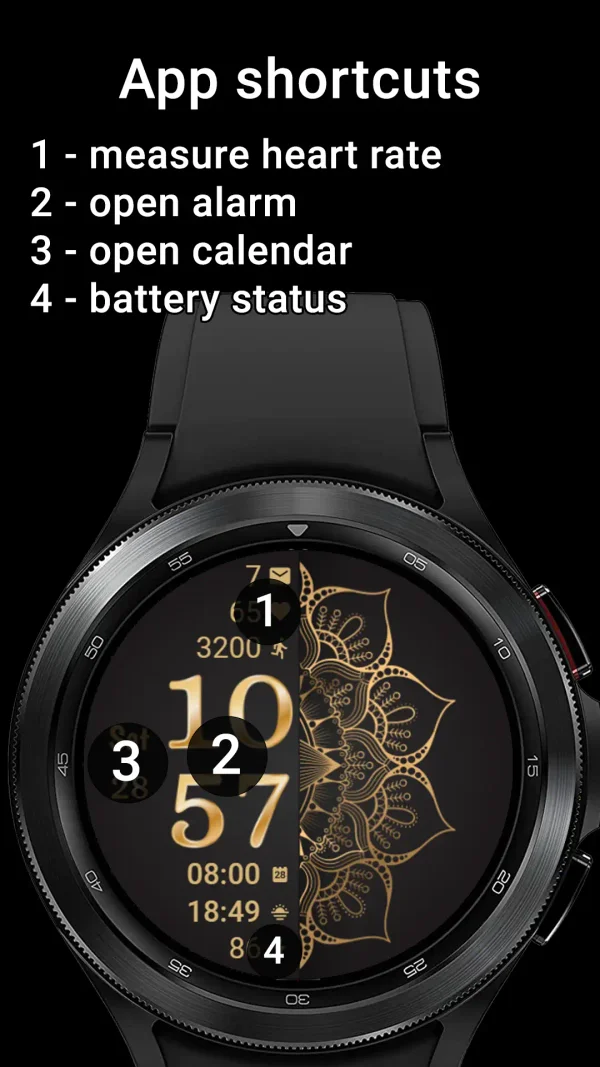
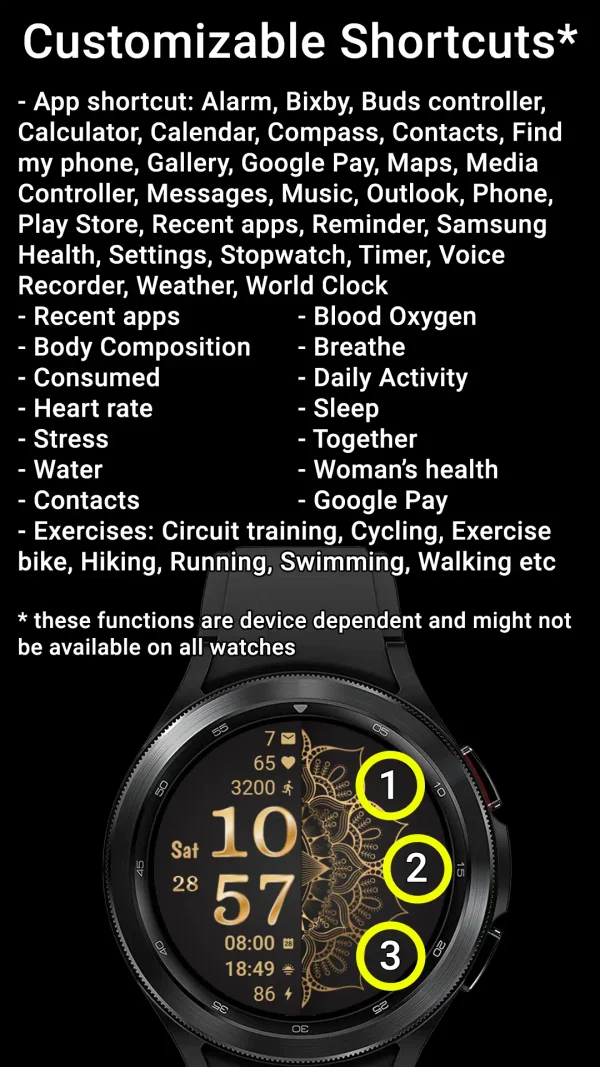
Sesuaikan tampilan jam sesuai keinginan Anda: pilih warna terbaik untuk statistik, pilih data yang Anda inginkan untuk 2 komplikasi, pilih aplikasi yang Anda inginkan untuk diluncurkan menggunakan 3 pintasan yang dapat disesuaikan, dan nikmati penggunaan tampilan jam! Periksa tangkapan layar dari daftar toko untuk lebih memahami di mana pintasan ditempatkan.
Jangan lupa: gunakan aplikasi pendamping di ponsel Anda untuk menemukan tampilan jam menakjubkan lainnya yang kami buat!
Komplikasinya dapat ditampilkan*:
- Cuaca
- Terasa seperti suhu
- Barometer
-Bixby
- Kalender
- Riwayat panggilan
- Pengingat
- Langkah
- Tanggal dan cuaca
- Matahari terbit Matahari terbenam
- Alarm
- Stopwatch
- Jam dunia
- Baterai
- Notifikasi yang belum dibaca
Untuk menampilkan data yang Anda inginkan, ketuk dan tahan pada tampilan, lalu tekan tombol Kustomisasi dan pilih data yang Anda inginkan untuk 2 komplikasi.
* Fungsi-fungsi ini bergantung pada perangkat dan mungkin tidak tersedia di semua jam tangan
Untuk pintasan yang dapat disesuaikan, Anda memiliki opsi berikut*:
- Pintasan aplikasi: Alarm, Bixby, Pengontrol Buds, Kalkulator, Kalender, Kompas, Kontak, Temukan ponsel saya, Galeri, Google Pay, Peta, Pengontrol Media, Pesan, Musik, Outlook, Telepon, Play Store, Aplikasi terkini, Pengingat, Samsung Kesehatan, Pengaturan, Stopwatch, Timer, Suara
Perekam, Cuaca, Jam Dunia
- Aplikasi terkini
- Oksigen Darah
- Komposisi tubuh
- Bernapas
- Dikonsumsi
- Aktivitas Harian
- Detak jantung
- Tidur
- Stres
- Bersama
- Air
- Kesehatan wanita
- Kontak
- Google Bayar
- Latihan: Latihan sirkuit, Bersepeda, Sepeda olahraga, Mendaki gunung, Berlari, Berenang, Berjalan kaki, dll
Untuk menampilkan pintasan yang Anda inginkan, ketuk dan tahan pada layar, lalu tekan tombol Kustomisasi dan pilih pintasan yang Anda inginkan untuk 3 slot pintasan yang dapat disesuaikan.
* Fungsi-fungsi ini bergantung pada perangkat dan mungkin tidak tersedia di semua jam tangan
Untuk tampilan jam lainnya, kunjungi situs web kami.
Menikmati!
Tampilkan teks asli
Introducing Gold Mandala for Wear OS - the ultimate luxurious and elegant watchface for you. This stunning watchface features a beautiful golden mandala design, paired with digital time displayed in elegant golden numbers. But it's not just a pretty face - Gold Mandala also provides useful stats like steps, notifications, heart rate, and battery information, as well as two complications that can display any data you wish and three customizable shortcuts to make your life easier and help you quickly launch your favorite apps. Whether you're dressing up for a night out or just want to add a touch of glamour to your daily routine, Gold Mandala is the perfect choice. So why wait? Treat yourself to the luxury and sophistication of Gold Mandala today!
To customize the watchface:
1. Press and hold on the display
2. Tap the Customize button to select color, data for complications and the apps to launch with the custom shortcuts.
Customize the watchface as you wish: choose the best looking color for stats, select the data you want for the 2 complications, select your desired apps to launch using the 3 customizable shortcuts and enjoy using the watchface! Check the screenshots from the store listing to better understand where the shortcuts are placed.
Don't forget: use the companion app on your phone to discover other amazing watchfaces made by us!
The complications can display*:
- Weather
- Feels like temp
- Barometer
- Bixby
- Calendar
- Call History
- Reminder
- Steps
- Date and weather
- Sunrise/sunset
- Alarm
- Stopwatch
- World Clock
- Battery
- Unread notifications
To display the data you want, tap and hold on the display, then press the Customize button and choose the data you want for the 2 complications.
* these functions are device dependent and might not be available on all watches
For the customizable shortcut you have these options*:
- App shortcut: Alarm, Bixby, Buds controller, Calculator, Calendar, Compass, Contacts, Find my phone, Gallery, Google Pay, Maps, Media Controller, Messages, Music, Outlook, Phone, Play Store, Recent apps, Reminder, Samsung Health, Settings, Stopwatch, Timer, Voice
Recorder, Weather, World Clock
- Recent apps
- Blood Oxygen
- Body Composition
- Breathe
- Consumed
- Daily Activity
- Heart rate
- Sleep
- Stress
- Together
- Water
- Woman’s health
- Contacts
- Google Pay
- Exercises: Circuit training, Cycling, Exercise bike, Hiking, Running, Swimming, Walking etc
To display the shortcut you want, tap and hold on the display, then press the Customize button and choose the shortcut you want for the 3 customizable shortcut slots.
* these functions are device dependent and might not be available on all watches
For more watchfaces, visit our website.
Enjoy!
Keamanan data
Yang dinyatakan StarWatchfaces di Google Play tentang data yang dikumpulkan dan dibagikan aplikasi ini.
- Tidak ada data yang dibagikan kepada pihak ketigaPelajari lebih lanjut cara developer menyatakan pembagian data
- Tidak ada data yang dikumpulkanPelajari lebih lanjut cara developer menyatakan pengumpulan data
Kontak pengembang
- Situs webstarwatchfaces.com
- EmailWearOS@starwatchfaces.com
- Kebijakan Privasistarwatchfaces.com
- AlamatStrada Carol Davila 8 bloc 118A sc A et 1 ap 5 100462 Ploiești Romania
Informasi
- Ditawarkan oleh
- StarWatchfaces
- Kategori
- Personalisasi
- Versi
- 1.0.0
- Diperbarui
- 23/8/2026
- Dirilis
- 6/1/2023
- Batasan usia
- Rating 3+
- Harga
- Rp 33.000
- Nama paket
- com.starwatchfaces.goldmandala
Aplikasi serupa
-
 Digital Gold Flower Watch Face
Personalisasi
-
 WaTchG007: Digital watch face
Personalisasi
-
 RMDN2 Watch Face for Wear OS
Personalisasi
-
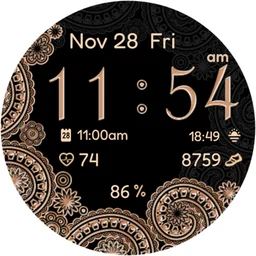 Golden Oriental Watch Face
Personalisasi
-
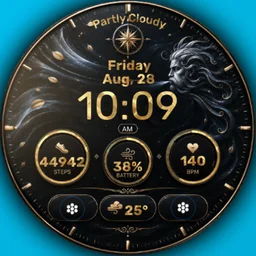 A150 Wind Watch Face
Personalisasi
-
 Auric Silk Nebula
Personalisasi
-
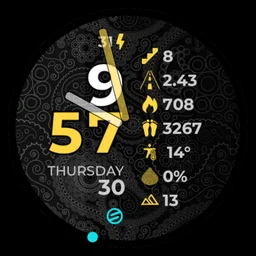 B.efore midnight tonight
Personalisasi
-
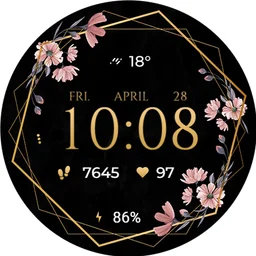 TVV Luxury Flowers Watch Face
Personalisasi
-
 Butterfly Blossom
Personalisasi
-
 Jasmine Digital Watch Face
Personalisasi
-
 FLW079 Golden Leaves
Personalisasi
-
 PW98 Valentine's Luxury Gold
Personalisasi