Satellite compass
Zekitez- USK ab 0 JahrenAltersfreigabe
- ToolsKategorie
- 14.08.2025Aktualisiert
- KostenlosPreis
Verlinkt auf den offiziellen Google Play-Eintrag von com.zekitez.satellitecompass. Zuletzt geprüft am 21.11.2026.
Screenshots



Über diese App
Automatische Übersetzung von Google. Originalsprache: Englisch (Vereinigte Staaten).
Dies ist ein kompakter Satellitensucher oder Pointer oder Director oder Dish Aligner.
Die App ist 3 Apps in 1: Es ist ein Kompass, es ist ein Zeiger auf einen Ort und es ist ein Satellitenfinder oder -zeiger. Diese App ist werbefrei und ist völlig kostenlos.
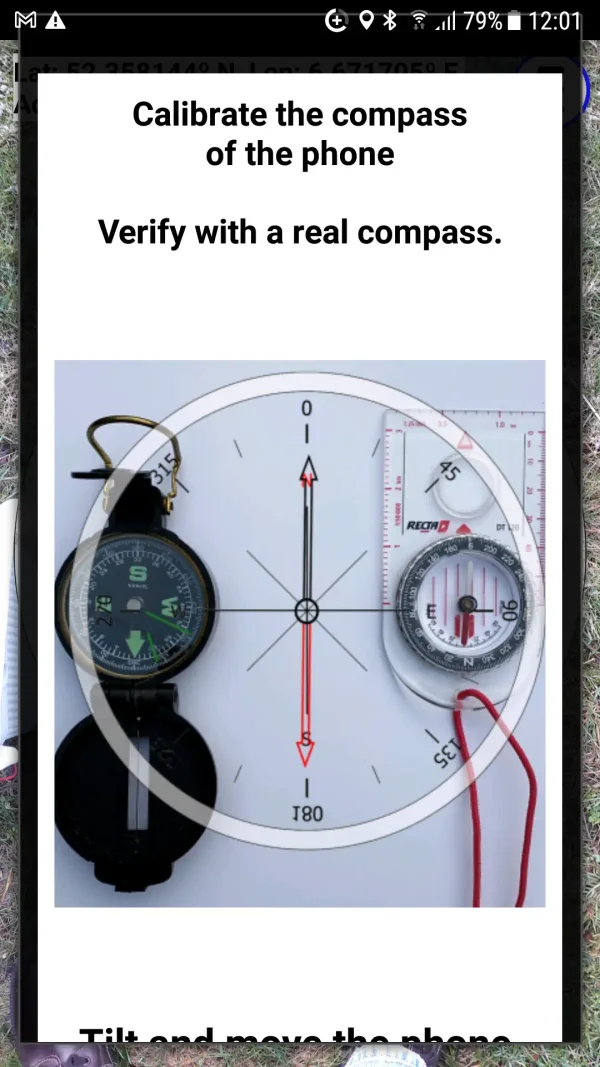
Als Kompass zeigt es den aktuellen Standort und die magnetische Deklination des Standorts an. Mit Hilfe eines echten Kompasses können Sie überprüfen, ob der Kompass des Telefons korrekt nach Nord-Süd ausgerichtet ist.
Die App muss den Standort kennen, der per GPS gefunden oder per manueller Eingabe (eingetippt) mit Zahlen in Grad oder als Adresse eingegeben wird.
Der Kompass kann auf einen Ort zeigen. Beispiele: Eine Adresse, ein Parkplatz oder ein Radiosender. Geben Sie eine Adresse ein und der Kompass weist Ihnen die Richtung. Oder speichern Sie die aktuelle GPS-Position als Punkt, machen Sie einen Spaziergang und finden Sie mit Hilfe der gespeicherten Position zurück. Bis zu 25 Orte werden gespeichert.
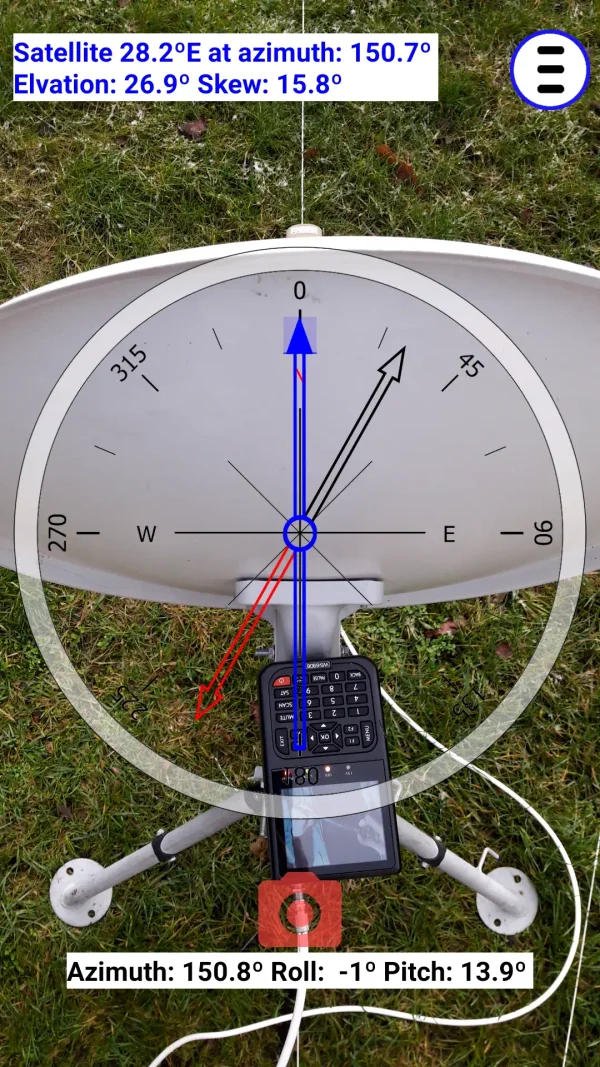
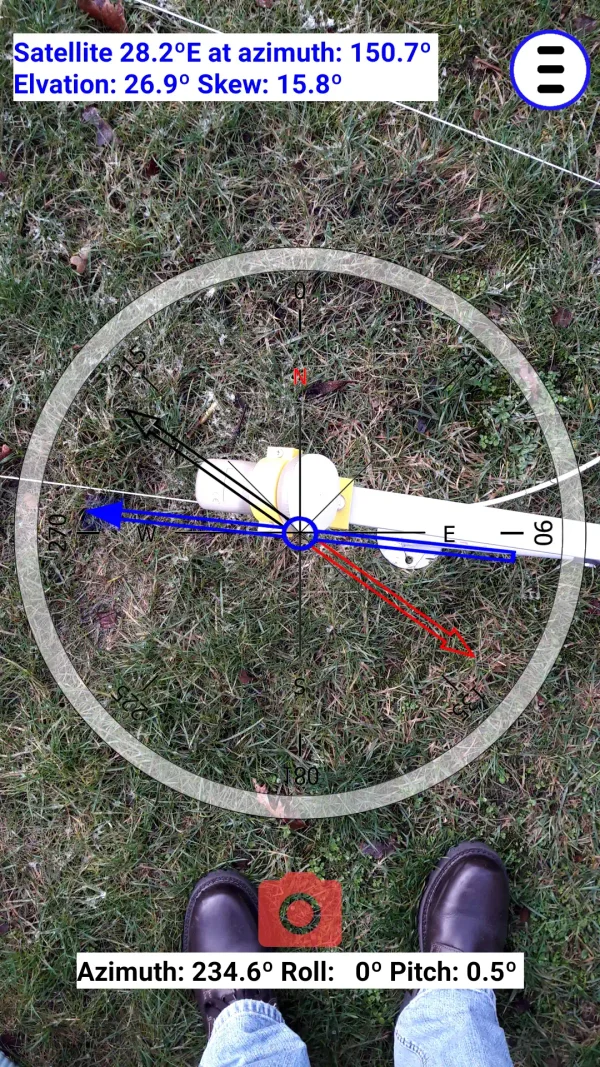
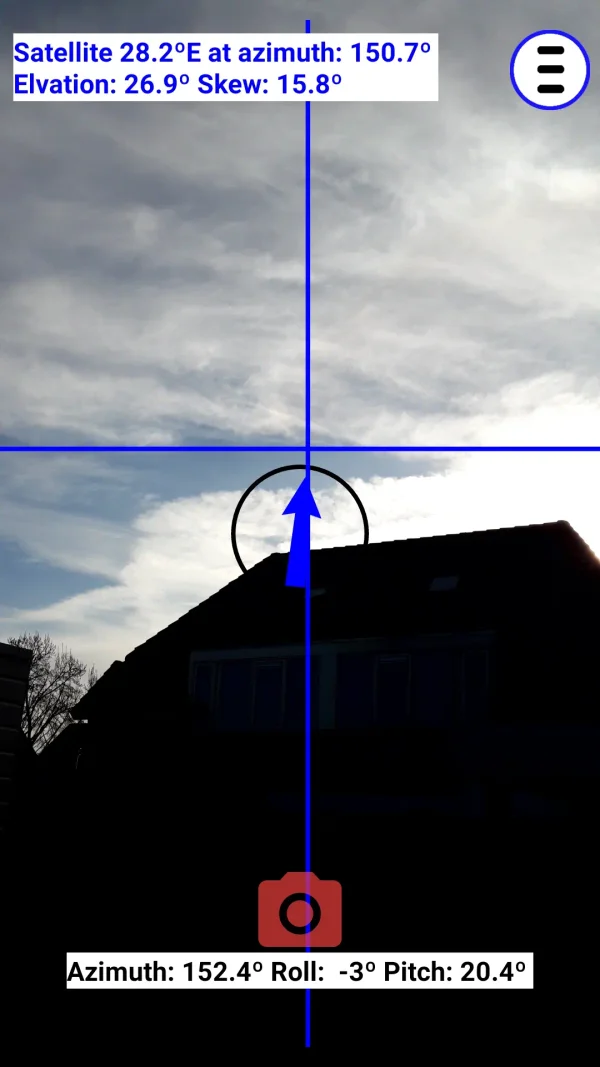
Es hilft, Ihre Schüssel auf einen TV-Satelliten zu richten. Abhängig von Ihrem Standort berechnet es die Position des Satelliten am Himmel. Es zeigt die horizontale oder vertikale Position des Satelliten am Himmel an. Die horizontale Position wird verwendet, um den LNB-Arm auf den Satelliten auszurichten oder auszurichten. Die vertikale Position wird verwendet, um Hindernisse zu finden, die das Satellitensignal blockieren.
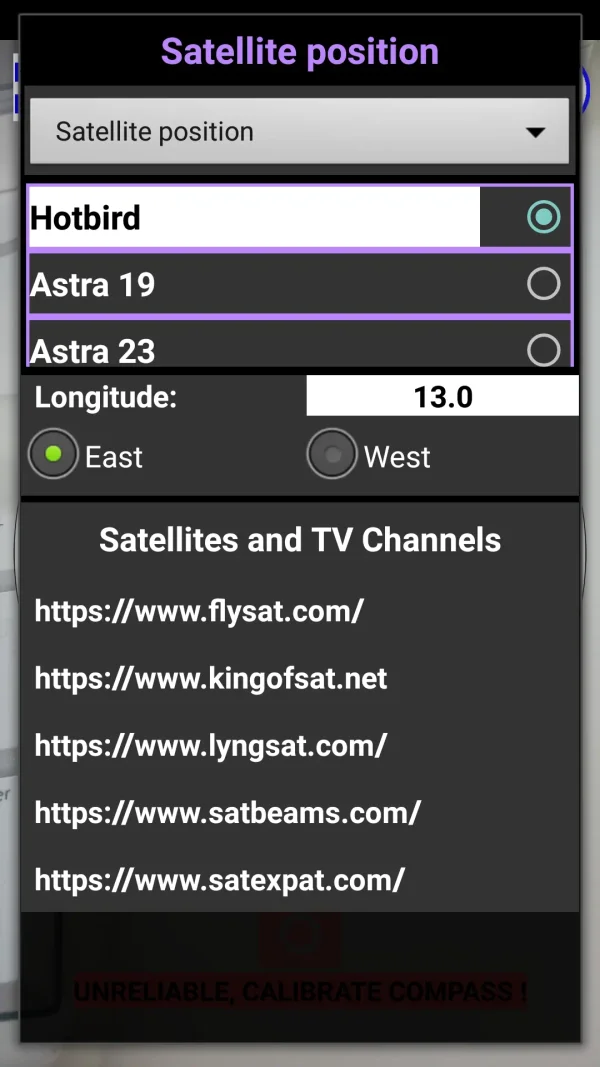
Diese App enthält keine Satellitenliste. Stattdessen merkt es sich bis zu 25 Satelliten. Geben Sie einfach einen Namen und den Längengrad des Satelliten ein, Beispiel: "Hot Bird 13E" befindet sich auf dem Längengrad 13,0 Grad Ost.
Am schwierigsten ist es, den Kompass des Telefons zu kalibrieren. Dies kann zu einem echten Problem werden, wenn die Nadel eines echten Kompasses einfach nicht ausgerichtet ist.
Vielleicht hat Ihr Handy eine Hülle mit Magnetverschluss? Die Magnete stören den Kompass des Telefons. Die Störung kann so groß werden, dass der Kompass nicht mehr richtig kalibriert. Am einfachsten ist es, das Gehäuse oder seine Magnete zu entfernen. Im schlimmsten Fall müssen Sie ein neues Telefon kaufen.
Siehe auch http://www.zekitez.com/satcompass/satcom.html
Originaltext anzeigen
The app is 3 apps in 1: it is a compass, it is a pointer to a location and it is a satellite finder or pointer. This app is ads free and is completely free.
As a compass it displays the current location and the magnetic declination of the location. With the help of a real compass you can verify that the phone's compass is pointing correctly to North-South.
The app needs to know the location which is found via GPS or entered via manual input (typed in) ad numbers in degrees or as an address.
The compass can point to a location. Examples: An address, a parking place or a radio station. Enter an address and the compass will point you in the direction. Or save the current GPS location as point, go for a walk and find your way back with the help of the saved location. Up to 25 locations are remembered.
It helps pointing your dish to a TV satellite. Depending on your location it calculates the satellite's position in the sky. It displays the horizontal or vertical position of the satellite in the sky. The horizontal position is used to align or point the LNB arm to the satellite. The vertical position is used to find obstacles that block the satellite signal.
This app does not come with a satellite list. Instead it remembers up to 25 satellites. Just enter a name and the longitude of the satellite, example: "Hot Bird 13E" is at longitude 13.0 degrees East.
The most difficult thing is calibrating the compass of the phone. This can become a real problem when it just does not align to the needle a real compass.
Maybe your phone has a case with magnetic closure ? The magnets interfere with the phone's compass. The disturbance can become so great that the compass no longer calibrates properly. The easiest thing to do is to remove that case or its magnets. Worst case you have to buy a new phone.
See also http://www.zekitez.com/satcompass/satcom.html
Datensicherheit
Was Zekitez bei Google Play zu den Daten angibt, die diese App erfasst und weitergibt.
- Keine Daten werden mit Drittunternehmen oder -organisationen geteiltWeitere Informationen dazu, wie Entwickler Angaben zur Weitergabe von Daten machen
- Keine Daten erhobenWeitere Informationen dazu, wie Entwickler Angaben zur Datenerhebung machen
Neue Funktionen
Version 1.5.5 · 14.08.2025
On some devices the language could not be changed.
Layout issue with Calibration dialog.
Kontakt zum Entwickler
- Websitezekitez.com
- E-Mailzekitez@gmail.com
- Datenschutzerklärungzekitez.github.io
- AdresseDe Mees 53 7609 JT Almelo Netherlands
Informationen
- Angeboten von
- Zekitez
- Kategorie
- Tools
- Version
- 1.5.5
- Aktualisiert
- 14.08.2025
- Veröffentlicht
- 17.01.2023
- Erfordert
- Android 5.0 oder höher
- Altersfreigabe
- USK ab 0 Jahren
- Preis
- Kostenlos
- Paketname
- com.zekitez.satellitecompass