Sports Progress Pro
MW Design- USK ab 0 JahrenAltersfreigabe
- PersonalisierungKategorie
- 17.07.2022Aktualisiert
- 1,39 €Preis
Verlinkt auf den offiziellen Google Play-Eintrag von com.watchfacestudio.mwprogresspro. Zuletzt geprüft am 15.11.2026.

Screenshots

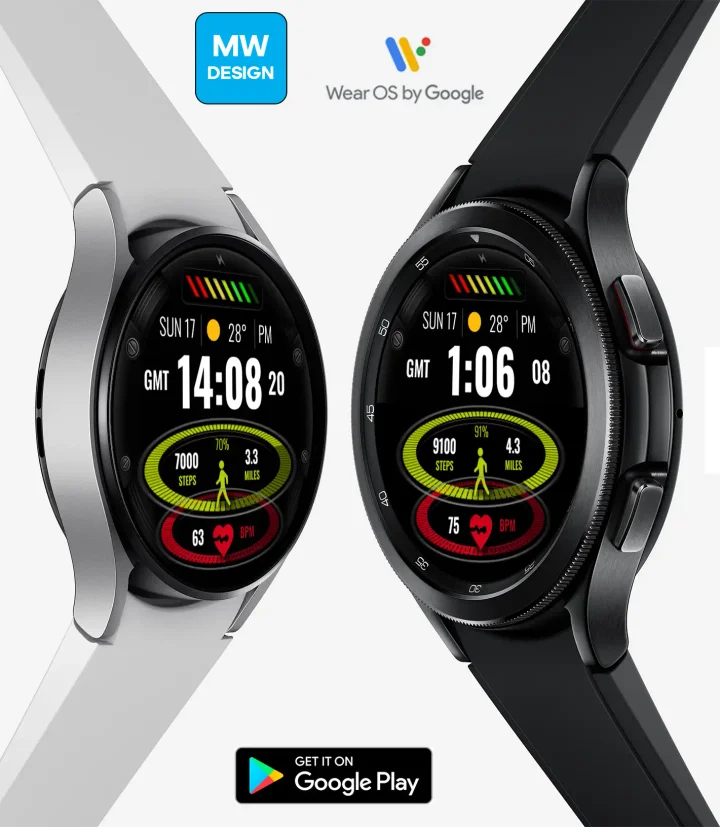
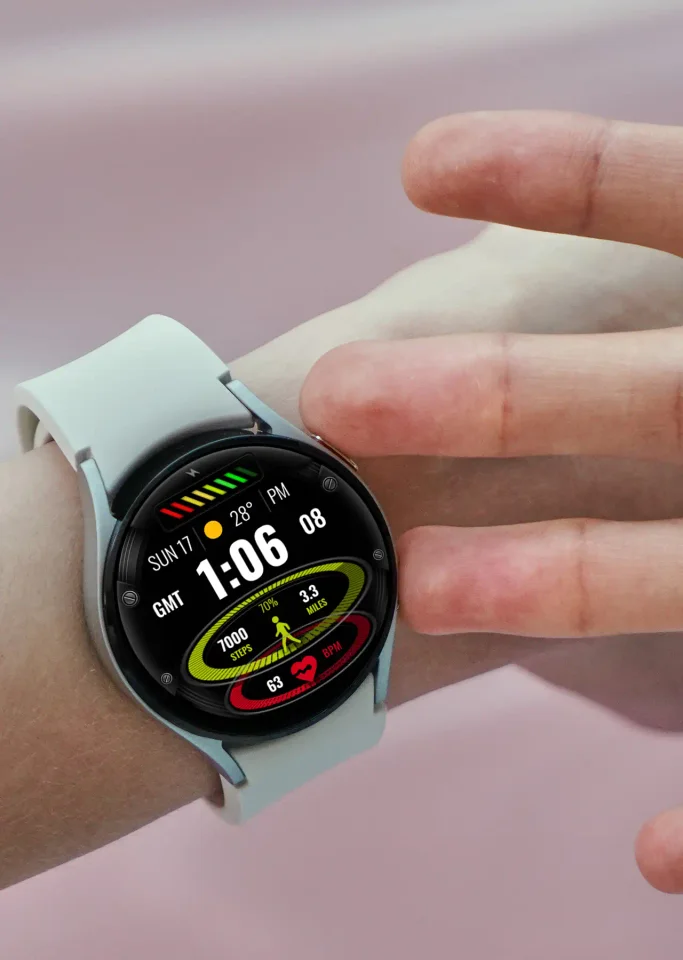

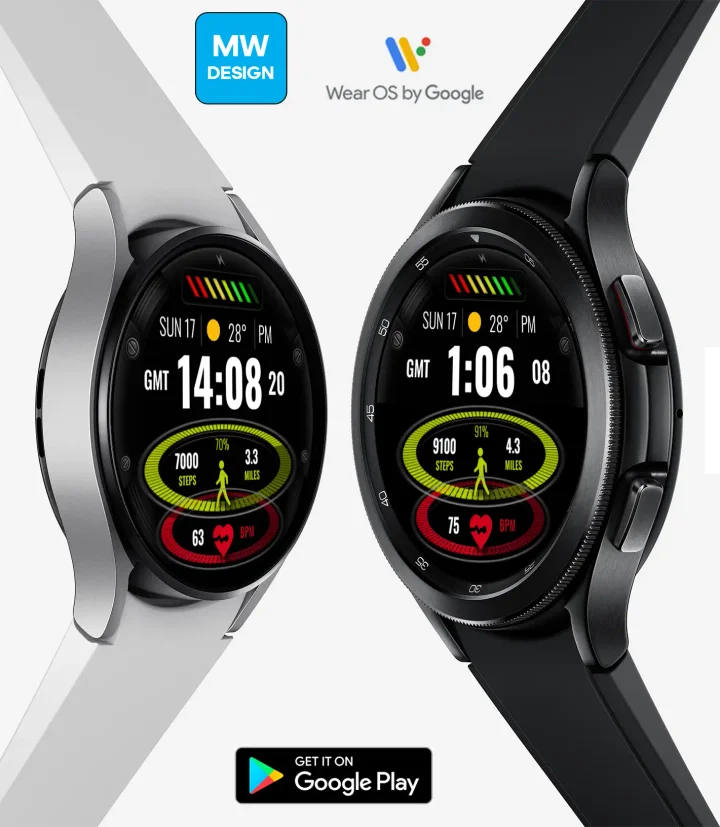
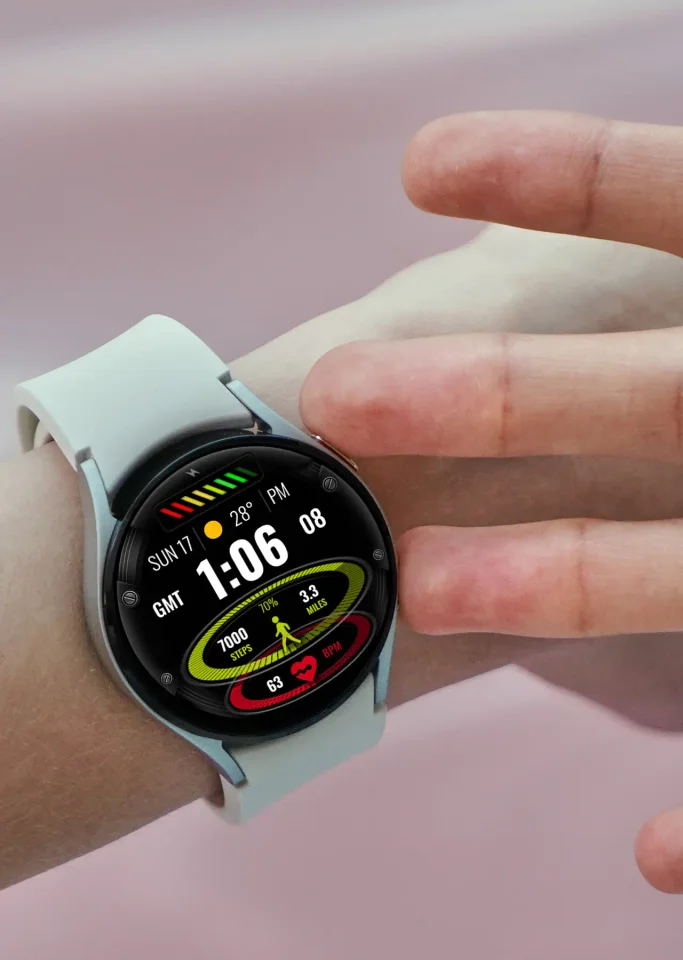

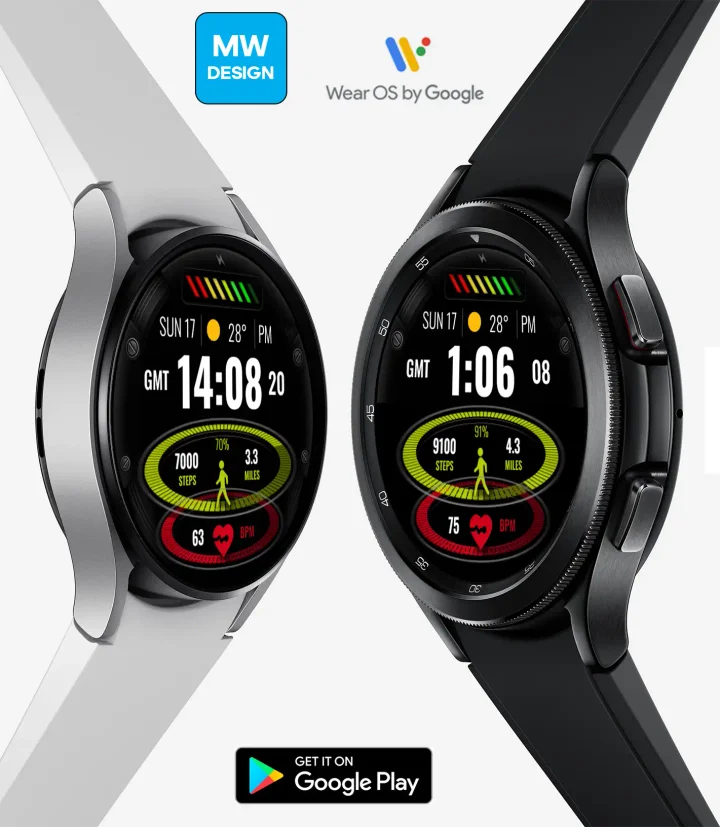
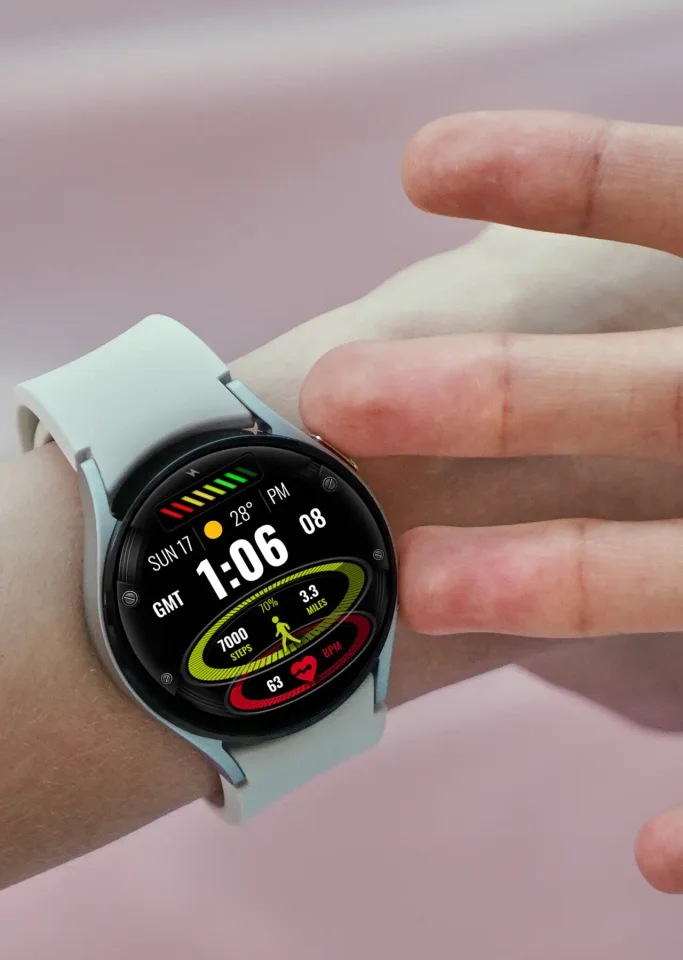
Über diese App
Automatische Übersetzung von Google. Originalsprache: Englisch (Vereinigte Staaten).
MW Design präsentiert Sports Progress Pro
Hochwertiges Zifferblatt, entworfen von MW Design.
* Volle Unterstützung für die neue Galaxy Watch 4-Serie.
* Unterstützt Wear OS 2.0.
*Hinweise zur Herzfrequenz:
Das Zifferblatt misst nicht automatisch und zeigt das HF-Ergebnis nicht automatisch an, wenn es installiert ist.
Um Ihre aktuellen Herzfrequenzdaten anzuzeigen, müssen Sie eine manuelle Messung durchführen. Tippen Sie dazu auf den Anzeigebereich der Herzfrequenz (siehe Bilder). Warten Sie einige Sekunden. Das Zifferblatt nimmt eine Messung vor und zeigt das aktuelle Ergebnis an.
Nach der ersten manuellen Messung kann das Zifferblatt alle 10 Minuten automatisch Ihre Herzfrequenz messen. Auch eine manuelle Messung wird möglich sein.
Installationshinweise:
1 - Stellen Sie sicher, dass die Uhr richtig mit dem Telefon verbunden ist.
Nach einigen Minuten wird das Zifferblatt auf die Uhr übertragen: Überprüfen Sie die von der Wearable-App auf dem Telefon installierten Zifferblätter.
oder
2 - Wenn Sie Synchronisierungsprobleme zwischen Ihrem Telefon und dem Play Store haben, installieren Sie die App direkt von der Uhr: Suchen Sie im Play Store auf der Uhr nach "MW" und klicken Sie auf die Schaltfläche "Installieren".
3 - Versuchen Sie alternativ, das Zifferblatt über den Webbrowser auf Ihrem PC oder Mac zu installieren
Bitte beachten Sie, dass alle Probleme auf dieser Seite NICHT entwicklerabhängig sind. Der Entwickler hat von dieser Seite aus keine Kontrolle über den Play Store. Vielen Dank.
Dieses Zifferblatt unterstützt alle Wear OS-Geräte mit API Level 28+.
Funktionen des Zifferblatts:
* 12/24H Automatische Uhrzeit.
* Wochentag, Tag.
* Batterie %
* AM/PM
* Zeitzone
* AOD-Modus.
Gesundheitsdaten
* Herzfrequenz – Bitte beachten Sie den Hinweis *Herzfrequenz
* Schrittzahl (10.000)
* Schritte % Fortschrittsbalken.
* Distanz.
FAQ
Bitte kontaktieren Sie uns per E-Mail, wenn Sie Probleme mit der App haben !!
Sie können meine FB-Seite für weitere Details besuchen
https://www.facebook.com/MWGearDesigns
Originaltext anzeigen
High Quality watch face designed by MW Design.
* Full Support for the new Galaxy Watch 4 Series.
* Supports Wear OS 2.0.
*Heart Rate Notes:
The watch face does not automatically measure and does not automatically display the HR result when installed.
To view your current heart rate data you’ll need to take a manual measurement. To do this, tap on the heart rate display area (see images). Wait a few seconds. The watch face will take a measurement and display the current result.
After the first manual measurement, the watch face can automatically measure your heart rate every 10 minutes. Manual measurement will also be possible.
Installation Notes:
1 - Make sure the watch is properly connected to the phone.
After a few minutes the watch face will transferred on watch : check the watch faces installed by the Wearable app on the phone.
or
2 - If you are having synchronization problems between your phone and Play Store, install the app directly from watch: search "MW" from Play Store on watch and hit on install button.
3 - Alternatively, try installing the watch face from web browser on your PC or Mac
Please consider that any issues on this side are NOT developer dependent. The developer has no control over the Play Store from this side. Thank you.
This watch face supports all Wear OS devices with API Level 28+.
Watch face features:
* 12/24H Automatic time.
* Day Of Week, Day.
* Battery %
* AM/PM
* Timezone
* AOD Mode.
Health Data
* Heart Rate - Please read Note *Heart Rate
* Steps Count (10,000)
* Steps % Progress Bar.
* Distance.
FAQ
Please contact us using email if you have any trouble with the app !!
You can visit my FB page for more details
https://www.facebook.com/MWGearDesigns
Datensicherheit
Was MW Design bei Google Play zu den Daten angibt, die diese App erfasst und weitergibt.
- Keine Daten werden mit Drittunternehmen oder -organisationen geteiltWeitere Informationen dazu, wie Entwickler Angaben zur Weitergabe von Daten machen
- Keine Daten erhobenWeitere Informationen dazu, wie Entwickler Angaben zur Datenerhebung machen
Kontakt zum Entwickler
- Websitefacebook.com
- E-Mailmikewickens@gmail.com
- Datenschutzerklärungsites.google.com
- Adresse33 Huntspill Street LONDON SW17 0AA United Kingdom
Informationen
- Angeboten von
- MW Design
- Kategorie
- Personalisierung
- Version
- 1.0.0
- Aktualisiert
- 17.07.2022
- Veröffentlicht
- 17.07.2022
- Erfordert
- Android 9 oder höher
- Altersfreigabe
- USK ab 0 Jahren
- Preis
- 1,39 €
- Paketname
- com.watchfacestudio.mwprogresspro