Sports Progress Pro
MW Design- 3 歳以上対象年齢
- カスタマイズカテゴリ
- 2022/7/17更新日
- ¥160価格
com.watchfacestudio.mwprogressproのGoogle Play公式ページにリンクしています。最終確認:2026/11/15。

スクリーンショット



このアプリについて
Googleによる英語 (アメリカ合衆国)からの自動翻訳です。
MW Design Presents Sports Progress Pro
MWデザインによって設計された高品質の時計の文字盤。
*新しいGalaxyWatch4シリーズの完全サポート。
* WearOS2.0をサポートします。
*心拍数に関する注意:
ウォッチフェイスは、インストール時にHR結果を自動的に測定したり、自動的に表示したりすることはありません。
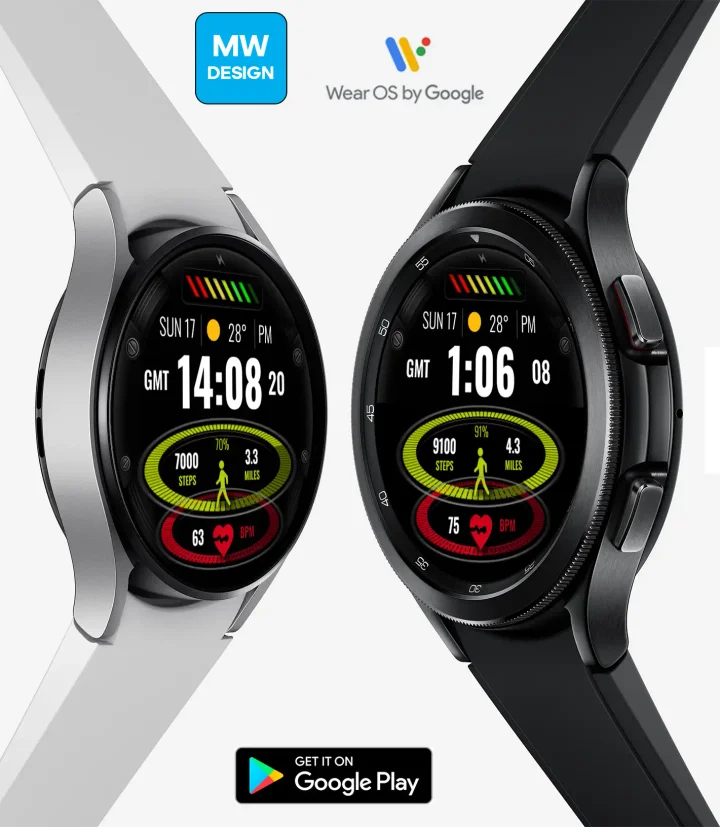
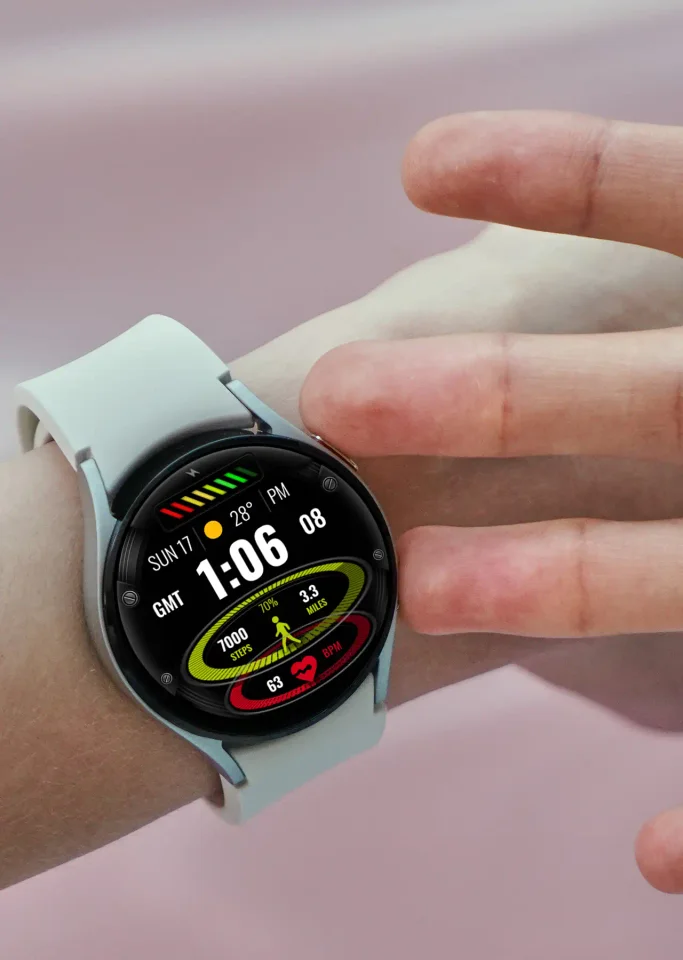
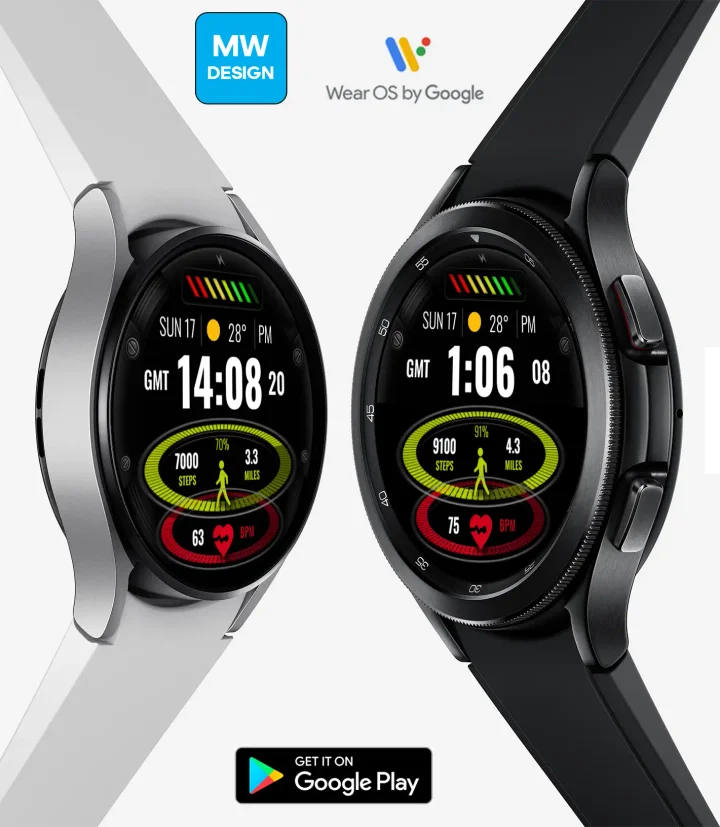
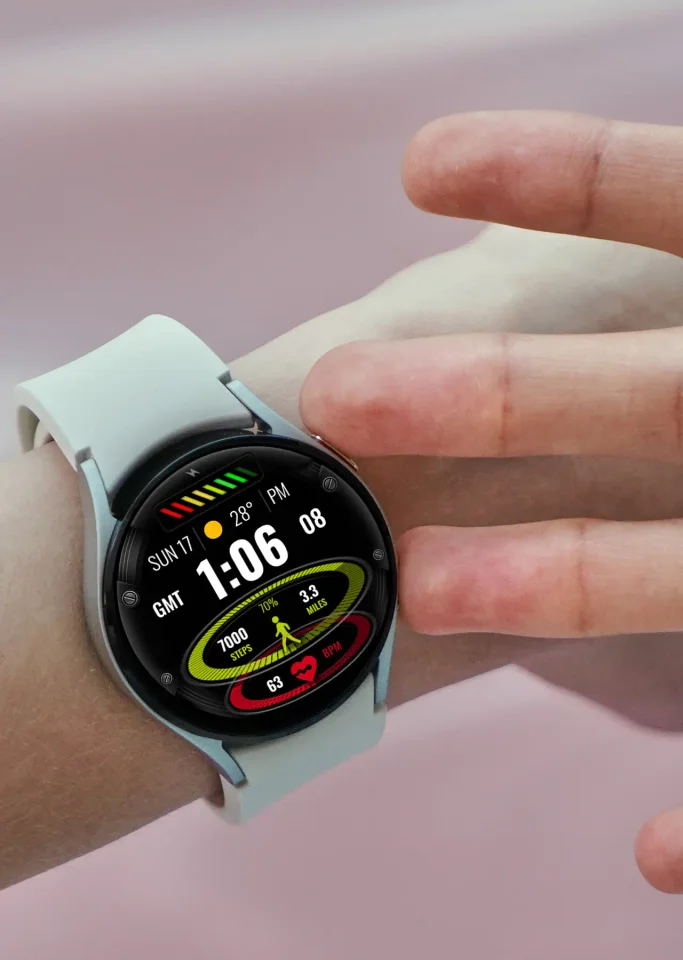
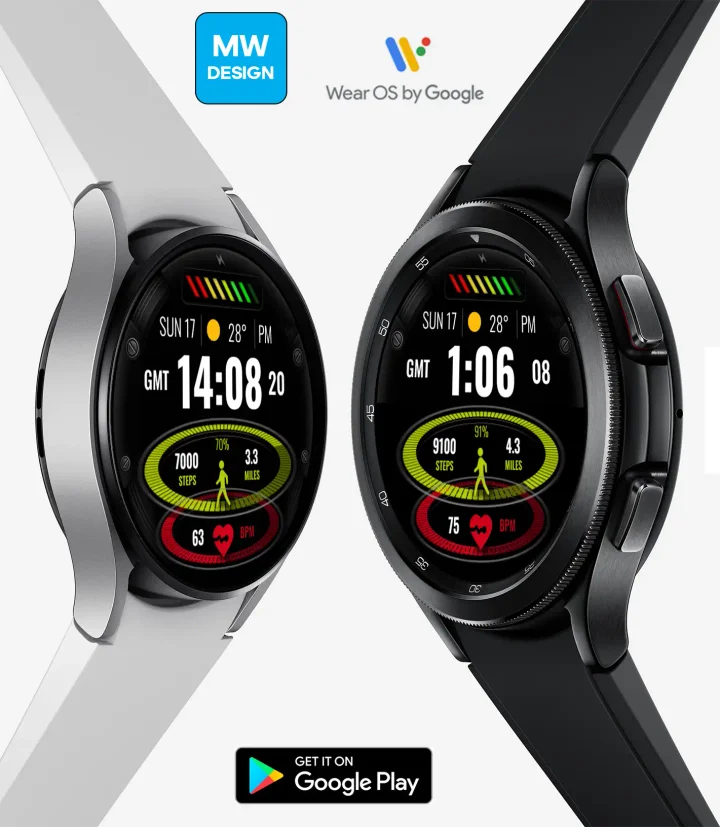
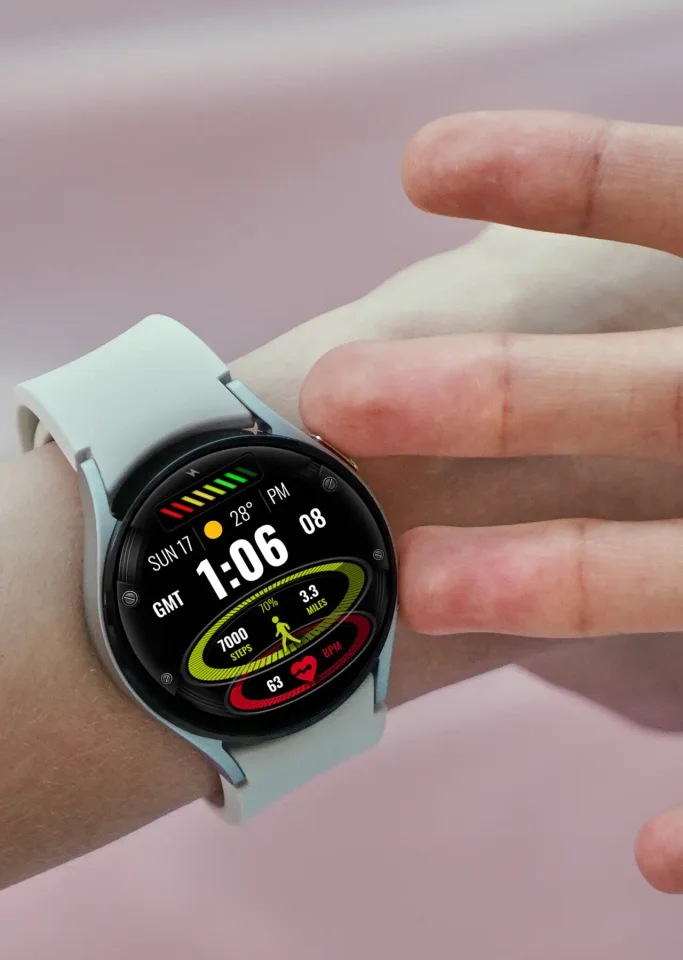
現在の心拍数データを表示するには、手動で測定する必要があります。これを行うには、心拍数表示領域をタップします(画像を参照)。数秒待ちます。ウォッチフェイスが測定を行い、現在の結果を表示します。
最初の手動測定後、ウォッチフェイスは10分ごとに心拍数を自動的に測定できます。手動測定も可能です。
インストールノート:
1-時計が携帯電話に正しく接続されていることを確認します。
数分後、ウォッチフェイスがウォッチに転送されます。スマートフォンのウェアラブルアプリによってインストールされたウォッチフェイスを確認してください。
また
2-携帯電話とPlayストアの同期に問題がある場合は、時計から直接アプリをインストールします。時計でPlayストアから「MW」を検索し、インストールボタンを押します。
3-または、PCまたはMacのWebブラウザからウォッチフェイスをインストールしてみてください
この側の問題は開発者に依存しないことを考慮してください。開発者は、こちら側からPlayストアを制御することはできません。ありがとうございました。
このウォッチフェイスは、APIレベル28以降のすべてのWearOSデバイスをサポートしています。
ウォッチフェイスの機能:
* 12/24H自動時刻。
*曜日、日。
* バッテリー %
* 午前午後
*タイムゾーン
*AODモード。
健康データ
*心拍数-注をお読みください*心拍数
*歩数(10,000)
*ステップ%プログレスバー。
* 距離。
よくある質問
アプリに問題がございましたら、メールでお問い合わせください!!
詳細については、私のFBページにアクセスしてください。
https://www.facebook.com/MWGearDesigns
原文を表示
High Quality watch face designed by MW Design.
* Full Support for the new Galaxy Watch 4 Series.
* Supports Wear OS 2.0.
*Heart Rate Notes:
The watch face does not automatically measure and does not automatically display the HR result when installed.
To view your current heart rate data you’ll need to take a manual measurement. To do this, tap on the heart rate display area (see images). Wait a few seconds. The watch face will take a measurement and display the current result.
After the first manual measurement, the watch face can automatically measure your heart rate every 10 minutes. Manual measurement will also be possible.
Installation Notes:
1 - Make sure the watch is properly connected to the phone.
After a few minutes the watch face will transferred on watch : check the watch faces installed by the Wearable app on the phone.
or
2 - If you are having synchronization problems between your phone and Play Store, install the app directly from watch: search "MW" from Play Store on watch and hit on install button.
3 - Alternatively, try installing the watch face from web browser on your PC or Mac
Please consider that any issues on this side are NOT developer dependent. The developer has no control over the Play Store from this side. Thank you.
This watch face supports all Wear OS devices with API Level 28+.
Watch face features:
* 12/24H Automatic time.
* Day Of Week, Day.
* Battery %
* AM/PM
* Timezone
* AOD Mode.
Health Data
* Heart Rate - Please read Note *Heart Rate
* Steps Count (10,000)
* Steps % Progress Bar.
* Distance.
FAQ
Please contact us using email if you have any trouble with the app !!
You can visit my FB page for more details
https://www.facebook.com/MWGearDesigns
データ セーフティ
このアプリが収集・共有するデータについて、MW DesignがGoogle Playで申告している内容です。
- 第三者と共有されるデータはありません詳しくは、デベロッパーが共有を申告する方法についての説明をご覧ください
- データは収集されません詳しくは、デベロッパーが収集を申告する方法についての説明をご覧ください
開発元の連絡先
- ウェブサイトfacebook.com
- メールmikewickens@gmail.com
- プライバシーポリシーsites.google.com
- 住所33 Huntspill Street LONDON SW17 0AA United Kingdom
情報
- 提供元
- MW Design
- カテゴリ
- カスタマイズ
- バージョン
- 1.0.0
- 更新日
- 2022/7/17
- リリース
- 2022/7/17
- 必要条件
- Android 9以降
- 対象年齢
- 3 歳以上
- 価格
- ¥160
- パッケージ名
- com.watchfacestudio.mwprogresspro