Sports Progress Pro
MW Design- Rating 3+Batasan usia
- PersonalisasiKategori
- 17/7/2022Diperbarui
- Rp 18.000Harga
Tertaut ke halaman resmi com.watchfacestudio.mwprogresspro di Google Play. Terakhir diperiksa pada 15/11/2026.

Tangkapan layar



Tentang aplikasi ini
Terjemahan otomatis oleh Google. Bahasa asli: Inggris (Amerika Serikat).
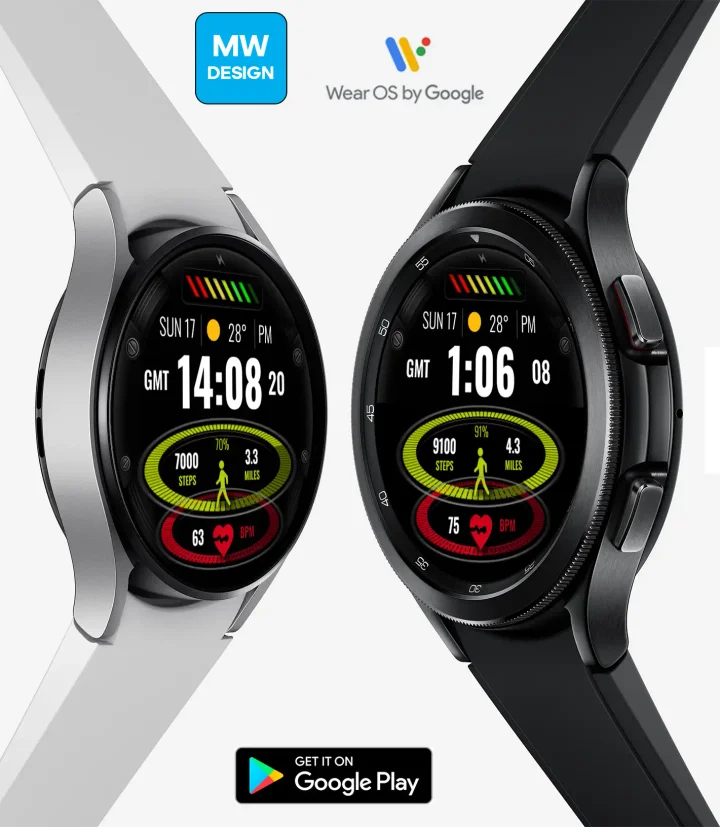
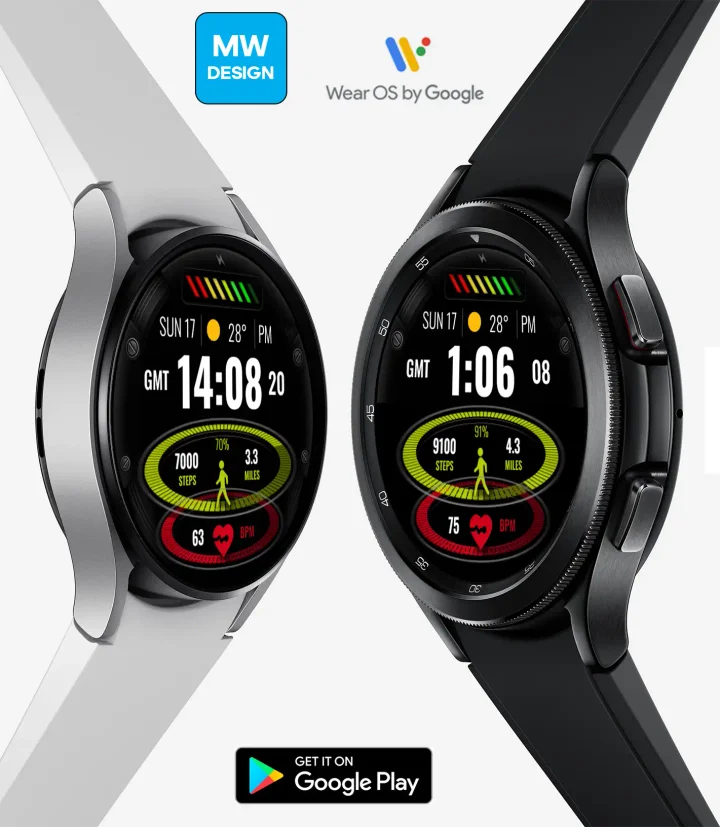
MW Design Menghadirkan Kemajuan Olahraga Pro
Tampilan jam berkualitas tinggi yang dirancang oleh MW Design.
* Dukungan Penuh untuk Seri Galaxy Watch 4 baru.
* Mendukung Wear OS 2.0.
*Catatan Detak Jantung:
Tampilan jam tidak secara otomatis mengukur dan tidak secara otomatis menampilkan hasil HR saat dipasang.
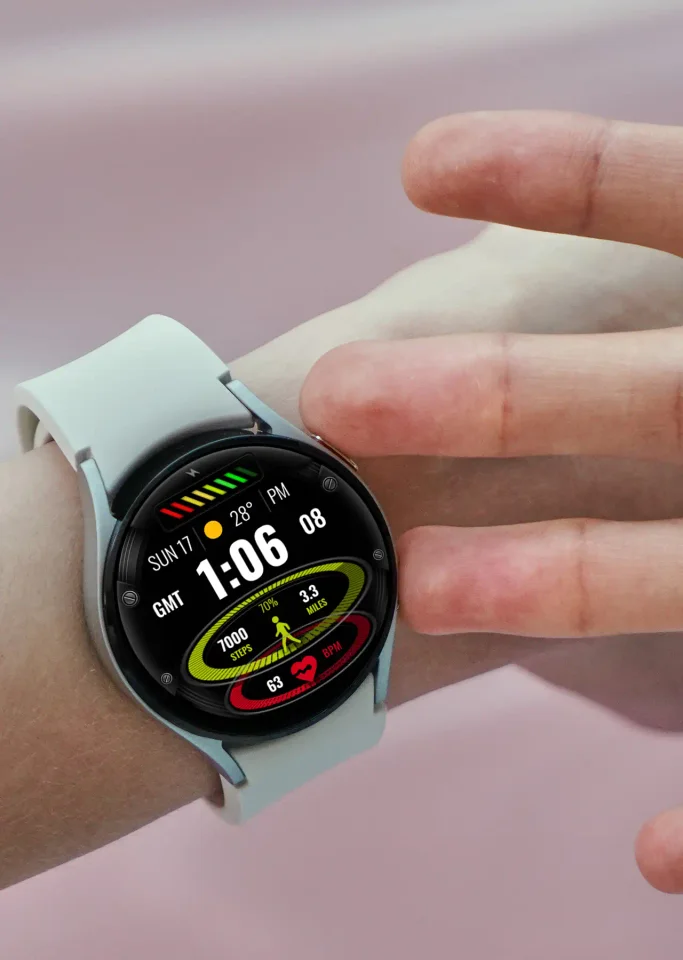
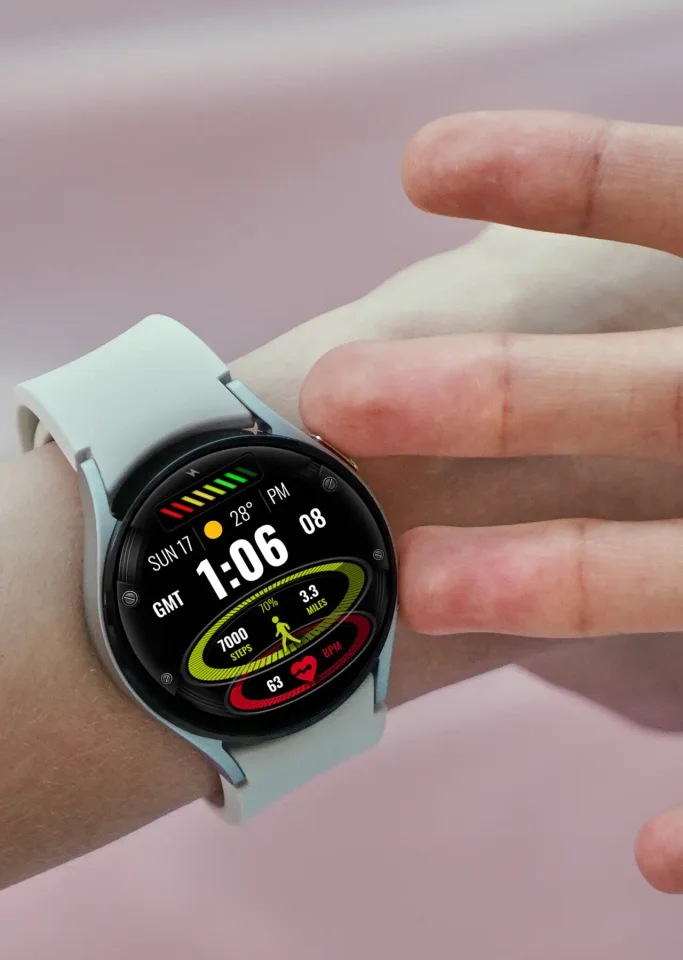
Untuk melihat data detak jantung Anda saat ini, Anda harus melakukan pengukuran manual. Untuk melakukan ini, ketuk area tampilan detak jantung (lihat gambar). Tunggu beberapa detik. Tampilan jam akan melakukan pengukuran dan menampilkan hasil saat ini.
Setelah pengukuran manual pertama, tampilan jam dapat secara otomatis mengukur detak jantung Anda setiap 10 menit. Pengukuran manual juga dimungkinkan.
Catatan instalasi:
1 - Pastikan arloji terhubung dengan benar ke telepon.
Setelah beberapa menit, tampilan jam akan ditransfer ke jam tangan : periksa tampilan jam yang dipasang oleh aplikasi Wearable di ponsel.
atau
2 - Jika Anda mengalami masalah sinkronisasi antara ponsel Anda dan Play Store, instal aplikasi langsung dari jam tangan: cari "MW" dari Play Store di jam tangan dan tekan tombol instal.
3 - Atau, coba instal tampilan jam dari browser web di PC atau Mac
Harap pertimbangkan bahwa masalah apa pun di sisi ini TIDAK bergantung pada pengembang. Pengembang tidak memiliki kendali atas Play Store dari sisi ini. Terima kasih.
Tampilan jam ini mendukung semua perangkat Wear OS dengan API Level 28+.
Fitur tampilan jam:
* 12/24 J Waktu otomatis.
* Hari Minggu, Hari.
* Baterai%
* AM/PM
* Zona waktu
* Modus AOD.
Data Kesehatan
* Detak Jantung - Harap baca Catatan * Detak Jantung
* Hitungan Langkah (10.000)
* Langkah % Progress Bar.
* Jarak.
FAQ
Silakan hubungi kami menggunakan email jika Anda memiliki masalah dengan aplikasi !!
Anda dapat mengunjungi halaman FB saya untuk lebih jelasnya
https://www.facebook.com/MWGearDesigns
Tampilkan teks asli
High Quality watch face designed by MW Design.
* Full Support for the new Galaxy Watch 4 Series.
* Supports Wear OS 2.0.
*Heart Rate Notes:
The watch face does not automatically measure and does not automatically display the HR result when installed.
To view your current heart rate data you’ll need to take a manual measurement. To do this, tap on the heart rate display area (see images). Wait a few seconds. The watch face will take a measurement and display the current result.
After the first manual measurement, the watch face can automatically measure your heart rate every 10 minutes. Manual measurement will also be possible.
Installation Notes:
1 - Make sure the watch is properly connected to the phone.
After a few minutes the watch face will transferred on watch : check the watch faces installed by the Wearable app on the phone.
or
2 - If you are having synchronization problems between your phone and Play Store, install the app directly from watch: search "MW" from Play Store on watch and hit on install button.
3 - Alternatively, try installing the watch face from web browser on your PC or Mac
Please consider that any issues on this side are NOT developer dependent. The developer has no control over the Play Store from this side. Thank you.
This watch face supports all Wear OS devices with API Level 28+.
Watch face features:
* 12/24H Automatic time.
* Day Of Week, Day.
* Battery %
* AM/PM
* Timezone
* AOD Mode.
Health Data
* Heart Rate - Please read Note *Heart Rate
* Steps Count (10,000)
* Steps % Progress Bar.
* Distance.
FAQ
Please contact us using email if you have any trouble with the app !!
You can visit my FB page for more details
https://www.facebook.com/MWGearDesigns
Keamanan data
Yang dinyatakan MW Design di Google Play tentang data yang dikumpulkan dan dibagikan aplikasi ini.
- Tidak ada data yang dibagikan kepada pihak ketigaPelajari lebih lanjut cara developer menyatakan pembagian data
- Tidak ada data yang dikumpulkanPelajari lebih lanjut cara developer menyatakan pengumpulan data
Kontak pengembang
- Situs webfacebook.com
- Emailmikewickens@gmail.com
- Kebijakan Privasisites.google.com
- Alamat33 Huntspill Street LONDON SW17 0AA United Kingdom
Informasi
- Ditawarkan oleh
- MW Design
- Kategori
- Personalisasi
- Versi
- 1.0.0
- Diperbarui
- 17/7/2022
- Dirilis
- 17/7/2022
- Memerlukan
- Android 9 atau yang lebih baru
- Batasan usia
- Rating 3+
- Harga
- Rp 18.000
- Nama paket
- com.watchfacestudio.mwprogresspro