
- Altersfreigabe4+
- KategorieProduktivität
- EntwicklerLow Voltage Ltd
- SprachenEnglisch
- Größe1,3 MB
Verlinkt auf die offizielle App Store-Seite
Download.org hostet keine Datei von 2nd Display. Die Schaltfläche öffnet die App-Seite bei App Store, wo Low Voltage Ltd die App veröffentlicht. Eintrag zuletzt geprüft am 12.11.2026.
Screenshots
Info
Der Entwickler hat diesen Text nicht in Ihrer Sprache bereitgestellt.
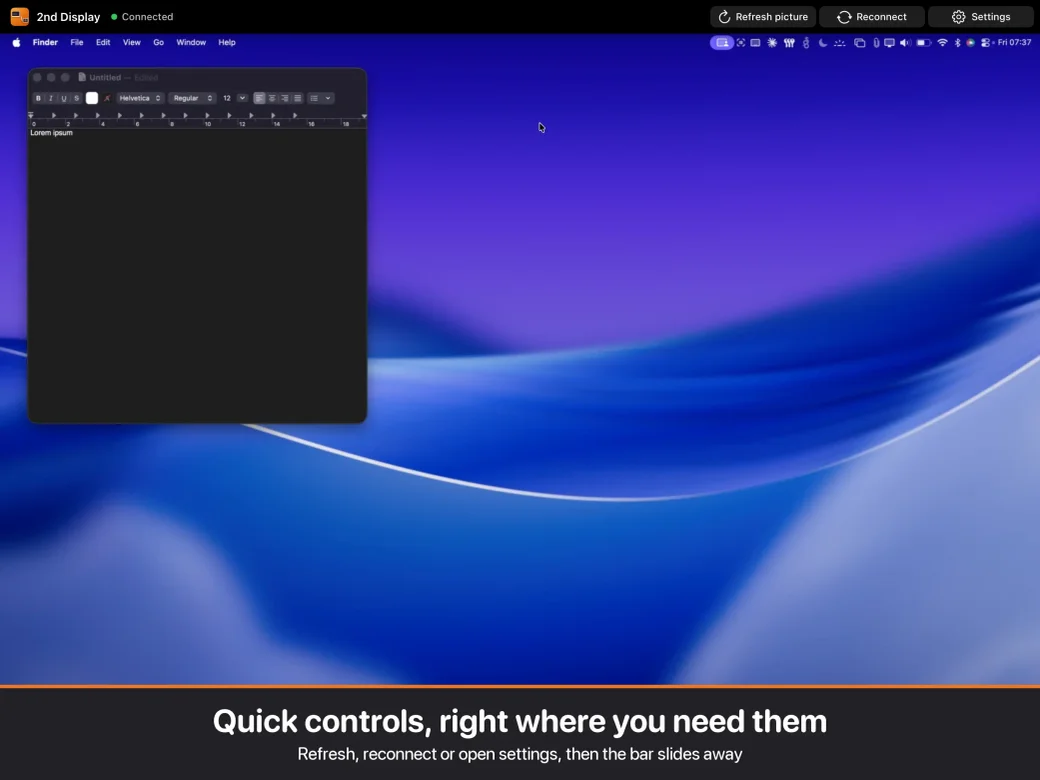
2nd Display turns your iPad into an extra display for your Mac, over a USB cable.
Plug in, open the app, and your Mac gets a new screen. Drag windows onto it, use it for reference material, chat, music or a second document, and tap and drag right on the iPad.
• Wired: video and touch travel over the cable, so there is no Wi-Fi setup and no dependence on a busy network.
• Works on older iPads: runs on anything with iOS 15 or later, including iPad mini 4 and iPad Air 2.
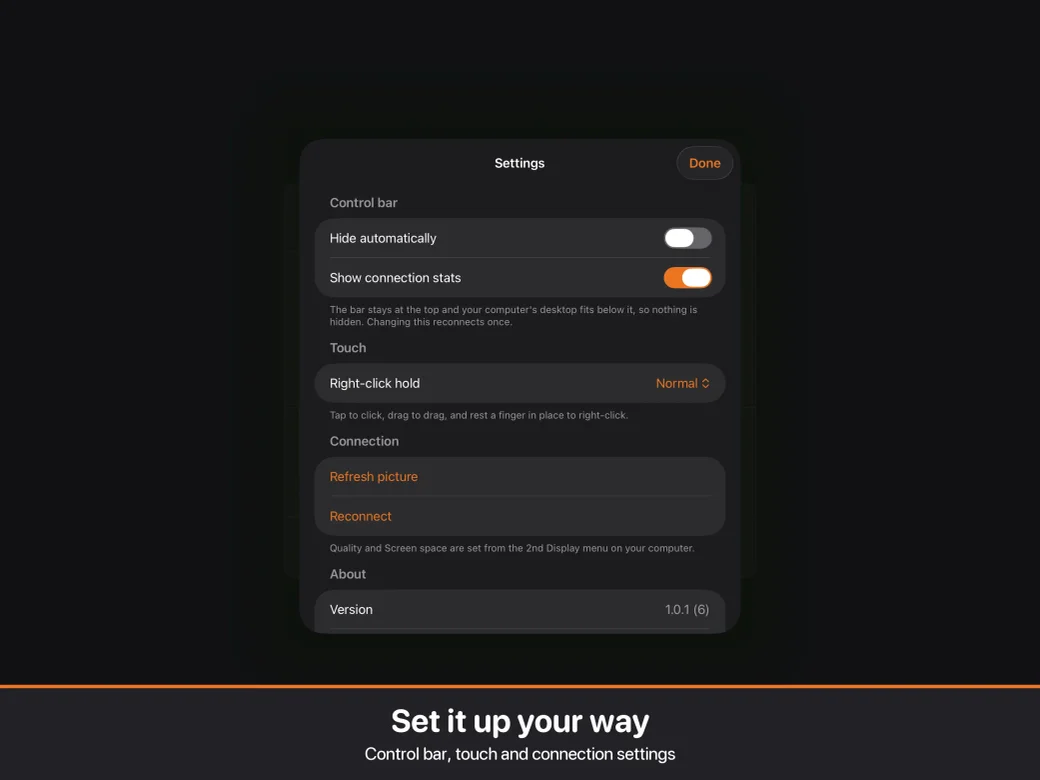
• Touch input: tap and drag on the iPad to control what's on it, and press and hold for a right-click.
• Smooth or sharp: on ProMotion iPads choose up to 120 fps, or full native resolution.
• Roomy desktop: choose how much space fits on the iPad screen.
• Private: no account, no analytics, nothing leaves your devices. It's also free, with no subscription.
HOW IT WORKS
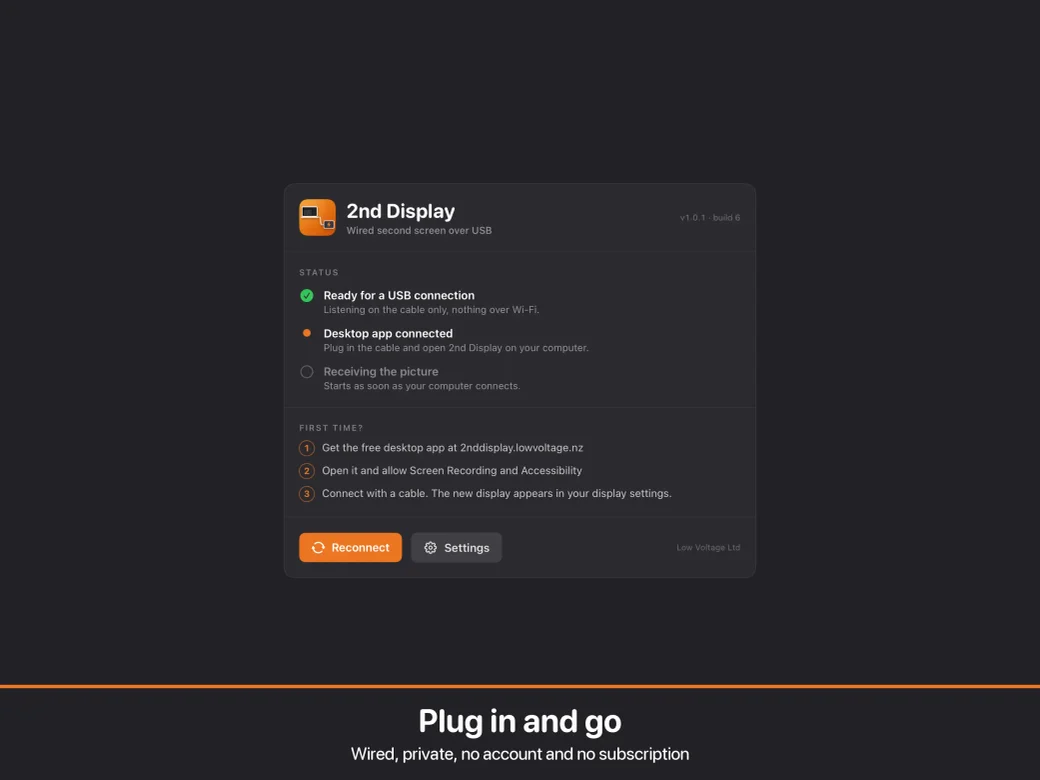
1. Download the free 2nd Display companion app for your Mac (macOS 13 or later) from the website linked on this page.
2. Open it and allow Screen Recording and Accessibility when macOS asks.
3. Connect your iPad with its cable and open this app. A new display appears in System Settings, ready to arrange like any monitor.
Requires the "2nd Display" Mac companion app. iPad and Mac must be connected by cable.
Download from: https://2nddisplay.lowvoltage.nz/
Watch it in use, with an iPad Pro 13" and an iPad mini 4 as second monitors for a MacBook Pro: https://youtu.be/0fXQRxEqPAw
Neue Funktionen
Version 1.0.2 · 02.11.2026
You can now rate 2nd Display from Settings. If it has been useful, it will also ask once, at a quiet moment after a few sessions.
App-Datenschutz
Was Low Voltage Ltd im App Store zum Umgang dieser App mit Daten angibt.
-
Keine Daten erfasst
Der Entwickler erfasst keine Daten von dieser App.
Die Datenschutzpraktiken können variieren, zum Beispiel je nach den von Ihnen verwendeten Funktionen oder Ihrem Alter.
Informationen
- Anbieter
- Low Voltage Limited
- Kategorie
- Produktivität
- Version
- 1.0.2
- Aktualisiert
- 02.11.2026
- Veröffentlicht
- 11.10.2026
- Größe
- 1,3 MB
- Erfordert
- iOS 15.0 oder neuer
- Altersfreigabe
- 4+
- Preis
- Kostenlos
- Sprachen
- Englisch
- Copyright
- © Low Voltage Ltd
Das könnte Ihnen auch gefallen
-
 PDFz: PDF Scanner & BearbeitenUnterschreiben, Umwandeln, OCR
-
 MinpickWenn die Wahl zu lange dauert
-
 Tempus: Tagesplaner & To-DoTime Blocking & Fokus für ADHS
-
 NoteSpeak AI Note TakerProduktivität
-
 Mein Super Geheimes TagebuchPrivate Notizen Schreiben
-
 LifeWheel Gewohnheiten PlanerLebensrad, Ziele, Achtsamkeit
-
 Superlist: To-Do, Notizen & KIAufgabenplaner & Erinnerungen
-
 Network Toolbox Net securityProduktivität
-
 Signature Maker & Esign NowProduktivität
-
 Flipd: focus & study timerProduktivität