
- 対象年齢4+
- カテゴリ仕事効率化
- 開発元Low Voltage Ltd
- 言語英語
- サイズ1.3 MB
App Storeの公式ページにリンクしています
Download.orgは2nd Displayのファイルを一切ホストしていません。ボタンを押すと、Low Voltage Ltdが公開しているApp Storeのアプリページが開きます。ページの最終確認:2026/11/12。
スクリーンショット
概要
開発元はこのテキストをお使いの言語で提供していません。
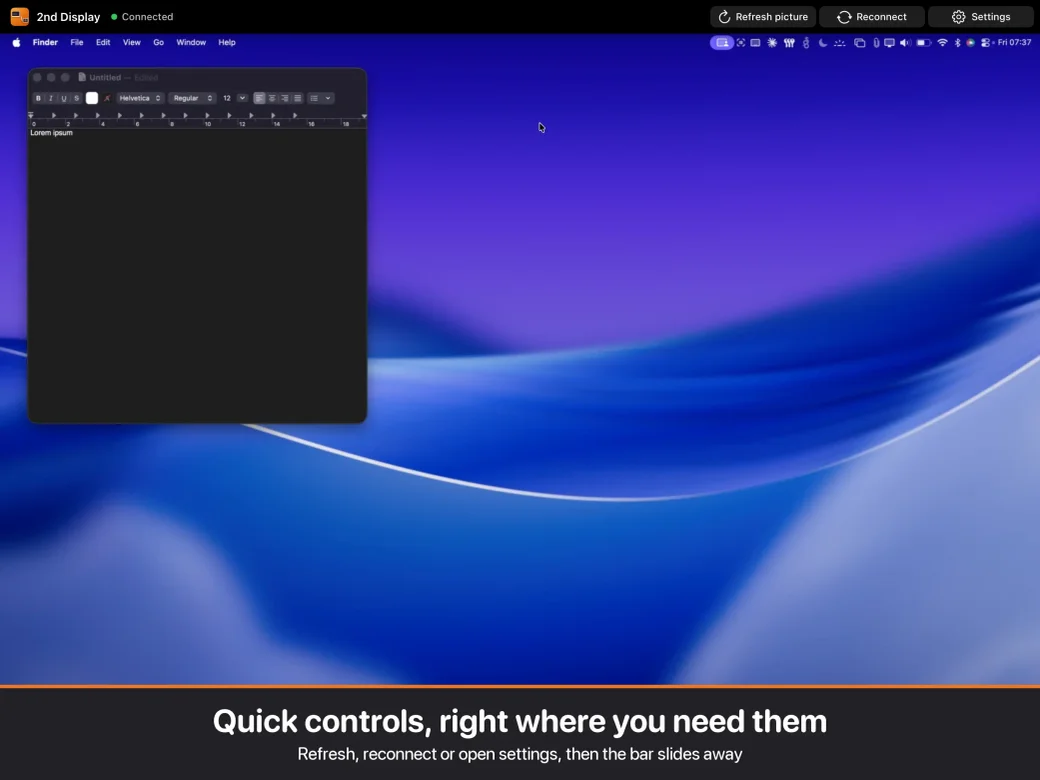
2nd Display turns your iPad into an extra display for your Mac, over a USB cable.
Plug in, open the app, and your Mac gets a new screen. Drag windows onto it, use it for reference material, chat, music or a second document, and tap and drag right on the iPad.
• Wired: video and touch travel over the cable, so there is no Wi-Fi setup and no dependence on a busy network.
• Works on older iPads: runs on anything with iOS 15 or later, including iPad mini 4 and iPad Air 2.
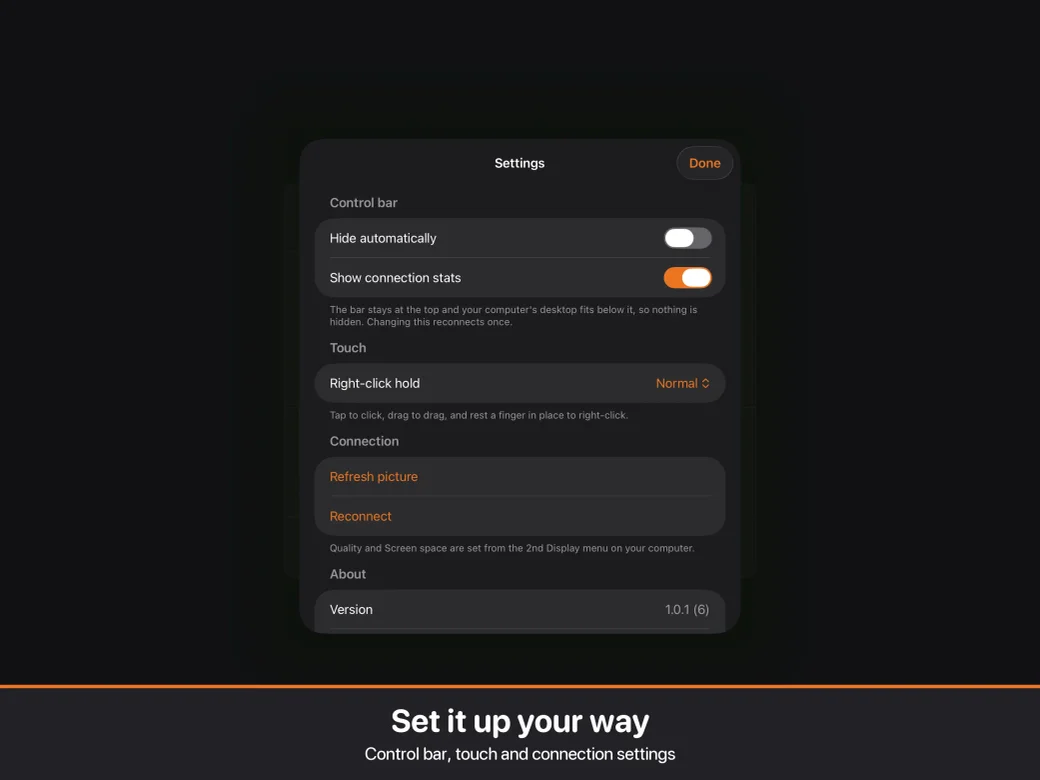
• Touch input: tap and drag on the iPad to control what's on it, and press and hold for a right-click.
• Smooth or sharp: on ProMotion iPads choose up to 120 fps, or full native resolution.
• Roomy desktop: choose how much space fits on the iPad screen.
• Private: no account, no analytics, nothing leaves your devices. It's also free, with no subscription.
HOW IT WORKS
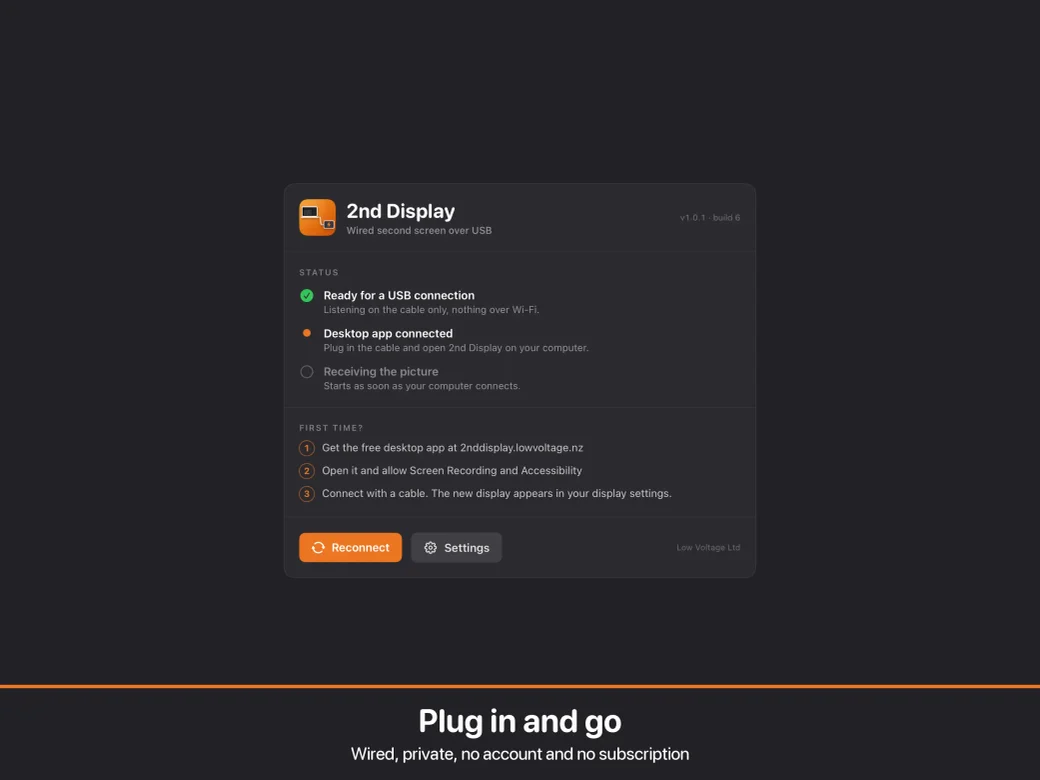
1. Download the free 2nd Display companion app for your Mac (macOS 13 or later) from the website linked on this page.
2. Open it and allow Screen Recording and Accessibility when macOS asks.
3. Connect your iPad with its cable and open this app. A new display appears in System Settings, ready to arrange like any monitor.
Requires the "2nd Display" Mac companion app. iPad and Mac must be connected by cable.
Download from: https://2nddisplay.lowvoltage.nz/
Watch it in use, with an iPad Pro 13" and an iPad mini 4 as second monitors for a MacBook Pro: https://youtu.be/0fXQRxEqPAw
新機能
バージョン 1.0.2 · 2026/11/2
You can now rate 2nd Display from Settings. If it has been useful, it will also ask once, at a quiet moment after a few sessions.
アプリのプライバシー
このアプリのデータの取り扱いについて、Low Voltage LtdがApp Storeで申告している内容です。
-
データの収集なし
開発元はこのアプリからデータを収集しません。
プライバシーの取り扱いは、ご利用の機能やお客様の年齢などに応じて異なる場合があります。
情報
- 販売元
- Low Voltage Limited
- カテゴリ
- 仕事効率化
- バージョン
- 1.0.2
- 更新日
- 2026/11/2
- リリース
- 2026/10/11
- サイズ
- 1.3 MB
- 必要条件
- iOS 15.0以降
- 対象年齢
- 4+
- 価格
- 無料
- 言語
- 英語
- 著作権
- © Low Voltage Ltd
こちらもおすすめ
-
 PDFz: PDF 書類スキャナー・編集・署名・変換文書スキャン・サイン・フォーム入力・ワード・OCR・翻訳
-
 Minpick少しの時間さえ使えず苦しかったあなたへ。今できるひとつを
-
 Tempus:デイリープランナー・ToDoリスト・予定表ADHD向けタイムブロッキング・集中・タスク管理
-
 NoteSpeak AI Note Taker仕事効率化
-
 My Super Secret Diary Notes仕事効率化
-
 LifeWheel:習慣化と目標達成の記録人生のバランスを整える振り返り手帳
-
 Superlist: ToDo & メモアプリタスク管理、リスト & プロジェクト
-
 Network Toolbox Net security仕事効率化
-
 Signature Maker & Esign Now仕事効率化
-
 Flipd: focus & study timer仕事効率化