
- Altersfreigabe4+
- KategorieProduktivität
- EntwicklerArtsiom Vysotski
- SprachenEnglisch
- Größe14,2 MB
Verlinkt auf die offizielle App Store-Seite
Download.org hostet keine Datei von AI Dictation. Die Schaltfläche öffnet die App-Seite bei App Store, wo Artsiom Vysotski die App veröffentlicht. Eintrag zuletzt geprüft am 14.11.2026.
Screenshots



Info
Der Entwickler hat diesen Text nicht in Ihrer Sprache bereitgestellt.
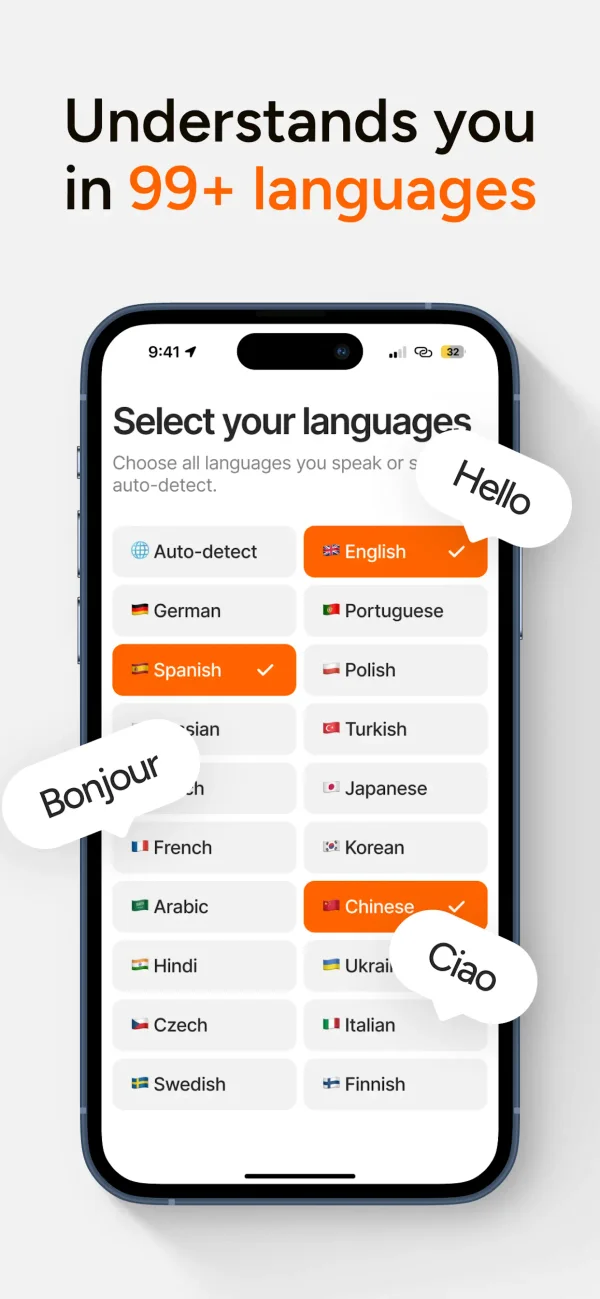
Turn your voice into useful text on your iPhone.
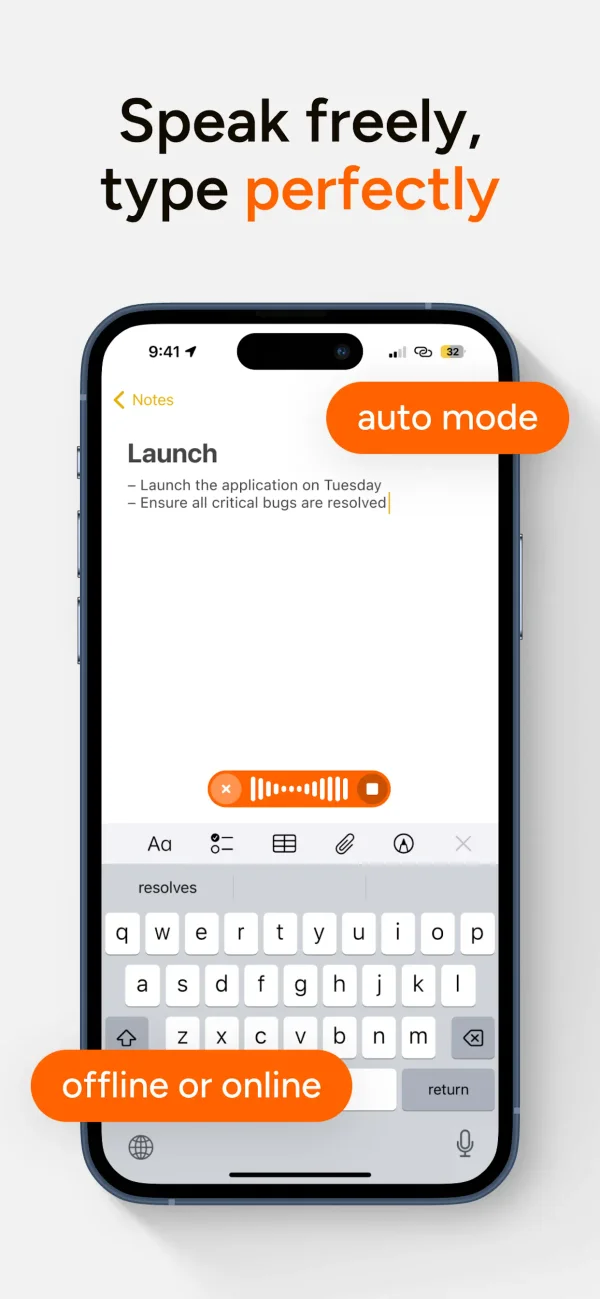
AI Dictation is a voice-to-text app and keyboard for messages, email, notes, documents, and longer recordings. Start from the keyboard in apps that support third-party keyboards, or record directly in AI Dictation, then insert, copy, or share the finished text.
DICTATE WITH LESS TYPING
Open a text field, switch to the AI Dictation keyboard, and start speaking. Your finished transcription is ready to insert where you were writing.
CHOOSE HOW YOUR SPEECH IS PROCESSED
Use Cloud, Offline, or Automatic mode. On iOS 17 and later, you can download the offline model for on-device speech recognition. Cloud transcription sends audio only after you give permission. Optional cloud formatting may send the transcript to organize or clean up the result, even when speech recognition runs offline.
MORE THAN BASIC VOICE TYPING
Choose the result that fits what you are recording:
• Dictation for direct speech-to-text
• Notes for structured ideas and action items
• Meetings for summaries, speaker labels, timestamps, and action items
MAKE IT YOURS
• Add names and specialized terms to your personal dictionary
• Create voice shortcuts for text you use often
• Search your recent transcription history
• Replay locally saved recordings
• Copy or share previous results
KEEP TRACK WHILE YOU DICTATE
On iOS 17 and later, a Live Activity shows when AI Dictation is listening or processing and gives you a quick way to stop.
GET STARTED
1. Open AI Dictation and follow the setup guide.
2. Enable the AI Dictation keyboard in Settings.
3. Choose Cloud, Offline, or Automatic mode.
4. Open a supported text field, switch keyboards, and start speaking.
Whether you are replying to a message, capturing an idea, or turning a longer conversation into notes, AI Dictation helps your words keep up with your thoughts.
Neue Funktionen
Version 0.0.111 · 12.11.2026
• New Cleanup setting in Transcription settings.
• Offline mode now keeps your text on your iPhone unless you turn Cleanup on.
App-Datenschutz
Was Artsiom Vysotski im App Store zum Umgang dieser App mit Daten angibt.
-
Mit Ihnen verknüpfte Daten
Können erfasst und mit Ihrer Identität verknüpft werden.
- Kontaktinformationen
- Kennungen
- Nutzungsdaten
-
Nicht mit Ihnen verknüpfte Daten
Können erfasst werden, sind aber nicht mit Ihrer Identität verknüpft.
- Benutzerinhalte
Die Datenschutzpraktiken können variieren, zum Beispiel je nach den von Ihnen verwendeten Funktionen oder Ihrem Alter.
Informationen
- Anbieter
- Artsiom Vysotski
- Kategorie
- Produktivität
- Version
- 0.0.111
- Aktualisiert
- 12.11.2026
- Veröffentlicht
- 10.07.2026
- Größe
- 14,2 MB
- Erfordert
- iOS 15.0 oder neuer
- Altersfreigabe
- 4+
- Preis
- Kostenlos
- Sprachen
- Englisch
- Copyright
- © 2024-2026 AI Dictation. All rights reserved.
Das könnte Ihnen auch gefallen
-
 Atomic KBProduktivität
-
 Voice to Text: AI TranscribeProduktivität
-
 Sebastian AssistantProduktivität
-
 Dhinote - Structured NotesProduktivität
-
 Dictus: KI-SprachtastaturDiktat & Sprachnachrichten
-
 SoloPDFProduktivität
-
 Breakin': Schichtdienst-PlanerRuhiges Tagebuch & Fokus-Timer
-
 WhisperMemo Voice DiaryProduktivität
-
 Ultra Note ProProduktivität
-
 Kioku: private second brainProduktivität