
- Age rating4+
- CategoryProductivity
- DeveloperArtsiom Vysotski
- LanguagesEnglish
- Size14.2 MB
Links to the official App Store page
Download.org hosts no file of AI Dictation. The button opens its official App Store page, published by Artsiom Vysotski. Listing last checked on Nov 14, 2026.
Screenshots

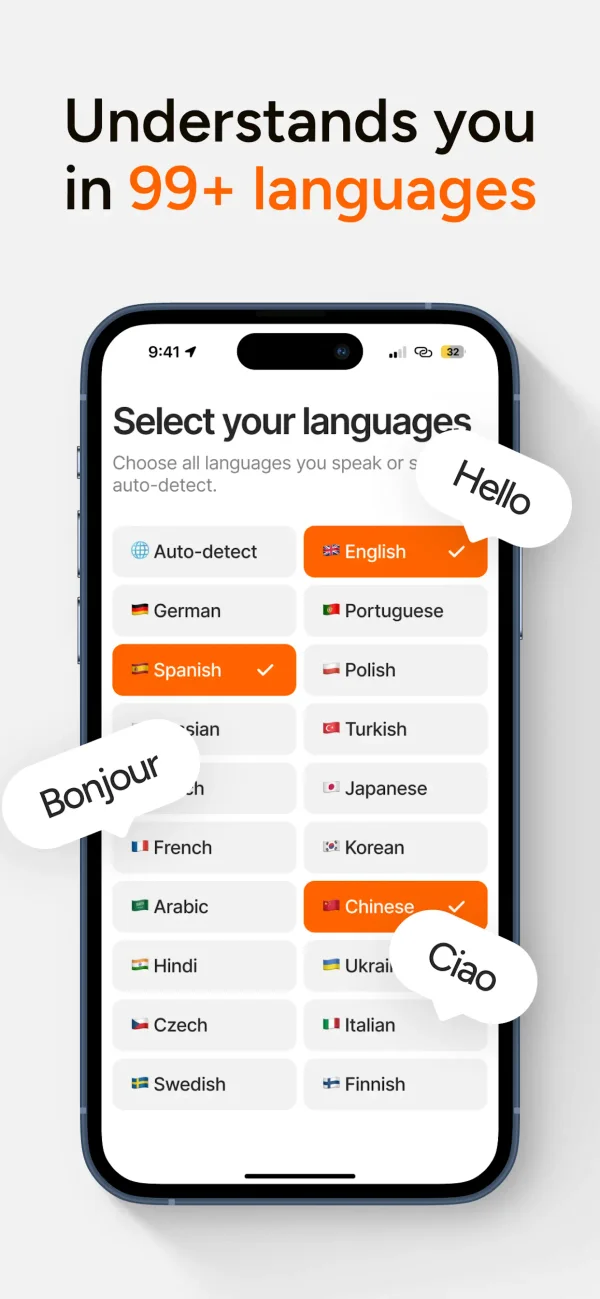
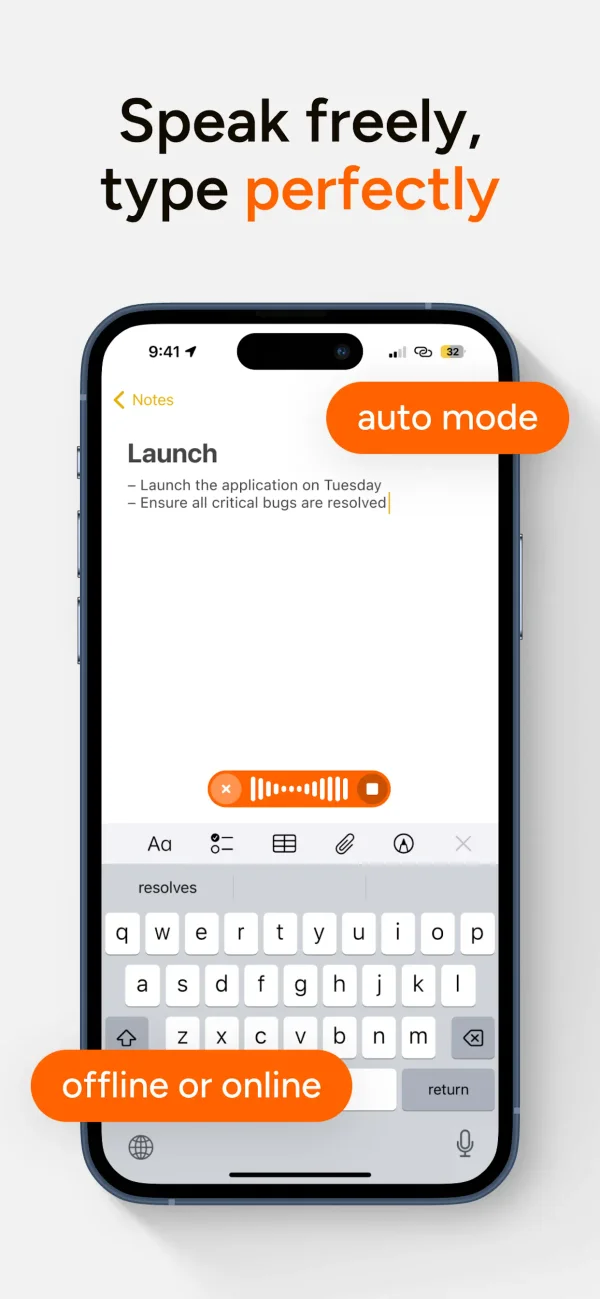


About
Turn your voice into useful text on your iPhone.
AI Dictation is a voice-to-text app and keyboard for messages, email, notes, documents, and longer recordings. Start from the keyboard in apps that support third-party keyboards, or record directly in AI Dictation, then insert, copy, or share the finished text.
DICTATE WITH LESS TYPING
Open a text field, switch to the AI Dictation keyboard, and start speaking. Your finished transcription is ready to insert where you were writing.
CHOOSE HOW YOUR SPEECH IS PROCESSED
Use Cloud, Offline, or Automatic mode. On iOS 17 and later, you can download the offline model for on-device speech recognition. Cloud transcription sends audio only after you give permission. Optional cloud formatting may send the transcript to organize or clean up the result, even when speech recognition runs offline.
MORE THAN BASIC VOICE TYPING
Choose the result that fits what you are recording:
• Dictation for direct speech-to-text
• Notes for structured ideas and action items
• Meetings for summaries, speaker labels, timestamps, and action items
MAKE IT YOURS
• Add names and specialized terms to your personal dictionary
• Create voice shortcuts for text you use often
• Search your recent transcription history
• Replay locally saved recordings
• Copy or share previous results
KEEP TRACK WHILE YOU DICTATE
On iOS 17 and later, a Live Activity shows when AI Dictation is listening or processing and gives you a quick way to stop.
GET STARTED
1. Open AI Dictation and follow the setup guide.
2. Enable the AI Dictation keyboard in Settings.
3. Choose Cloud, Offline, or Automatic mode.
4. Open a supported text field, switch keyboards, and start speaking.
Whether you are replying to a message, capturing an idea, or turning a longer conversation into notes, AI Dictation helps your words keep up with your thoughts.
What’s new
Version 0.0.111 · Nov 12, 2026
• New Cleanup setting in Transcription settings.
• Offline mode now keeps your text on your iPhone unless you turn Cleanup on.
App privacy
What Artsiom Vysotski declares on the App Store about how this app handles data.
-
Data linked to you
May be collected and linked to your identity.
- Contact info
- Identifiers
- Usage data
-
Data not linked to you
May be collected but is not linked to your identity.
- User content
Privacy practices may vary, for example with the features you use or your age.
Information
- Seller
- Artsiom Vysotski
- Category
- Productivity
- Version
- 0.0.111
- Updated
- Nov 12, 2026
- Released
- Jul 10, 2026
- Size
- 14.2 MB
- Requires
- iOS 15.0 or later
- Age rating
- 4+
- Price
- Free
- Languages
- English
- Copyright
- © 2024-2026 AI Dictation. All rights reserved.
You might also like
-
 Atomic KBSelf-Hosted Knowledge Base
-
 Voice to Text: AI TranscribeAudio Notes & Speech to Text
-
 Sebastian AssistantDay Planner, Notes & Alarms
-
 Dhinote - Structured NotesYour thoughts - organized
-
 Dictus: AI Voice KeyboardPrivate dictation, voice notes
-
 SoloPDFClean local-first PDF reader
-
 Breakin': Shift Work PlannerCalm day journal & focus timer
-
 WhisperMemo Voice DiaryPrivate AI memo & diary
-
 Ultra Note ProNotes, Tasks & Schedule
-
 Kioku: private second brainWeb, markdown, and PDF with AI