
AI Dictation
Voice-to-text keyboard
iPhone, iPod touch için tasarlandı
Ücretsiz
- Yaş sınırı4+
- KategoriÜretkenlik
- GeliştiriciArtsiom Vysotski
- Dillerİngilizce
- Boyut14,2 MB
Resmi App Store sayfasına bağlanır
Download.org, AI Dictation için hiçbir dosya barındırmaz. Düğme, uygulamanın App Store üzerindeki sayfasını açar; uygulamayı orada Artsiom Vysotski yayınlar. Sayfanın son kontrolü: 14.11.2026.
Ekran görüntüleri



Hakkında
Geliştirici bu metni dilinizde sunmamış.
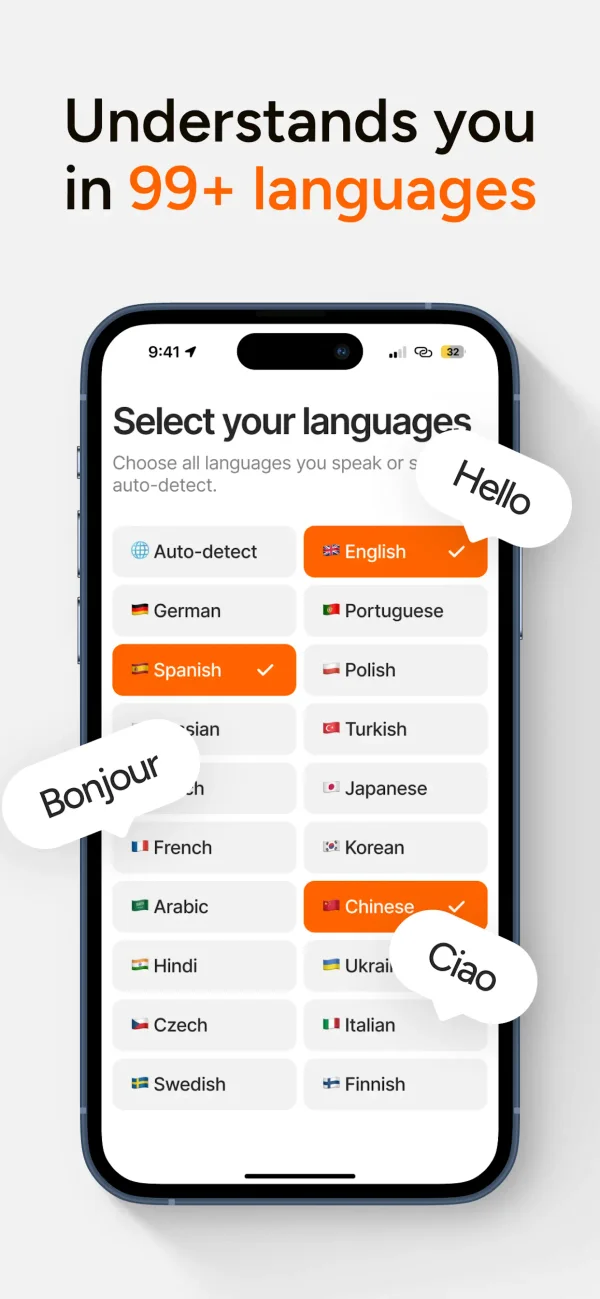
Turn your voice into useful text on your iPhone.
AI Dictation is a voice-to-text app and keyboard for messages, email, notes, documents, and longer recordings. Start from the keyboard in apps that support third-party keyboards, or record directly in AI Dictation, then insert, copy, or share the finished text.
DICTATE WITH LESS TYPING
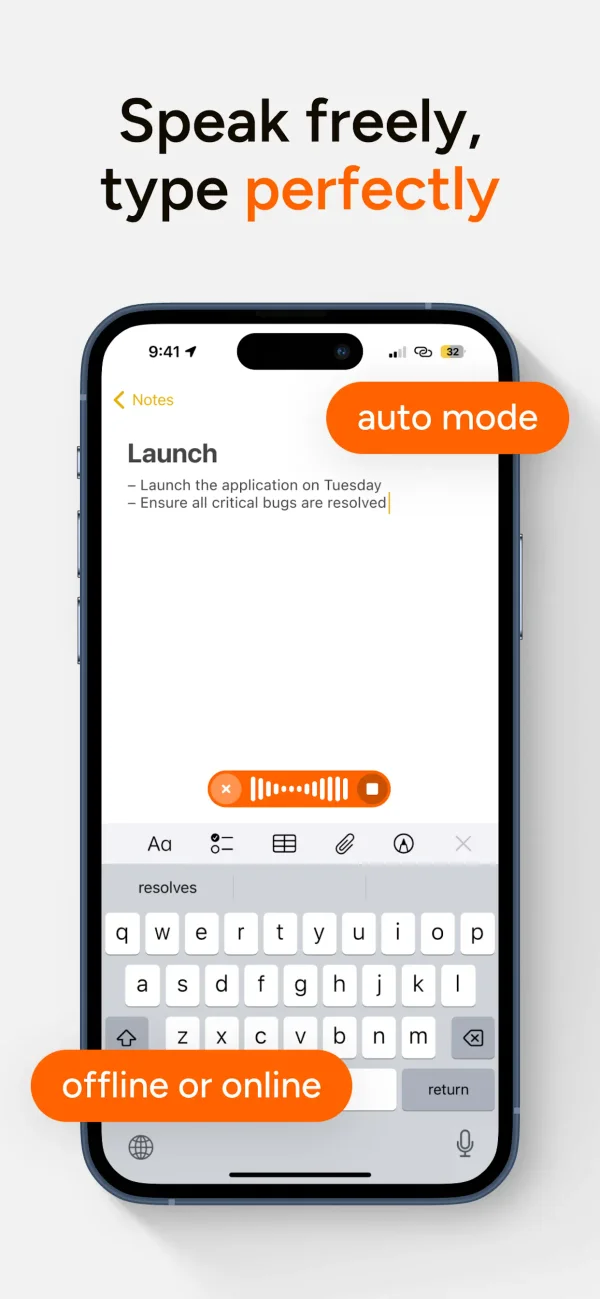
Open a text field, switch to the AI Dictation keyboard, and start speaking. Your finished transcription is ready to insert where you were writing.
CHOOSE HOW YOUR SPEECH IS PROCESSED
Use Cloud, Offline, or Automatic mode. On iOS 17 and later, you can download the offline model for on-device speech recognition. Cloud transcription sends audio only after you give permission. Optional cloud formatting may send the transcript to organize or clean up the result, even when speech recognition runs offline.
MORE THAN BASIC VOICE TYPING
Choose the result that fits what you are recording:
• Dictation for direct speech-to-text
• Notes for structured ideas and action items
• Meetings for summaries, speaker labels, timestamps, and action items
MAKE IT YOURS
• Add names and specialized terms to your personal dictionary
• Create voice shortcuts for text you use often
• Search your recent transcription history
• Replay locally saved recordings
• Copy or share previous results
KEEP TRACK WHILE YOU DICTATE
On iOS 17 and later, a Live Activity shows when AI Dictation is listening or processing and gives you a quick way to stop.
GET STARTED
1. Open AI Dictation and follow the setup guide.
2. Enable the AI Dictation keyboard in Settings.
3. Choose Cloud, Offline, or Automatic mode.
4. Open a supported text field, switch keyboards, and start speaking.
Whether you are replying to a message, capturing an idea, or turning a longer conversation into notes, AI Dictation helps your words keep up with your thoughts.
Yenilikler
Sürüm 0.0.111 · 12.11.2026
• New Cleanup setting in Transcription settings.
• Offline mode now keeps your text on your iPhone unless you turn Cleanup on.
Uygulama gizliliği
Bu uygulamanın verileri nasıl işlediği hakkında Artsiom Vysotski tarafından App Store üzerinde yapılan beyan.
-
Sizinle ilişkilendirilen veriler
Toplanabilir ve kimliğinizle ilişkilendirilebilir.
- İletişim bilgileri
- Tanımlayıcılar
- Kullanım verileri
-
Sizinle ilişkilendirilmeyen veriler
Toplanabilir ancak kimliğinizle ilişkilendirilmez.
- Kullanıcı içeriği
Gizlilik uygulamaları, örneğin kullandığınız özelliklere veya yaşınıza göre değişiklik gösterebilir.
Bilgiler
- Satıcı
- Artsiom Vysotski
- Kategori
- Üretkenlik
- Sürüm
- 0.0.111
- Güncellendi
- 12.11.2026
- Yayın tarihi
- 10.07.2026
- Boyut
- 14,2 MB
- Gereksinim
- iOS 15.0 veya sonrası
- Yaş sınırı
- 4+
- Fiyat
- Ücretsiz
- Diller
- İngilizce
- Telif hakkı
- © 2024-2026 AI Dictation. All rights reserved.
Bunları da beğenebilirsiniz
-
 Atomic KBÜretkenlik
-
 Voice to Text: AI TranscribeÜretkenlik
-
 Sebastian AssistantÜretkenlik
-
 Dhinote - Structured NotesÜretkenlik
-
 Dictus: AI Voice KeyboardÜretkenlik
-
 SoloPDFÜretkenlik
-
 Breakin': Shift Work PlannerÜretkenlik
-
 WhisperMemo Voice DiaryÜretkenlik
-
 Ultra Note ProÜretkenlik
-
 Kioku: private second brainÜretkenlik