
Alpha Neuron - Documents
Scan, reshape & share PDFs
Entwickelt für iPhone, iPad, Mac
Kostenlos · In-App-Käufe
- Altersfreigabe4+
- KategorieProduktivität
- EntwicklerFranco Swarts
- SprachenEnglisch
- Größe3,0 MB
Verlinkt auf die offizielle App Store-Seite
Download.org hostet keine Datei von Alpha Neuron - Documents. Die Schaltfläche öffnet die App-Seite bei App Store, wo Franco Swarts die App veröffentlicht. Eintrag zuletzt geprüft am 13.11.2026.
Screenshots


Info
Der Entwickler hat diesen Text nicht in Ihrer Sprache bereitgestellt.
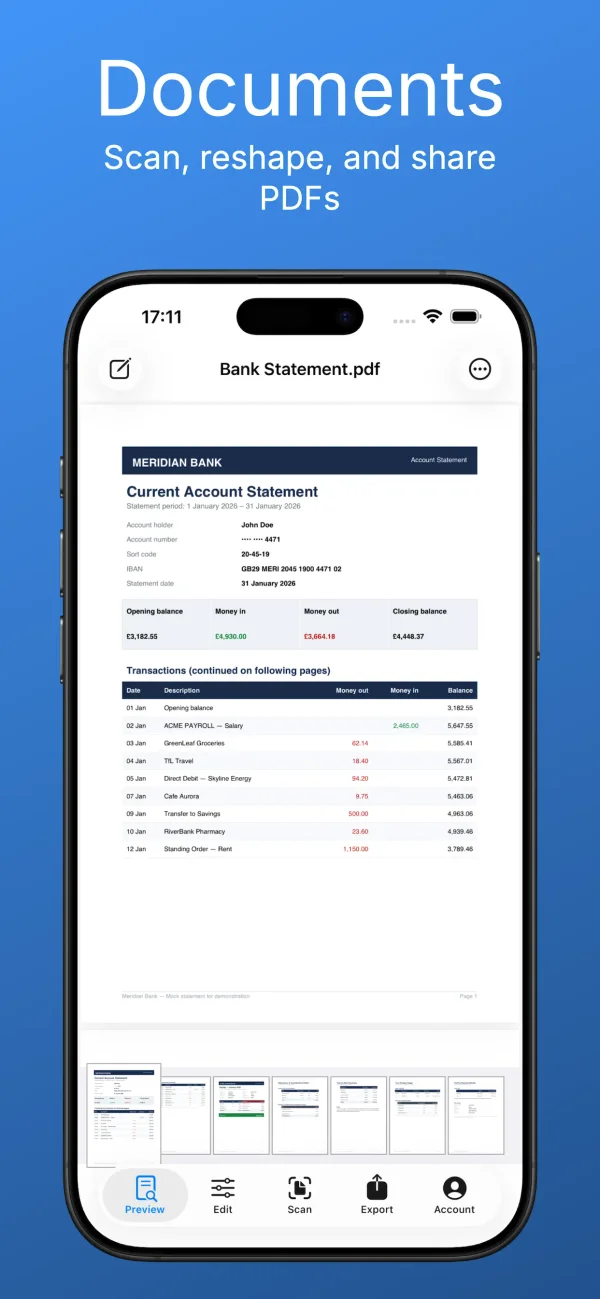
Documents turns your iPhone, iPad, or Mac into a simple PDF workbench. Open or scan a PDF, reshape it, then send it on its way — no subscription, no account, no clutter.
Work on one document at a time. Give it pages, edit them, and share the result. Your edits are non-destructive within a session, and Undo and Redo let you step back and forth through your changes.
FIVE WAYS TO EDIT
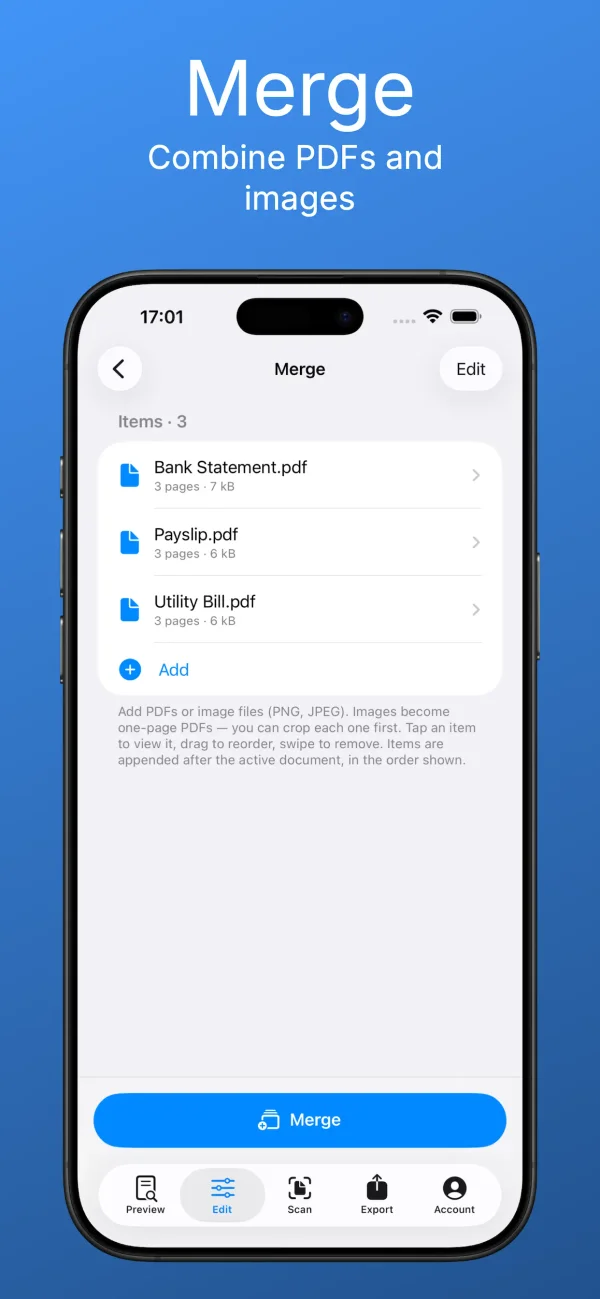
• Merge — Append other PDFs or images to your document. Reorder, preview, and crop photos of pages before they're added.
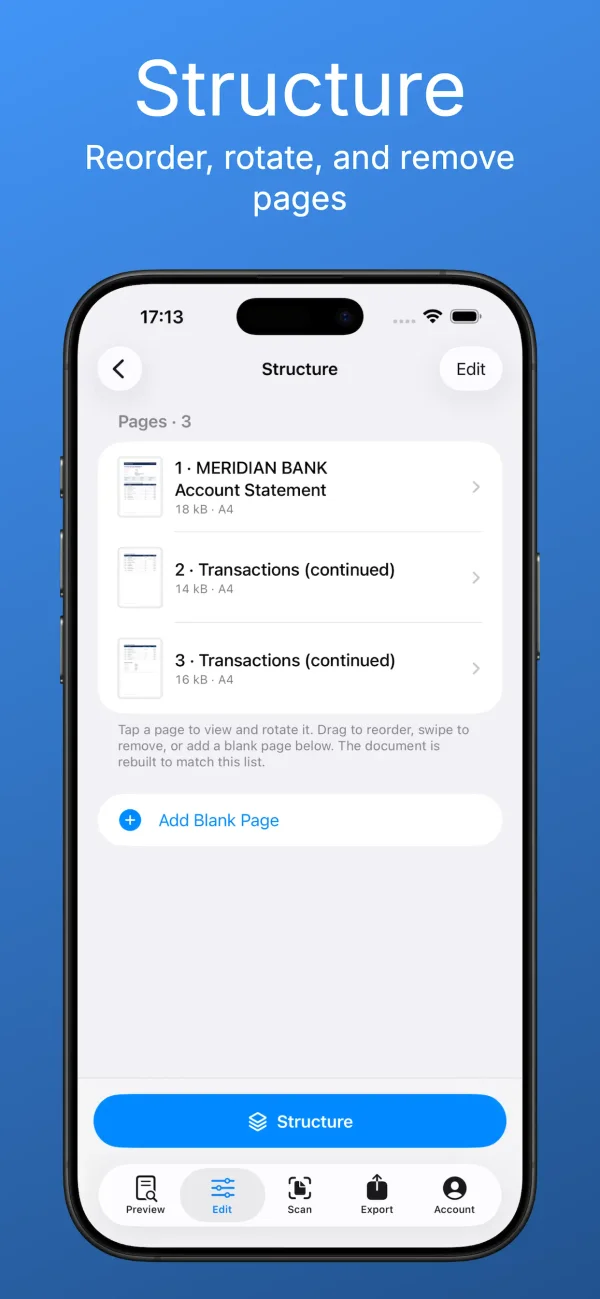
• Structure — Reorder pages by dragging, remove pages, add blank pages, and rotate individual pages.
• Extract — Keep only the pages you choose and discard the rest.
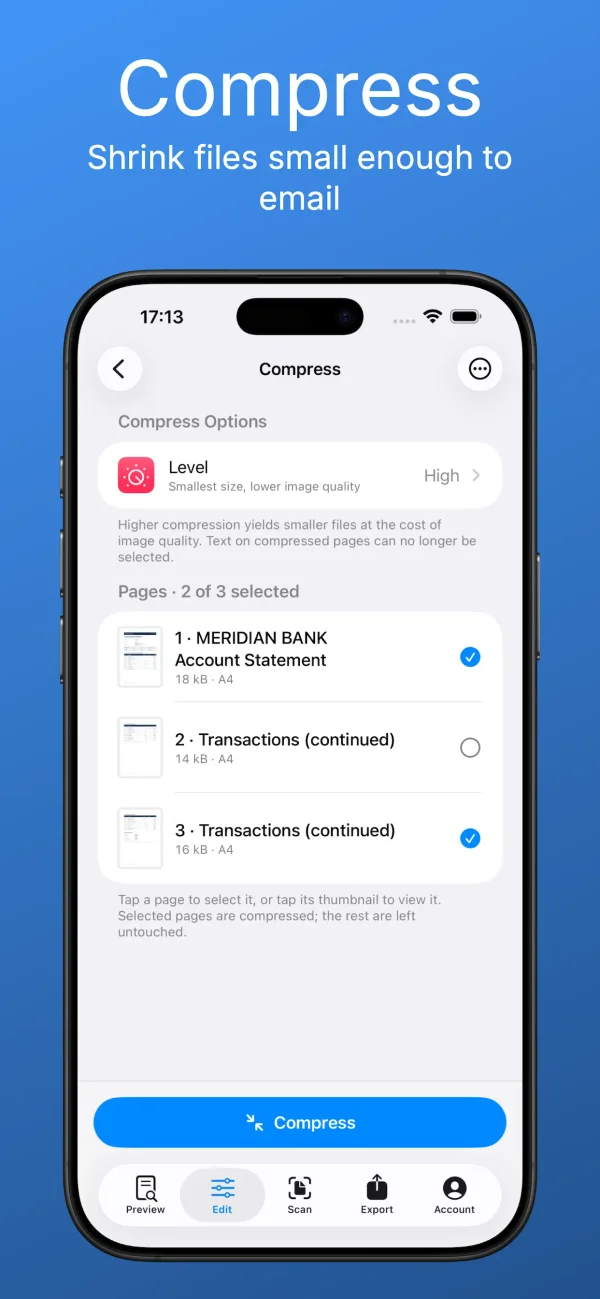
• Compress — Shrink file size with Low, Medium, or High compression, and see exactly how much space you saved.
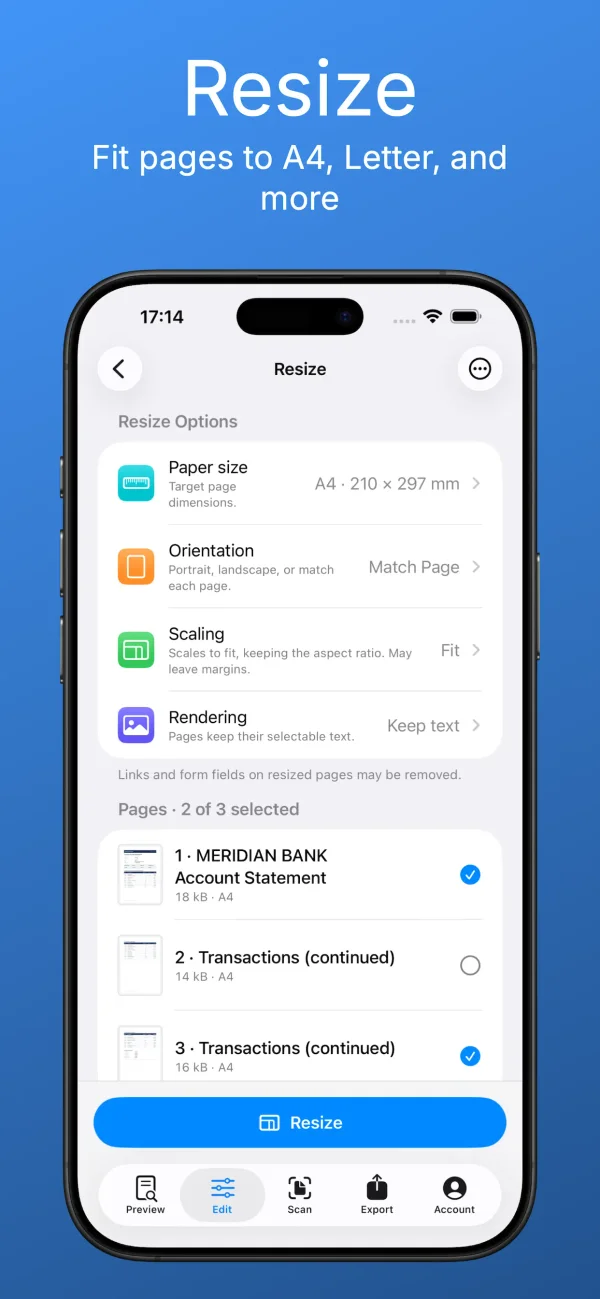
• Resize — Reshape pages to A4, Letter, Legal, or a custom size, in portrait or landscape.
SCAN PAPER
Use your device camera and Apple's built-in document scanner to capture pages straight into your document.
EXPORT YOUR WAY
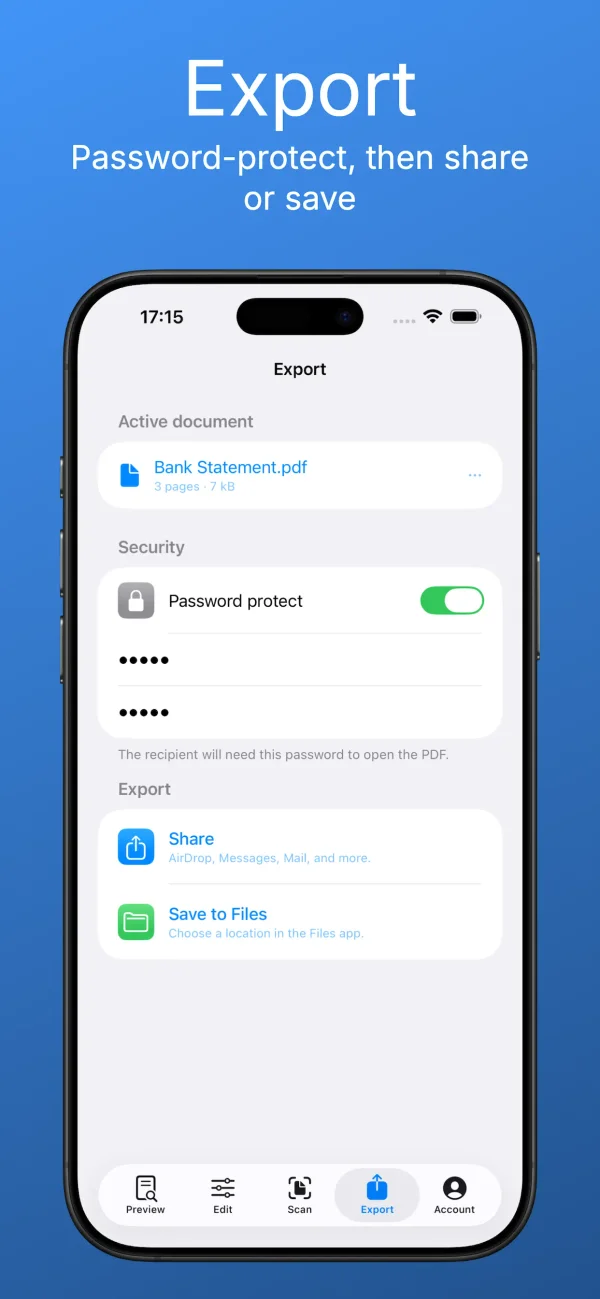
Optionally password-protect your PDF, then Share it via AirDrop, Messages, and Mail — or Save to Files.
PRIVATE BY DESIGN
Nothing leaves your device unless you send it. No cloud sync, no accounts. Your files stay on your device while you work.
ONE-TIME PURCHASE
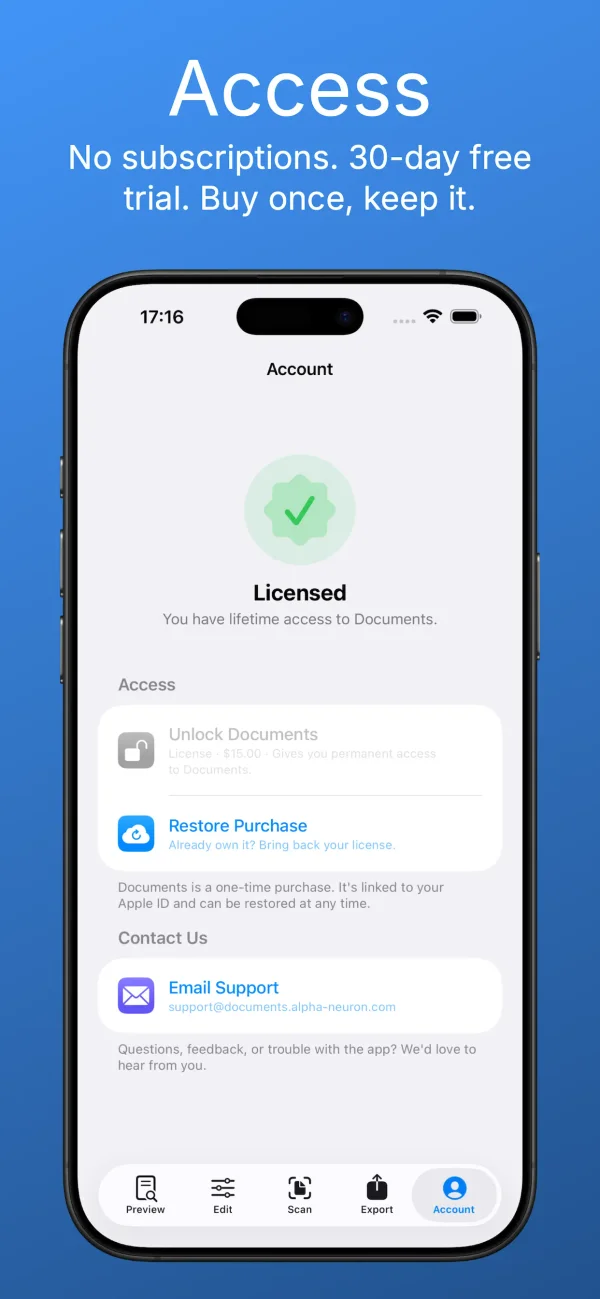
Try every feature free for 30 days. When you're ready, a single purchase unlocks the app for good — tied to your Apple ID, so it restores automatically across all your devices. No subscriptions, ever.
Neue Funktionen
Version 5.0.0 · 22.06.2026
A fresh look, top to bottom.
This version is a complete redesign of Documents, rebuilt with a cleaner, more modern interface across iPhone, iPad, and Mac. It's the same single-document workbench you know — just more refined.
What's improved:
• A new design across all five tabs — Preview, Edit, Scan, Export, and Account
• Smoother, clearer Merge, Structure, Extract, Compress, and Resize
• A more polished scanning and export experience
• Refinements and fixes throughout for better performance and reliability
Still a one-time purchase, with no subscriptions and no clutter — just the Documents you rely on, looking and working better than ever.
App-Datenschutz
Was Franco Swarts im App Store zum Umgang dieser App mit Daten angibt.
-
Keine Daten erfasst
Der Entwickler erfasst keine Daten von dieser App.
Die Datenschutzpraktiken können variieren, zum Beispiel je nach den von Ihnen verwendeten Funktionen oder Ihrem Alter.
Informationen
- Anbieter
- Franco Swarts
- Kategorie
- Produktivität
- Version
- 5.0.0
- Aktualisiert
- 22.06.2026
- Veröffentlicht
- 08.11.2018
- Größe
- 3,0 MB
- Erfordert
- iOS 17.0 oder neuer
- Altersfreigabe
- 4+
- Preis
- Kostenlos
- In-App-Käufe
- Ja
- Sprachen
- Englisch
- Copyright
- © 2026 Alpha Neuron
Das könnte Ihnen auch gefallen
-
 Documents Pro - Files EditorSupports Dropbox, Google Drive
-
 Documents Reader+DateibrowserDownloads Dokumente by Datacom
-
 Documents : Musik DateimanagerOhne net video player manager
-
 Dokumente - Dateien & OrdnerSpeicher für PDF, Musik, Fotos
-
 Document Editor—Docs,SheetsBearbeiten Sie Word, Excel
-
 My Space - DateimanagerDateimanager und Media Player
-
 FSharing: Dateien,DateimanagerFile manager, explorer,zip,rar
-
 Dokumenten-Manager: DOC,SheetDOCX Reader, XLSX, PPT-Editor
-
 Vpin|網路影片學習輔助工具Produktivität
-
 Beste VPN - Wlan SignalstärkeSicherheit, Netzwerk Scanner