
Alpha Neuron - Documents
Scan, reshape & share PDFs
Designed for iPhone, iPad, Mac
Free · In-app purchases
- Age rating4+
- CategoryProductivity
- DeveloperFranco Swarts
- LanguagesEnglish
- Size3.0 MB
Links to the official App Store page
Download.org hosts no file of Alpha Neuron - Documents. The button opens its official App Store page, published by Franco Swarts. Listing last checked on Nov 13, 2026.
Screenshots


About
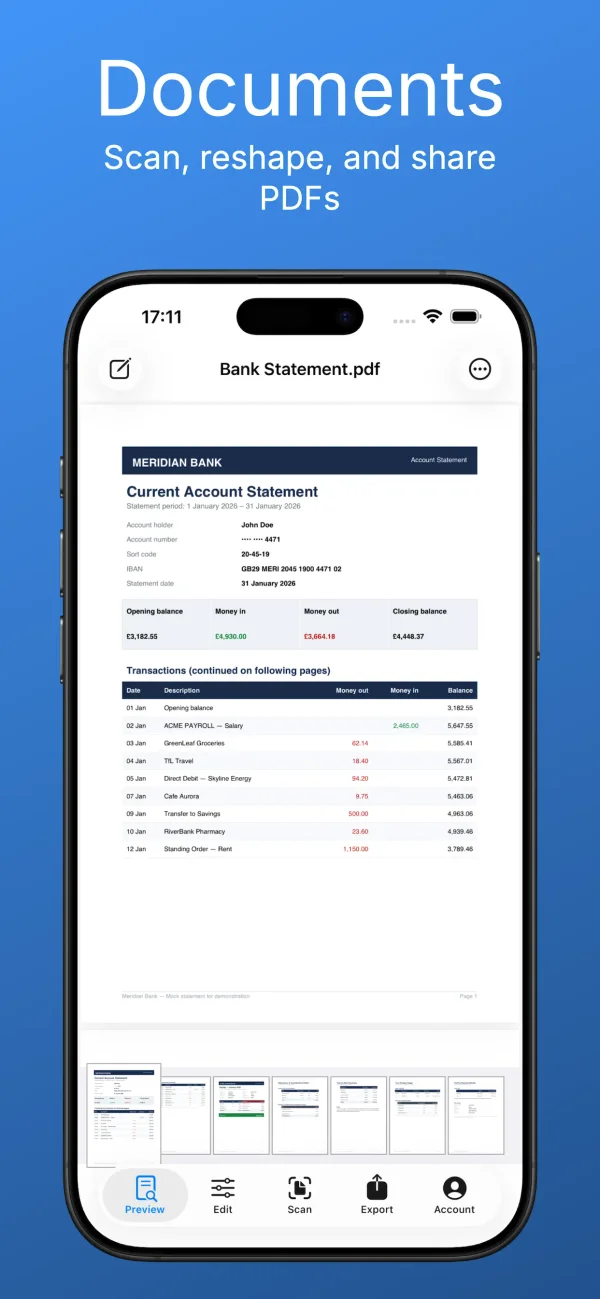
Documents turns your iPhone, iPad, or Mac into a simple PDF workbench. Open or scan a PDF, reshape it, then send it on its way — no subscription, no account, no clutter.
Work on one document at a time. Give it pages, edit them, and share the result. Your edits are non-destructive within a session, and Undo and Redo let you step back and forth through your changes.
FIVE WAYS TO EDIT
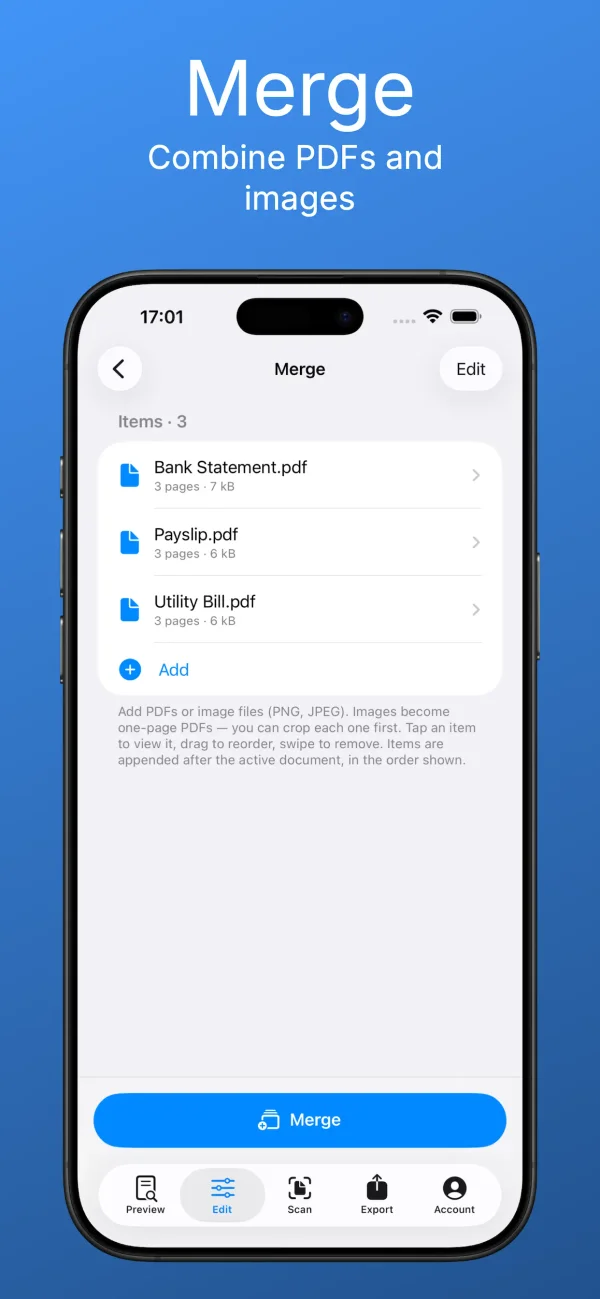
• Merge — Append other PDFs or images to your document. Reorder, preview, and crop photos of pages before they're added.
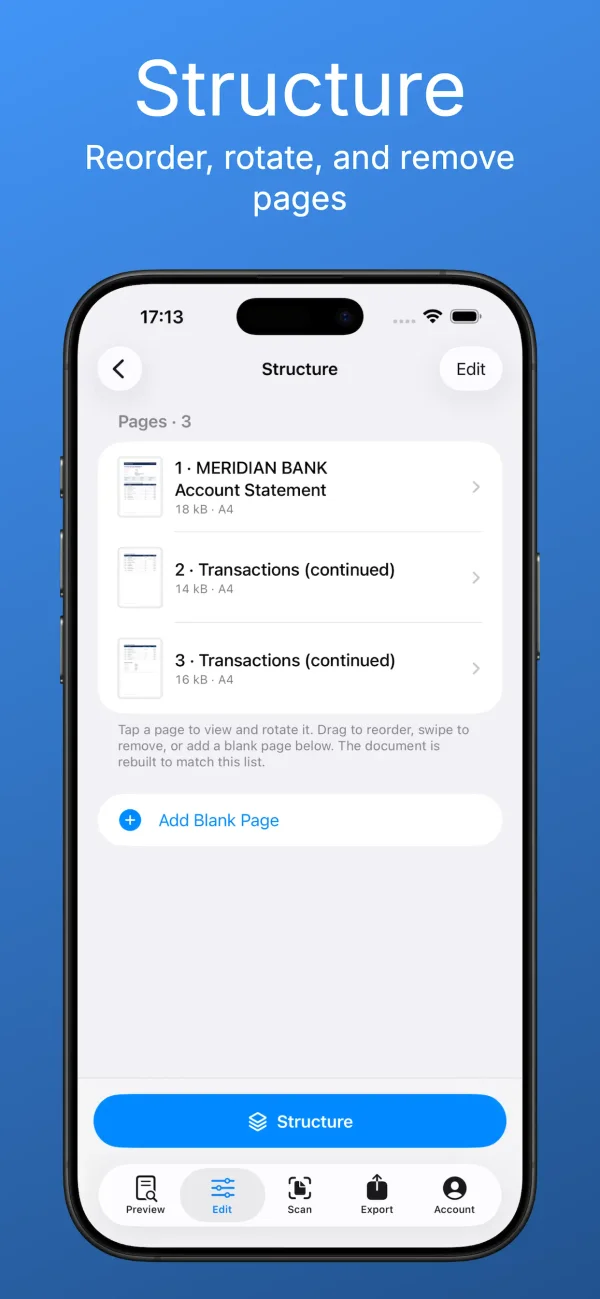
• Structure — Reorder pages by dragging, remove pages, add blank pages, and rotate individual pages.
• Extract — Keep only the pages you choose and discard the rest.
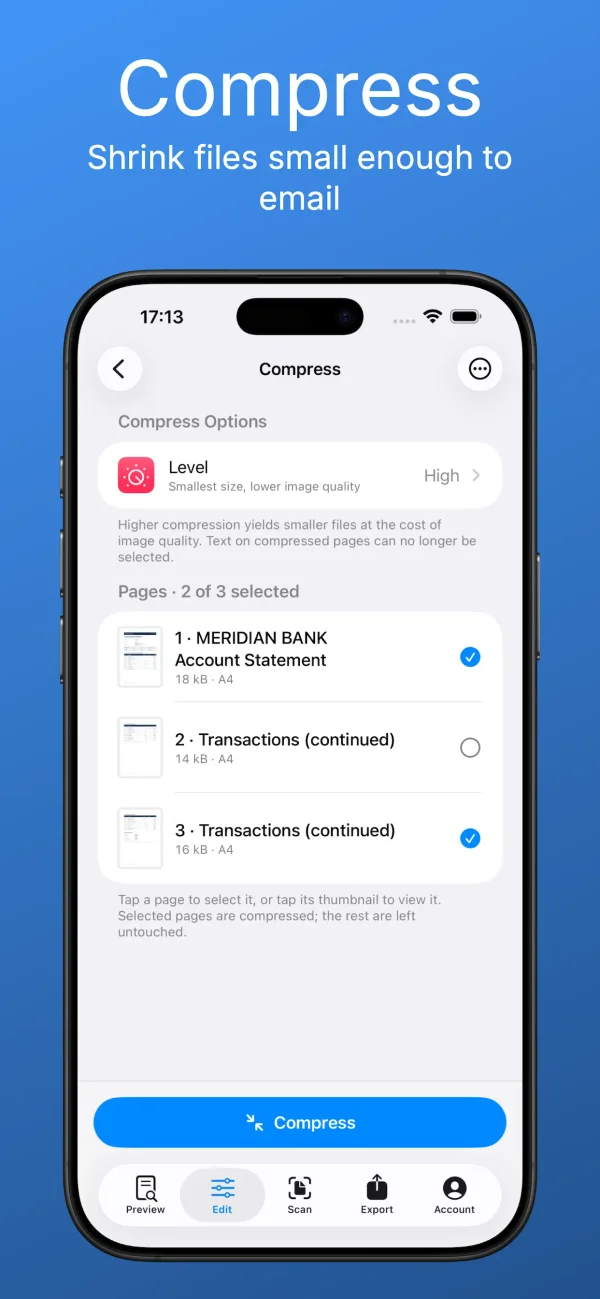
• Compress — Shrink file size with Low, Medium, or High compression, and see exactly how much space you saved.
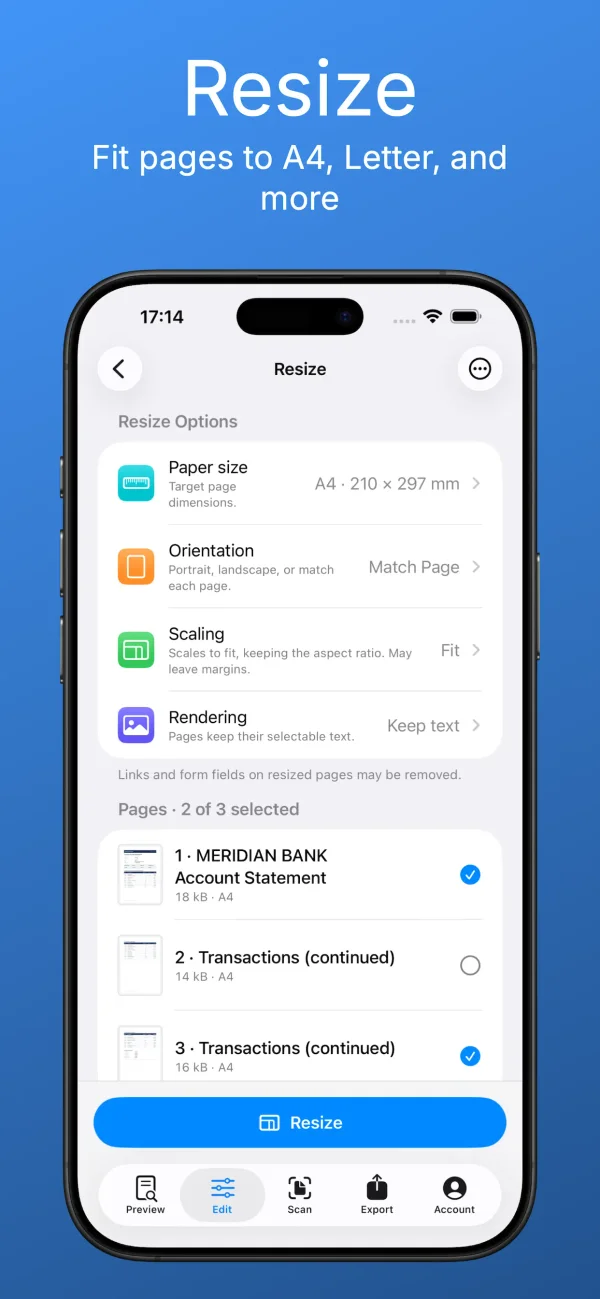
• Resize — Reshape pages to A4, Letter, Legal, or a custom size, in portrait or landscape.
SCAN PAPER
Use your device camera and Apple's built-in document scanner to capture pages straight into your document.
EXPORT YOUR WAY
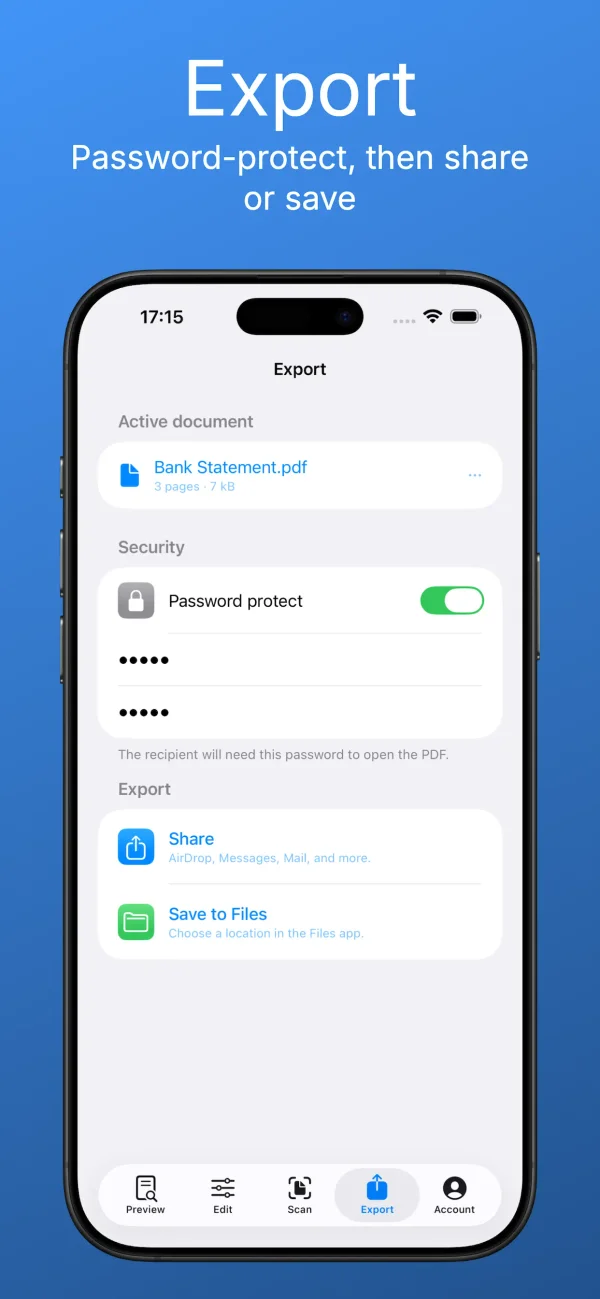
Optionally password-protect your PDF, then Share it via AirDrop, Messages, and Mail — or Save to Files.
PRIVATE BY DESIGN
Nothing leaves your device unless you send it. No cloud sync, no accounts. Your files stay on your device while you work.
ONE-TIME PURCHASE
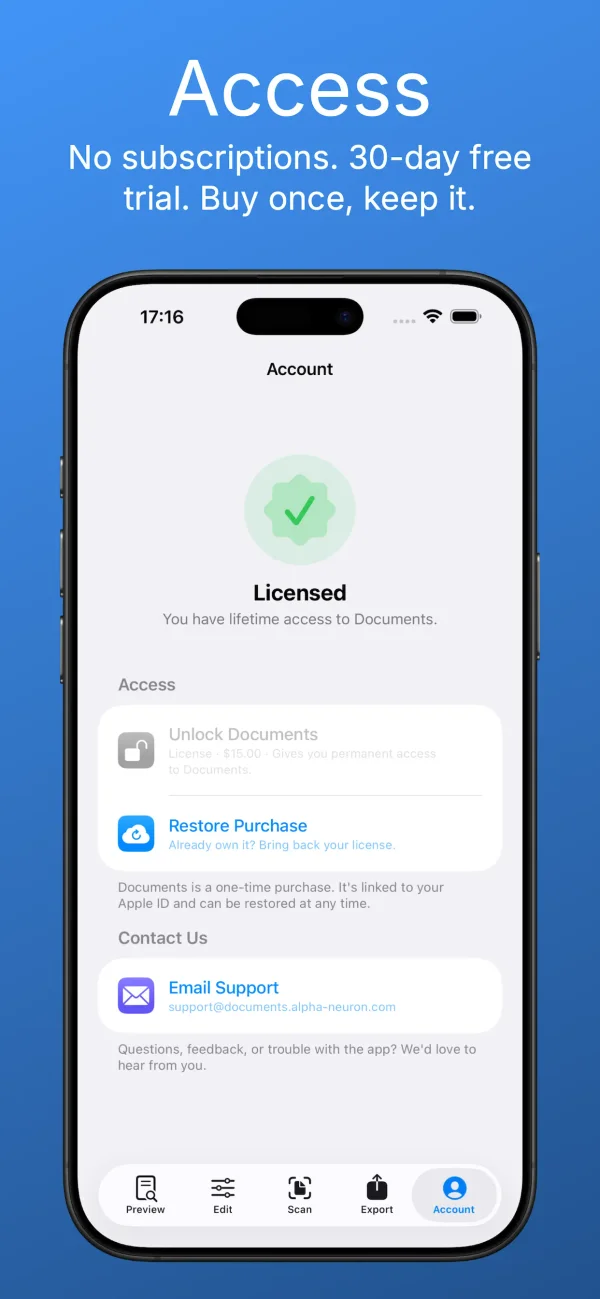
Try every feature free for 30 days. When you're ready, a single purchase unlocks the app for good — tied to your Apple ID, so it restores automatically across all your devices. No subscriptions, ever.
What’s new
Version 5.0.0 · Jun 22, 2026
A fresh look, top to bottom.
This version is a complete redesign of Documents, rebuilt with a cleaner, more modern interface across iPhone, iPad, and Mac. It's the same single-document workbench you know — just more refined.
What's improved:
• A new design across all five tabs — Preview, Edit, Scan, Export, and Account
• Smoother, clearer Merge, Structure, Extract, Compress, and Resize
• A more polished scanning and export experience
• Refinements and fixes throughout for better performance and reliability
Still a one-time purchase, with no subscriptions and no clutter — just the Documents you rely on, looking and working better than ever.
App privacy
What Franco Swarts declares on the App Store about how this app handles data.
-
Data not collected
The developer does not collect any data from this app.
Privacy practices may vary, for example with the features you use or your age.
Information
- Seller
- Franco Swarts
- Category
- Productivity
- Version
- 5.0.0
- Updated
- Jun 22, 2026
- Released
- Nov 8, 2018
- Size
- 3.0 MB
- Requires
- iOS 17.0 or later
- Age rating
- 4+
- Price
- Free
- In-app purchases
- Yes
- Languages
- English
- Copyright
- © 2026 Alpha Neuron
You might also like
-
 Documents Pro, Download & EditFor Web, Dropbox, Google Drive
-
 Documents Reader+files browserDownloads&edit docs by Datacom
-
 Documents : Media File ManagerFiles, Browser, Movie Player
-
 Documents - File ManagerDocs Reader, Editor, Converter
-
 Document Editor—Docs,SheetsEdit word,excel,pdf,slides
-
 My Space - File ManagerFile Manager & Media Player
-
 FSharing - Files, File ManagerFile explorer, downloader, zip
-
 Document Manager:Docs,SheetsEdit documents,spreadsheets
-
 Vpin|網路影片學習輔助工具90 分鐘精華 3 分鐘掌握,創作者認證 AI 摘要
-
 Super VPN Master-WiFi AnalyzerFast Secure Proxy & Speed Test