Alpha Neuron - Documents
Scan, reshape & share PDFs
Conçue pour iPhone, iPad, Mac
Gratuit · Achats intégrés
- Classification d’âge4+
- CatégorieProductivité
- DéveloppeurFranco Swarts
- LanguesAnglais
- Taille3,0 Mo
Renvoie vers la page App Store officielle
Download.org n’héberge aucun fichier de Alpha Neuron - Documents. Le bouton ouvre la page de l’application sur App Store, où Franco Swarts la publie. Fiche vérifiée pour la dernière fois le 13/11/2026.
Captures d’écran

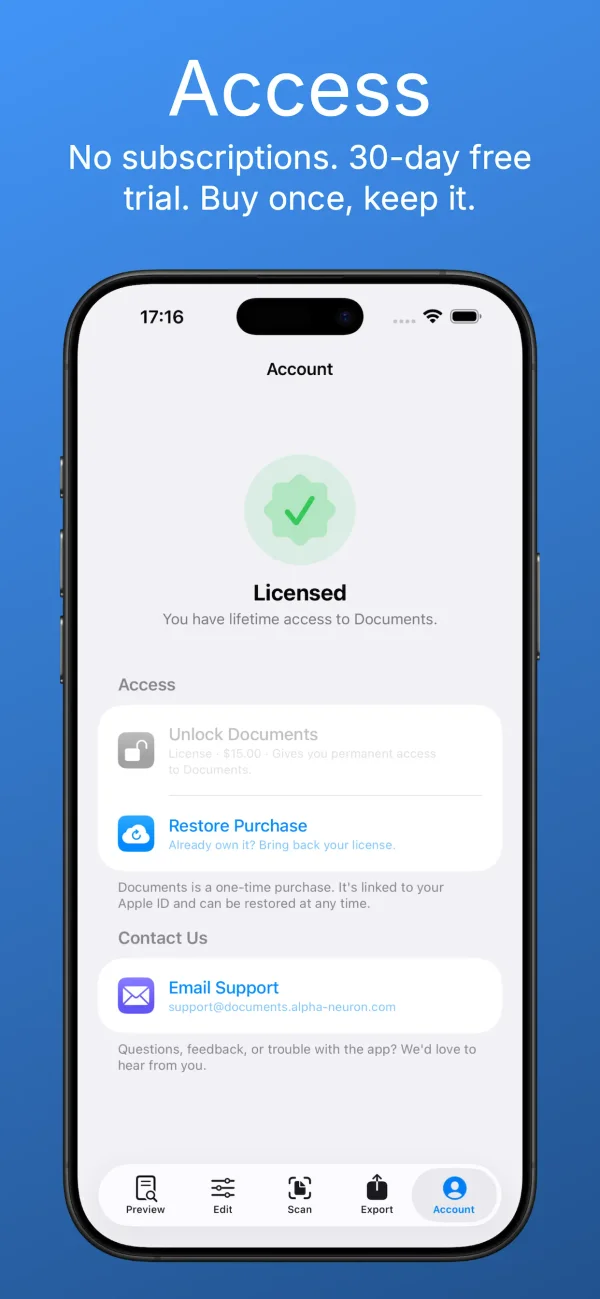
À propos
Le développeur n’a pas fourni ce texte dans votre langue.
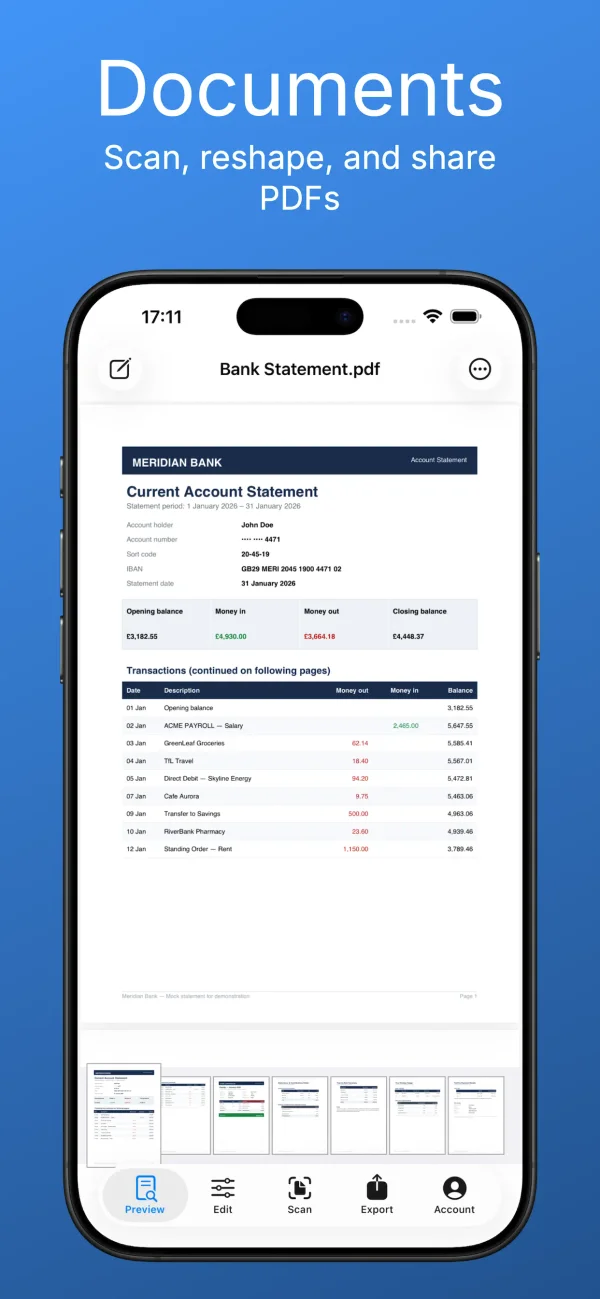
Documents turns your iPhone, iPad, or Mac into a simple PDF workbench. Open or scan a PDF, reshape it, then send it on its way — no subscription, no account, no clutter.
Work on one document at a time. Give it pages, edit them, and share the result. Your edits are non-destructive within a session, and Undo and Redo let you step back and forth through your changes.
FIVE WAYS TO EDIT
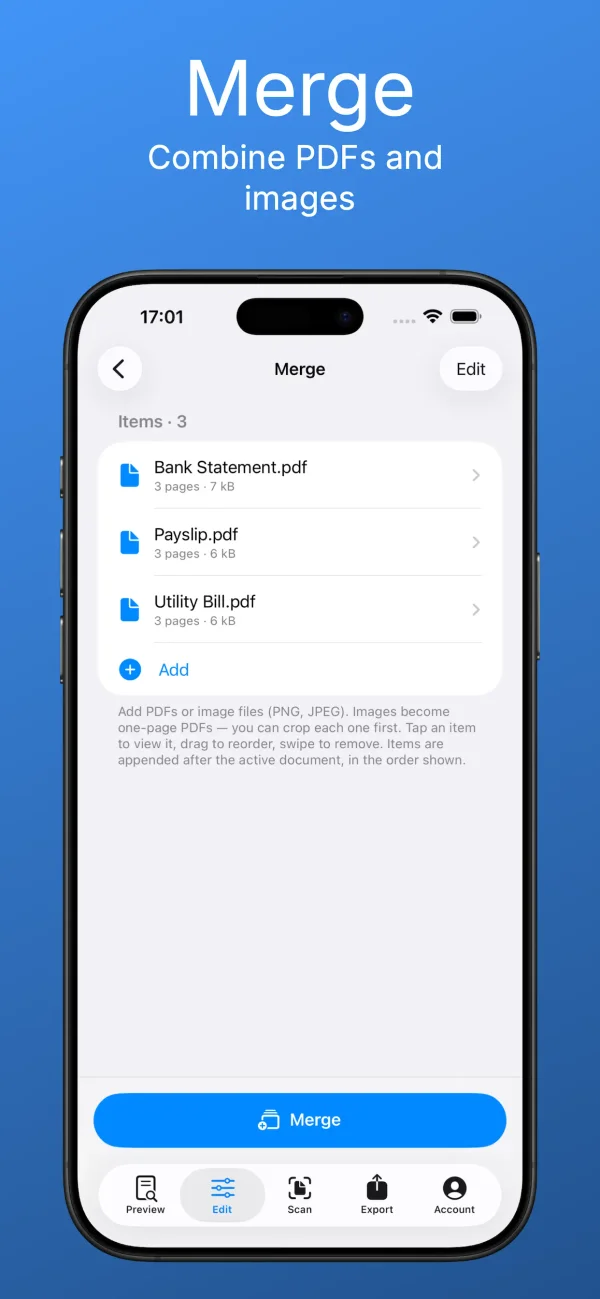
• Merge — Append other PDFs or images to your document. Reorder, preview, and crop photos of pages before they're added.
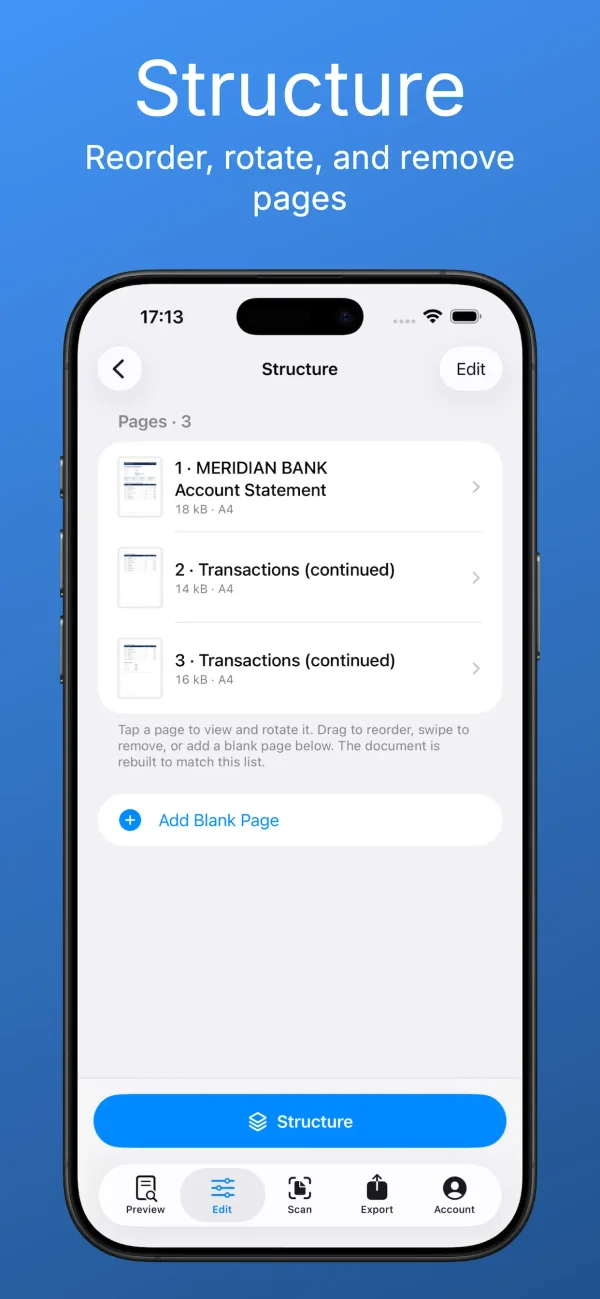
• Structure — Reorder pages by dragging, remove pages, add blank pages, and rotate individual pages.
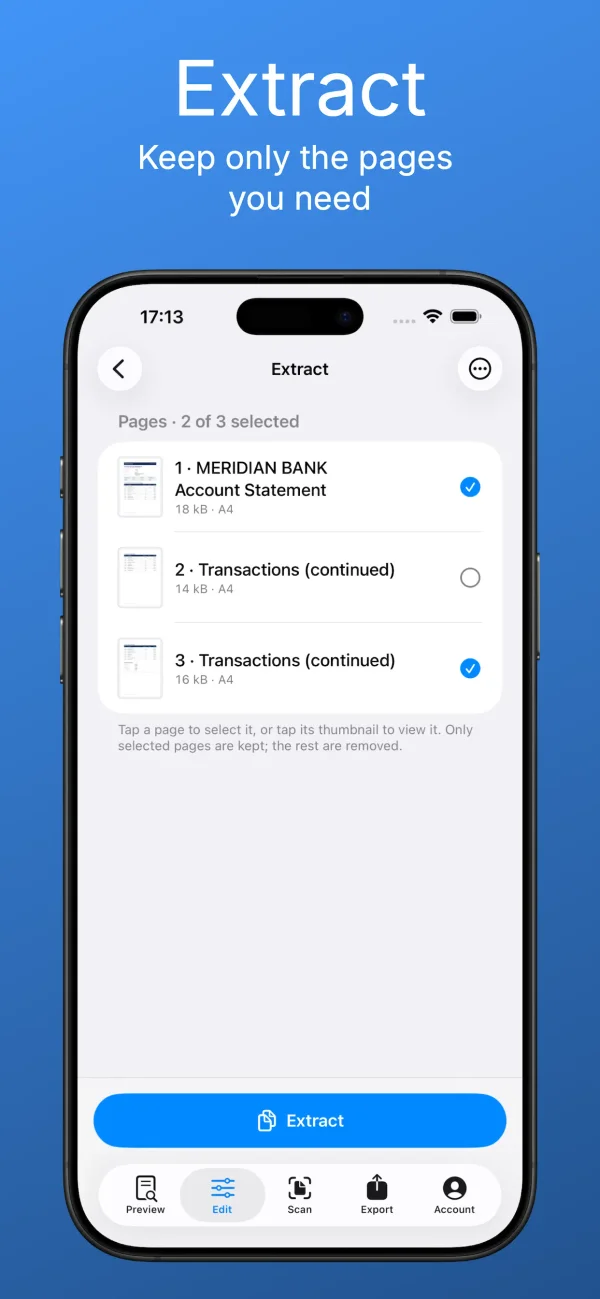
• Extract — Keep only the pages you choose and discard the rest.
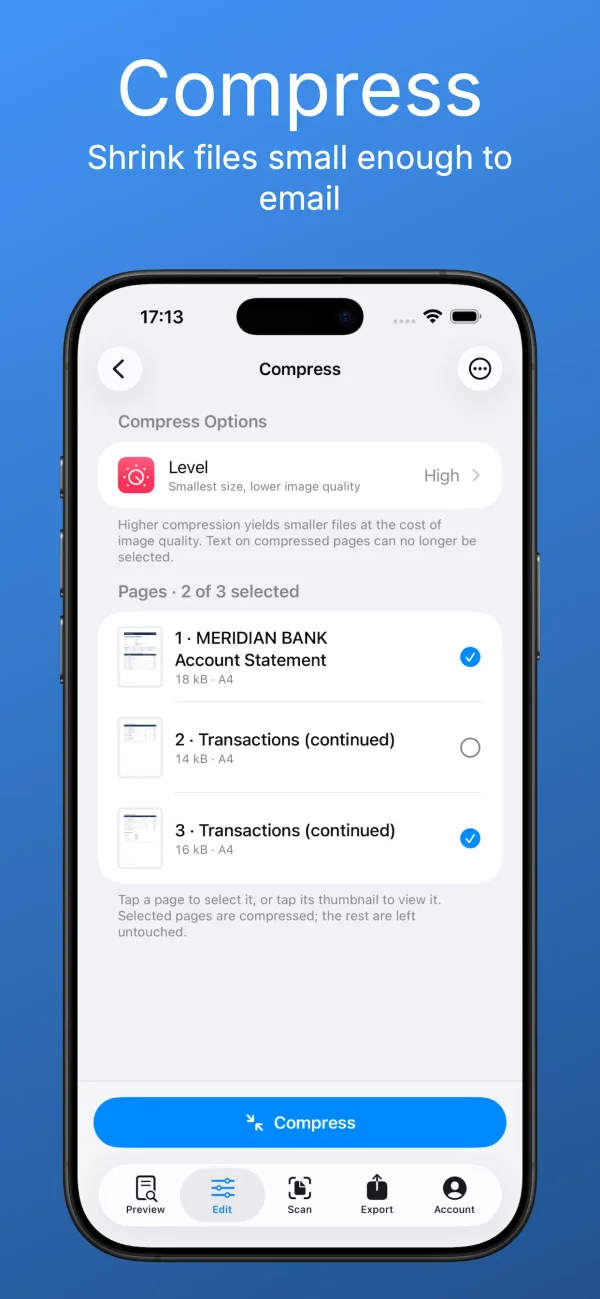
• Compress — Shrink file size with Low, Medium, or High compression, and see exactly how much space you saved.
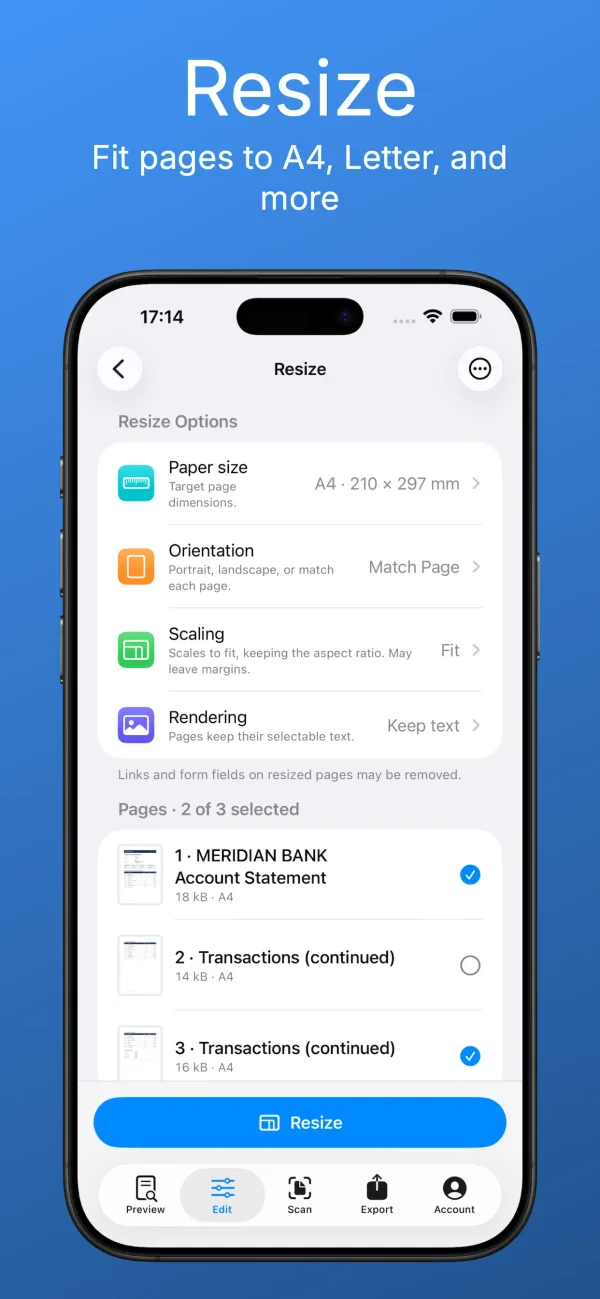
• Resize — Reshape pages to A4, Letter, Legal, or a custom size, in portrait or landscape.
SCAN PAPER
Use your device camera and Apple's built-in document scanner to capture pages straight into your document.
EXPORT YOUR WAY
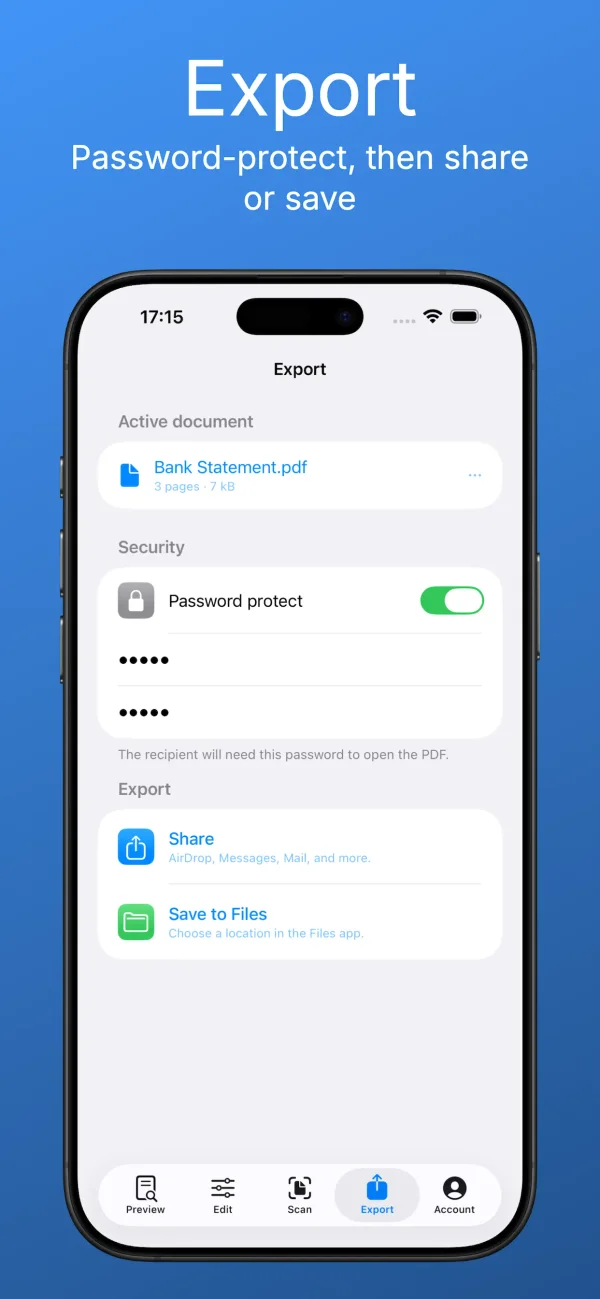
Optionally password-protect your PDF, then Share it via AirDrop, Messages, and Mail — or Save to Files.
PRIVATE BY DESIGN
Nothing leaves your device unless you send it. No cloud sync, no accounts. Your files stay on your device while you work.
ONE-TIME PURCHASE
Try every feature free for 30 days. When you're ready, a single purchase unlocks the app for good — tied to your Apple ID, so it restores automatically across all your devices. No subscriptions, ever.
Nouveautés
Version 5.0.0 · 22/06/2026
A fresh look, top to bottom.
This version is a complete redesign of Documents, rebuilt with a cleaner, more modern interface across iPhone, iPad, and Mac. It's the same single-document workbench you know — just more refined.
What's improved:
• A new design across all five tabs — Preview, Edit, Scan, Export, and Account
• Smoother, clearer Merge, Structure, Extract, Compress, and Resize
• A more polished scanning and export experience
• Refinements and fixes throughout for better performance and reliability
Still a one-time purchase, with no subscriptions and no clutter — just the Documents you rely on, looking and working better than ever.
Confidentialité de l’application
Ce que Franco Swarts déclare sur l’App Store au sujet du traitement des données par cette application.
-
Données non collectées
Le développeur ne collecte aucune donnée à partir de cette application.
Les pratiques en matière de confidentialité peuvent varier, notamment en fonction des fonctionnalités que vous utilisez ou de votre âge.
Informations
- Vendeur
- Franco Swarts
- Catégorie
- Productivité
- Version
- 5.0.0
- Mis à jour
- 22/06/2026
- Publié
- 08/11/2018
- Taille
- 3,0 Mo
- Nécessite
- iOS 17.0 ou version ultérieure
- Classification d’âge
- 4+
- Prix
- Gratuit
- Achats intégrés
- Oui
- Langues
- Anglais
- Copyright
- © 2026 Alpha Neuron
Vous aimerez peut-être aussi
-
 Documents Pro - TéléchargerSupports Dropbox, Google Drive
-
 Documents Reader+files browserProductivité
-
 Documents : Media File ManagerProductivité
-
 Documents・Fichiers et DossiersTéléchargement Musique, Vidéo
-
 Document Editor—Docs,SheetsModifier word, excel, pdf
-
 My Space - File ManagerProductivité
-
 FSharing: Fichiers, DownloaderGestionnaire de fichiers, zip
-
 Gestionnaire Doc: DOC, SheetLecteur DOCX,XLSX,Éditeur PPT
-
 Vpin|網路影片學習輔助工具Productivité
-
 VPN Illimité et Analyseur WiFiSécurité Internet, Super Proxy